

Pro Gear Advisers
•866-498-7882
Glossary of Recording Terms

If you’re building a home studio, diving into music production or just trying to make sense of your DAW, understanding basic recording terms is essential. This glossary covers the most important recording terminology used by producers, engineers and musicians in real-world recording sessions. You’ll learn how professional studios talk and think, without needing a degree in electrical engineering.
Whether you’re new to recording or looking to sharpen your skills, this is your field guide to making sense of the signal chain—one term at a time.
Table of Contents
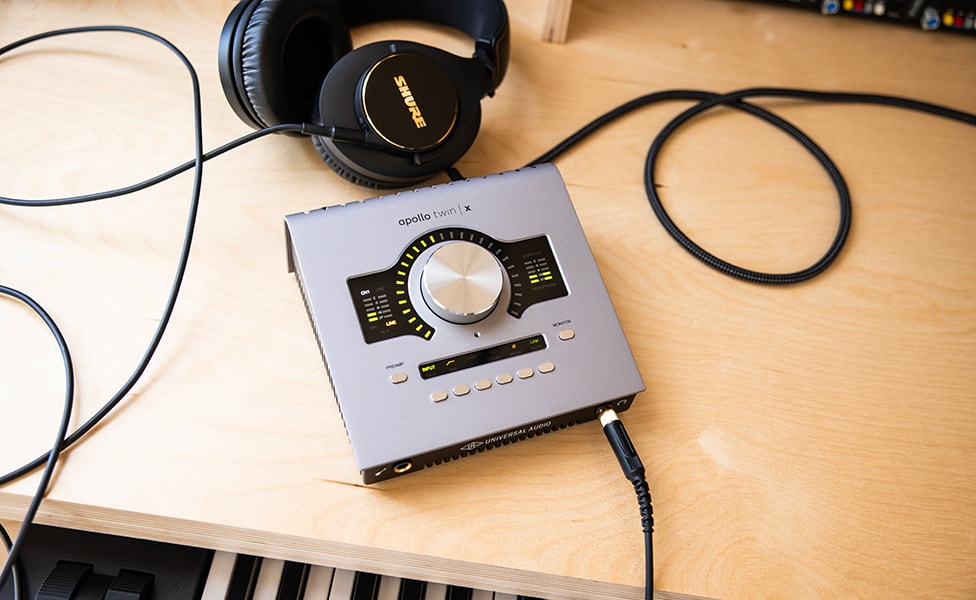
Shop Now: Universal Audio Apollo Twin X DUO Gen 2 Audio Interface
Essential Recording Terms
Balanced/Unbalanced Audio
Bit Depth
Control Room
Dead Room
Decibles (dB)
Dynamic Range
Headroom
Hertz
I/O (Input/Output)
Latency
Live Room
Mastering
Mixing
Noise Floor
Outboard Gear
Sampling Rate
Signal Chain
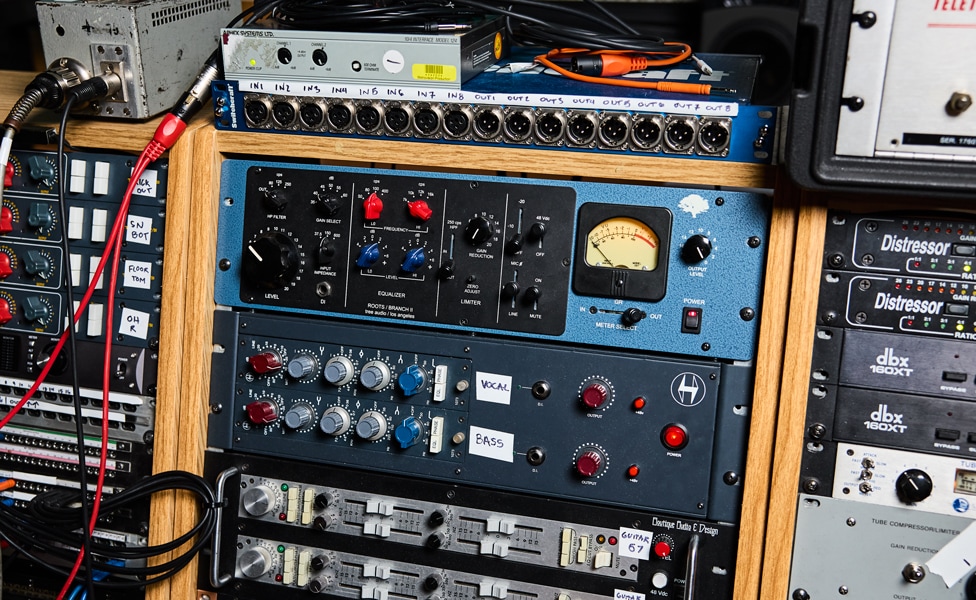
Pictured: Various Outboard Recording Gear
Balanced/Unbalanced Audio
Describes how audio signals are transmitted over cables.
Balanced connections (XLR, TRS) are the professional standard. They use two signal conductors and a ground, allowing noise picked up along the cable to be canceled out.
Unbalanced connections (TS, RCA) use a single signal wire and ground, making them more susceptible to picking up noise and interference.
Learn more about hum, buzz and grounding issues in this in-depth article on fixing audio cable noise.
Bit Depth
In digital recording, bit depth refers to how many possible amplitude (how loud it is) values each sample can record. The higher the bit depth, the more dynamic range you can capture (e.g. 16-bit, 24-bit, 32-bit float).
Control Room
The space where the mixing console, monitors and outboard gear live, and engineers monitor recordings and mix sessions. Typically this space is acoustically optimized for accurate speaker monitoring.
Dead Room
An acoustically treated space designed to eliminate reflections, creating a dry, controlled recording environment.
Decibels (dB)
A way of measuring how loud something is or how much stronger one audio signal is compared to another. Think of it like the Richter scale for earthquakes—each step up represents a much bigger change than the number suggests. In audio, a 3dB increase means twice as much power, and 10dB sounds roughly twice as loud to your ears. Different dB scales are used for different parts of the audio chain: dBu for professional gear, dBV for consumer equipment, dBFS for digital systems (where 0dBFS is the absolute maximum) and dBSPL for measuring actual sound pressure in the air.
Dynamic Range
The difference between the quietest and loudest parts of a recording.
Headroom
The available level above nominal operating level before distortion occurs. Digital systems have a fixed ceiling (0 dBFS); analog systems often have soft-clipping characteristics above nominal, completely undistorted, levels.
Hertz
The unit of frequency; 1Hz equals one cycle per second. Human hearing generally ranges from 20Hz to 20,000Hz. In musical terms, Hz can also be used to define specific pitches, as with the tuning standard of A4 (the A above middle C on a piano)=440Hz.
I/O (Input/Output)
Describes the number and type of inputs and outputs on audio equipment or software. The more I/O available, the more simultaneous signals you can record or route. Sometimes affectionately called the “Gazinta” (goes into) and “Gazouta” (goes out of) twins by old-school engineers.
Latency
The delay between when audio enters and exits a digital recording system.
One-way latency affects monitoring and headphone mixes.
Round-trip latency is the total delay when recording through software plug-ins or outboard gear.
Live Room
The room where musicians perform during recording. Typically has reflective surfaces that add natural reverb and energy to recordings.
Mastering
The final stage of audio production, optimizing a mix for playback across various systems and formats, often involving EQ, compression, limiting and stereo enhancement.
See also our articles on “What Is the Difference Between Mixing and Mastering” and “How to Prep Your Tracks for Mastering.”
Mixing
The process of blending multiple recorded tracks into a cohesive stereo or multichannel mix, balancing levels between tracks, EQ, panning and effects.
Noise Floor
The level of background noise inherent in any system. Keeping recording levels above the noise floor ensures clean signal capture.
Outboard Gear
External audio processors, usually rackmounted, like compressors, EQs and effects units used outside of the DAW. Often valued for their sonic character and real-time control.
Sampling Rate
The number of times per second an analog signal is measured, then converted into a digital signal when recording to a digital medium. Common rates include 44.1kHz, 48kHz, 96kHz.
Signal Chain
The complete path audio follows from source to output, including mics, preamps, processors, converters, DAWs and monitors.
Recording Hardware/Software Terms
500 Series
Amplifier
Audio Interface
Bus
Channel Strip
Condenser Microphone
Controller
Converter
DAW
Direct Box
Dynamic_Microphone
Farfield Studio Monitors
Limiter
Midfield Studio Monitors
MIDI
Mixer
Mixing Console
Nearfield Studio Monitors
Pad
Patch Bay
Patch Cable
Plug-in
Preamplifier
Ribbon Microphone
Talkback Mic
VU Meter
Word Clock

Pictured: Digital Audio Workspace (DAW)
500 Series
A modular studio gear format using standardized rackmounted enclosures and interchangeable processing modules (EQs, compressors, preamps, etc.). Originally popularized by API, 500 Series allows engineers to build custom signal chains using compact, swappable hardware components.
Amplifier
Used to increase signal strength. In recording, can refer to instrument amplifiers (guitar/bass amps) or headphone/monitor amps used for playback.
Audio Interface
A device that converts analog audio signals into digital data for recording and vice versa for playback. Interfaces also often supply microphone preamps, headphone outputs, monitoring controls, MIDI connections, clocking inputs and outputs, and more.
If you’re looking, be sure to check our guide to “The Best Audio Interfaces.”
Bus
An internal signal path within a mixer or DAW that combines multiple audio signals, whether live or from recorded tracks, into one for processing, routing or ease of control (see Submix).
Channel Strip
Originally refers to the set of controls assigned to a single input channel on a mixing console: preamp, EQ, dynamics, sends, pan and fader.
In modern studio gear, standalone channel strip units or custom-assembled vocal chains replicate this full signal path in a single outboard processor or small 500 Series rack.
Condenser Microphone
Uses a charged diaphragm to capture sound with greater sensitivity and detail. Requires phantom power. Ideal for vocals, acoustic instruments and ambient room capture.
Also see "How a Condenser Microphone Works"
Controller
Hardware designed to interface with DAWs, often including faders, knobs and transport controls, allowing tactile control over digital mixing and editing. Also known as a "control surface."
Converter
The internal circuitry (or standalone box) that handles A/D (analog-to-digital) and D/A (digital-to-analog) conversion. High-quality converters preserve detail and minimize distortion during recording and playback.
DAW
A TLA (three-letter abbreviation) for digital audio workstation. Software used for recording, editing, mixing and producing audio on a computer (e.g., Avid Pro Tools, Logic Pro, Ableton Live).
Be sure to check out our guide to “DAWs for Beginners.”
Direct Box
Also known as a D.I. (direct injection) box. Converts high-impedance instrument or unbalanced line-level signals into balanced mic-level signals suitable for recording. Active D.I.s require power for the internal electronics; passive D.I.s rely on unpowered transformer-based conversion.
Dynamic Microphone
Uses a moving coil to convert sound into an electrical signal. Durable, handles high sound pressure levels, and commonly used for vocals, drums and guitar amps. Unlike condenser mics, dynamics don’t require phantom power, though there are some exceptions that have built-in preamps.
Also see "How a Dynamic Microphone Works"
Farfield Studio Monitors
Main monitors placed at a significant distance from the monitoring position. They are typically soffit-mounted in professional control rooms, delivering full-range sound at high volumes.
Limiter
A type of compressor with a very high ratio that prevents audio from exceeding a set level. Often used on master buses to maximize overall loudness while avoiding clipping/distortion. See also Compression.
Midfield Studio Monitors
Monitors designed to be placed farther back (5'–10') from the monitoring postion than nearfields, generally offering broader frequency response and a wider listening “sweet spot” for larger control rooms.
MIDI
Stands for Musical Instrument Digital Interface; allows digital devices to communicate musical performance data (notes, velocity, control changes, etc.). MIDI transmits control instructions, not audio signals.
Mixer
A general term for any device that combines multiple audio sources into a single output, whether analog or digital.
Mixing Console
The larger, more fully featured form of a mixer, often with dedicated EQ, dynamics, AUX sends and multichannel routing.
Check out our article “The Evolution of Recording and Mixing Consoles” for a deeper dive.
Nearfield Studio Monitors
Speakers designed for close-range listening that minimize room reflections for accurate monitoring.
You’ll definitely want to take a look at our guides to the “Top Studio Monitors for Mastering” and “Best Studio Monitors.”
Pad
A device that uses passive (unpowered) attenuator to reduce input signal strength, preventing distortion when recording loud sources.
Patch Bay
A routing system, either physical analog hardware or software/firmware based digital, that allows easy reconfiguration of audio signal paths via patch cables. Common in larger studios for flexible hardware integration.
Patch Cable
Used to connect inputs and outputs on a patch bay. Can use any of a variety of connectors, both balanced and unbalanced (i.e., XLR, TRS, phono, etc.).
Plug-In
Software modules that run within a DAW to provide effects, instruments or processing, such as EQ, reverb, virtual synths or compressors.
If you need some help picking plug-ins, we’ve got Riffs articles that will help you choose the right ones. See “Best Plug-Ins for Mixing Vocals” and “Best Plug-Ins for Mixing Guitar.”
Preamplifier
Boosts low-level microphone or instrument signals to line level for recording. The preamp’s design can influence tone, character and noise performance.
Ribbon Microphone
Uses a thin metal ribbon suspended in a magnetic field. Known for smooth, natural high-end response, often favored on guitars, horns and vocals. Also see "How a Ribbon Microphone Works."
Talkback Mic
A microphone that allows engineers and producers to communicate with performers in isolated recording spaces during sessions.
VU Meter
A visual indicator of average signal level, useful for setting recording and mix levels without clipping.
Word Clock
A timing reference used to synchronize multiple digital audio devices (interfaces, converters, etc.). Word clock prevents jitter and timing errors when multiple digital sources operate together.
Recording Principles
3:1 Miking Rule
Acoustic Treatment
Basic Track
Composite Tracks
Compression
Decay
Depth
Equalization (EQ)
Fletcher-Munson Effect
Frequency Response
Gain Staging
Impedance
Line Level
Microphone Level
Mono
Panning
Phantom Power
Phase Cancellation
Pre-Delay
Pre-Fader Listen (PFL)
Preproduction
Scratch Track
Signal-to-Noise Ratio
Stereo
Submix
Sweetening

Shop Now: Eventide SplitEQ Parametric EQ Plug-in
3:1 Miking Rule
A guideline to minimize phase cancellation when using multiple microphones on the same source. The distance between mics should be at least three times the distance from each mic to the sound source.
Acoustic Treatment
Materials placed in a room to control reflections, standing waves and frequency response. Includes absorbers, diffusers and bass traps.
Basic Track
The foundational recording of a song’s rhythm section (drums, bass, guitar, keys and sometimes scratch vocal), often tracked first to serve as the timing and feel reference for overdubs.
Composite Track
Combining multiple takes into a single, polished performance by selecting the best parts of each. For example, a vocalist might do several takes of a song, and the mix engineer will select the best parts from each for the final version. Also called a “comp track.”
Compression
Reduces dynamic range by automatically lowering loud peaks and raising softer parts. Used for leveling vocals, controlling drums and adding punch to mixes.
For a more in-depth look at compressors and compression techniques, see “Five Compressors Everyone Should Know” and “What Is Sidechain Compression?”
Decay
The length of time it takes for a sound or reverb tail to fade away.
Depth
The sense of front-to-back space created in a mix through level, EQ, reverb and other spatial effects.
Equalization (EQ)
The process of adjusting the balance of frequencies in an audio signal. Used to shape tone, correct issues with specific sounds or create sonic space within the frequency spectrum of a mix.
For some quick and dirty tips on how to EQ your mixes, check out our “EQ Cheat Sheet for Mixing.”
Fletcher-Munson Effect
A psychoacoustic phenomenon describing how humans perceive loudness differently at various frequencies and volumes. It impacts how we balance mixes at different monitoring levels.
Frequency Response
Describes how accurately a device reproduces or records different frequencies across the audio spectrum.
Gain Staging
The process of setting optimal levels at every stage of the signal chain to maximize headroom and minimize noise or distortion.
For an in-depth look and some tips on how to set up proper gain staging, see “What Is Gain Staging?”
Guide Track
A recorded track, most frequently a metronomic click, used to synchronize players. Especially important for recording things like music cues for film where the timing is critical.
Impedance
The resistance of a circuit to alternating current, like an audio waveform. Impedance changes with frequency, which is why you’ll often see impedance listed as something like “<x> ohms at <y> frequency.” Matching impedance between devices ensures optimal signal transfer.
Line Level
The standard signal strength used by most professional recording equipment after preamplification.
Microphone Level
The very low-level electrical signal generated by microphones, typically requiring preamplification before recording.
Mono
Single-channel audio, lacking spatial separation between right and left—all signals appear to be “in the middle.”
Panning
Placing a sound within the stereo field, from left to right, to create width and separation.
Phantom Power
+48V DC power supplied to condenser microphones and some active D.I. boxes via XLR cable.
For some background history and technical detail, see “What Is Phantom Power and How Does It Work?”
Phase Cancellation
Occurs when two sound waves combine out of phase, partially or fully canceling each other. Can cause thin or hollow sound if not managed.
Pre-Delay
The amount of time between the original dry signal and the onset of reverb. It simulates the natural delay that occurs in large spaces before reflections bounce back to the listener.
Pre-Fader Listen (PFL)
Allows engineers to monitor a channel’s signal before it reaches the main mix bus, useful for isolating and adjusting individual tracks.
Preproduction
The planning stage before recording begins. Involves selecting songs, arranging parts, rehearsing performances and making technical decisions about gear and setups.
Scratch Track
A temporary guide recording used during tracking, often replaced in the final mix.
Signal-to-Noise Ratio
The difference between a system’s desired signal level and its inherent noise floor. Higher ratios result in cleaner recordings.
Stereo
Two-channel recording or playback system creating a sense of left-right spatial imaging.
Submix
A combined group of tracks (like drums or background vocals) mixed together before being blended into the full mix.
Sweetening
Adding enhancements to a mix—such as reverb, harmony parts, additional percussion or effects—to enrich the final sound.
Recording Techniques
Binaural Recording
Double Tracking
Fade In
Fade Out
Field Recording
Mid-Side Recording
Mixdown
Multi-Tracking
Mute
Off-Axis Miking
Overdubbing
Parallel Compression
Phase Alignment
Print-Through
Punch In
Re-amping
Serial Compression
Stem Mixing
Stereo Recording

Pictured: Vocal Double Tracking
Binaural Recording
A specialized stereo technique using microphones placed to mimic the spacing of human ears, producing highly realistic 3D sound in headphones.
Double Tracking
Recording the same part multiple times to create a thicker, more natural chorus effect when layered together.
Fade In
Gradually increasing volume from silence at the start of a track.
Fade Out
Gradually decreasing volume to silence at the end of a track.
Field Recording
Capturing audio outside of controlled studio environments, often using portable recorders and minimal equipment.
Mid-Side Recording
A stereo recording technique using a cardioid microphone (Mid) and a bidirectional microphone (Side) that enables widening or narrowing the stereo perspective during mixdown.
Mixdown
The process of combining all individual tracks into a final stereo or multichannel master file.
Multi-Tracking
Recording each instrument or vocal on separate tracks to allow individual editing, mixing and processing.
Mute
Silencing a specific track or channel during recording or mixing.
Off-Axis Miking
Positioning a microphone slightly away from directly facing the sound source to reduce harshness, plosives or bleed from other instruments.
Overdubbing
Recording new parts while listening to previously recorded tracks, allowing layering of instruments or vocal harmonies.
Parallel Compression
Also known as “New York Compression,” parallel compression is a technique where a heavily compressed version of a signal is blended with the uncompressed (or lightly compressed) original. Preserves dynamics while adding thickness and sustain.
Phase Alignment
The active adjustment of timing or phase relationship between multiple microphones or layers to avoid cancellation or comb filtering, particularly common in drum and multi-mic recordings, or when combining D.I. and miked signals, as is common with recording bass.
Print-Through
A tape-specific phenomenon where magnetic bleed creates faint pre-echoes of audio, typically noticeable in analog workflows. Less relevant today, but interesting for historical context. One classic example is the pre-echo of Robert Plant’s “Way down inside” on Led Zeppelin’s “Whole Lotta Love.”
Punch In
A recording technique where only a specific section of a performance is recorded or rerecorded without affecting the rest of the track.
Re-amping
Sending a previously recorded dry signal (typically guitar or bass D.I.) back through amplifiers, pedals or mic setups to capture new tonal variations after the initial performance is recorded.
Serial Compression
Running multiple compressors in sequence, each performing small amounts of gain reduction. Common combinations (e.g., LA-2A into 1176) let you blend the tonal qualities of each unit for highly controlled, natural-sounding results.
Stem Mixing
Mixing grouped elements (vocals, drums, instruments) into separate submixes or “stems” for flexible revisions, live performances, remixes or mastering.
Stereo Recording
Capturing audio with two or more microphones or channels to create left-right spatial imaging.
Recording Accessories
AES/EBU Cable
Cable Snake
Closed-back Headphones
DB25 Cable
Isolation Shield
Lightpipe Cable
Microphone Stand
Open-back Headphones
Pop Filter
Reflection Filter
Semi-Closed-back Headphones
Shockmount
S/PDIF Cable
TRS Cable
XLR Cable
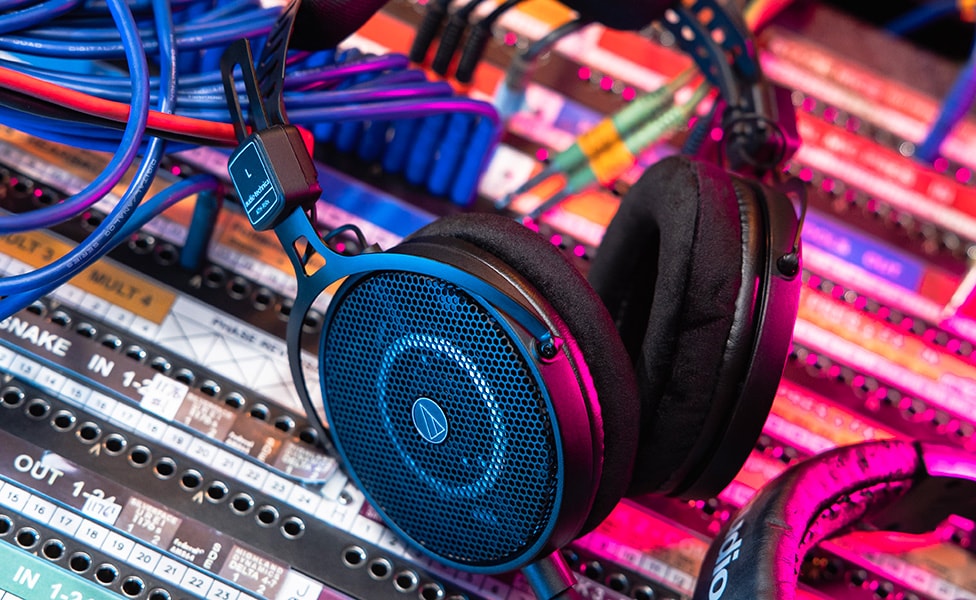
Shop Now: Audio-Technica ATH-R50x Professional Open-Back Reference Headphones
AES/EBU Cable
Audio Engineering Society/European Broadcasting Union digital audio standard for professional applications. Transmits two channels of digital audio over balanced XLR cables with superior error correction and longer cable runs than S/PDIF.
Cable Snake
A bundled group of cables inside a single jacket, simplifying multi-channel connections between equipment racks, consoles or live stages.
Closed-back Headphones
Provide maximum isolation from external sounds and prevent headphone bleed into microphones. Commonly used during tracking sessions.
Check out our article on “Best Headphones for Recording, Mixing and Mastering” to get more detail about what your studio needs.
DB25 Cable
A 25-pin D-subminiature connector format commonly used for multi-channel analog audio connections in professional recording gear. Often carries eight channels of balanced audio in a single cable, popular on interfaces and patchbays for space-efficient routing.
Isolation Shield
Portable sound barriers used in recording environments to block reflections, control bleed and create temporary acoustic isolation. Includes both small mic-mounted reflection filters and larger freestanding panels used to partition spaces. In larger studios and with old-school engineers, you'll frequently hear these referred to as a "Gobo" (short for “go-between”).
Lightpipe Cable
An optical digital audio format using TOSLINK connectors that can carry up to eight channels of digital audio via fiber optic cables. Popular on ADAT interfaces and multi-channel converters for noise-free digital connections.
Microphone Stand
A physical support for positioning microphones at adjustable heights and angles during recording or performance. There are a wide variety of mic stand and mount types, ranging frin clip/clamp on to full blown, counterweighted studio boom stands designed for larger, heavy studio mics.
Open-back Headphones
Headphone design that allows some sound to escape, providing a more natural, spacious listening experience often preferred for mixing.
Pop Filter
A screen placed between a vocalist and microphone to reduce plosive consonants (“p” and “b” sounds) and protect the mic diaphragm.
Reflection Filter
A portable acoustic shield placed behind the microphone to reduce room reflections and improve recording quality in untreated spaces. Popular in home studios.
Semi-Closed-back Headphones
A hybrid design offering some isolation while retaining a more open sound than fully closed headphones. Useful for tracking and light mixing.
Shockmount
An elastic suspension mount that isolates the microphone from mechanical vibrations, floor noise or stand bumps.
S/PDIF Cable
Sony/Philips Digital Interface Format—a consumer-grade digital audio protocol that transmits stereo digital audio over coaxial (RCA) or optical (TOSLINK) cables. Commonly found on consumer audio gear and some prosumer interfaces.
TRS Cable
A Tip-Ring-Sleeve connector capable of carrying balanced audio signals or stereo unbalanced signals, commonly used for line-level connections, patch bays or headphones.
XLR Cable
A balanced, three-pin audio cable used for microphones and professional line-level connections, offering noise rejection over long cable runs.
The Final Take
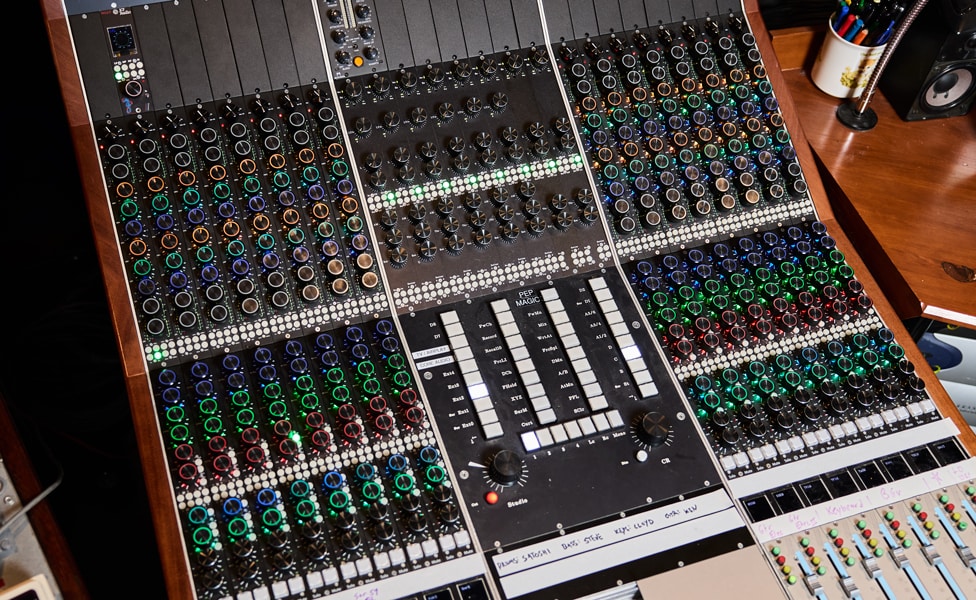
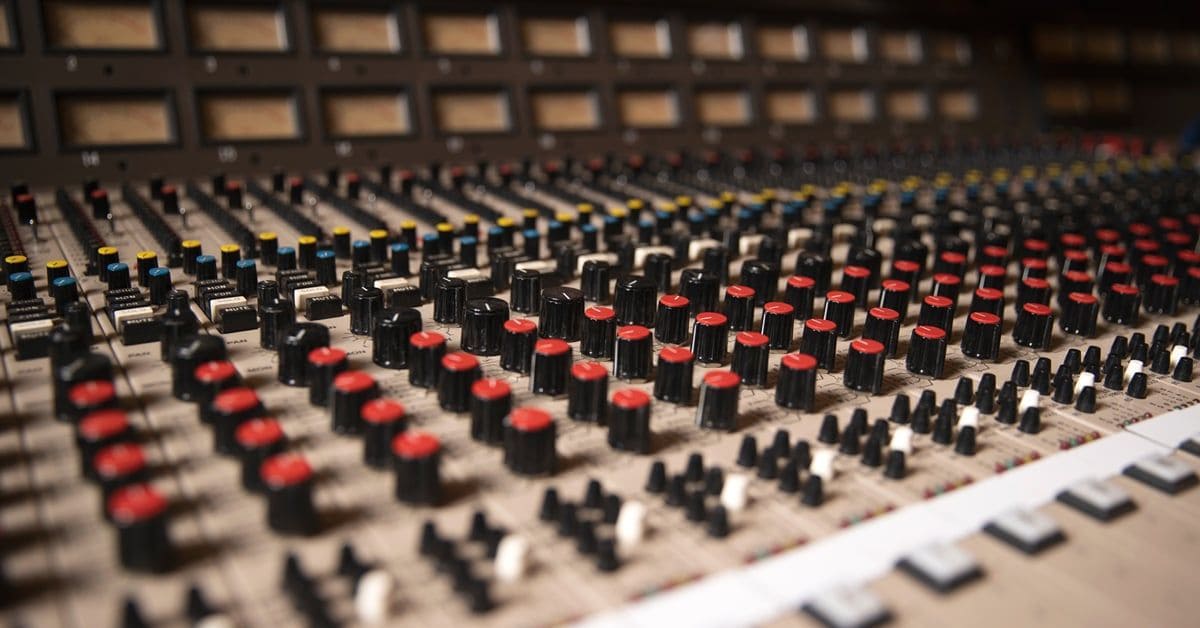
Pictured: JCF Prototype Mixing Console
You don’t need to memorize every term in this glossary to make great music. But understanding how your gear works—and how the language of recording connects tools to sound—can help you work faster, think clearer and stay focused on what really matters: the music.
Whether you’re building your first vocal chain, mixing your latest track or just figuring out what all those knobs actually do, these terms will help you navigate the studio with more confidence and less confusion.
Because recording isn’t just about capturing sound—it’s about capturing feeling. And if that sometimes means bending time, stacking compressors or faking a haunted tape machine … well, that’s all part of the magic.
Written By: George Van Wagner
George Van Wagner is a writer and editor for Guitar Center, where he has worked since 2007. A multi-instrumentalist, freelance recording engineer, arranger, composer, writer and all-around tech geek, he has over 30 years of experience in the musical instrument industry at companies like Midiman/M-Audio and Line 6, doing everything from customer service and writing user manuals to working in product development. He is currently gigging around Los Angeles with Gruppo Subconscious and Bobby “Hurricane” Spencer.
Be the first to know about exclusive offers, tips and more.

866-498-7882 English
877-687-5402 Español