

Pro Gear Advisers
•866-498-7882
Akai Professional MPC Sample: Inside the Pocket-Size MPC With Andy Mac
For decades, the MPC has given beatmakers a fast, tactile way to turn sounds into a song. The magic lies in more than just sampling—it’s the MPC workflow. Record, chop, hit pads, build a groove and keep moving while inspiration’s hot. It has lived at the core of hip-hop and electronic production culture precisely because it makes even complex ideas feel immediate.
That “immediacy-first” approach is exactly what the new MPC Sample was built on. It’s the return to something that feels familiar, nostalgic and instantly usable—without the steeper learning curve of some of the more sophisticated, modern MPC workflows.
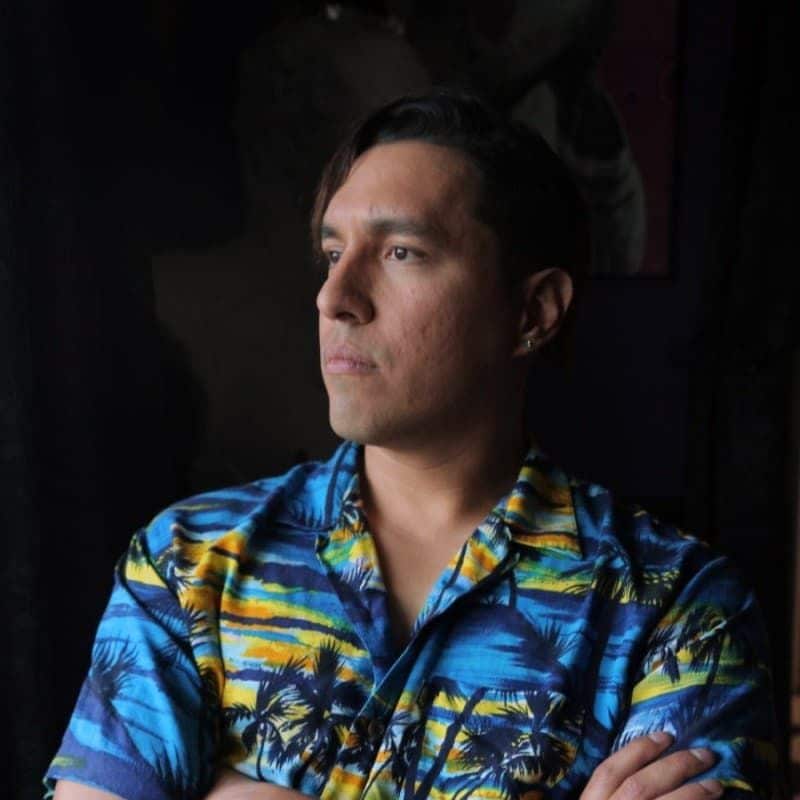
To dig into what that looks like in practice, and how Akai Pro distilled the essence of the MPC into something this compact, we caught up with Akai Professional Global Manager of Content and Artist Relations Andy Mac. In the conversation below, he walks us through the thinking behind the creation of the MPC Sample, its workflow and some of the features he’s most excited about.
What spurred the conception of the MPC Sample?
Andy Mac: It really all started with the legacy of the brand. It was like: Let's look at creating something that represents the heritage of the brand, but is fun and simple to use, and allows people to just instantly start sampling and making music without the complexities of understanding how a lot of products work nowadays.
We wanted to go back to the basics on this unit. The heritage was always there. The idea was to make the MPC Sample look like something that's so familiar that as soon as you set eyes on it, it's going to bring this nostalgia back to the whole sampling community, bringing in new customers that are interested in sampling—but again, making it easy for them at the same time.
So, it's literally one touch for everything that they want to do.

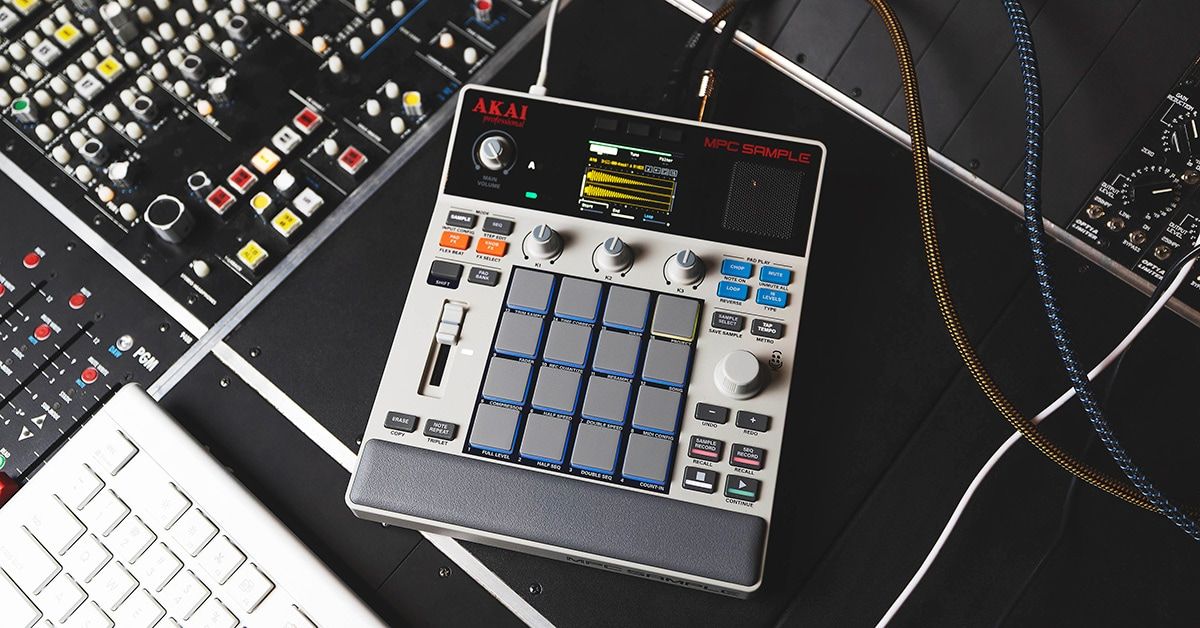
Pictured: Akai Professional MPC Sample Display
Looking at all the portable beatmaking devices out there, did you see a particular opportunity for the MPC Sample to really shine and stand out from the rest?
I think everyone's been trying to find something that's small and portable and affordable. But only the MPC had the blueprint and OS for that iconic, simple workflow. It was a case of refining it so it does one thing extremely well: allowing you to create instantly without any menu diving.
But it can also work as a very powerful sampler. If you're a professional, you could make an album on this. If you're a beginner and you're just coming into the music industry, it's very affordable and unintimidating. And to anyone who's into sampling from their phones, Spotify or vinyl, it gives the flexibility to come into this new era of sampling.
What are some of the features that you're most excited about on the MPC?
First is the workflow. It's so easy to use. It's just straightforward “hit record and play.”
We've got a very awesome Chop feature, which gives you five different Chop modes. You have a sample on the pad, drop it in, hit Chop and it divides it across the pads. And then, you can divide by transients to four, eight or 16 regions, or you can actually do the manual chopping like we do on the pro MPCs. So, for chopping samples it absolutely floors everything—it's so incredible.
Then, when you want to go back to that original sample, you just take Chop off. So, you can just chop samples up, put a melody down, hit chop again and then you're back to the kit.
On the effects side of things, it's got four effects engines. You've got pad effects, where you can use the 16 pads to add all different types of effects. You've got flex beat, where it does all of the pattern-based effects for adding different levels of complexities to your music.
And then you've got some knob effects, which is basically loading a plug-in on to the whole track—everything from vinyl tape emulations to conventional effects, which you can resample as well. You've also got a real vintage-style color compressor that you can use to really pump your beats hard.
So, it's a real great-sounding and fun way of sampling—adding the effects and resampling it back to a pad using the effects to do more crazy stuff. You’ve got real MPC pads that feel fantastic, and then the microphone and speaker, so you've got the portability factor to take this thing anywhere. It recharges via USB-C, and you get around five hours of battery life out of this thing.
It really is what everyone's been waiting for: the ultimate portable MPC, that legacy that can fit literally in your pocket. It's pretty exciting.

Pictured: Akai Professional MPC Sample Controls and Built-in Microphone
For a device so small, it’s got some impressive I/O. What kind of connectivity options does MPC Sample have?
There’s a lot you can do with USB-C. You can drag and drop your file samples straight from your computer. You'll be able to load your MPC project into the bigger MPCs shortly after launch. Then you'll be able to move projects back and forth.
But also what's really cool is that if you plug in your iPhone, it mounts as a media player, basically in the browser. You see it comes up as basically a media device. Then, you can download your samples from the Splice app on your phone and then move them onto the SD card from your phone.
There's some really cool features just by having that USB, because you can also use it for audio and MIDI. You can use external synths with it as well, and sequence those and then resample them back to the pads. You could plug in a guitar and you start sampling loops, adding effects to your guitar licks. For guitarists that want something that's fun and experimental—an alternative to just recording into a DAW—it adds that whole kind of excitement into making music as well. And again, it's also simple to use.
Other than beginners and those who are perhaps new to the world of MPC, who else could the MPC Sample be a great creative tool for?
Especially with TikTok and stuff like that, people are always trying to be creative, so people can have a lot of fun with a device like this that's so portable and affordable. People recreating classic records, getting into finger drumming, making beats, lo-fi stuff or DAW-less jamming.
For people who want to travel as well, it ticks so many boxes because of its accessibility, its feature set, how it looks—as soon as you look at it, you know exactly what it is. And it doesn't come across as a toy. It's not fiddly to use, it's really easy to use and it's one of these things that once you pick it up, you can't put it down.
Are there any other hidden gems we can look forward to playing with in the MPC Sample?
You’ve got free mode, which just records endlessly to a maximum of 20 minutes per sample. You have disk streaming onboard as well.
But if you turn the knob, you go into sequence sampling. When you hit record on the pad, it will start recording as soon as you start the sequence. So it will perfectly sequence in time with your beat, and gives you the ability to resample a beat and put effects on it.
Or, if you're sampling ideas with your built-in mic, you just put it into that sequence mode and it's always going to sample at the length of your sequence.
The other thing is it's always recording in the background. You've got a 25-second audio buffer. So, if you capture or play something, you can do instant recall, and it puts it onto a pad. And then you can go in and trim it, chop it up, put it onto a pad and do some craziness with it.

Pictured: Akai Professional MPC Sample Branding
What did the process of condensing these more modern MPC features into this tiny form factor look like?
It was a case of “How do we make this easy to use?” It was more about looking at the headline features of what people want and how to compact them down so they're on one button.
I think the challenge for us was how do we simplify what we've done with the more pro MPCs that give you—you know, everything. How do you achieve that? And that part was really fun, because we had the simplified design making it look like a 2000XL or MPC60.
For instance, the fader. I did a lot of the design work on the hardware—I wanted the 2000XL fader, but we have the option to make that fader do multiple things. That fader doesn't just do volume. It does tuning, envelopes and the kit level.
We really didn't want to have 100 buttons. It was like “What are the essential buttons it needs, so you know exactly where everything is at one touch?” And that was the exciting part of the project—just simplifying everything, and seeing how far you can take that.
I love the general ethos of using the simplification as a way to throw it back to some of the classic models.
It’s a great time for us to be going back to our roots, in a sense of the design of the classic MPCs. They’ve been embedded in our culture for so many years.
Finger drumming, hip-hop, beatmaking, lo-fi, even electronica—the scene is so vibrant right now. For us to bring out something that reminisces all of that nostalgia of the early era of sampling to people who want to sample now—with smartphones and other devices—it really shows the history of the brand and its continuing evolution.
I always remember when someone said the iPhone is more powerful than whe computers they used to get Apollo 11 to the moon in 1969. You could look at a 60 or a 2000, and this is more powerful. But then you look at the incredible music that was created with those devices. It's a case of what people can do with this. It goes back to the simplicity of the basic roots of sampling.
We're super excited. It's going to really turn heads. You see legacy MPCs everywhere. Everyone loves the color. Everyone loves the layout and the look. It’s something so small, but so compelling at the same time.
Written By: Drew Beaupré
Drew Beaupré is a multi-instrumentalist, audio engineer and writer. With a bachelor’s in psychology from Purdue and background as a gigging guitarist and drummer, he began his audio career at the world-famous Westlake Recording Studios, before venturing into live sound engineering for clients such as KCRW, Santa Monica College, CSULA and Nyjah Huston—eventually becoming studio manager at Guordan Banks’ Bank On It Studios in downtown L.A. He also has worked extensively with the industrial band Ministry, as an engineer at Al Jourgensen’s studio, as well as domestic and international touring stage tech for DJ Swamp and Joey Jordison. Prior to writing with Guitar Center, Drew has written for Fender and various music blogs.
Be the first to know about exclusive offers, tips and more.

866-498-7882 English
877-687-5402 Español