Guitar Center logo
gear advisor icon
Pro Gear Advisers
866-498-7882
$149.99

GEARCARD
6-month special financing^ + $7 back in Rewards** Limited time Learn More

Focusrite Vocaster One Podcasting Interface for Solo Content Creators

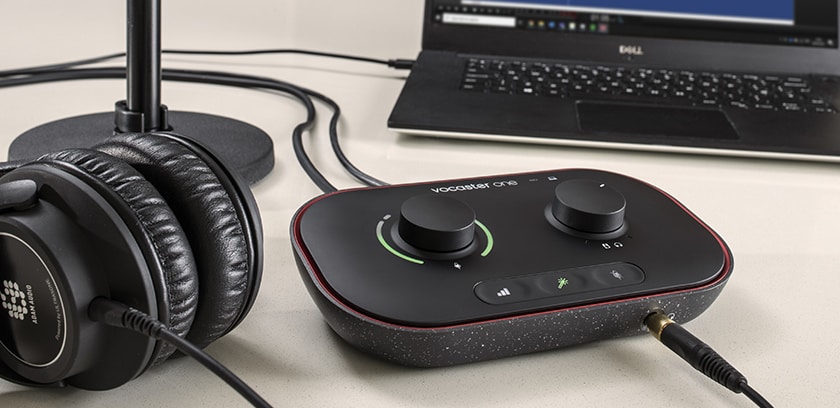
The dream scenario for any audio production is to simply walk into the studio and press “Record” without painstaking setup. The Focusrite Vocaster One audio interface makes that concept a reality for podcasters. With smart gain and audio enhancement features, simple phone and camera connectivity, stereo loopback from your computer and a full assortment of powerful podcasting tools, the Focusrite Vocaster audio interfaces take you from idea to on-air in a single, straightforward step.

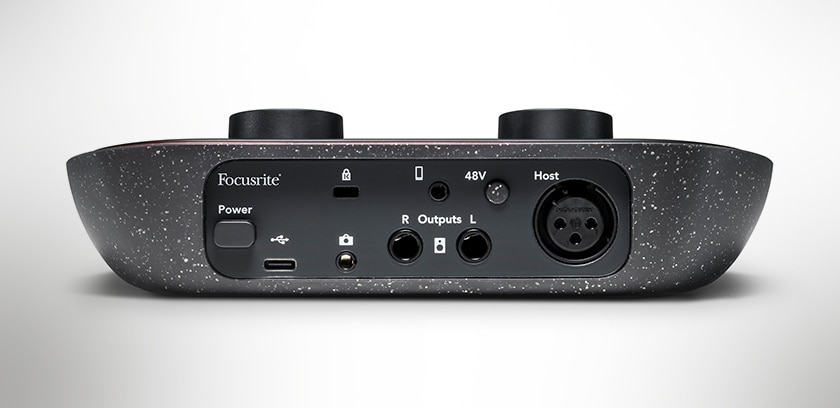
Focusrite Vocaster One Connections

A Quick Route to Studio-Quality Sound

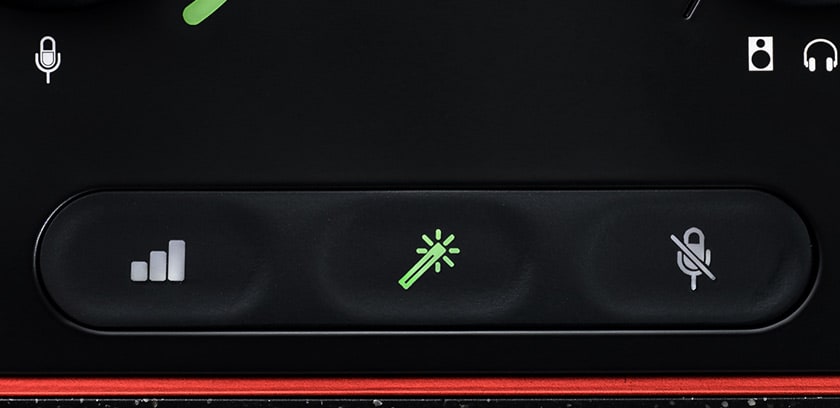
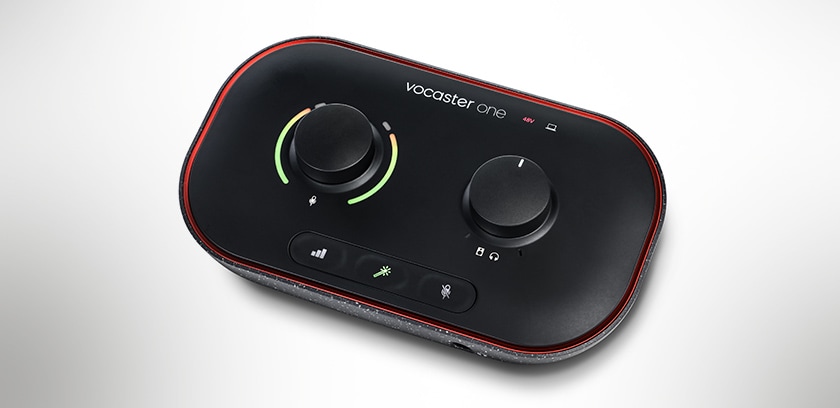
Getting your vocal sound balanced and gains properly set for good sound is one of the big tasks in getting ready to create your podcast or vlog. The Vocaster One makes that easy with an Auto Gain feature that sets your levels at the click of a button, with 70dB of available gain—more than enough for any of the most popular broadcast-style mics. Then, the available Enhance button enables three voice presets that are designed to make your voice sound its best, every time. 

Focusrite Vocaster One Connections

Add Remote Guests With No Problems

Want to add a phone-in guest? With the Focusrite Vocaster One, it’s a simple connection with a TRRS cable from your phone, and you can capture the whole conversation. Or, you can use the same connection to play music and other audio from your device, quickly and easily.

Focusrite Vocaster One Connections

Professional Studio Capabilities a Connection Away

With Vocaster One’s two sets of stereo loopback connections, you can instantly stream pre-recorded segments from your computer. Whether it’s an intro, outro, guest interview or any other audio you choose, Focusrite makes it quick and seamless. Best of all, it’s all controllable from the Vocaster Hub. Plus, with the provided package of podcasting software, including Hindenburg Lite, Acast Influencer and Hindenburg Pro, you’re ready to create the next viral sensation.

Focusrite Vocaster One Top Controls

Quality Sound for Your Vlog

If you’re livestreaming video from your camera, there’s no need to rely on its internal mics. Vocaster One makes it easy to add studio-quality sound to your video by simply running a TRS cable to your camera. It also saves the time you used to spend syncing audio in post-production. 

Packed with powerful capabilities and completely bus powered, Vocaster One is also small and light enough to go anywhere with you, so remote podcasts and vlogging can widen both your possibilities and your audience. Whether you’ve been podcasting for a while or are just getting started, the Focusrite Vocaster One will help you polish up your presentation and get your voice heard. 

 
More Details

Audio Interfaces

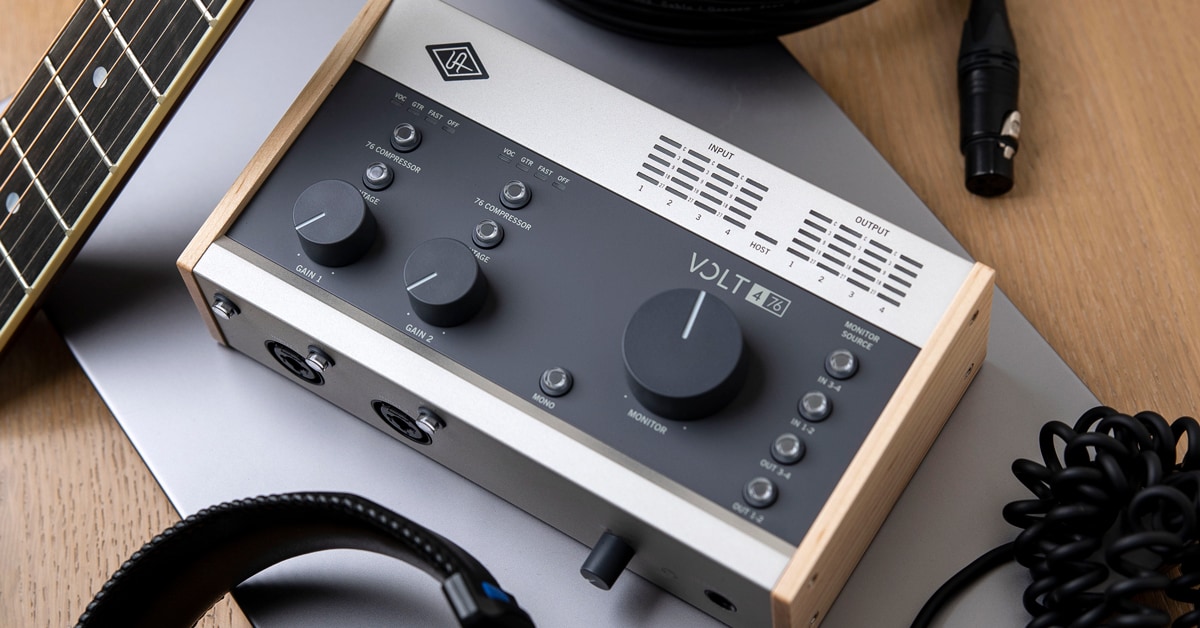
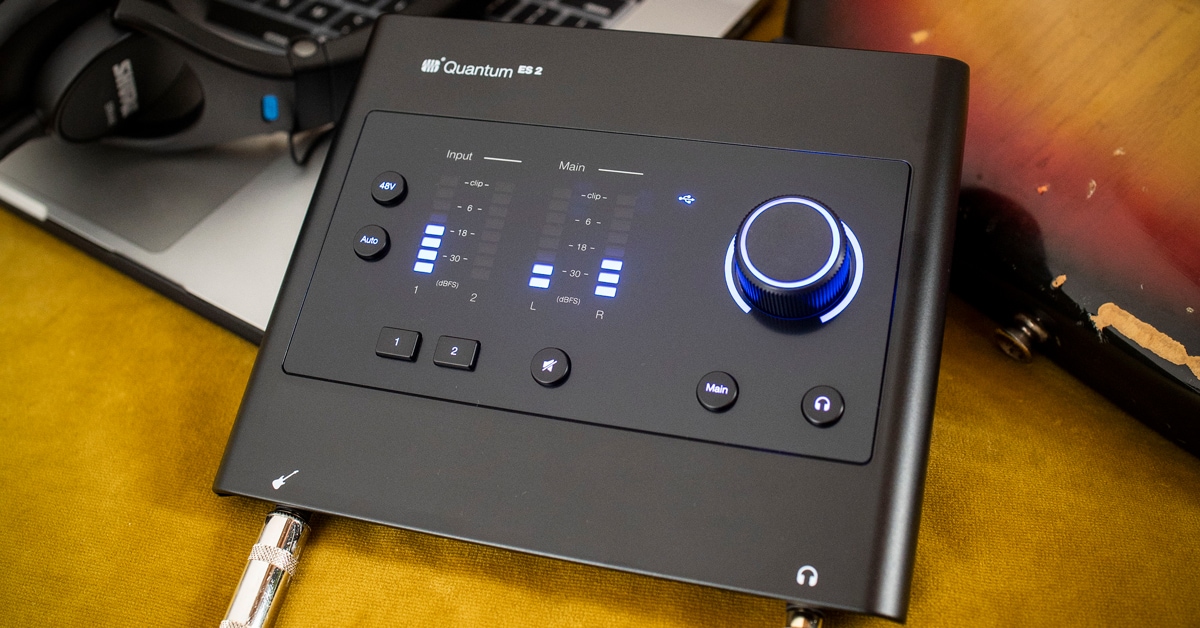
Unlock high-quality computer recording with an audio interface! This crucial piece of gear acts as the bridge between your microphones, instruments, and your computer, converting analog sound into digital data and back again. Essentially the heart of any modern home or project studio, a good audio interface ensures your recordings capture clear, detailed sound. Connected typically via USB or Thunderbolt, these devices range from simple two-channel boxes to complex multi-input units, providing the essential connections for musicians, podcasters, and creators.

1-24 out of 1707 products

Special Financing Available
Learn More
Special Financing Available
Learn More
Special Financing Available
Learn More
Special Financing Available
Learn More
Special Financing Available
Learn More
Special Financing Available
Learn More
Special Financing Available
Learn More
$30.00/mo.‡ with 24-month financing*
Learn More
Rebate
Price Drop
$42.00/mo.‡ with 24-month financing*
Learn More
Rebate
Special Financing Available
Learn More
Special Financing Available
Learn More
Price Drop
Special Financing Available
Learn More
Special Financing Available
Learn More
Special Financing Available
Learn More
Special Financing Available
Learn More
Special Financing Available
Learn More
Special Financing Available
Learn More
Special Financing Available
Learn More
Special Financing Available
Learn More
Special Financing Available
Learn More
Special Financing Available
Learn More
Special Financing Available
Learn More
$21.00/mo.‡ with 24-month financing*
Learn More

1-24 out of 1707 products

 
Blog Carousel 09 - Find the Right Recording Gear When you come right down to it, an audio interface is anything that lets you get audio signals in and out of your computer. The challenge in picking one is that there are so many ways of getting it done, and it will all depend on how you like to work and what you're trying to do. A very basic interface would be simply a box that converted analog audio to digital audio that the recording software in your computer can understand, and convert it back to analog audio when you want to hear it. Such converters are referred to as AD/DA (analog to digital/digital to analog) converters. Better quality converters have what's called "jitter correction" to compensate for small timing variations.

Most interfaces are far more than just converter boxes. They include mic preamps, multiple I/O (Input/Output) connections—balanced, unbalanced and digital—and even internal DSP (Digital Signal Processing) for effects, EQ and basic monitor or sub-mixing user. Some units can even act as a simple, stand-alone mixer without a computer attached for use as a basic live sound mixer.

One of the biggest determinants of overall audio quality in an audio interface is the quality of opamps (operational amplifiers) used in construction. Better systems will use lower-noise, lower-distortion components, or in some cases, discrete components rather than single-chip solutions. The number of I/O connections can be a deciding factor. The basic interfaces will be 2-in/2-out, able to handle a vocal and instrument together or a stereo pair of mics for capturing a live event. From there, you can expand as far as you need, depending on what you want to invest in your system. Interfaces with 18 inputs and 22 outputs are not uncommon and will handle most users needs, but you can go far larger with a full-blown Pro Tools HD rig, if that's what is required.

The final consideration is connectivity. There are multiple ways of connecting an audio interface to your computer—USB, FireWire, a PCI slot for desktop systems or Apple's Thunderbolt connection on newer Macintosh computers—all of which have different strengths and weaknesses. USB interfaces tend to be smaller, with most mobile interfaces using USB connections, but can be less robust when you need a lot of simultaneous ins and outs. FireWire, also called IEEE 1394, is fast and robust, but generally requires an external power supply. PCI cards are the fastest with the most bandwidth, but are tied to tower and desktop systems, so will be confined to a single studio location. Some of the more popular brands for interfaces are Akai, Apogee, Avid, Focusrite, M-Audio, MOTU, Presonus, Roland, Tascam and Yamaha, though there are many others. The best interface is the one you're going to use, so spend some time with the Pro Audio specialists at Guitar Center so they can help you find exactly the right one.

In addition to the mainstream audio interfaces described above, our GC Pro team of experts offers hands-on sales and support for professional solutions such as Avid HDX Systems and the Focusrite Rednet series. These solutions are typically used in recording studios, post facilities and other professional settings.