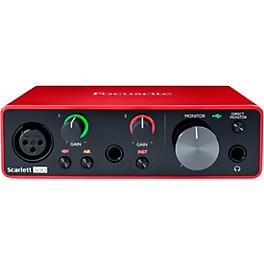
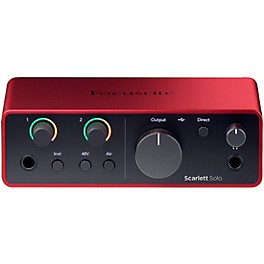
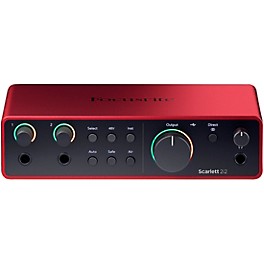
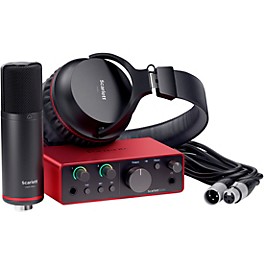
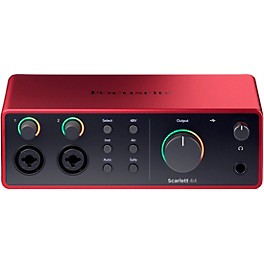
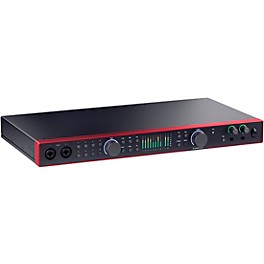
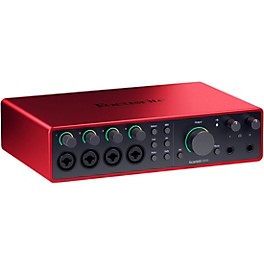
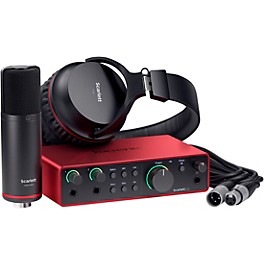
Great recordings don’t have to start in a studio—they can begin the moment inspiration strikes. The Focusrite Scarlett Solo Gen 4 USB-C audio interface is designed to deliver professional sound in a compact, easy-to-use format, making it simple to connect, record and produce with confidence. Featuring a redesigned mic preamp, dedicated Hi-Z instrument input and upgraded converters with 120dB dynamic range, this interface captures performances with clarity and detail. Two re-engineered Air modes add presence and harmonic character inspired by classic studio consoles, while a powerful headphone output and bus-powered USB-C connectivity keep your setup streamlined. Whether you're recording vocals, guitar or creating full tracks, the Scarlett Solo provides a focused, high-quality recording solution.
Redesigned Mic Preamp for Clear, Detailed Recordings
At the core of the Scarlett Solo interface is a refined microphone preamp built to capture everything from subtle vocal nuances to louder, more dynamic sources with clarity. With up to 57dB of gain and low-noise performance, it delivers clean, consistent results across a wide range of recording applications. Dynamic Gain Halos provide immediate visual feedback, helping you set optimal levels quickly and avoid clipping. This combination of precision and usability makes it easier to achieve reliable recordings without guesswork.
Hi-Z Instrument Input and Air Modes for Tone Shaping
The dedicated Hi-Z instrument input preserves the feel and response of plugging directly into an amplifier, making it ideal for electric guitars, amp simulators and electro-acoustic instruments. Alongside this, two selectable Air modes offer console-inspired tone shaping. Presence mode enhances high-frequency detail to bring vocals and acoustic sources forward in a mix, while Harmonic Drive adds subtle saturation and midrange character for added depth. Together, these features give you flexible control over your sound at the source.
High-Quality Conversion and Monitoring
With converters derived from Focusrite’s RedNet range, the Scarlett Solo Gen 4 delivers up to 120dB dynamic range for accurate, detailed recordings. A custom-designed headphone amplifier provides clear, detailed playback—even with high-impedance headphones—while independent controls for headphones and monitors allow flexible monitoring. This ensures you can track, mix and evaluate your recordings with confidence across different listening environments.
Streamlined Workflow With Loopback and Software Integration
USB-C connectivity and class-compliant operation make setup quick and efficient across Mac, PC and supported mobile devices. Built-in loopback functionality allows you to capture audio from applications directly into your DAW, making it easy to create samples, record streams or integrate system audio into your projects. Focusrite Control 2 provides convenient system management, while the included software bundle—featuring Ableton Live Lite, Pro Tools Intro+, Cubase LE and the Hitmaker Expansion—provides a complete toolkit for recording and production.
Compact, Bus-Powered Design for Everyday Recording
Designed for portability and reliability, the Scarlett Solo fits easily into desktop and mobile setups without adding complexity. Its bus-powered operation eliminates the need for an external power supply, while durable construction supports consistent use across sessions. From capturing first ideas to producing finished tracks, the Focusrite Scarlett Solo Gen 4 USB-C audio interface delivers dependable performance and detailed audio capture in a streamlined format.
Focusrite Hitmaker Expansion Software Bundle Included
Every eligible Focusrite interface includes the Hitmaker Expansion software bundle, a comprehensive collection of professional production tools designed to help you write, record, mix and master music with confidence. Included titles span every stage of the creative process, from pitch correction and virtual instruments to mixing, mastering and distribution. The bundle includes Brainworx bx_console Focusrite SC, Celemony Melodyne Essential, Focusrite Red 2 & 3 Plug-in Suite, Klevgrand Korvpressor, Klevgrand REAMP, Landr Studio with five free masters, Native Instruments MASSIVE, Relab LX480 Essentials, Softube Flow Guitar Essentials, Sonnox Soften, Sonnox VoxDoubler, XLN Audio Addictive Drums 2: Studio Rock and XLN Audio Addictive Keys. Together, these industry-respected tools provide a complete production environment capable of delivering release-ready results right out of the box.
Focusrite Scarlett Solo Gen 4 USB-C Audio Interface: FAQ
Does the Focusrite Scarlett Solo include plug-ins?
Yes. The Scarlett Solo 4th Gen includes access to the Focusrite Hitmaker Expansion bundle, which provides a selection of recording software, virtual instruments and effects plug-ins. Availability may vary depending on registration and current offers.
How do you use the Focusrite Scarlett Solo?
Connect the interface to your computer via USB-C, plug in your microphone or instrument, and select the Scarlett as your input and output device in your DAW. Adjust gain levels using the front-panel controls and monitor through headphones or connected speakers.
How do you set up the Focusrite Scarlett Solo?
Start by installing Focusrite Control and any required drivers, then connect the interface to your computer. Register the device to access bundled software, connect your inputs and outputs, and configure audio settings within your recording software.
Can you register a used Focusrite Scarlett interface?
Yes, you can usually register a used unit to your Focusrite account if it hasn’t already been claimed, or if the previous owner has removed it from their account. Registration may be required to access included software and support services.
Can you plug a guitar into the Focusrite Scarlett Solo?
Yes. The Scarlett Solo features a dedicated Hi-Z instrument input designed for direct connection of electric guitar or bass. You can switch to instrument mode and record clean DI signals or use amp simulation plug-ins within your DAW.
.jpeg)