
Pro Gear Advisers
•866-498-7882
Inside the CHAUVET DJ GigBAR 3 ILS
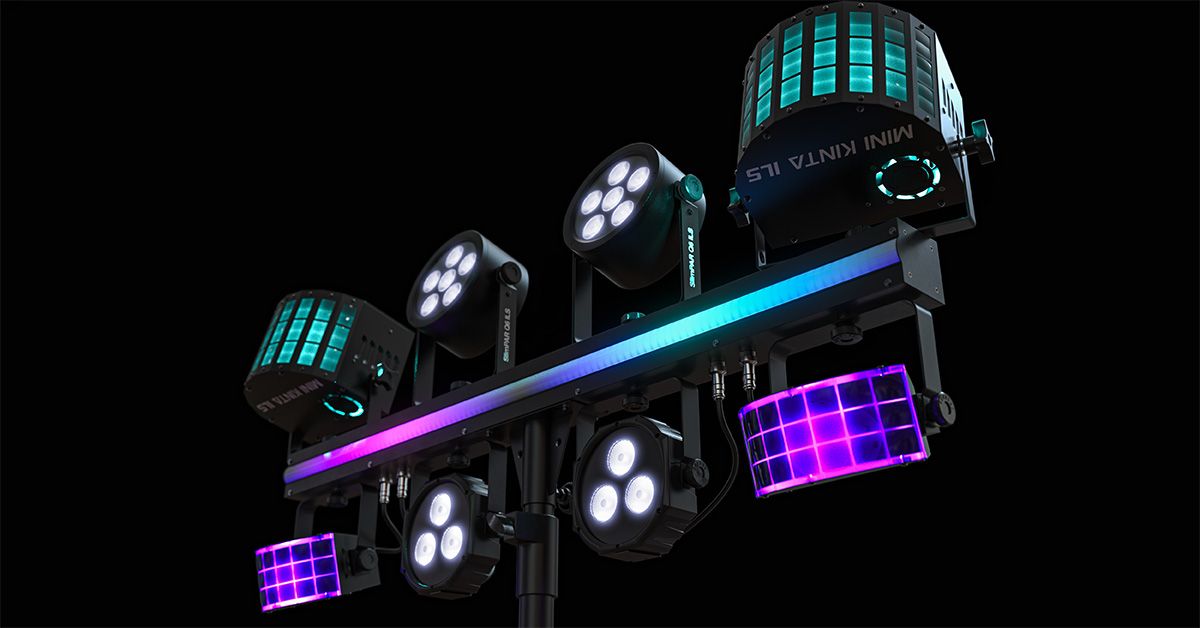

For DJs, bands and other on-the-go performers, a lighting rig needs to do a lot without adding too much time to their setup or taking up too much vehicle real estate.
Thoughtfully incorporating feedback from previous-generation users, CHAUVET DJ set out to deliver a complete lighting show in a compact system, giving users multiple ways to get up and running quickly while still offering deeper control when the gig calls for it. The result was the CHAUVET DJ GigBAR 3 ILS, building upon the popular all-in-one GigBAR concept with an updated mix of lighting effects, flexible control options and new ways to expand your rig.
We spoke with CHAUVET DJ Senior Product Development Manager Allan Reiss to take a closer look at the GigBAR 3 ILS, including what’s changed from previous generations, how its sound-activated, ILS and DMX control options work, and why its compact standalone design can be the perfect lighting solution for everything from mobile DJs and gigging artists to permanent installations in smaller venues.

Can you give us some insight into the ethos behind the design for the GigBAR 3?
The design, structurally and physically, kind of remains the same as the alkaline model—a linear stick, we'll call it, with lights on it, right? That hasn't changed. That's a tried-and-true development design.
But what did change was some of the effects that were on it. We wanted to bring the new GigBAR 3 ILS up to date. We removed the laser, because there was some concern from the community about them—in weddings, for example, where the bride doesn't want dots on her dress in pictures. For photographers, it has the potential of breaking their sensors in their camera. Maybe a bit extreme, but it's fair feedback nonetheless.
We also added four knobs that allow the user to attach their own fixture, build their own GigBAR. If they want to put a laser, wash light or moving head on, they can.
In addition to that, we pulled out the little strobes that were embedded in the bar, which would kind of just chase back and forth. At the time it was great, but again, 2026 is here. We needed to make it a bit more modern, so we put in the LED strip instead for some visual eye candy—some color.
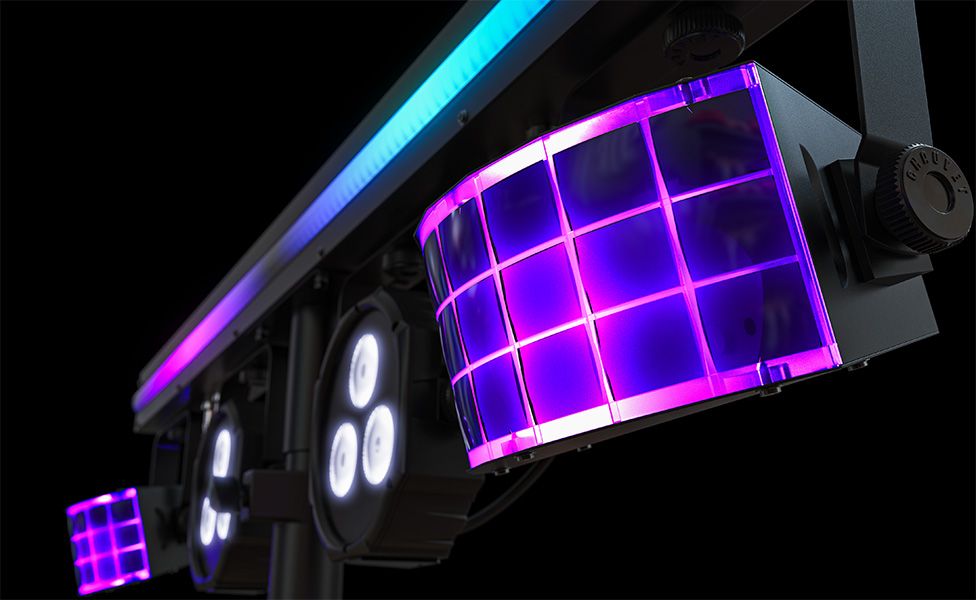
Pictured: CHAUVET DJ GigBAR 3 ILS LED Derby
What are you most excited about on the GigBAR 3?
For me, it's the, the amount of light that you get in a small package. And it's very easy to set up. You have full control over the effects. That's my favorite aspect.
It comes with a remote, which you can use to customize your effects. So, if you didn't want the laser, for example, you push the laser button, and it turns the laser off. And if you're in a band holding a guitar, you can use the footswitch.
What can you tell us about the sound-activated, DMX and ILS control on the GigBAR 3?
Most people, I feel, will use this in sound mode, where they set the rig up, turn it on, and it senses the bass transients of the music. It will go through its preprogrammed show and change between the derbies and the washes and the strip bar all by itself. So you don't have to think about it. You don't have to program it. You really don't have to do anything if you don't want to.
And if you wanted a little bit of extra control without the need of DMX, you could use the included remote and turn those effects on and off—or even set them to a specific color.
Taking it one step further, one of the main improvements of the GigBAR 3 ILS over the old GigBAR 2 is the ILS. If you have an ILS Command, which is a controller, you can now control the GigBAR 3. And everything the ILS Command can do, the GigBAR 3 can do.
If you have other ILS-enabled products, you now have one cohesive show from a single controller, again, without the hassles of DMX. For those who want to program, that's where the DMX comes in, and that's going give you fine control over every little detail of the product—colors of the derbies, washes, LED strip light—all from DMX. You’d need to know DMX addressing and personalities and have a DMX controller, but that is another control option if you want it.
And it's got built-in D-Fi for wireless control, which is important. We got a lot of feedback along the lines of “I don’t want to pay separately for a D-Fi dongle,” which we completely understand. If you want to control the GigBAR 3 wirelessly, you can right out of the box.
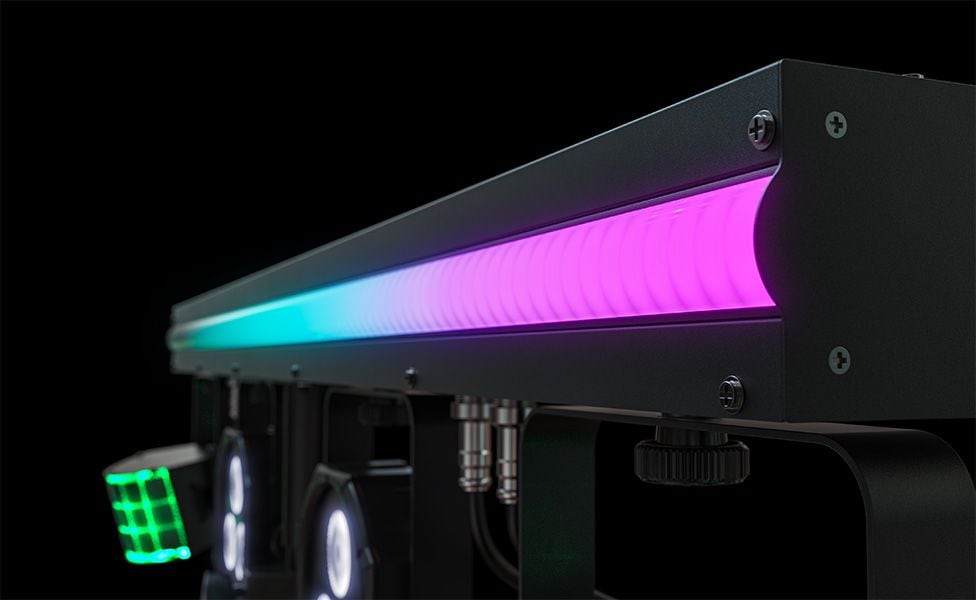
Pictured: CHAUVET DJ GigBAR 3 ILS LED Strip
You’ve mentioned the remote a few times. What else can you control with it?
On the remote, you've got different sections for the different effects. You've got a moving head section. You've got moving head, wash, derby, laser and strobe buttons. Granted, the GigBAR 3 doesn't come with moving heads or lasers, but it could be used for them if you add them.
For the wash light, you can set the color. For the derbies, you can set the color and the speed of the rotation. If you want something faster or slower, you can adjust that. You can control the dimmer and strobe and turn it on and off. It's super basic, but it still allows a second layer of control compared to auto mode where it's just doing its own thing.
It sounds like this is a plug-and-play system. Are there any accessories you might recommend for someone looking to build their first lighting rig?
With the GigBAR 3, you don't really need accessories. You've got your stand and your light bar ready to rock. If you wanted to expand beyond that, you could purchase an ILS Command and communicate wirelessly, so you don't even need a cable. If the GigBAR is behind you, ILS Command is next to your DJ controller … you can control the music and the lights simultaneously. So, that's a great accessory for the GigBAR. Other than that, I really don't think you need anything else, unless you want to delve into the world of DMX for that surgical control.
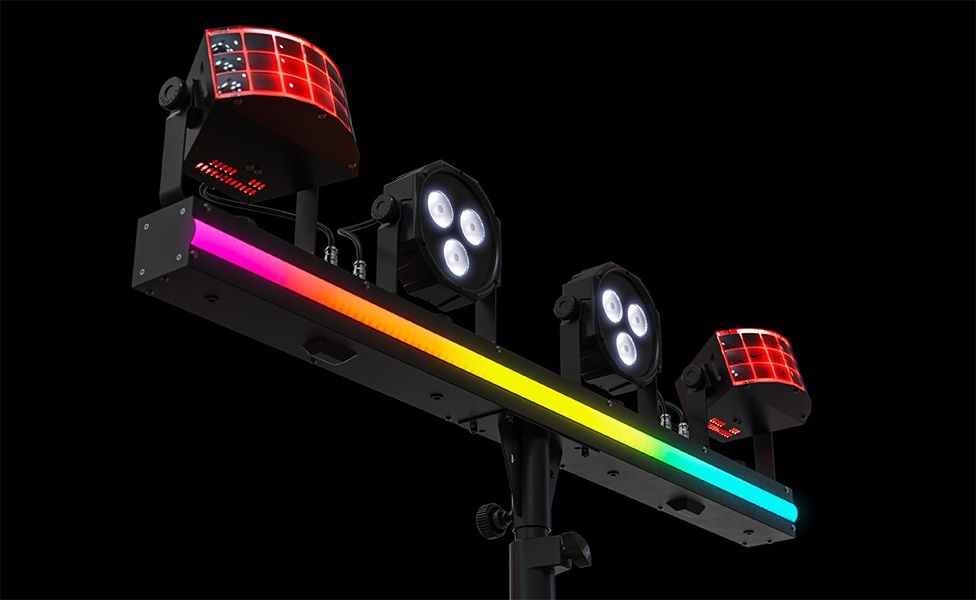
Pictured: CHAUVET DJ GigBAR 3 ILS
You talked about guitarists and wedding events. Who else might the GigBAR 3 be for?
Any mobile entertainer. A DJ, band, solo performer—it’s perfect because it’s so versatile. It can be used permanently too. In Europe, that's actually a more common use of the GigBAR. They mount them in the ceiling in pubs because the ceilings are relatively low and they get a ton of light from one fixture. One power cord and one controller give you derbies, washes and other effects. Super easy. So, the uses are extremely varied.
Written By: Drew Beaupré
Drew Beaupré is a multi-instrumentalist, audio engineer and writer. With a bachelor’s in psychology from Purdue and background as a gigging guitarist and drummer, he began his audio career at the world-famous Westlake Recording Studios, before venturing into live sound engineering for clients such as KCRW, Santa Monica College, CSULA and Nyjah Huston—eventually becoming studio manager at Guordan Banks’ Bank On It Studios in downtown L.A. He also has worked extensively with the industrial band Ministry, as an engineer at Al Jourgensen’s studio, as well as domestic and international touring stage tech for DJ Swamp and Joey Jordison. Prior to writing with Guitar Center, Drew has written for Fender and various music blogs.
Be the first to know about exclusive offers, tips and more.

866-498-7882 English
877-687-5402 Español