






TouringControllerHeadphones


Pro Gear Advisers
•866-498-7882
Guitars
Guitars
Amps & Effects
Amps & Effects
Used & Vintage
Keyboards & MIDI
Keyboards & MIDI
Drums
Drums
DJ Equipment
DJ Equipment
Basses
Basses
Recording
Recording
Live Sound
Live Sound
Accessories
Accessories
Mics & Wireless
Mics & Wireless
Music Software
Music Software
Lighting
Lighting
- Popular Brands
Band & Orchestra
Band & Orchestra
Platinum Gear
Deals
Description
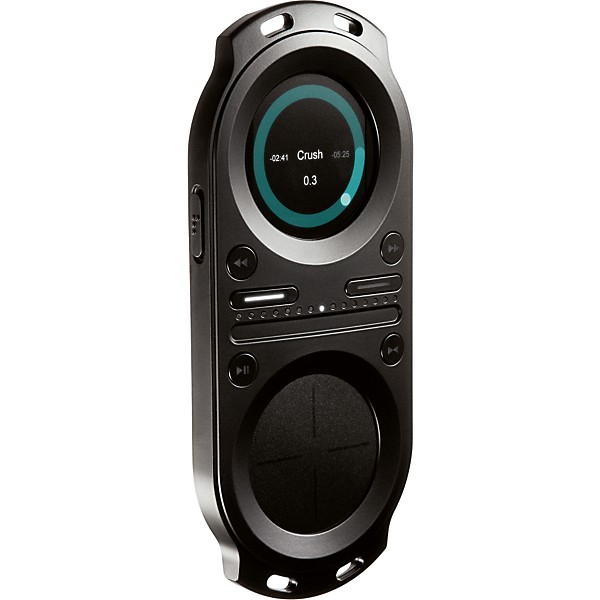
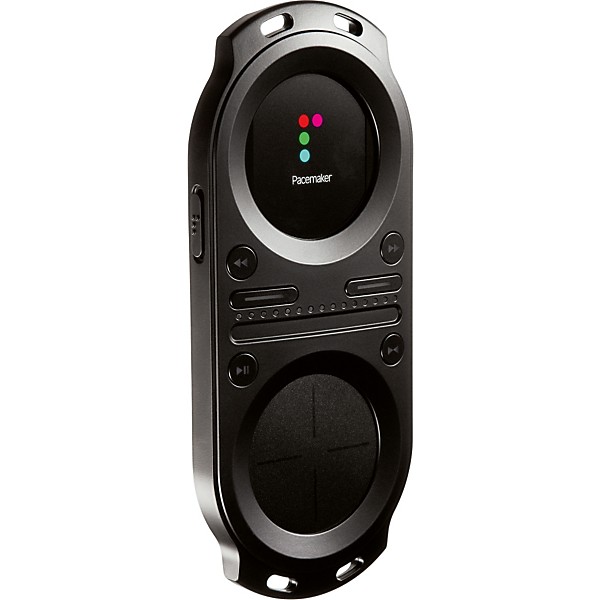
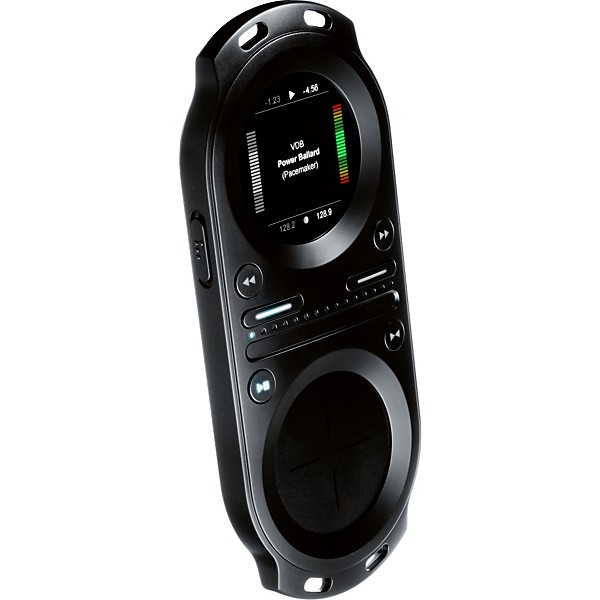
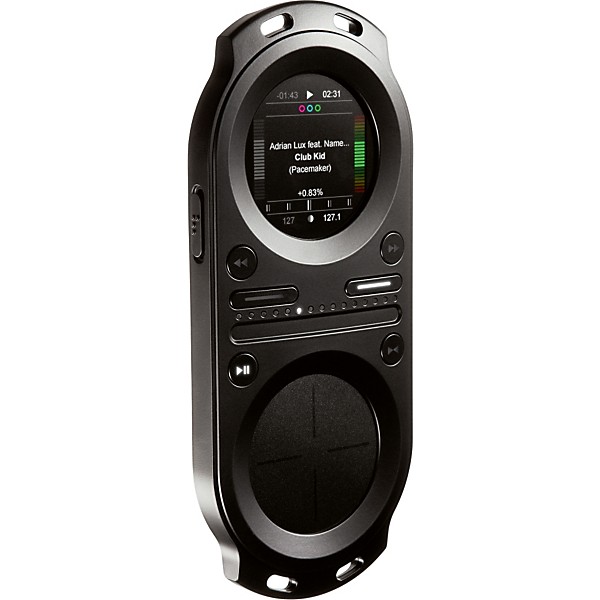
The Tonium Pacemaker Portable DJ Mixer features all the functionality of professional DJ equipment in a convenient, handheld device. The features and the performance of Pacemaker makes it the perfect music mixer for any situation”for practicing or preparing your DJing, or for performing live with full control in your headphones.
The Pacemaker mixer has 2 independent audio channels to let you play 2 tracks side by side. Beatmatching is easily done with the click of a button, and with a full set of professional audio effects and a crossfader you now have unlimited creative influence over your music.
Pacemaker even lets you save your mixes and spread them across the digitized universe. Any mix can be saved on your Tonium Pacemaker. When transferring your mixes to your computer, you can edit and refine your mixes as you like with the free desktop application, Pacemaker Editor (see below).
Playback
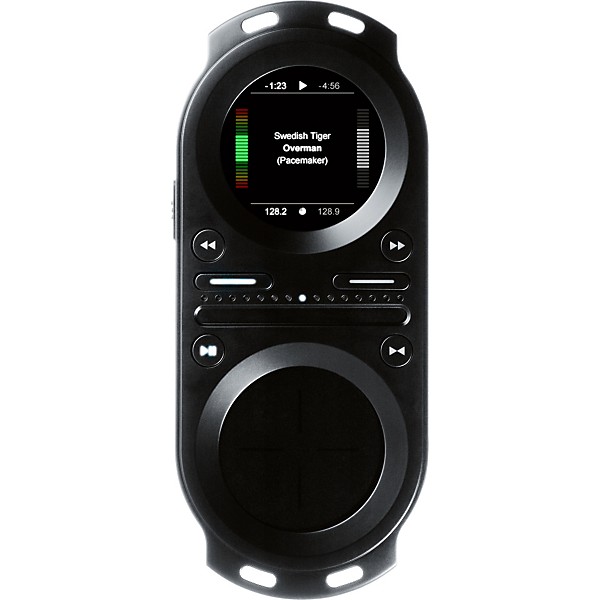
You're always in total control of the playback state of any track. Hi-precision functions for altering or adjusting tempo and creating loops make mixing easy. To make things easier still, this handy device lets you beatmatch 2 tracks with a simple click of a button.
Cue
A series of essential functions for searching, setting, selecting, and saving cue points as well as features for monitoring the cue channel separate from line-out makes cueing-up the next track with the Pacemaker DJ mixer effortless.
Effects
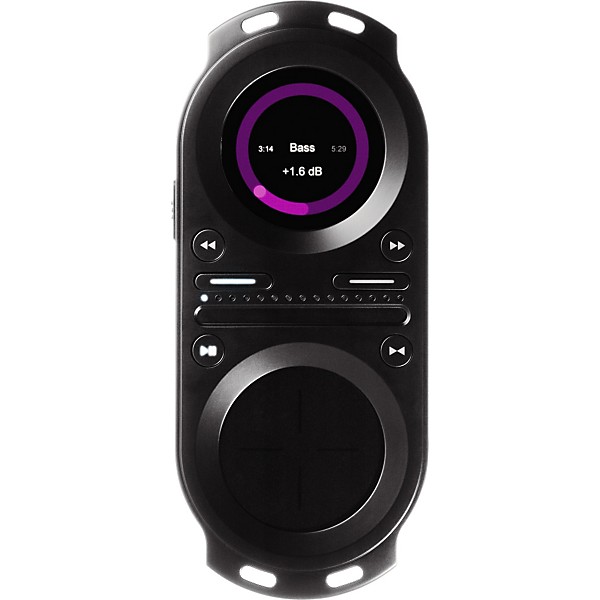
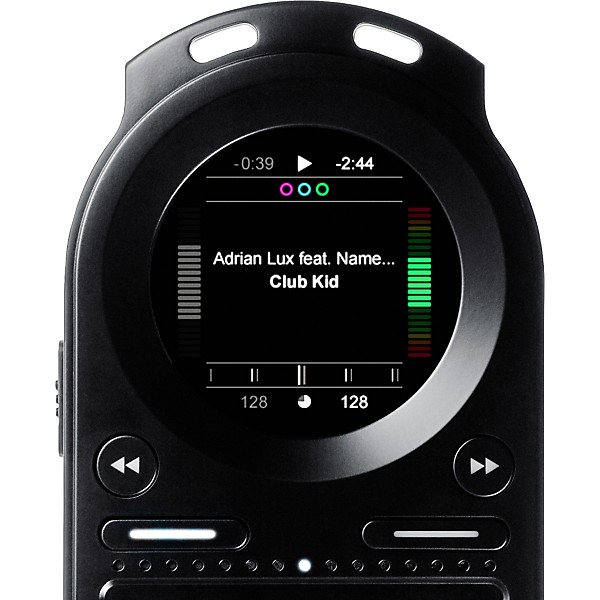
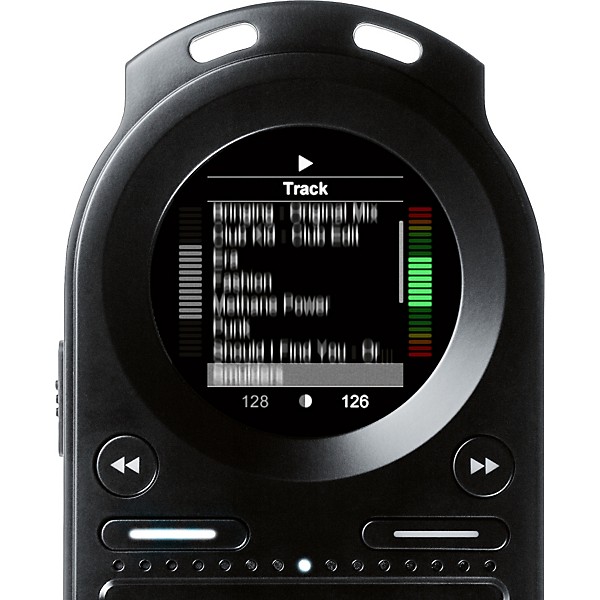
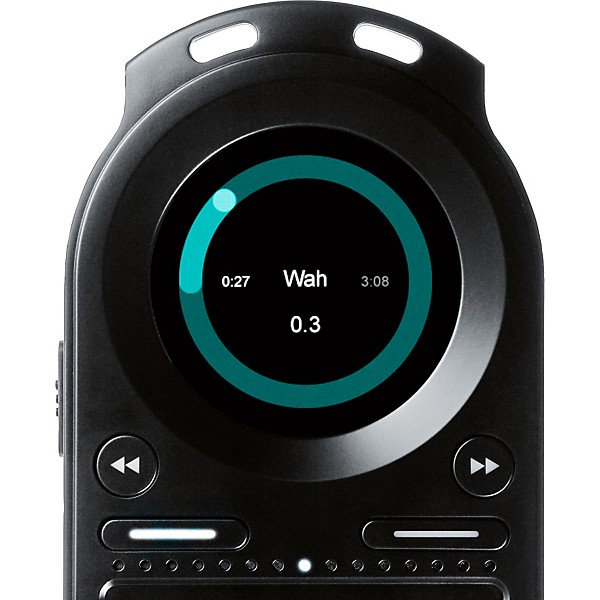
Pacemaker's full set of professional audio effects let you add and adjust sound properties at will, and the Kill-All button lets you instantly deactivate and relaunch engaged effects. Everything is laid out for you in plain view on the screen.
Output
This handheld DJ mixer 2 outputs, lineout and headphones, are controlled separately. You can adjust volume and EQ for either output at any instance, and set the crossfade blend between the 2 channels for both outputs at any time.
Recording
Any mix you create can be saved on the Tonium Pacemaker hard drive. You can easily transfer your mixes to Pacemaker Editor, where you can rework your mixes as you like or upload them right away to our mix community and let anyone listen anytime.
Pacemaker Editor: The Essential Mix Software
In addition to being a state-of-the-art music player as well as a complete music library managing application, Pacemaker Editor is all about creating mixes. Pacemaker Editor is tailor-made for quick-and-easy desktop mix production. It lets you arrange your music and work on the creative detailing via a smooth and simple interface. This is all drag-and-drop, pull, stretch, bend, and move around.
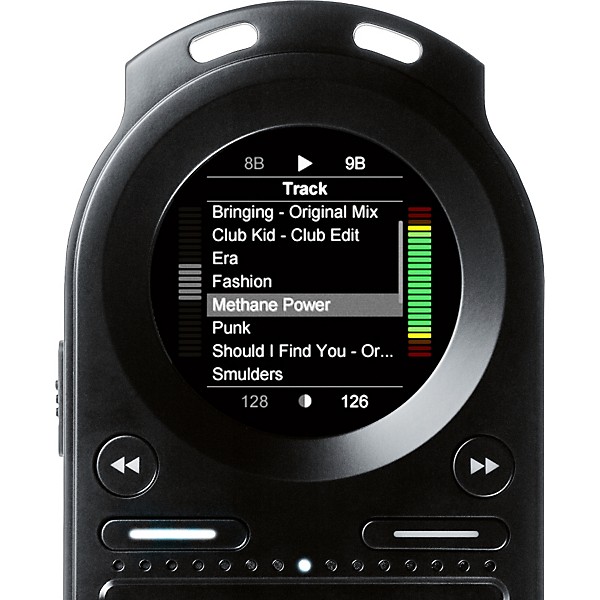
With Pacemaker Editor you can also easily import your current music library automatically by the click of a button. The program will analyze BPM on all tracks and generate a waveform to give you a clear-cut view of your tracks and mixes.
Whether you want to create mixes from scratch or continue working on mixes made on your device, the creative tools in the Editor and the Pacemaker device are completely in sync. You can export and transfer rendered mixes to your device. You can also transfer mixes made on your device to your Editor in an open format and continue editing and refining as you like. Via the Editor, you can then upload your mixes to Tonium's mix community, and let the rest of the world hear your stuff.
The Pacemaker mixer has 2 independent audio channels to let you play 2 tracks side by side. Beatmatching is easily done with the click of a button, and with a full set of professional audio effects and a crossfader you now have unlimited creative influence over your music.
Pacemaker even lets you save your mixes and spread them across the digitized universe. Any mix can be saved on your Tonium Pacemaker. When transferring your mixes to your computer, you can edit and refine your mixes as you like with the free desktop application, Pacemaker Editor (see below).
Playback
You're always in total control of the playback state of any track. Hi-precision functions for altering or adjusting tempo and creating loops make mixing easy. To make things easier still, this handy device lets you beatmatch 2 tracks with a simple click of a button.
Cue
A series of essential functions for searching, setting, selecting, and saving cue points as well as features for monitoring the cue channel separate from line-out makes cueing-up the next track with the Pacemaker DJ mixer effortless.
Effects
Pacemaker's full set of professional audio effects let you add and adjust sound properties at will, and the Kill-All button lets you instantly deactivate and relaunch engaged effects. Everything is laid out for you in plain view on the screen.
Output
This handheld DJ mixer 2 outputs, lineout and headphones, are controlled separately. You can adjust volume and EQ for either output at any instance, and set the crossfade blend between the 2 channels for both outputs at any time.
Recording
Any mix you create can be saved on the Tonium Pacemaker hard drive. You can easily transfer your mixes to Pacemaker Editor, where you can rework your mixes as you like or upload them right away to our mix community and let anyone listen anytime.
Pacemaker Editor: The Essential Mix Software
In addition to being a state-of-the-art music player as well as a complete music library managing application, Pacemaker Editor is all about creating mixes. Pacemaker Editor is tailor-made for quick-and-easy desktop mix production. It lets you arrange your music and work on the creative detailing via a smooth and simple interface. This is all drag-and-drop, pull, stretch, bend, and move around.
With Pacemaker Editor you can also easily import your current music library automatically by the click of a button. The program will analyze BPM on all tracks and generate a waveform to give you a clear-cut view of your tracks and mixes.
Whether you want to create mixes from scratch or continue working on mixes made on your device, the creative tools in the Editor and the Pacemaker device are completely in sync. You can export and transfer rendered mixes to your device. You can also transfer mixes made on your device to your Editor in an open format and continue editing and refining as you like. Via the Editor, you can then upload your mixes to Tonium's mix community, and let the rest of the world hear your stuff.

Features
- Pacemaker 666
- USB 2.0 cable
- Pacemaker Editor computer software (featured on device hard drive)
- Quick start guide
- Hardware warranty
Specs
- TFT display
- 262.000 colours
- 166 ppi screen resolution
- 1.7" (diameter) active area
- Frequency response: 20Hz to 20.000Hz
- Signal-to-noise ratio: 100dB at 2 VRMS
- Configurable max volume limit
- Supported formats: MP3, MP3 VBR, M4A (AAC-LC), AIFF, FLAC, WAV, Ogg Vorbis, and SND
- 60GB hard drive
- Holds approx. 15.000 tracks in 128 KBps AAC format
- Stores data via USB hard drive
- 3.5mm stereo lineout connector
- 3.5mm stereo phones connector
- Mini USB 2.0 connector, for data transfer and charging
- Power connector, for charging with external adapter
- PC:
- USB 2.0 port
- Windows XP and Windows Vista
- Pacemaker Editor for Windows
- Mac:
- USB 2.0 port
- Mac OS X v10.4.4 or later
- Pacemaker Editor for Mac
- Pacemaker Editor is included on the Pacemaker device hard-drive. The latest version will always be available here.
- Built-in rechargeable Lithium-ion battery
- Play mode time:
- Up to 15 hours when fully charged
- Mix mode time:
- Up to 5 hours when fully charged
- Charging via USB to computer system:
- Full-charge time about 3 hours
- Charging via AC charger (sold separately):
- full-charge time about 1.5 hour
- Operating temperature:
- 32 to 95 F (0 to 35 C)
- Storage temperature:
- -4 to 113 F (-20 to 45 C)
- Relative humidity:
- 5% to 95% non-condensing
- Maximum operating altitude:
- 10.000 feet (3.000 m)
- English, Japanese, Korean
- Additional language support for display of song, album, and artist information: Russian, Ukrainian, Serbian, Croatian, Basque, Breton, Bulgarian, Czech, Danish, Dutch, Estonian, Finnish, Flemish, French, German, Greek, Hungarian, Irish, Italian, Latvian, Lithuanian, Maltese, Polish, Portuguese, Romanian, Scots Gaelic, Slovak, Slovenian, Spanish, Swedish, Turkish, and Welsh
Reviews
4
1 Reviews
0%
of respondents would recommend this to a friend
Reviewed by 1 customers
Great
submitted16 years ago
byJaime Alfaro
fromAustin, Texas
The pacemaker its a great product for partys specially haouse partys its good efficient. its very easy to understand. it has effects and EQ some of the effects are roll, hi and lo cut, echo, and you can loop. i recomend it for people who are just starting to mix its very nice.
- Previous
- 1
- Next
Q&A
Have a question about this product? Our expert Gear Advisers have the answers.
No results but…
You can be the first to ask a new question.
It may be Answered within 48 hours.
Be the first to know about exclusive offers, tips and more.

866-498-7882 English
877-687-5402 Español