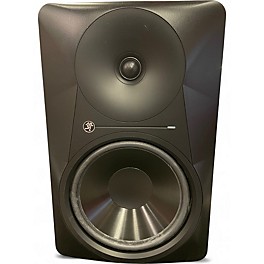
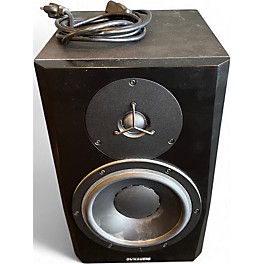
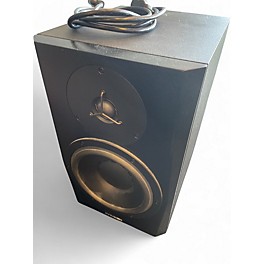
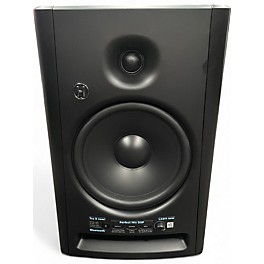
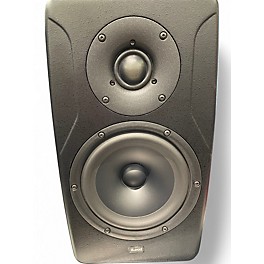
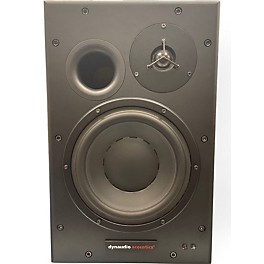
So, you're ready to take your music or audio production to the next level? Then it's time to talk studio monitors. These aren't your average computer speakers; they're precision tools designed to give you an accurate and uncolored representation of your audio. Think of them as the honest truth-tellers of your mix, revealing every nuance and imperfection so you can make the right decisions. Whether you're laying down tracks, mixing a masterpiece or mastering for the masses, a good pair of studio monitors is an essential investment. Get ready to really hear what you're doing.
Why Accurate Sound Matters With Studio Monitors
What's the big deal about accurate sound? Well, if you're mixing on speakers that exaggerate the bass or sweeten the highs, your mix might sound great in your studio but fall apart on other systems. Studio monitors are engineered to have a flat frequency response, meaning they reproduce sound as it truly is. This allows you to make critical adjustments to levels, EQ and dynamics with confidence. Popular types like nearfield monitors sit close to you, minimizing room reflections for a direct sound, while top brands like Yamaha, KRK and JBL are trusted names in the industry for delivering that crucial accuracy. Considering studio monitor placement is also key to achieving optimal sound in your space.
Key Recognizable Studio Monitor Features:
Flat Frequency Response: For honest and uncolored sound reproduction
Nearfield Design: Optimized for close listening and minimizing room influence
Powered (Active) vs. Passive: Active monitors have built-in amplifiers
Woofer and Tweeter Configuration: Separate drivers for low and high frequencies
Various Sizes: From compact desktop models to larger main monitors
Balanced Inputs: Typically XLR or TRS for cleaner signal
What are the pros and cons of investing in studio monitors?
Pros: Significantly more accurate sound representation for mixing and mastering; Reveal details and imperfections in your audio; Help your mixes translate better across different playback systems.
Cons: Can be more expensive than consumer speakers; Their honest sound can initially make familiar music sound less exciting; Require careful placement for optimal performance.
What's the difference between active and passive studio monitors?
Active studio monitors have their own built-in amplifiers that are specifically matched to the drivers, making setup simpler and often providing optimized performance. Passive monitors, on the other hand, require an external power amplifier to function. While passive systems offer more flexibility in amplifier choice, active monitors are generally more convenient and popular for home and project studios.
How do I choose the right size studio monitors for my space?
The size of your room will influence the ideal size of your studio monitors. Smaller rooms typically benefit from nearfield monitors with smaller woofers (e.g., 5” or 7”), as larger monitors can overload the space with bass frequencies. Larger rooms can accommodate monitors with bigger woofers (e.g., 8” or larger) for greater bass extension and overall volume.
Do I need to buy two studio monitors?
Yes, for accurate stereo imaging, which is crucial for mixing music and audio, you will need a pair of studio monitors. Listening in stereo allows you to hear the placement and panning of different elements in your mix, creating a sense of space and depth. A single monitor will only give you a mono (one-channel) perspective.
When is a speaker not just a speaker? When it's a studio monitor. To the average person, there might not seem to be much difference, but music professionals know better. When you're working in the studio, you need to be able to hear your sound with complete clarity to make sure the recording will sound great even on high-fi audio systems. Studio monitors are designed for that purpose—when every note is crucial and every vocal has to be just right, you need a playback system that reproduces every nuance of the sound. Studio monitors come in two varieties: powered (or active) and unpowered (passive). When making your decision, it's important to know the difference.
Powered monitors have an onboard amplifier, which enables them to perform simply by being plugged in to a power outlet and an audio source. That makes powered monitors easy to set up, so they're a good choice for a hobby studio or for audiophiles looking to get the best sound quality they can when listening to their favorite tunes.
Unpowered monitors, on the other hand, need an external amplifier to work. If you're a discerning pro, you might prefer unpowered monitors for the ability to use the same amp head in the studio that you use onstage. An unpowered studio monitor also helps to minimize interference and buzz, since there are no electrical power components in the monitor's cabinet itself. Whichever type of monitor sounds best for you, make sure to take size and power into account. If your studio is small, a compact pair of monitors should do the trick. If you're working with a bigger soundstage, or shopping for monitors to use as home stereo speakers, you'll probably want to go larger. Another thing to keep in mind is where on the spectrum your music sits.
If you have a lot of low-end frequencies in your sound, go for monitors with bigger woofers to make sure they deliver the punchiest bass. Finally, since some monitors are sold individually and others are sold in a pair, make sure you're picking up two for a stereo setup. A good studio monitor isn't limited to just the studio—you can use it anywhere you want high-quality playback, whether that's for recreational listening at home or professional sound booth use. Powerful enough monitors can even stand in for a speaker stack in smaller venues. However you plan to put them to use, your monitors are as personal a choice as your mixing gear, controllers and instruments, so finding the best ones to suit your needs is just as crucial.
.jpeg)