
Gear SpecialistBundlingMusician
.jpeg)

Pro Gear Advisers
•866-498-7882
Guitars
Guitars
Amps & Effects
Amps & Effects
Used & Vintage
Keyboards & MIDI
Keyboards & MIDI
Drums
Drums
DJ Equipment
DJ Equipment
Basses
Basses
Recording
Recording
Live Sound
Live Sound
Accessories
Accessories
Mics & Wireless
Mics & Wireless
Music Software
Music Software
Lighting
Lighting
- Popular Brands
Band & Orchestra
Band & Orchestra
Platinum Gear
Deals
New Arrivals
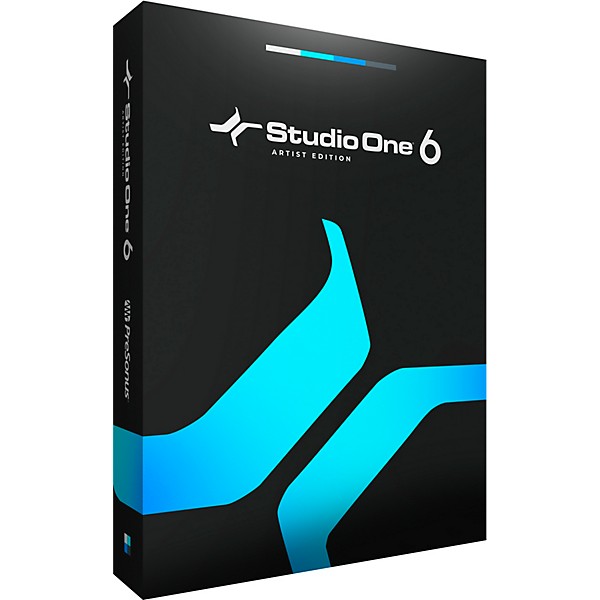
PreSonus Studio One 6 Artist - Educational Download
$49.95

Save on orders $199+ and get expert advice from a Gear Adviser
Need Help?
Videos (10)
View All
The New Studio One 6 Is Here.

Studio One 6: New Plug-ins!

Studio One 6: Making a Beat with the Produce Beats Template

Studio One 6: New Mixer Features

Description
This PreSonus Studio One 6 Artist educational download has everything you need to bring your inspiration to life. Its pioneering drag-and-drop workflow makes it highly intuitive and fast to use. Audio loops, virtual instruments, plug-in effects and even presets can all be dragged into your session from Studio One’s innovative Browser. Copy FX Chains from one channel to another simply by dragging and dropping. Laborious tasks like vocal comping and drum replacement are as easy as drag and drop.
New Smart Templates make it easy to get started with streamlined workflows and helpful guided tutorials. Use the new Customization Editor to select just the tools and functions you need for the task at hand, simplifying the user interface so you can focus and work faster than ever.
The updated Console lets you flip sends to faders to create effects and bus mixes fast, switch between three pan modes on stereo channels, and pin the channel overview to keep a focused view of crucial Channel details available at all times. Use Microview controls to adjust critical parameters in both Native and third-party VST/AU plug-ins. Store every aspect of a given track or channel for instant recall, even for multiple selected tracks/channels.
Designed with ease of use at its core, Studio One Artist seamlessly moves with you from initial inspiration to full production—and lets you truly create without boundaries.
New Smart Templates make it easy to get started with streamlined workflows and helpful guided tutorials. Use the new Customization Editor to select just the tools and functions you need for the task at hand, simplifying the user interface so you can focus and work faster than ever.
The updated Console lets you flip sends to faders to create effects and bus mixes fast, switch between three pan modes on stereo channels, and pin the channel overview to keep a focused view of crucial Channel details available at all times. Use Microview controls to adjust critical parameters in both Native and third-party VST/AU plug-ins. Store every aspect of a given track or channel for instant recall, even for multiple selected tracks/channels.
Designed with ease of use at its core, Studio One Artist seamlessly moves with you from initial inspiration to full production—and lets you truly create without boundaries.
Features
- Intuitive single-window work environment with quick and easy drag-and-drop functionality and Smart Templates to get started creating fast
- Use third-party VST and AU plug-in effects and virtual instruments as well as ReWire-enabled applications
- Unlimited Audio and Instrument Tracks, Buses and FX Channels
- Patterns allow for intuitive drum and melody composition via familiar drum machine/step sequencer-style UI
- 32 Native Effects like ProEQ, Analog Delay and many more, with freshly redesigned UI
- Arranger track for easy song structuring—copy and paste entire verses and choruses, or move them around
- 7GB of royalty-free bundled loop and musical content for quick inspiration
- Easily integrate external hardware with AUX Channels
- Pristine sound quality with native 64-bit resolution and support for up to 786kHz audio
- Export your tracks directly to SoundCloud—enjoy other integrated cloud services like PreSonus Shop and PreSonus Exchange
- Remotely control Studio One Artist from your tablet using Studio One Remote
- Use Pro Tools, Cubase, Sonar and Logic shortcut key commands, or create your own
- Compatible with ASIO-, Windows Audio- and Core Audio-compliant audio interfaces
- Five powerful virtual instruments
- XT: powerful multi-channel drum sampler for beats and loops
- Presence XT: virtual sample-player instrument (14GB library included)
- Mai Tai: polyphonic analog modeling synthesizer
- Mojito: monophonic subtractive synthesizer ideal for basslines and leads
- Sample One XT: robust sampler and sample editor
Specs
Windows
- Windows 10 (64-bit only) or Windows 11 (64-bit only)
- Intel Core i3/AMD A10 processor or better
- macOS 10.14 or higher (64-bit only)
- Intel Core i3 or better (Native support for Apple Silicon)
- Minimum 4GB RAM/Recommended 8GB or more
- Internet connection (needed for installation and activation, plus Cloud, Shop and Exchange integration)
- Monitor with 1,366 x 768 resolution (Retina display recommended)
- Multi-touch-enabled monitor with TUIO support is required for touch operation
- 40GB free hard drive space (Studio One Professional)
- 20GB free hard drive space (Studio One Artist)
- 2.5GB free hard drive space (Studio One Prime)
Reviews
Be the first to review the Product
Q&A
Have a question about this product? Our expert Gear Advisers have the answers.
submitteda year ago
asked byMusicianman
fromundisclosed
Is this software compatible with a Chromebook?
No, it isn't.submitteda year ago
asked byDevon
fromundisclosed
Is this a one time purchase, or does it require a subscription after a while?
Yes, it's not a subscription.submitted2 years ago
asked byJay
from77085
Do you have to be in college to use this
You need to be currently in school or a teacher. I don't think it needs to be collage.submitted2 years ago
asked byMalcolm
fromOklahoma
What is required to purchase and use this Educational version? Will a .edu email work? Will I lose access once I am not involved with my school?
1) I believe an ".edu" email will suffice. 2) Probably not.submitted2 years ago
asked bySara
fromundisclosed
I have studio one artist 3. Is this purchase an upgrade? Meaning, does someone have to have an older version of S1 to purchase this (S1 artist 6)?
No, this is a stand alone version.submitted3 years ago
asked bydave the wave
fromraleigh nc
i understand latency always exists; what i'm asking is if Studio One 6 has low latency like Garage Band which was just right. does your sw provide that quality? not perfect, but not noticeable? thx!
Latency is not a software issue. Studio One will run just as fast.submitted3 years ago
asked bydavid
fromNC
can i plug my guitar into Presonus device, Presonus device into PC, run this software, and insert tracks, play my guitar record that track, with no latency? (3ms is ok)
No. All digital recording involves latency.submitted3 years ago
asked byErin
fromColumbia, MD
My son has a midi keyboard. Does this program work directly with the keyboard or do we have to purchase other equipment in addition this?
Yes. In regards to the idea of "directly", this needs a little bit of discussion. Please give us a call 855-770-3373
Be the first to know about exclusive offers, tips and more.

866-498-7882 English
877-687-5402 Español