


StudioMonitorsMixing


Pro Gear Advisers
•866-498-7882
Guitars
Guitars
Amps & Effects
Amps & Effects
Used & Vintage
Keyboards & MIDI
Keyboards & MIDI
Drums
Drums
DJ Equipment
DJ Equipment
Basses
Basses
Recording
Recording
Live Sound
Live Sound
Accessories
Accessories
Mics & Wireless
Mics & Wireless
Music Software
Music Software
Lighting
Lighting
- Popular Brands
Band & Orchestra
Band & Orchestra
Platinum Gear
Deals
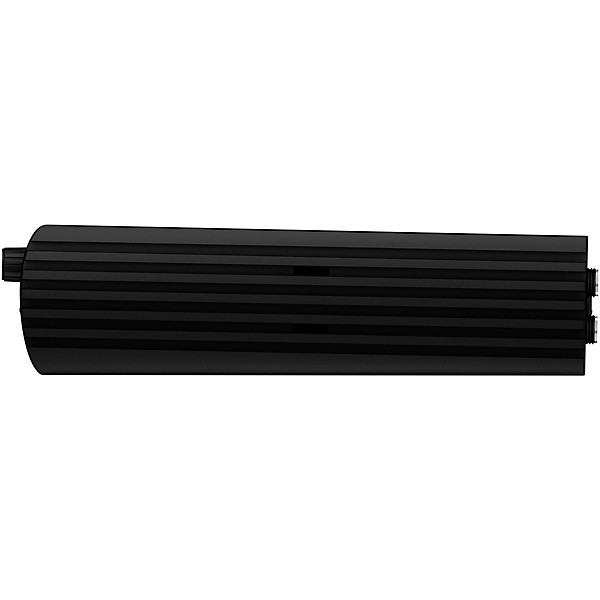
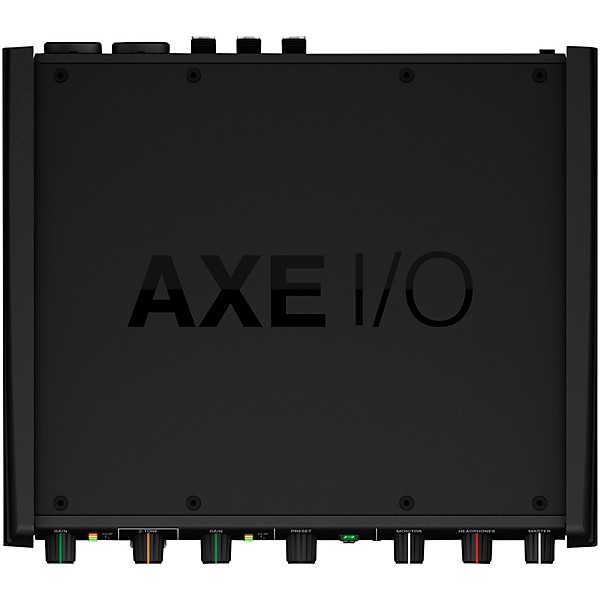
IK Multimedia AXE I/O USB Audio Interface
$299.99$399.99Save: $100.00 (25%)
6-month special financing^ + $14 back in Rewards** Limited time Learn More
Lease-To-Own Purchase OptionsLearn more

Protect your gearLearn more
Cover drops, spills or cracks with Pro Coverage

Need Help?
Videos (1)
View All
Joe Satriani talks AXE I/O and AmpliTube for recording guitar

Description
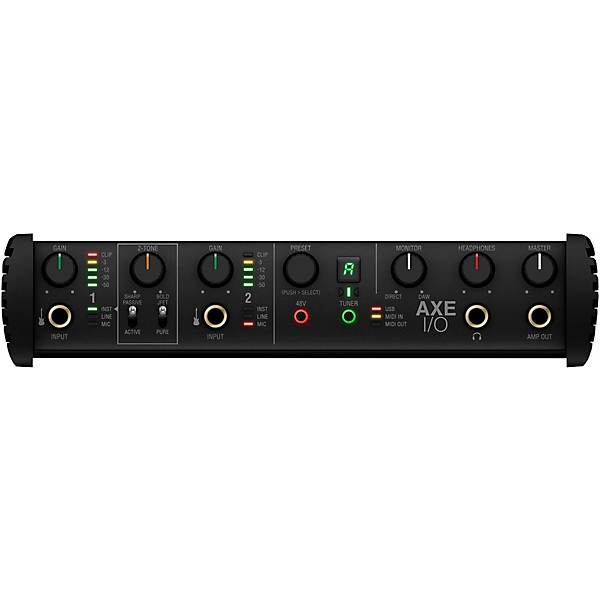
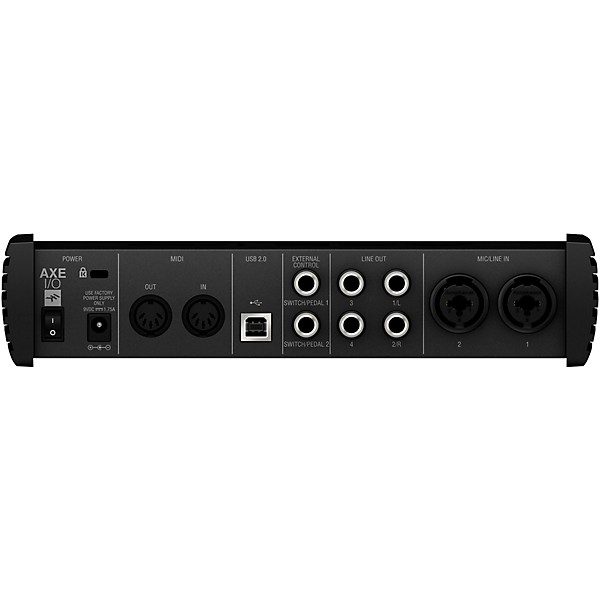
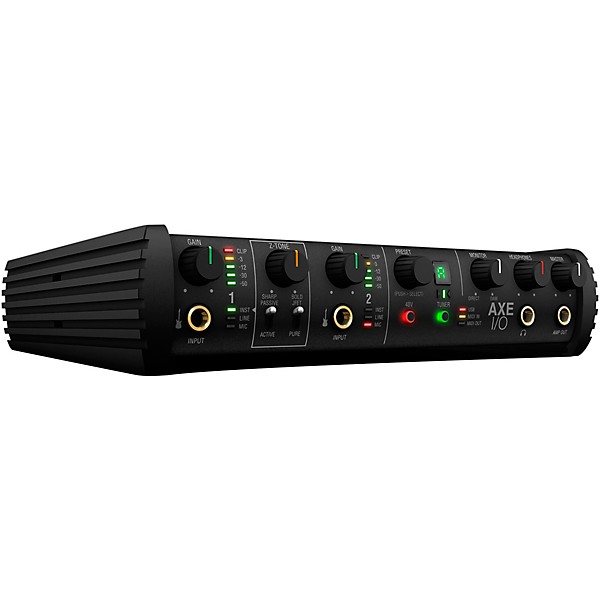
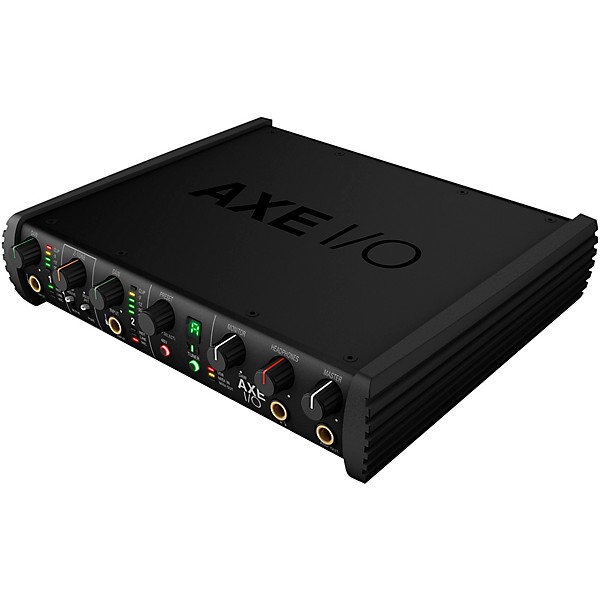
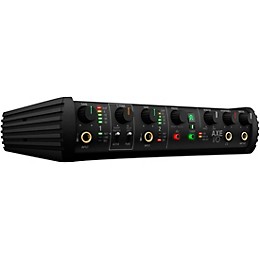
If you are a guitarist who is looking for a reasonably priced audio interface that is oriented primarily toward the guitarist, consider the AXE I/O. The AXE I/O is a premium audio interface with comprehensive inputs, outputs and controls.
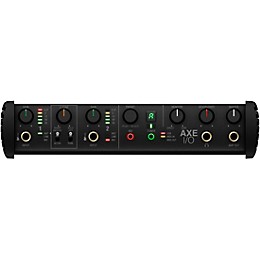
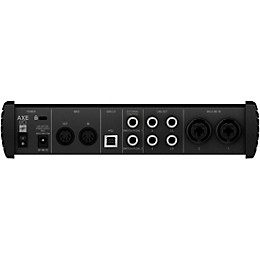
It features a front-panel 1/4” Hi-Z in and Amp out, two combo inputs for instruments and mics (with +48v phantom power), and four TRS balanced line outputs. The system can process two inputs and five outputs simultaneously along with MIDI I/O data. It has two configurable inputs for pedals and/or switches, along with input gain control, LED signal indicators, and monitor, master and headphone volume controls.
Its unique PURE circuit delivers completely transparent and ultra-accurate sound with >117 dB (A) dynamic range. JFET adds subtle harmonic enhancement for a rounder, warmer sound without sacrificing dynamic range, and ACTIVE bypasses unneeded stages for completely transparent sound when used with active pickups. The patent-pending Z-Tone variable impedance Hi-Z input re-shapes the tone of your guitar, or it can precisely match the impedance of a virtual gear model.
Powerful guitar features
The AXE I/O’s front-panel Amp output for easy re-amping, with no need for a direct box and no ground loops or noise. A front-panel 1/4" return lets you add external pedal FX without the need to rewire rear inputs. It has a built-in tuner to keep your instrument in tune throughout recording sessions, and a PRESET control to change settings in AmpliTube 4 and other plug-ins, with two freely assignable CC inputs for expression pedals or single/switches for real-time control over virtual rigs.
This complete guitar recording studio includes more than $1,000 worth of guitar, bass, mixing and mastering software:
AmpliTube 4 Deluxe (over 140 ultra- realistic models of iconic guitar amps, cabs, FX and more)
10 T-RackS Singles for mixing (includes EQ, compressors, reverb, delays, mic modeling and more)
Ableton Live 10 Lite
Free Amplitude 5 and TONEX intro version software included with purchase upon registration of product through IK Multimedia (a $300 value)
It features a front-panel 1/4” Hi-Z in and Amp out, two combo inputs for instruments and mics (with +48v phantom power), and four TRS balanced line outputs. The system can process two inputs and five outputs simultaneously along with MIDI I/O data. It has two configurable inputs for pedals and/or switches, along with input gain control, LED signal indicators, and monitor, master and headphone volume controls.
Its unique PURE circuit delivers completely transparent and ultra-accurate sound with >117 dB (A) dynamic range. JFET adds subtle harmonic enhancement for a rounder, warmer sound without sacrificing dynamic range, and ACTIVE bypasses unneeded stages for completely transparent sound when used with active pickups. The patent-pending Z-Tone variable impedance Hi-Z input re-shapes the tone of your guitar, or it can precisely match the impedance of a virtual gear model.
Powerful guitar features
The AXE I/O’s front-panel Amp output for easy re-amping, with no need for a direct box and no ground loops or noise. A front-panel 1/4" return lets you add external pedal FX without the need to rewire rear inputs. It has a built-in tuner to keep your instrument in tune throughout recording sessions, and a PRESET control to change settings in AmpliTube 4 and other plug-ins, with two freely assignable CC inputs for expression pedals or single/switches for real-time control over virtual rigs.
This complete guitar recording studio includes more than $1,000 worth of guitar, bass, mixing and mastering software:
AmpliTube 4 Deluxe (over 140 ultra- realistic models of iconic guitar amps, cabs, FX and more)
10 T-RackS Singles for mixing (includes EQ, compressors, reverb, delays, mic modeling and more)
Ableton Live 10 Lite
Free Amplitude 5 and TONEX intro version software included with purchase upon registration of product through IK Multimedia (a $300 value)
Features
- 2 in/5 out high-end USB audio interface
- Discrete Class A microphone preamps
- 24-bit/192kHz maximum sample rate
- 3Hz–35kHz frequency response
- >117 dB dynamic range
- Very low latency
- Ultralow jitter clock for transparent, world-class sound
- Top-of-the-line converters
- High-current balanced outputs
- High-current professional headphone amplifier
Specs
Audio Quality
- Bit depth: 24-bit
- Sampling rate: 192kHz maximum
- Total inputs: 4
- Analog inputs: 2
- Digital inputs: 0
- Mic preamps: 2
- XLR/TRS combo jacks: 2
- XLR only jacks: 0
- 1/4” only jacks: 2
- Total outputs: 5
- Analog output: 5
- Digital outputs: 3
- XLR out: 0
- 1/4” out: 5
- Connections: USB 2.0
- MIDI I/O: Yes
- Headphone output(s): 1
- Word-clock I/O: No
- Phantom power: Yes
- Direct monitoring: Yes
- Onboard DSP: No
- Metering: LED meters
- Display:
- Latency control: Latency-free monitoring
- Monitor control: Yes
- Headphone control: Yes
- Width: 11.1"
- Height: 5"
- Depth: 9.9"
- Weight: 1.5 lb.
- Rack-mountable: Yes
- Included software: Yes
Warranty
7) LIMITED WARRANTY
IK Multimedia warrants to the original purchaser of the computer software product, for a period of ninety (90) days following the date of original purchase, that under normal use, the software program and the user documentation are free from defects that will materially interfere with the operation of the program as described in the enclosed user documentation.
8) WARRANTY CLAIMS
To make a warranty claim under the above limited warranty, please return the product to the point of purchase, accompanied by proof of purchase, your name, your return address and a statement of the defect, or send the CD(s) to us at the below address within ninety (90) days of purchase. Include a copy of the dated purchase receipt, your name, your return address and a statement of the defect. IK Multimedia or its authorized dealer will use reasonable commercial efforts to repair or replace the product and return it to you (postage prepaid) or issue to you a credit equal to the purchase price, at its option.
9) LIMITATIONS ON WARRANTY
IK Multimedia warrants only that the program will perform as described in the user documentation. No other advertising, description or representation, whether made by a IK Multimedia dealer, distributor, agent or employee, shall be binding upon IK Multimedia or shall change the terms of this warranty.
EXCEPT AS STATED ABOVE, IK MULTIMEDIA MAKES NO OTHER WARRANTY, EXPRESSED OR IMPLIED, REGARDING THIS PRODUCT. IK MULTIMEDIA DISCLAIMS ANY WARRANTY THAT THE SOFTWARE IS FIT FOR A PARTICULAR PURPOSE, AND ANY IMPLIED WARRANTY OF MERCHANTABILITY SHALL BE LIMITED TO A NINETY (90) DAY DURATION OF THIS LIMITED EXPRESS WARRANTY AND IS OTHERWISE EXPRESSLY AND SPECIFICALLY DISCLAIMED. IK MULTIMEDIA SHALL NOT BE LIABLE FOR SPECIAL, INCIDENTAL, CONSEQUENTIAL OR OTHER DAMAGES, EVEN IF IK MULTIMEDIA IS ADVISED OF OR AWARE OF THE POSSIBILITY OF SUCH DAMAGES. THIS MEANS THAT IK MULTIMEDIA PRODUCTION SRL SHALL NOT BE RESPONSIBLE OR LIABLE FOR THE LOSS OF PROFITS OR REVENUES, OR FOR DAMAGES OR COSTS AS A RESULT OF LOSS OF TIME, DATA OR USE OF THE SOFTWARE, OR FROM ANY OTHER CAUSE EXCEPT THE ACTUAL COST OF THE PRODUCT. IN NO EVENT SHALL IK MULTIMEDIA LIABILITY EXCEED THE PURCHASE PRICE OF THIS PRODUCT.
IK Multimedia warrants to the original purchaser of the computer software product, for a period of ninety (90) days following the date of original purchase, that under normal use, the software program and the user documentation are free from defects that will materially interfere with the operation of the program as described in the enclosed user documentation.
8) WARRANTY CLAIMS
To make a warranty claim under the above limited warranty, please return the product to the point of purchase, accompanied by proof of purchase, your name, your return address and a statement of the defect, or send the CD(s) to us at the below address within ninety (90) days of purchase. Include a copy of the dated purchase receipt, your name, your return address and a statement of the defect. IK Multimedia or its authorized dealer will use reasonable commercial efforts to repair or replace the product and return it to you (postage prepaid) or issue to you a credit equal to the purchase price, at its option.
9) LIMITATIONS ON WARRANTY
IK Multimedia warrants only that the program will perform as described in the user documentation. No other advertising, description or representation, whether made by a IK Multimedia dealer, distributor, agent or employee, shall be binding upon IK Multimedia or shall change the terms of this warranty.
EXCEPT AS STATED ABOVE, IK MULTIMEDIA MAKES NO OTHER WARRANTY, EXPRESSED OR IMPLIED, REGARDING THIS PRODUCT. IK MULTIMEDIA DISCLAIMS ANY WARRANTY THAT THE SOFTWARE IS FIT FOR A PARTICULAR PURPOSE, AND ANY IMPLIED WARRANTY OF MERCHANTABILITY SHALL BE LIMITED TO A NINETY (90) DAY DURATION OF THIS LIMITED EXPRESS WARRANTY AND IS OTHERWISE EXPRESSLY AND SPECIFICALLY DISCLAIMED. IK MULTIMEDIA SHALL NOT BE LIABLE FOR SPECIAL, INCIDENTAL, CONSEQUENTIAL OR OTHER DAMAGES, EVEN IF IK MULTIMEDIA IS ADVISED OF OR AWARE OF THE POSSIBILITY OF SUCH DAMAGES. THIS MEANS THAT IK MULTIMEDIA PRODUCTION SRL SHALL NOT BE RESPONSIBLE OR LIABLE FOR THE LOSS OF PROFITS OR REVENUES, OR FOR DAMAGES OR COSTS AS A RESULT OF LOSS OF TIME, DATA OR USE OF THE SOFTWARE, OR FROM ANY OTHER CAUSE EXCEPT THE ACTUAL COST OF THE PRODUCT. IN NO EVENT SHALL IK MULTIMEDIA LIABILITY EXCEED THE PURCHASE PRICE OF THIS PRODUCT.
Featured Articles
Reviews
4.8
5 Reviews
100%
of respondents would recommend this to a friend
Filters
Best Uses
- Home Studio5
- Professional Recording4
- Amateur Recording3
- Performances1
Cons
- Limited Functions1
- Not very versatile1
Describe Yourself
- Experienced3
- Novice1
- Professional Musician1
Pros
- Good Audio5
- Durable4
- Easy To Use4
- Compact3
- Versatile3
Reviewed by 5 customers
Here's the problem...
submitted6 days ago
byGreg
fromFredericksburg, VA
Look, this is a very good audio interface made from the perspective of people that need to record guitar in high fidelity. It does that. Here's what it doesn't do well. The built in guitar tuner is a gimmick barely usable. It's better than nothing, but anyone using the software included with this device will have a vastly superior tuner anyway, so it is an unnecessary and barely usable feature. I cannot think of a singl scenario where using the built in tuner would make any sense. The rear two inputs aren't really separate inputs from what I can tell. The controller software only has channel strips for the front two guitar inputs and a way to link chanel 1 to the aux amp output. That all is great. But how you get the amp back into the device is, well, limited. You can, for example, run a guitar pedal chain off the output from the amp output on the front. The return can be a rear or front input. You can only patch the left most input 1 to the amp output, so that leaves you with the input 2 on the front or either one on the back. But let's say your final schedule real is a stereo reverb work of art and you really love recording through that reverb instead of using software. There is no way to return a stereo signal into this device. The rear inputs are both mono and there's no channel strips for them, so you can't just pan left on one and right on the other to make them a stereo pair. The front 2nd input is just another mono guitar input, from what I can tell. There's no mono vs stereo option in the control software for channel 2. So while it can take a balanced cable, it won't split left and right. So it is a wonderful MONO guitar recording interface with some excellent software. Theoretically, I could input the left and right output cables into one of each of the two FRONT inputs and pan the m left and right. I would then plug my guitar into my guitar chain. This defeats the purpose of having an amp output, and you won't record a dry guitar signal. So you CAN re-amp but only in MONO and you can record a stereo source if your don't want to re-amp. That said, it does shockingly have an optical ADAT input to add more channels, which would then presumably show up in the control software. And it does record with VERY low latency, even on a modest computer. And you can record into software sims that output in stereo, both writing a dry track and the wet track simultaneously. That is friggin excellent and works really well. But those two rear jacks are just weird. They are combo XLR and balanced 1/4" inputs. And they bypass the guitar related parts of the preamp for pristine microphone recording. But neither (or both) can't be used for a stereo instrument. And I am guessing they can't be used at the same time as a guitar input on the front. Maybe you could use the second rear mic jack while recording guitar into the first front input. But I can't figure it out. I don't know how they got this much RIGHT designing an interface for guitar recording and NOT included dedicated channels for mic recording as well. And I'm not sure why they bothered with MIDI inputs if you can't record the sound output from a stereo midi instrument without unplugging the guitar. Just ONE set of line level inputs would have perfected this device. Now I have to buy another device to add more channels just to record guitar in stereo so I can write two dry tracks and my effects tracks at the same time.
Great product, even better with Amplitube MAX
submitted6 years ago
byDock
fromILLINOIS
I use my Axe I/O with headphones so I don't bother everyone in the house, but I get more tone options than I could ever buy physically and I can play along with training videos or lookup tabs on UltimateGuitar without using the tiny screen on my phone. This is the best solution ever!
Axe IO Great for recording Guitar and Bass
submitted6 years ago
byJBS
fromOKC OK.
i got the axe io in august and I have owned a number of di's and daw, still use the "ur22c steinberg" with the axe io and when i got the axe io , it came with amp4 deluxe ver. and i spent a number of weeks fighting with the driver that came with the it and Experimenting with the software. i bought the mesa boogy pack and still had trouble with it, mostly my fault going in loops which usely happens when you don't read the instructions and finally got the max upgrade for 50% off (which it now comes with) and then it opened for me and have to say there are literally a ton of great gtr sounds from hard rock to mello you can find any kind of sound you could possibly want. the problem with a lot of software is they sound great untill you go to recording the heavy rock tones and then there is a fight trying to get it right...well I would highly recommend the Axe IO it is really all you need when it comes to recording great guitar and bass !!
IK AXE REVIEW
submitted7 years ago
byColin
fromDelaware
So I've been recording since I was a 15 and I'm in my 30s now. From my home studio over the last 5 years I've been lucky enough to hear my own dumb recordings played over the radio many times (FM, Internet Stations, Sirius XM.) The genre is very heavy guitar oriented alternative / shoegaze music. Everything I've ever recorded was done on a 2010 1st Gen Scarlett 2i2. I didn't even have a preamp. Only an old Tascam Mic and DI guitars plugged straight into the 2i2. The rest was Amplitube and other plugins. The reason I'm telling you this is because the interface does not matter. IT DOES NOT MATTER WHAT INTERFACE YOU USE. SO SAVE YOUR MONEY. This year however, I got interested in reamping (which the 2i2 cannot do without unplugging my monitors.) I now had a reason to purchase a new interface after almost 10 years and this is what I got. The IK Axe. For anyone out there caught between the 2 worlds of guitar plugins and guitar pedals, this thing is really all you need. It gives you both right on the front of the interface and sounds amazing. Set it up in 10 minutes. I do recommend setting up a template in your DAW to make life easier when reamping with this. But it couldn't be easier. My guitar pedals and amps are now just an extension of my plugin library. I really love this thing and like I said, DO NOT BUY EXPENSIVE INTERFACES. Just get what you absolutely need and anyone selling you on "sound quality" has no idea what they're talking about and probably hasn't made a single thing worth listening to anyways. I just wish it came with the Amplitube Max bundle because I already have the deluxe.
This interface is amazing
submitted7 years ago
byKris
fromSterling, VA
I come from a world of pro recording studios working with nothing but the best gear. I bought this unit to write songs in my home studio. Not looking to release songs, but just to have fun. I have to say, this unit holds up to all of my pro gear. So much so that I have put my high-end DI's away. There is simply no need for them. The JFET DI and Z-Tone are amazing tools that you would have to pay 3 times the price to get in another product. The only drawback of this unit is that even though it has 5 outs (one dedicated reamping DI) only 2 of them are line outs. I have no idea why they would put 2 unbalanced outputs on the unit. Seems kind of pointless, but it's not a deal breaker especially for the money. I am not a huge fan of the version of Amplitude that comes with it but I have so many Amp Sims that it does not matter that much.
- Previous
- 1
- Next
Q&A
Have a question about this product? Our expert Gear Advisers have the answers.
submitted6 years ago
asked byBob
fromPort St. Lucie, Fl 34987
Can I use this to enhance the sound of my live performances, or is it intended just for recording?
This is for recording. What I believe you're looking for is something like a signal processor. Give us a call at 866-498-7882 and we can take what you're looking to do and help you build the right setup for it.submitted7 years ago
asked byBill
fromME
Does this unit come with the FULL license aplitude 4?
The AmpliTube 4 is the full Deluxe version.
Be the first to know about exclusive offers, tips and more.

866-498-7882 English
877-687-5402 Español