



TubeDigitalBoards
.jpeg)

Pro Gear Advisers
•866-498-7882
Guitars
Guitars
Amps & Effects
Amps & Effects
Used & Vintage
Keyboards & MIDI
Keyboards & MIDI
Drums
Drums
DJ Equipment
DJ Equipment
Basses
Basses
Recording
Recording
Live Sound
Live Sound
Accessories
Accessories
Mics & Wireless
Mics & Wireless
Music Software
Music Software
Lighting
Lighting
- Popular Brands
Band & Orchestra
Band & Orchestra
Platinum Gear
Deals
Videos (1)
View All
Barren using Digitech RP360XP
Description
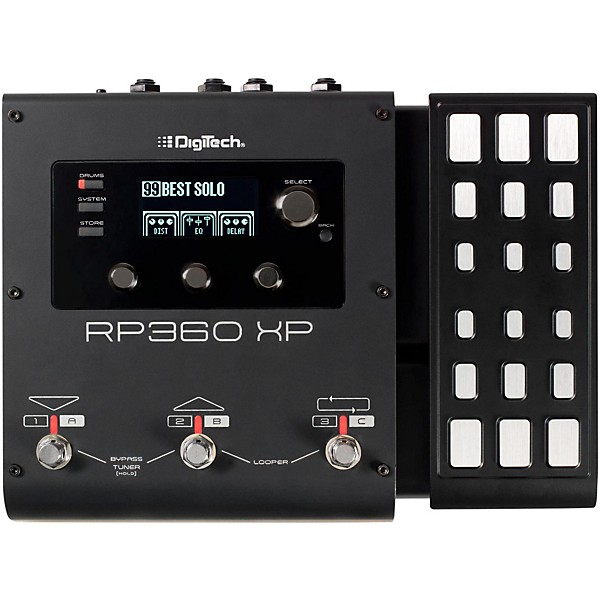
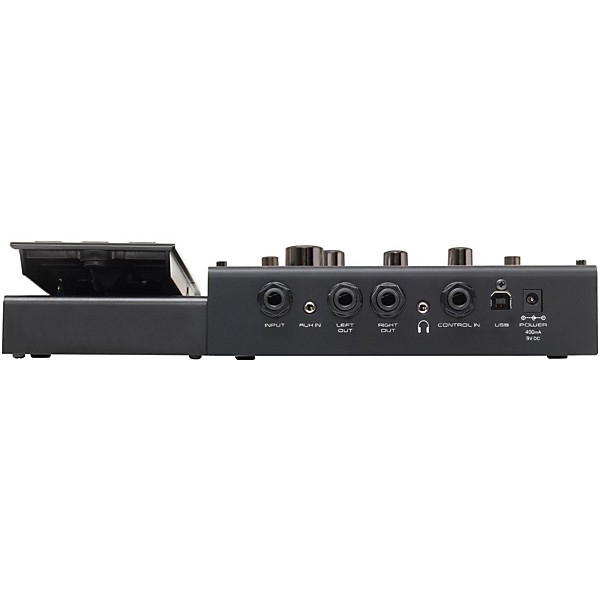
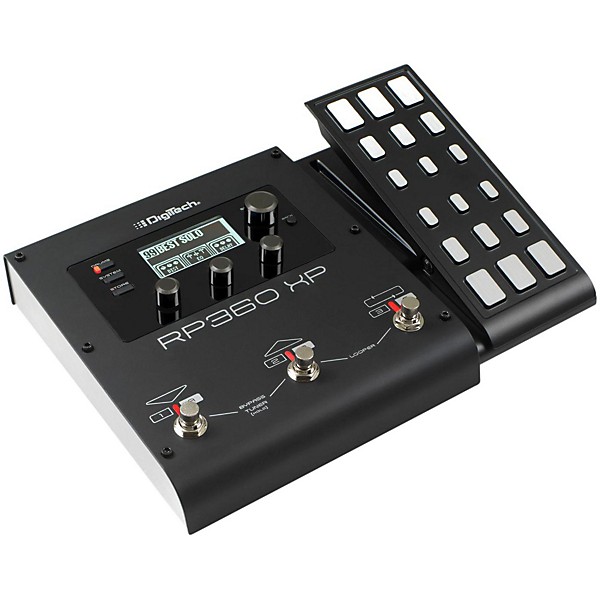
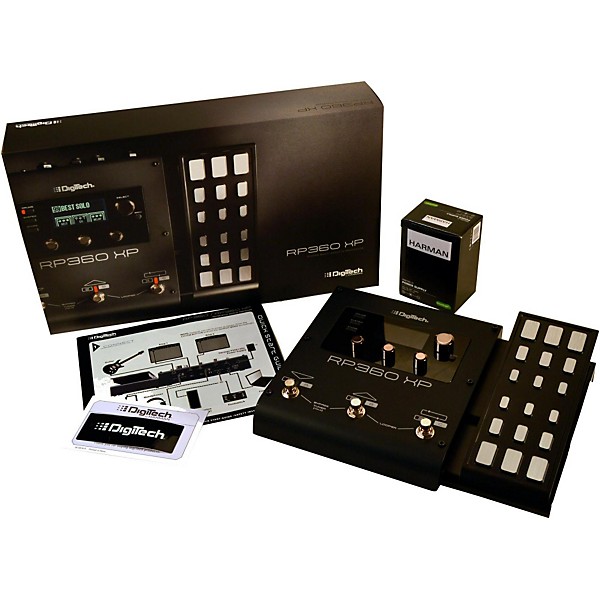
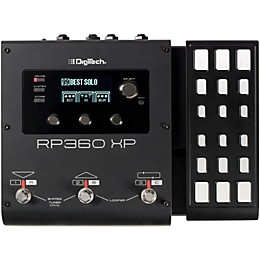
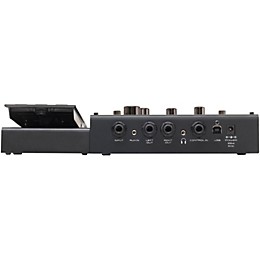
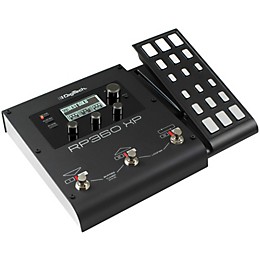
The DigiTech RP360XP guitar multi-effect processor is a complete 360 guitar effects solution. It includes over 125 different effects (32 amps, 18 cabinets, 74 stompboxes) inspired by some of the world's best-selling pedals and iconic amps. The LCD interface makes it easy to explore and discover the perfect tone to get that desired effect. Along with the incredible selection of effects, the RP360XP has an expression pedal, 40-second looper, nearly 200 presets, USB port, configurable footswitch modes, built-in tuner; dedicated headphone jack, Sound Check and 60 built-in drum tracks.
You can add up to eight effects to each preset. The RP360XP has a USB port for transferring and loading presets from your computer. With nearly 200 onboard presets and Nexus, DigiTech's free preset editor and librarian software, you can create, transfer, and share an unlimited number of tones. The USB port also allows you to record your guitar tracks directly to your computer. The RP360XP works with GarageBand, Pro Tools, Cubase, Ableton, and virtually every other recording software for Mac or PC.
The RP360XP is versatile with three different footswitch modes. Incorporate the RP360XP into your existing pedal board using stompbox mode where you can assign any effect in your preset to each footswitch. If you choose to use the RP360XP by itself, easily navigate through your presets in preset mode or bank mode. Extend your control of the RP360XP with a 3-button footswitch. The 3-button footswitch can be set-up to extend the control of the onboard looper or navigate through your banks and presets.
The RP360XP includes a new feature exclusive to DigiTech called Sound Check. Sound Check allows you to quickly record a phrase with your guitar and set it to repeat while you dial in the perfect effects and settings. Sound Check saves you from having to continually bend over to make minor adjustments while dialing in your tone. With Sound Check you'll spend less time tweaking and more time playing with the perfect tones.
You can add up to eight effects to each preset. The RP360XP has a USB port for transferring and loading presets from your computer. With nearly 200 onboard presets and Nexus, DigiTech's free preset editor and librarian software, you can create, transfer, and share an unlimited number of tones. The USB port also allows you to record your guitar tracks directly to your computer. The RP360XP works with GarageBand, Pro Tools, Cubase, Ableton, and virtually every other recording software for Mac or PC.
The RP360XP is versatile with three different footswitch modes. Incorporate the RP360XP into your existing pedal board using stompbox mode where you can assign any effect in your preset to each footswitch. If you choose to use the RP360XP by itself, easily navigate through your presets in preset mode or bank mode. Extend your control of the RP360XP with a 3-button footswitch. The 3-button footswitch can be set-up to extend the control of the onboard looper or navigate through your banks and presets.
The RP360XP includes a new feature exclusive to DigiTech called Sound Check. Sound Check allows you to quickly record a phrase with your guitar and set it to repeat while you dial in the perfect effects and settings. Sound Check saves you from having to continually bend over to make minor adjustments while dialing in your tone. With Sound Check you'll spend less time tweaking and more time playing with the perfect tones.
Features
- 9.125" x 15.188" x 2.625"
- 5lb.
Specs
Volume/Wah Models inspired by:
- Volume Pedal
- DigiTech Full Range
- Dunlop Cry Baby Wah
- Vox Clyde McCoy Wah
- DigiTech Compressor
- Boss CS-2
- MXR DynaComp
- Single Coil > Humbucker
- Humbucker > Single Coil
- Dreadnaught Acoustic
- Jumbo Acoustic
- DigiTech Noise Gate
- DigiTech Auto Swell
- Boss CE-2 Chorus
- TC Electronic Chorus
- DigiTech Dual Chorus
- DigiTech Multi Chorus
- DigiTech Flanger
- DigiTech Triggered Flanger
- MXR Flanger
- Electro Harmonix Electric Mistress
- :
- DigiTech Phaser
- DigiTech Triggered Phaser
- MXR Phase 100
- Electro Harmonix Small Stone
- DigiTech Whammy
- DigiTech Pitch Shift
- DigiTech Detune
- DigiTech IPS
- Boss OC-2 Octaver
- DigiTech Vibrato
- DigiTech Rotary
- DigiTech Vibro/Pan
- Uncord Univibe
- DigiTech Tremolo
- DigiTech Panner
- Fender Opto Tremolo
- Vox Bias Tremolo
- DigiTech Envelope Filter
- DigiTech Auto Ya
- DigiTech YaYa
- DigiTech Synth Talk
- DigiTech Step Filter
- DOD FX25
- Equalization
- 4-band EQ
- DigiTech Analog Delay
- Boss DM-2 Analog Delay
- DigiTech Digital Delay
- DigiTech Modulated Delay
- DigiTech Pong Delay
- DigiTech Tape Delay
- Maestro EP-2
- Echoplex Tape Echo
- Fender Twin Reverb
- Lexicon Ambience
- Lexicon Studio
- Lexicon Room
- Lexicon Hall
- EMT 240 Plate
- Amps inspired by:
- '57 FenderTweed Champ
- '57 Fender Tweed Deluxe
- '59 FenderTweed Bassman
- '65 Fender Blackface Twin Reverb
- '65 Fender BlackfaceDeluxe Reverb
- '65 Marshall "JTM-45
- '68 Marshall 100 Watt Super Lead (plexi)
- '68 Marshall Jump Panel
- '77 Marshall Master Volume
- '83 Marshall JCM800
- '93 Marshall JCM900
- '62 Vox AC15
- '63 Vox AC30 Top Boost
- '69 HiwattCustom 100 DR103
- '81 Mesa/Boogie Mark II C
- '01 Mesa/Boogie Dual Rectifier
- '96 Matchless HC30
- '88 Soldano SLO-100
- DigiTech BlackBass
- DigiTech Bright Clean
- DigiTech Brownsound
- DigiTech Chunk
- DigiTech Clean Tube
- DigiTech Dark Metal
- DigiTech High Gain
- DigiTech Metal
- DigiTech Monster
- DigiTech Solo
- DigiTech Stoner Rock
- DigiTech Tweedface
- DigiTech 2101 Clean Tube
- DigiTech 2101 Saturated Tube
- Arbiter Fuzz Face
- Boss DS-1 Distortion
- Boss MT-2 Metal Zone
- Demeter Fuzzulator
- DigiTech Death Metal
- DigiTech Grunge
- DigiTech Redline Overdrive
- DOD 250 Overdrive/Preamp
- DOD Classic Fuzz
- DOD Gonkulator Ring Modulator
- Electro-Harmonix Big Muff Ï
- Guyatone Overdrive OD-2
- Ibanez TS-9 Tube Screamer
- Ibanez TS-808 Tube Screamer
- MXR Distortion+
- ProCo Rat
- Roger Mayer Octavia
- Voodoo Labs Sparkle Drive
- '57 Fender Tweed Champ 1x8"
- '57 Fender Tweed Deluxe Reverb 1x12"
- '65 Fender Blackface Deluxe Reverb 1x12"
- '57 Fender Blonde Bassman 2x12"
- '65 Fender Blackface Twin Reverb 2x12"
- '63 Vox AC30 Top Boost withJensen Blue Backs 2x12"
- '59 Fender Tweed Bassman 4x10"
- Marshall 1969 Straight withCelestion G12-T70 4x12"
- Marshall 1969 Slant withCelestion 25W Greenbacks 4x12"
- Hiwatt Custom withFane Speakers 4x12"
- Johnson Straight withCelestion Vintage 30's 4x12"
- '96 VHT Slant withCelestion Vintage 30's 4x12"
- DigiTech Solo 4x12
- DigiTech Bright 2x12
- DigiTech Metal 4x12
- DigiTech Rock 4x12
- DigiTech Alt 4x12
- DigiTech Vintage 4x12
Reviews
4.45
20 Reviews
92%
of respondents would recommend this to a friend


Most Liked Positive Review
5
Digitech hit a home run
As a player who has a love/hate relationship with modelers, I find that sometimes I have to use them, depending upon where I'm playing. I love pedals and amps but sometimes stage volume isn't practical. I've owned a good number of the more popular modelers and they all do certain things very well. However, I've found that only Digitech units are able to accept external drives seamlessly. The RP360XP is fantastic in a live setting. The ability to use multipliers for the delays is a huge winner. As well, the routing of effects opens up a great amount of options. Tone-wise, Digitech has always been a winner and the RP360XP holds true to that. The amps, effects and throughput are incredible. As well, the expression pedal and wah tones are amazing. Complete control. I'm not someone who reviews gear the day I get it. I want the honeymoon to be over. In this case, I've played the RP out in a live setting every week for the past two months and I can honestly say it's the ideal tool for shaping the tones I want. Plus, the amp models will accept external OD and distortion the same way a real amp would. No digital compression or artifacts. If you want a small footprint with a ton of options, and the ability to expand with your own pedal collection, the RP360XP is a true winner.
VS
Most Liked Negative Review
3
It's great, BUT!
I've had this unit for a while now (4+ years) and can say with all honesty that this unit is good, with a couple of stipulations. If your trying to use this unit as your main source for your tone, meaning using this unit as a preamp into a power source with no preamp. Such as a Seymour Duncan power amp or an Orange pedal baby. You will get great results. If your using this unit in conjunction to an existing tone you already have established and are just using this unit to add something, or out of convenience, DON'T!!!! It will suck all the life out of your tone and just make it sound thin and lifless. Try one in your setup if you can before you buy it.
Filters
Best Uses
- Home Studio12
- Performances11
- Amateur Recording9
- Outdoor Events / Games4
- Professional Recording2
Cons
- Limited Functions2
- Not Durable1
- Unreliable1
- Colors your sound badly1
- A little involved to program1
Describe Yourself
- Experienced8
- Professional Musician4
- Novice3
Pros
- Compact13
- Versatile11
- Excellent Sound Quality9
- Good Selection Of Effects9
- Responsive7
Reviewed by 20 customers
Construction a little sub par with the main button broken
submitted6 years ago
byTony
fromSan Pedro Ca
Can't edit any parameters main edit button will not depress
Awesome
submitted6 years ago
byJay
fromMO
Can't beat the Digitech for it's price.
The best pedal, lots of sounds and easy to use.
submitted6 years ago
byDuffy
fromLong Island, NY
This pedal is easy to use and has lots and lots of different sounds to choose from. It has a lot more customization that the previous RP expression pedal. You can change the order of stompboxes in the Nexus computer program. The pedal is easy to set up and program and download sounds, it is easier to do on the computer Nexus program than on the pedal itself though.
Nice effects and looping ability
submitted6 years ago
byWalbesserdaniel2
fromAmherst ny
I've been recording my music while using this! The effects are ok and the loop is cool 😎
Great sound!
submitted6 years ago
byErick
fromPhoenix
Great sounds, it get the job done; but maybe a couple of fx sounds or synth simulators could be great. Tasty crunchy sounds but is no the best on big distortions. Easy to use and the software works great, easiest still!
It's great, BUT!
submitted6 years ago
byCalamity cam
fromBoston
I've had this unit for a while now (4+ years) and can say with all honesty that this unit is good, with a couple of stipulations. If your trying to use this unit as your main source for your tone, meaning using this unit as a preamp into a power source with no preamp. Such as a Seymour Duncan power amp or an Orange pedal baby. You will get great results. If your using this unit in conjunction to an existing tone you already have established and are just using this unit to add something, or out of convenience, DON'T!!!! It will suck all the life out of your tone and just make it sound thin and lifless. Try one in your setup if you can before you buy it.
Q&A
Have a question about this product? Our expert Gear Advisers have the answers.
submitted6 years ago
asked byBrian
fromIllinois
can you control the drum patterns with the foot switch. can you store drum patterns in the presets
Thank you for reaching out to us. Unfortunately we need some more info before we can give you a for sure answer. Please give us a call at 866-498-7882 and we can get you squared away.submitted6 years ago
asked byBrian
fromtinley park il
Can drum patterns be stored in pre sets? Or turned on by foot switch?
Yes, patterns can be stored in pre sets
Be the first to know about exclusive offers, tips and more.

866-498-7882 English
877-687-5402 Español