


Gear SpecialistBundlingMusician
.jpeg)

Pro Gear Advisers
•866-498-7882
Guitars
Guitars
Amps & Effects
Amps & Effects
Used & Vintage
Keyboards & MIDI
Keyboards & MIDI
Drums
Drums
DJ Equipment
DJ Equipment
Basses
Basses
Recording
Recording
Live Sound
Live Sound
Accessories
Accessories
Mics & Wireless
Mics & Wireless
Music Software
Music Software
Lighting
Lighting
- Popular Brands
Band & Orchestra
Band & Orchestra
Platinum Gear
Deals
New Arrivals


Download
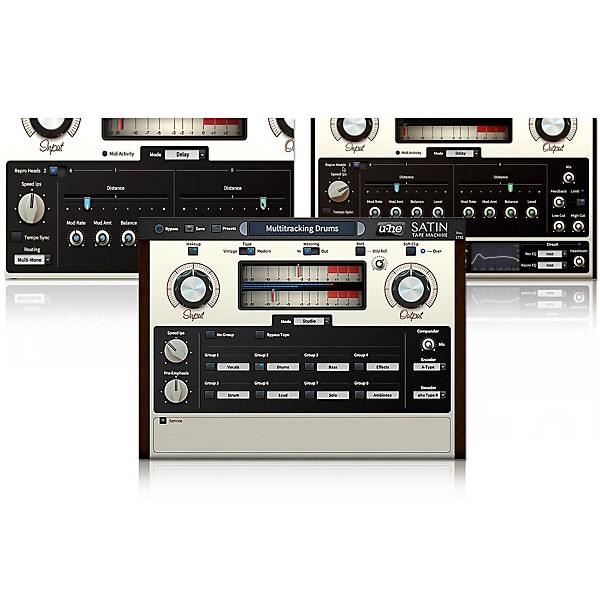
u-he Satin Software Download
$129.00
6-month special financing^ + $6 back in Rewards** Limited time Learn More

Need Help?
Videos (3)
View All
u-he Satin Basics, Part 1: Studio

u-he Satin Basics, Part 2: Delay

u-he Satin Basics, Part 3: Flange
Description
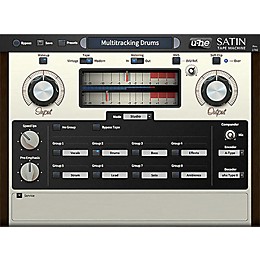
u-he wanted to recreate all kinds of tape machines in software, from the ground up. After many months spent on research, measurement and on developing an architecture that would be flexible enough for the job, they knew they were close. After adding the old noise-reduction systems that were often (mis)used for timbral compression effects, more heads and a global feedback path, which made an uber-tape-delay and realistic "one-shot" tape flanging possible, they were ready to release Satin. Users familiar with analog recording gear should instantly feel at home with Satin, and digital afficionados will also learn to love the magic of tape—Satin invites you to explore and find out for yourself.
Features
- Mix-and-match emulation spans all major historical developments in tape technology
- Control multiple instances from one panel—'glue multiple tracks together
- High-quality: internal sample rate up to 384kHz, continuous tape speed control
- All the "goodness of tape (saturation, transient-smoothing, HF compression etc.)
- Full control over the "badness" (head-bump, wow&flutter, asperity noise, hiss etc.)
- Record/repro EQ standards (separately selectable), classic NR compander standards
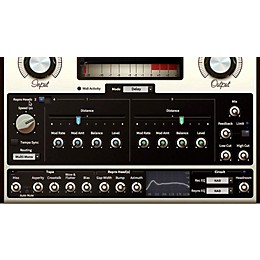
- Extra FX modes: through-zero tape flanging, host-synchronizable 4-tap stereo delay
Specs
System Requirements
- Current PC or intel Mac
- Multicore CPU with SSE2
- (Sandy Bridge architecture or newer recommended)
- Mac OSX 10.5 or newer
- Windows XP/Vista/7/8
- 1GB RAM, more recommended
- 30MB free disc space
- display 1000x600px and up
- OSX: VST2 or AU compatible host software
- Windows: VST2 compatible host software
- Supports 32-bit and 64-bit in all formats
- AAX support for Pro Tools 10, 11 & 12
Reviews
Be the first to review the Product
Q&A
Have a question about this product? Our expert Gear Advisers have the answers.
No results but…
You can be the first to ask a new question.
It may be Answered within 48 hours.
Be the first to know about exclusive offers, tips and more.

866-498-7882 English
877-687-5402 Español