
Gear SpecialistBundlingMusician


Pro Gear Advisers
•866-498-7882
Guitars
Guitars
Amps & Effects
Amps & Effects
Used & Vintage
Keyboards & MIDI
Keyboards & MIDI
Drums
Drums
DJ Equipment
DJ Equipment
Basses
Basses
Recording
Recording
Live Sound
Live Sound
Accessories
Accessories
Mics & Wireless
Mics & Wireless
Music Software
Music Software
Lighting
Lighting
- Popular Brands
Band & Orchestra
Band & Orchestra
Platinum Gear
Deals

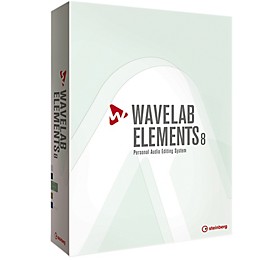
Steinberg Wavelab Elements 8 with Free Upgrade to Wavelab Elements 9
$79.99

Save on orders $199+ and get expert advice from a Gear Adviser
Need Help?

Description
Based on the approved WaveLab mastering solution, the Elements version highlights proven editing and analysis tools, a valuable selection of restoration and mastering plug-ins, a CD burning engine and much more - all accessible through an intuitive user interface.
Besides an updated burning engine for providing reliable burning processes on the latest operation systems, WaveLab Elements 8 contains new recording options, enabling you to assign custom audio outputs for monitoring each recorded channel.
Plus, the recording dialog has a new Mix With Playback button for mixing the monitored audio signal with the playback signal. This way, it is now possible to toggle between the auditioning of the recorded signal and the playback signal. And it doesn't stop here - there are even more enhancements waiting to be discovered.
Besides an updated burning engine for providing reliable burning processes on the latest operation systems, WaveLab Elements 8 contains new recording options, enabling you to assign custom audio outputs for monitoring each recorded channel.
Plus, the recording dialog has a new Mix With Playback button for mixing the monitored audio signal with the playback signal. This way, it is now possible to toggle between the auditioning of the recorded signal and the playback signal. And it doesn't stop here - there are even more enhancements waiting to be discovered.
Features
- Complete audio editing and mastering software, tailored to hobby musicians, radio freelancers and home studio owners
- Studio-grade Brickwall Limiter and Tube Compressor to improve the quality of your recordings
- Enhanced editing workflow with volume clip handles and auto-replay option
- Transport panel for fast and easy navigation through the project
- Plug-in management and organization for simplified overview on all plug-ins used within the project
- High-resolution 16-bit float waveform zooming for ultra-fast and precise editing operations
- Audio Montage improvements, featuring the new master plug-in section and drag-and-drop support for files of any sample rate
- Metadata support for multiple formats
- Extended in-application help system to get started right away
- 50+ improvements to user interface, CD burning, editing, recording and many others
Specs
Mac
- Mac OS X Version 10.8
- Intel dual core CPU
- CoreAudio compatible audio hardware
- 2 GB RAM
- 1 GB of free HD space
- Display resolution of 1024 x 768 recommended
- DVD-ROM drive required for installation
- USB port for USB-eLicenser (not required for WaveLab Elements)
- Windows 7 / Windows 8
- Intel or AMD dual core CPU
- Windows compatible audio hardware (ASIO recommended)
- 2 GB RAM
- 1 GB of free HD space
- Display resolution of 1024 x 768 recommended
- DVD-ROM drive required for installation
- USB port for USB-eLicenser (not required for WaveLab Elements)
Reviews
3
1 Reviews
0%
of respondents would recommend this to a friend
Reviewed by 1 customers
It's a love/hate thing
submitted12 years ago
bySCOTT CONDER
fromNashville, TN
I was needing a tool for mastering that would allow me to apply different effects to different songs. I user Sonar for to create the original mixes. Wavelab is totally capable of doing this and allows up to 3 (I believe) plugins per clip/song. However, just like with the old PC version of Logic, I find the interface infuriating. Here are examples: 1) I dragged a tool window and docked it to the left as an experiment. I wanted to drag it back to where I originally had it but couldn't. It was too wide to see at that dock location. After lots of lost time and posting on the Steinberg forum about it, I discovered for myself that you have to hover the mouse at a certain spot on the tab to get a second popup tab that will then let you drag the window. 2a) I lost probably 20 minutes trying to find out something as simple as how to export an mp3. If you go to the File menu and choose export, apparently all you can do is export a definition of your Wavelab environment. To export the mp3, you have to know where a tiny dropdown labeled "Render." 2b) After finding the path to export an mp3, I had to download the free Lame encoder and learn where to put the file and how to select it. It's a needlessly convoluted process. Directions were buried in the Steinberg forum, were incomplete, and applied to a previous version. 3) I wanted to loop a section of a song in the montage view (what you use to create a CD). I found all kinds of info on looping if you're in the audio editor view but =nothing= on how to do it in montage. Turns out it's a simple as using the Marker tools, but otherwise you can't just click and drag to select a range in a song. Also, the Elements version does not have the ability to export DDP files for your CD. You'll have to shell out the $500 for the full version for that. I knew this when I bought it, so I'm OK with that. Just FYI. So - while I'm able to do most of what I want to do in WE8, the learning curve has been needlessly and frustratingly steep. I firmly believe that any German software company needs to beta test with their American customers. And no, I haven't used Cubase much and never want to now. They just don't get it. All just my opinion, of course.
- Previous
- 1
- Next
Q&A
Have a question about this product? Our expert Gear Advisers have the answers.
No results but…
You can be the first to ask a new question.
It may be Answered within 48 hours.
Be the first to know about exclusive offers, tips and more.

866-498-7882 English
877-687-5402 Español