


Gear SpecialistBundlingMusician
.jpeg)

Pro Gear Advisers
•866-498-7882
Guitars
Guitars
Amps & Effects
Amps & Effects
Used & Vintage
Keyboards & MIDI
Keyboards & MIDI
Drums
Drums
DJ Equipment
DJ Equipment
Basses
Basses
Recording
Recording
Live Sound
Live Sound
Accessories
Accessories
Mics & Wireless
Mics & Wireless
Music Software
Music Software
Lighting
Lighting
- Popular Brands
Band & Orchestra
Band & Orchestra
Platinum Gear
Deals
Deals
New Arrivals
Steinberg Cubase SX3 Recording Software
$599.99

Need Help?

Description
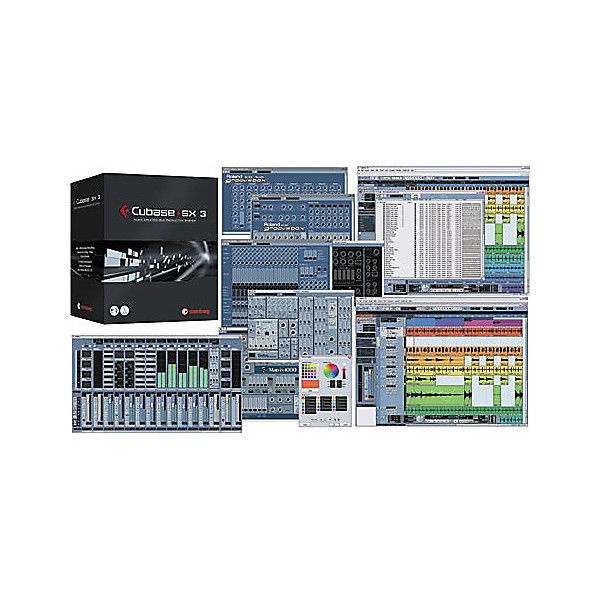
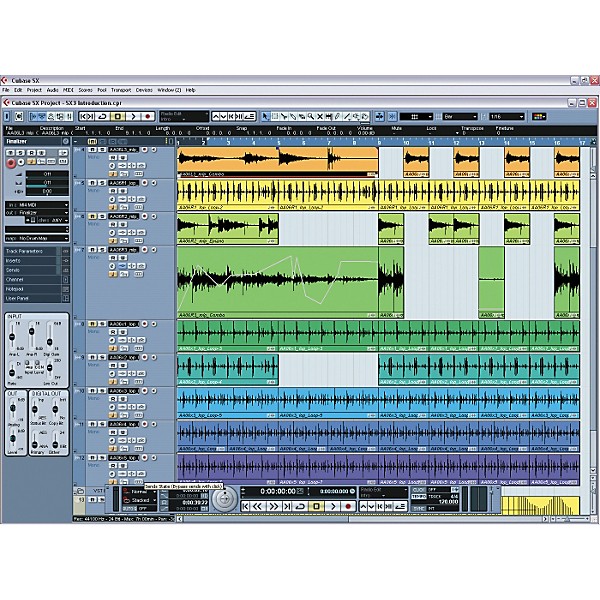
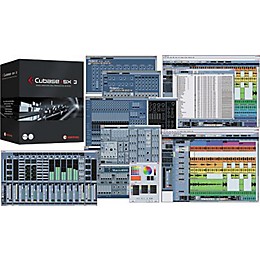
Steinberg Cubase SX3 Recording Software takes music production to a new level. They've added more than 70 updates including powerful Audio Warp realtime time-stretching, an intuitive Play Order Track, convenient In-place Editing, and many new editing functions.
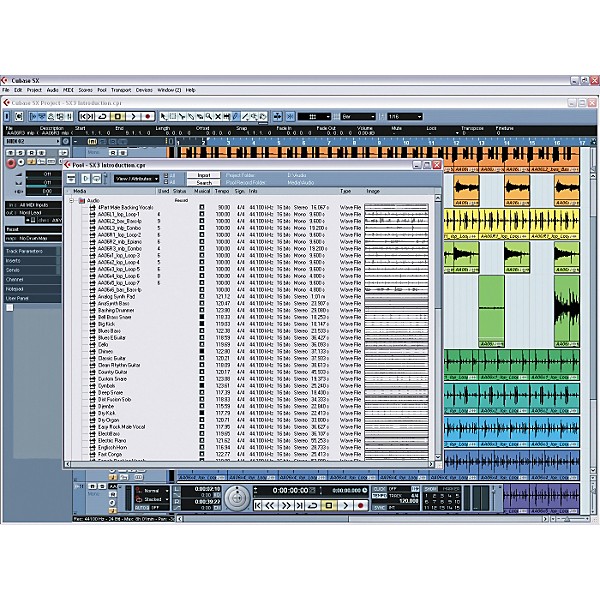
For the first time, a native music production system combines full-featured audio and MIDI recording and editing, virtual instruments, and powerful audio mixing with the added flexibility of loop- and pattern-based arranging and mixing. Cubase SX3 supports Windows XP and Mac OS X and works with a multitude of audio interfaces. Add to that the seamless integration of external audio and MIDI hardware, and Cubase SX3 redefines music production technology.
Top-10 new features of Cubase SX3
Audio Warp: Realtime Time Stretching and Pitch Shifting offer extensive new audio editing and processing capabilities, including ACID File support: loops automatically adopt a project's tempo; audio files can follow tempo changes in realtime.
Intuitive Play Order Track for pattern-based arranging adds a new level of creative music editing. Divide your song into sections, and then re-arrange it on the fly. Compare alternative versions of your song and then convert them back into a linear form for mixdown and mastering.
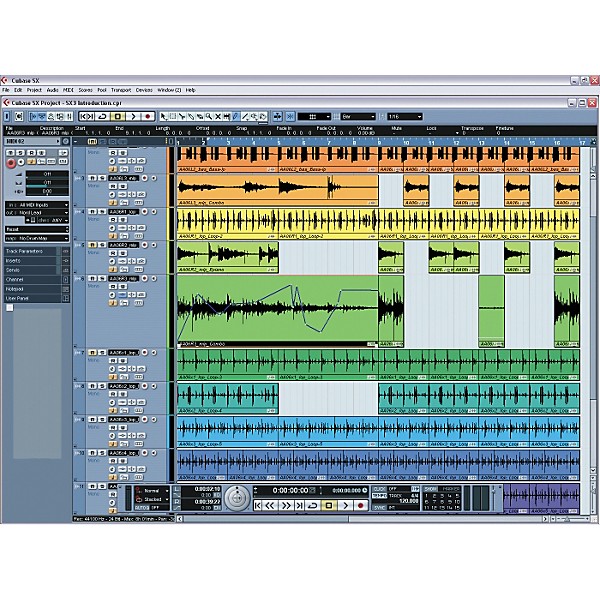
New Inplace Editor supports ultrafast direct MIDI event editing from within the project page. Edit MIDI events in context with audio or video.
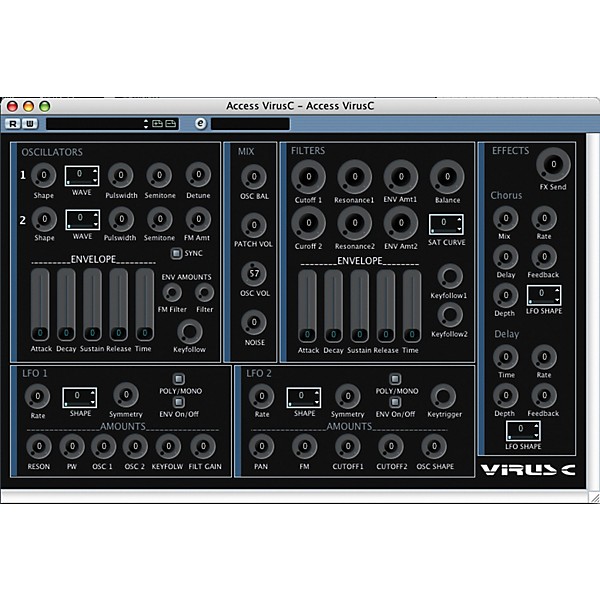
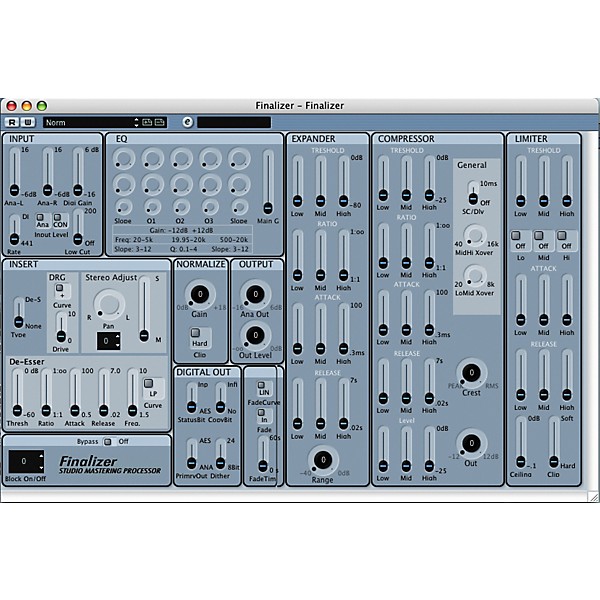
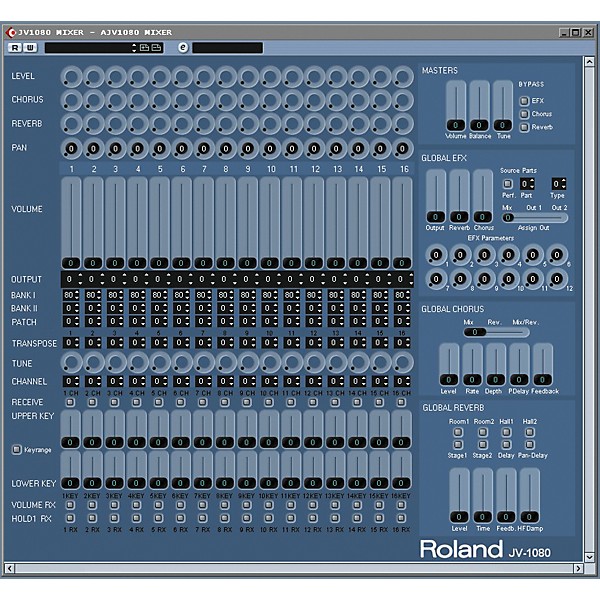
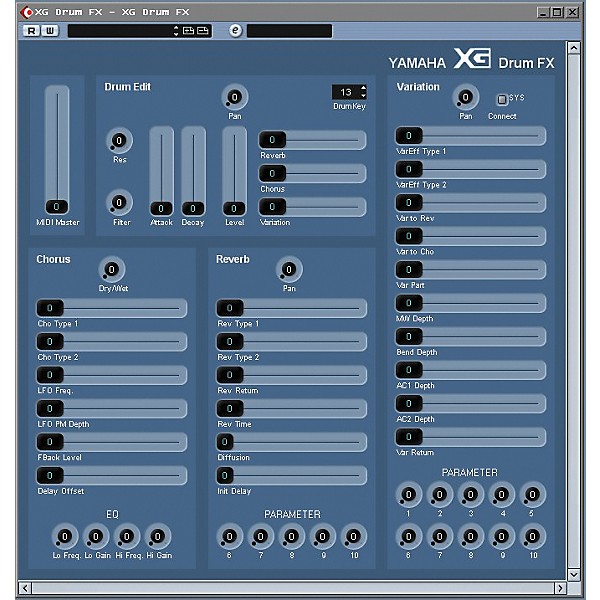
New MIDI Device Maps/Panels support direct access to external MIDI hardware with user-definable graphic editing panels. Import VST Mixer Maps or create your own editing panels, even for the Track Inspector or the mixer's channel strip.
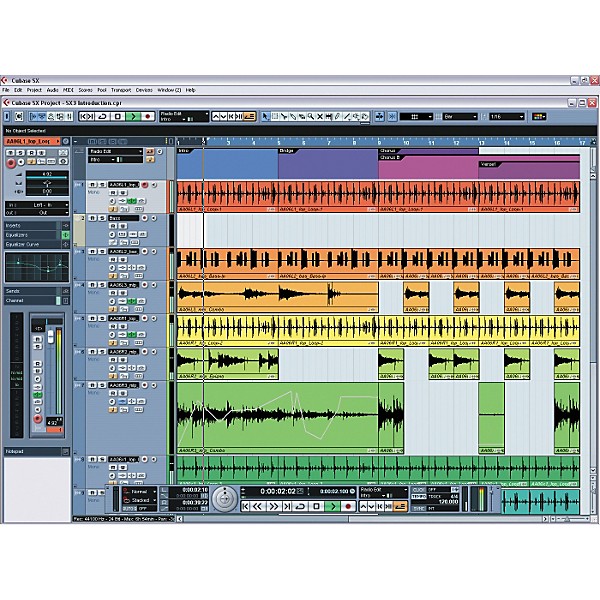
User-definable Workspaces (window layouts) help organizing your desktop. Create and save a separate workspace for each step of the production process. Switch Workspaces on the fly, as if working on multiple computers or monitors.
Studio Connections "Total Recall" support (optional integration of Yamaha's Studio Manager 2). The first step into a new dimension of software/hardware integration. This modular editing system builds a powerful bridge between the virtual and physical studio. Opening a project can recall an entire studio setup within seconds.
External FX Plug-ins allow for direct integration of external hardware effects processors into the VST audio mixer. Use your favorite outboard gear just like plug-ins-”including automatic delay compensation.
Extended Freeze function for virtual instruments and audio tracks with added flexibility and improved performance. Freeze virtual instruments with or without insert effects. Then automatically unload the instrument to free up RAM. Freeze audio tracks with insert effects to free up even more CPU performance.
New part-based Volume Envelopes for direct control of dynamics. Fix level problems on the fly without wasting automation tracks. Then move events with their volume envelopes.
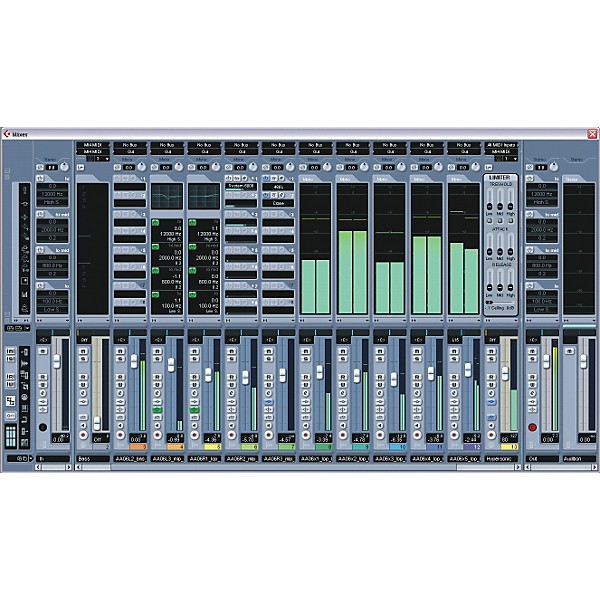
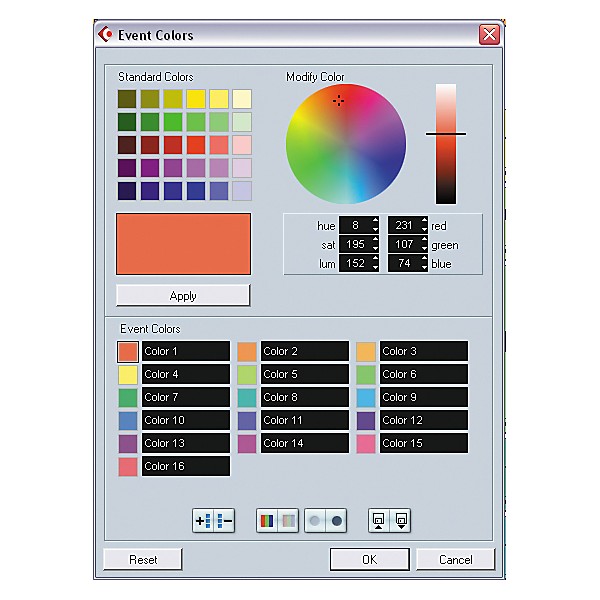
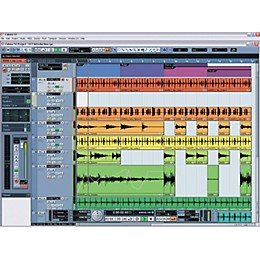
User-definable Color Coding for tracks and VST mixer channels provides more clarity and better orientation”especially in complex projects.
Registered users of Cubase SX/SL 3.0 can upgrade to Cubase SX 3.1 for FREE! Get the update at www.steinberg.net.
For the first time, a native music production system combines full-featured audio and MIDI recording and editing, virtual instruments, and powerful audio mixing with the added flexibility of loop- and pattern-based arranging and mixing. Cubase SX3 supports Windows XP and Mac OS X and works with a multitude of audio interfaces. Add to that the seamless integration of external audio and MIDI hardware, and Cubase SX3 redefines music production technology.
Top-10 new features of Cubase SX3
Audio Warp: Realtime Time Stretching and Pitch Shifting offer extensive new audio editing and processing capabilities, including ACID File support: loops automatically adopt a project's tempo; audio files can follow tempo changes in realtime.
Intuitive Play Order Track for pattern-based arranging adds a new level of creative music editing. Divide your song into sections, and then re-arrange it on the fly. Compare alternative versions of your song and then convert them back into a linear form for mixdown and mastering.
New Inplace Editor supports ultrafast direct MIDI event editing from within the project page. Edit MIDI events in context with audio or video.
New MIDI Device Maps/Panels support direct access to external MIDI hardware with user-definable graphic editing panels. Import VST Mixer Maps or create your own editing panels, even for the Track Inspector or the mixer's channel strip.
User-definable Workspaces (window layouts) help organizing your desktop. Create and save a separate workspace for each step of the production process. Switch Workspaces on the fly, as if working on multiple computers or monitors.
Studio Connections "Total Recall" support (optional integration of Yamaha's Studio Manager 2). The first step into a new dimension of software/hardware integration. This modular editing system builds a powerful bridge between the virtual and physical studio. Opening a project can recall an entire studio setup within seconds.
External FX Plug-ins allow for direct integration of external hardware effects processors into the VST audio mixer. Use your favorite outboard gear just like plug-ins-”including automatic delay compensation.
Extended Freeze function for virtual instruments and audio tracks with added flexibility and improved performance. Freeze virtual instruments with or without insert effects. Then automatically unload the instrument to free up RAM. Freeze audio tracks with insert effects to free up even more CPU performance.
New part-based Volume Envelopes for direct control of dynamics. Fix level problems on the fly without wasting automation tracks. Then move events with their volume envelopes.
User-definable Color Coding for tracks and VST mixer channels provides more clarity and better orientation”especially in complex projects.
Registered users of Cubase SX/SL 3.0 can upgrade to Cubase SX 3.1 for FREE! Get the update at www.steinberg.net.
Features
- Audio Warp: Realtime Time-Stretching and Pitch Shifting
- Intuitive Play Order Track for pattern-based arranging
- New In-place Editor supports ultrafast direct MIDI event editing
- New MIDI Device Maps/Panels support direct access to external MIDI hardware
- User-definable Workspaces (window layouts) help organizing your desktop
- Studio Connections "Total Recall" support
- External FX Plugins allow for direct integration of external hardware effects processors into the VST audio mixer
- Extended Freeze function for virtual instruments and audio tracks
- New part-based Volume Envelopes for direct control of dynamics
- User-definable Color Coding for tracks and VST mixer channels
- Native audio - no additional DSP hardware required
- Playback hundreds of audio tracks simultaneously
- Unlimited number of MIDI tracks
- 64 VST instrument slots
- Automation modes: touch fader, x-over, autlatch, trim, overwrite
- Offline process history for built-in audio processes and all plug-ins
- Apogee UV22/UV22HR dithering
- CD audio grabbing
- Full MP3 Fraunhofer Encoding
- and more . . .
Specs
System Requirements:PC Required
- Pentium / Athlon 800MHz
- 384MB RAM
- Windows XP Home and XP Professional
- Display Resolution 1024x768 pixels
- Windows MME compatible audio hardware
- DVD-ROM drive
- USB component port for copy protection key
- Pentium / Athlon 2.8GHz or faster
- 512MB RAM
- Display Resolution 1152 x 864 pixels, dual monitor setup
- ASIO compatible audio hardware recommended
- Power Mac G4 867MHz
- 384MB RAM
- OS X Version 10.3.3 or higher
- Display Resolution 1024x768 pixels
- CoreAudio compatible audio hardware
- DVD-ROM drive
- USB component port for copy protection key
- Power Mac G5 Dual 1.8GHz or faster
- 512MB RAM
- Display Resolution 1152x864 pixels, dual monitor setup
Reviews
5
3 Reviews
0%
of respondents would recommend this to a friend
Reviewed by 3 customers
Cubase SX3 is Incredible
submitted19 years ago
byUdit Kondal
fromNew York, NY
Cubase SX3 is a masterpiece of a DAW (Digital Audio Workstation). First, the layout is easy on the eyes and is totally customizable. The nondestructive editing feature as well as the ease of changing the snap length (1/1, 1/2...1/64) is powerful when placing loops (e.g., hip-hop loops) here there and everywhere. The use of MIDI with VST plug-ins or Rewire-ing with REASON is a cinch and allows for hours of musical magic-making! Using many different USB devices -- at the same time -- like keyboards, (midi controllers), or, say, the PODxt Guitar Amp Modeler is also very easy if you want to rock out and record some straight audio tracks as well. The effects that come with CUBASE SX3 are decent. The phaser and flanger I have used time and time again with my guitar riffs. The double delay is sweet on piano lines. The reverb is smooth, too. This DAW rivals others such as, Logic 5, Pro Tools and Audobe Audition 2.0. Just make sure you have enough RAM (I recommend 1GB -- 2GB if you use alot of VSTs and effects) and ALOT of Harddrive space. I have been recording day and night with this DAW! WOW.
Professional and User Friendly
submitted19 years ago
byShamrocker123
fromPittsburgh
I originally got the LE Version of Cubase software with my Lexicon Omega recording package. It was the basic version of the software but the user friendliness of it was un-matchable. When I decided to go with the SX3 software I was completely blown away at the range of options it included (the most useful being the ability to highlight and add an effect to just a small portion of a track). The SX3 had all the userfriendliness of the LE software but also had 10 times the editing capabilities. Thank you Cubase for making a friggin unbelievable product!
One of, if not THE best recording software base
submitted19 years ago
byRyanJ
fromEmeryville, CA
Cubase SX3 is undoubtedly user friendly, and offers many features similar to it's competitors. The difference is that all of these features are actually usable in Cubase, whereas other programs are terribly complicated when editing time, and such. Very good sound, and comes with great plugins to start.
- Previous
- 1
- Next
Q&A
Have a question about this product? Our expert Gear Advisers have the answers.
No results but…
You can be the first to ask a new question.
It may be Answered within 48 hours.
Be the first to know about exclusive offers, tips and more.

866-498-7882 English
877-687-5402 Español