


StudioMonitorsMixing


Pro Gear Advisers
•866-498-7882
Guitars
Guitars
Amps & Effects
Amps & Effects
Used & Vintage
Keyboards & MIDI
Keyboards & MIDI
Drums
Drums
DJ Equipment
DJ Equipment
Basses
Basses
Recording
Recording
Live Sound
Live Sound
Accessories
Accessories
Mics & Wireless
Mics & Wireless
Music Software
Music Software
Lighting
Lighting
- Popular Brands
Band & Orchestra
Band & Orchestra
Platinum Gear
Deals
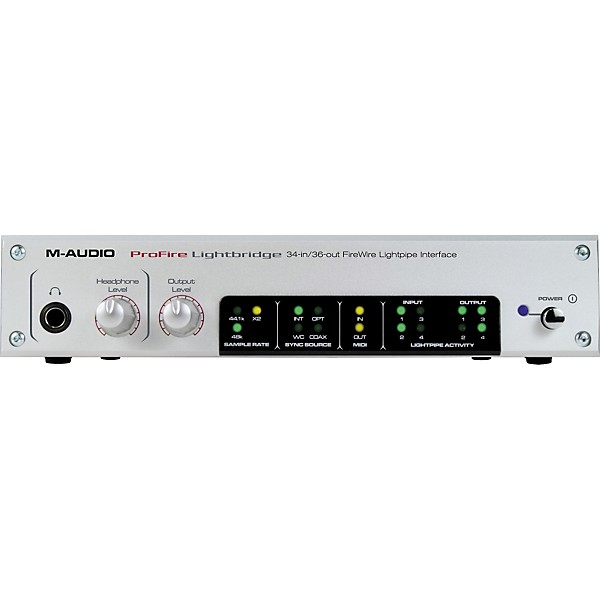
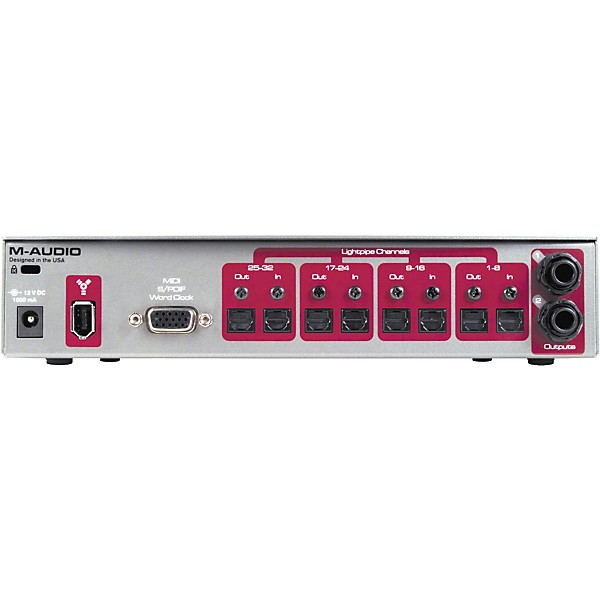
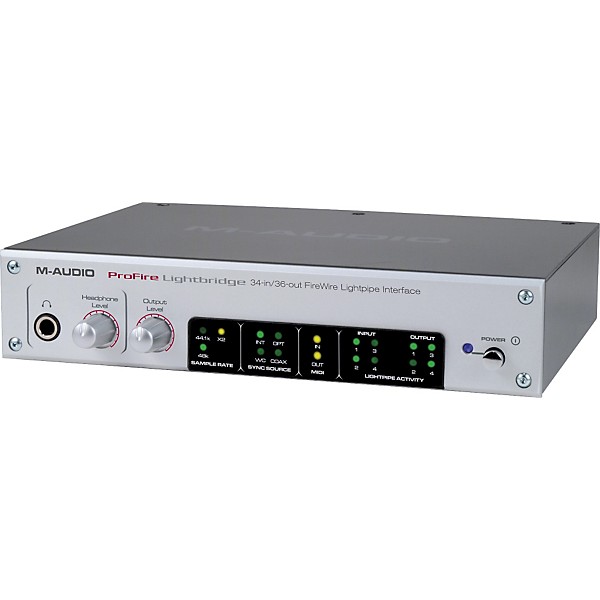
Restock M-Audio ProFire Lightbridge FireWire Lightpipe Interface
Condition:Restock - Refurbished
$299.99

Need Help?

Description
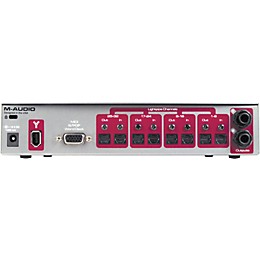
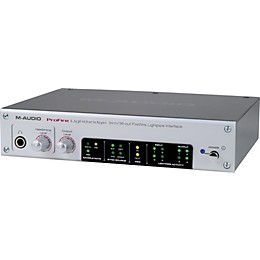
The ProFire Lightbridge interfaces up to four Lightpipe devices with a PC or Mac via FireWire”perfect for integrating digital mixers, AD/DA converters and/or ADATs with most popular DAW software. The unit is capable of 32 channels of Lightpipe I/O, S/PDIF I/O and two-channel analog output for a total of 34 x 36 concurrent channels at 44.1 or 48kHz sample rates. (It also supports 16-channel Lightpipe operation at 88.2 and 96kHz sample rates via the SMUX protocol.) The ProFire Lightbridge can output word clock as a master, or slave to external sync on any input, and MIDI I/O also accommodates MIDI Time Code and MIDI Machine Control. Independent volume controls are provided for the 1/4" balanced outputs and front panel 1/4" headphone jack. The ProFire Lightbridge is compatible with most DAW software.
The Perfect Companion for Digital Mixers
The ProFire Lightbridge is designed with today's digital mixers and workflow in mind. Record up to 32 Lightpipe tracks to your computer-based DAW simultaneously from a digital mixer. Or use your mixer to submix up to 32 DAW tracks while sending the submix back to the DAW via S/PDIF. Using the mixer's built-in processing and automation leaves more CPU power for specific tracks that require CPU-intensive plug-ins.
Transfers
Need to transfer tracks between an ADAT system and your computer? The ProFire Lightbridge does it with ease. Send up to 32 channels of Lightpipe simultaneously at 44.1 or 48kHz”or transfer up to 16 channels at 88.2 or 96kHz using the SMUX protocol.
Build a Custom I/O Setup with the AD/DA Converters of Your Choice
ProFire Lightbridge plays nice with others too. Pick any ADAT-compatible A/D or D/A converter and utilize the fast and reliable FireWire driver technology to get the most out of your DAW.
Live Multitrack Recording
Combine the ProFire Lightbridge with up to four award-winning M-Audio Octane 8-channel preamps and you have a compact system for recording up to 32 Lightpipe channels of input for live shows.
The Perfect Companion for Digital Mixers
The ProFire Lightbridge is designed with today's digital mixers and workflow in mind. Record up to 32 Lightpipe tracks to your computer-based DAW simultaneously from a digital mixer. Or use your mixer to submix up to 32 DAW tracks while sending the submix back to the DAW via S/PDIF. Using the mixer's built-in processing and automation leaves more CPU power for specific tracks that require CPU-intensive plug-ins.
Transfers
Need to transfer tracks between an ADAT system and your computer? The ProFire Lightbridge does it with ease. Send up to 32 channels of Lightpipe simultaneously at 44.1 or 48kHz”or transfer up to 16 channels at 88.2 or 96kHz using the SMUX protocol.
Build a Custom I/O Setup with the AD/DA Converters of Your Choice
ProFire Lightbridge plays nice with others too. Pick any ADAT-compatible A/D or D/A converter and utilize the fast and reliable FireWire driver technology to get the most out of your DAW.
Live Multitrack Recording
Combine the ProFire Lightbridge with up to four award-winning M-Audio Octane 8-channel preamps and you have a compact system for recording up to 32 Lightpipe channels of input for live shows.
Features
- ASIO II
- WDM
- Core Audio
- GSIF II
Reviews
5
2 Reviews
0%
of respondents would recommend this to a friend
Reviewed by 2 customers
Excellent
submitted16 years ago
bySilver G
fromSan Juan, TX.
I have used this lightbridge in several occasions. I have setup a small recording studio for a local christian church. Recording 18 simultanius channels with Cubase 5 and this works excellent. I also personally use this lightbridge in my own studio. Have not had any problems with it so far. Easy to use, easy to set-up, and easy to manage all the inputs and outputs on any programs like pro-tools or Cubase 5. Its worth the investment.
Want more in's and out's?
submitted16 years ago
byMichael Hamilton
fromMD
I'm a sond technician at my high school and for our past production we used this with software called qlab for sound cues. I use this to connect my A/D convertors to my computer for recording but we used it for the software because you can have multiple outputs within the software and we sent some thunder sound effects to an amp connected to speaker we put in the catwalks above the auditorium. great for connecting adat devices to your computer for input and output
- Previous
- 1
- Next
Q&A
Have a question about this product? Our expert Gear Advisers have the answers.
No results but…
You can be the first to ask a new question.
It may be Answered within 48 hours.
Be the first to know about exclusive offers, tips and more.

866-498-7882 English
877-687-5402 Español