


DigitalPianistSynths


Pro Gear Advisers
•866-498-7882
Guitars
Guitars
Amps & Effects
Amps & Effects
Used & Vintage
Keyboards & MIDI
Keyboards & MIDI
Drums
Drums
DJ Equipment
DJ Equipment
Basses
Basses
Recording
Recording
Live Sound
Live Sound
Accessories
Accessories
Mics & Wireless
Mics & Wireless
Music Software
Music Software
Lighting
Lighting
- Popular Brands
Band & Orchestra
Band & Orchestra
Platinum Gear
Deals
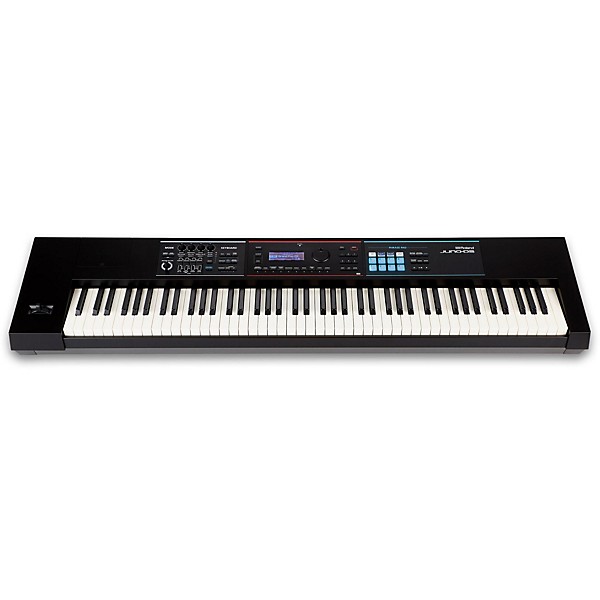
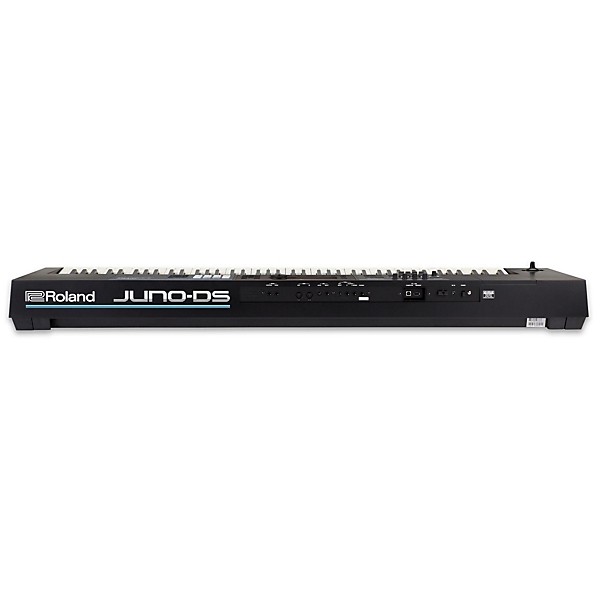
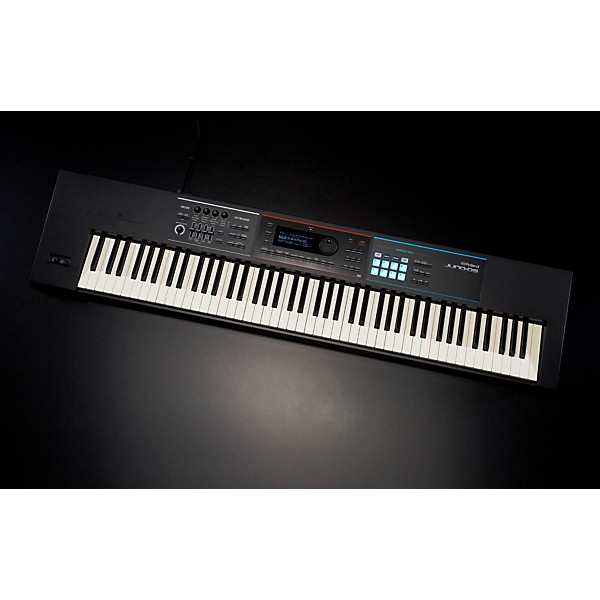
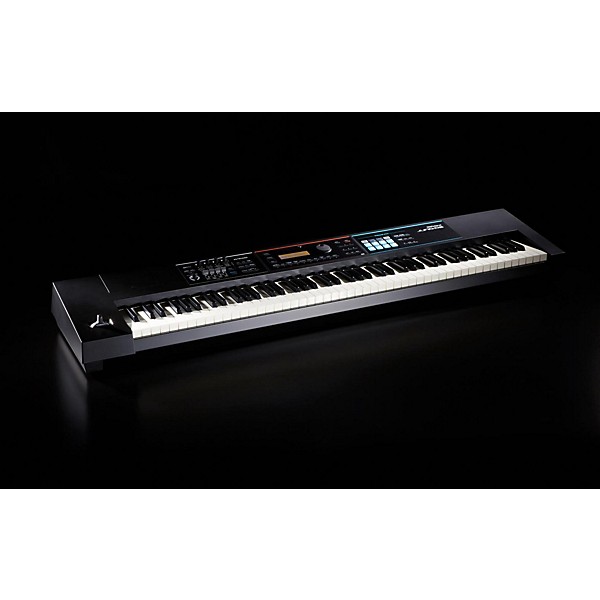
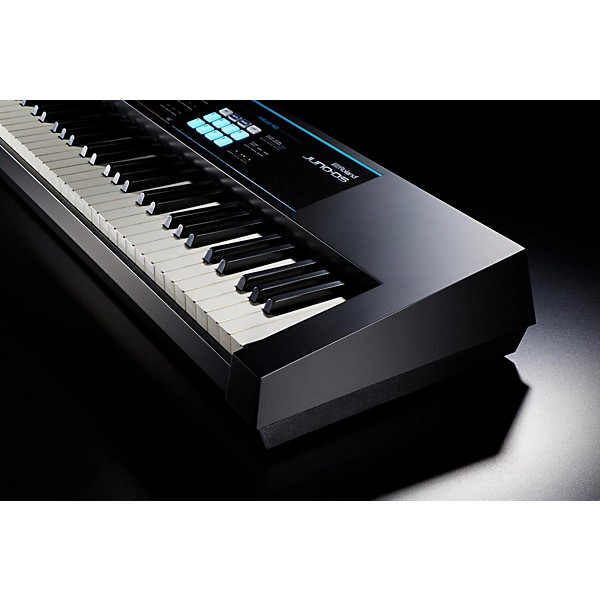
Open Box Roland JUNO-DS88 Synthesizer Level 1
Condition:Open Box - Like New
$879.99

Need Help?
Videos (21)
View All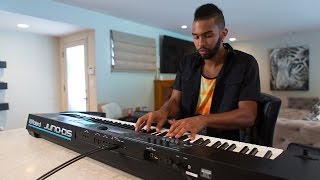
Roland JUNO-DS61/JUNO-DS88 Synthesizers – Simply Creative

Roland JUNO-DS - Basic Overview

Roland Juno-DS - How to use Super Layer

Keyboard Rigs: Berenice Scott on the JUNO-DS88 Synth

Description
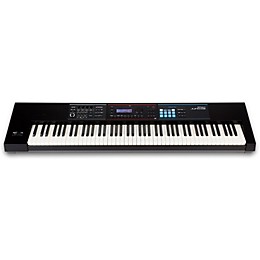
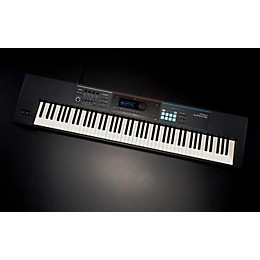
The Roland JUNO-DS88 88-key synthesizer delivers all of the benefits of its predecessor, along with realistic hammer-action keys, improved pianos, additional organs, waveform expansion capability, Phrase Pads, new vocal effects and more. This innovative and intuitive synthesizer puts you in creative command, making it easy to produce exceptional music everywhere you play.
Weighted Keys Provide Authentic Feel
The JUNO-DS88 features 88 weighted-action keys, a first in the long history of the JUNO series. Roland's Ivory Feel-G keyboard with progressive hammer action is an ideal complement to the expressive new piano sounds, providing high-end touch and playability while still keeping the instrument light and mobile.
Enhanced Sound Set With Top-Quality Pianos and Organs
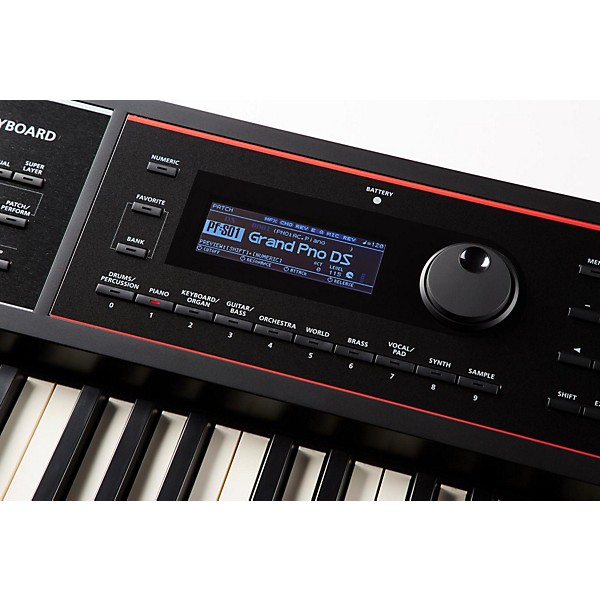
The JUNO-DS88's pianos have been newly enhanced with improved sound and response, and there are even more organs to choose from. In addition to the new DS Tone Bank, the instrument includes the entire 1,000-plus sound set from the previous-generation JUNO-Di and patches from that keyboard are fully compatible with the JUNO-DS88.
Phrase Pads for Triggering Songs and Samples
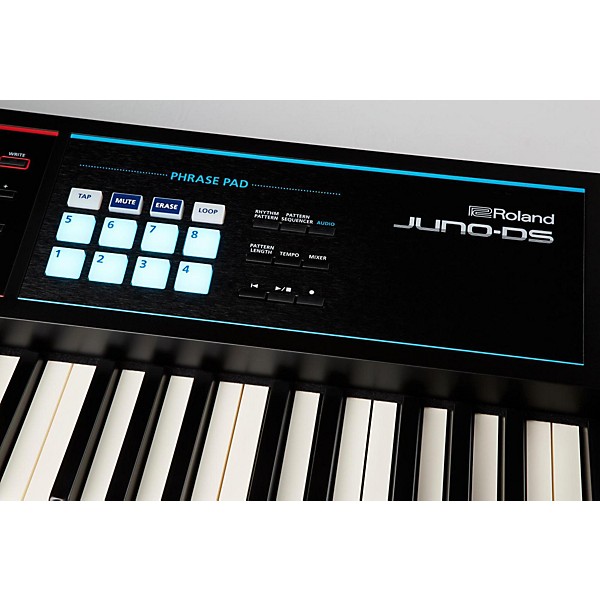
With the JUNO-DS88's eight Phrase Pads, you can supplement your keyboard performances with samples or music files stored on USB memory. Just load up the pads with whatever you like: one-shot samples, vocals, sound effects, loops or complete music tracks and trigger them with a quick touch when needed.
Powerful Performance and Production Features
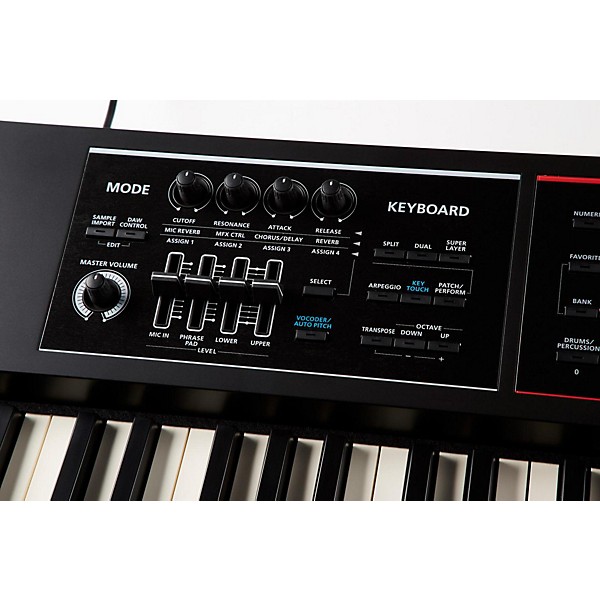
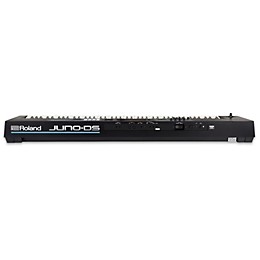
The front panel provides an expanded array of hands-on knobs and sliders for creating patches and adjusting sounds as you perform, while the rear panel features jacks for connecting hold and expression pedals at the same time. The integrated USB interface provides a solid front end for a mobile or studio recording setup, allowing you to record MIDI and audio data, including sounds from the mic input. There's even a dedicated DAW Control mode for controlling your music software from the JUNO-DS88's front panel.
Features
- Gig-ready instrument with pro sounds, enhanced performance features and battery-powered operation
- 88-note Ivory Feel-G Keyboard provides weighted-action feel in a lightweight design that's easy to transport
- Includes all the sounds from the popular JUNO-Di, plus newly updated acoustic and electric pianos, additional organs and other stage essentials
- Wave expansion slot enables users to download new sound waveforms, available for free at Roland Axial website
- Sample import function for playing user WAV files on the JUNO-DS88 keyboard
- Easy sound manipulation and editing with hands-on knobs and sliders
- Eight Phrase Pads for triggering samples and audio songs stored on USB memory
- Mic input and dedicated Reverb, Vocoder and Auto Pitch effects for impressive vocal performances
- Intuitive eight-track pattern sequencer with non-stop recording for quickly developing song ideas
- USB audio/MIDI and DAW Control mode
Specs
Keyboard
- Number of keys: 88 key
- Action: Graded-hammer
- Key size: Full
- Aftertouch/Velocity: Velocity Sensitive
- Key Type: Piano-style
- Number of voices: 1,500+
- Polyphony (max): 128 note
- Layers: Yes
- Split: Yes
- AUX input: Yes
- MIDI Connectivity: MIDI In/Out
- Line output: Yes
- Line input: Yes
- USB Connectivity: Yes
- Headphone jacks: 1
- Pedal inputs: 2
- Storage type: Internal & USB
- Expandability available: Yes
- Recording/Playback MIDI sequencer
- Rhythms: 14
- Preset songs: 14
- Display: None
- Effects: Yes
- Built-in speakers: No
- Pitch bend/Modulation: Both
- Other controls: Sliders and knobs
- Reverb: Yes
- Chorus: Yes
- Delay: Yes
- Equalizer: Yes
- Arpeggio: Yes
- Other: Not applicable
- Width: 55-3/4" (1,415 mm)
- Height: 3-7/8" (97 mm)
- Depth: 13-7/16" (341 mm)
- Weight: 35 lb. (16.2 kg)
- Power: Adapter included
- Batteries: 8 x AA (not included)
- Stand or bench included: Sold separately
- Recommended power supply: Roland DC 9V
- Battery type: Eight "AA," HR6 or Ni-MH rechargable
Reviews
4.6
45 Reviews
93%
of respondents would recommend this to a friend

Most Liked Positive Review
5
Nice Keyboard With Unique Set of Features
I purchased a JUNO-DS88 because I needed an 88 weighted-key instrument that was also very transportable and easy to use for live performance. I haven't bought a Roland keyboard in many years, although I love (and still use) my D50. The DS88 had such a unique set of features, that I thought I would give it a try. First, it's pretty easy to transport (around 35 pounds). In addition, I am pleased with the capacity for sound generation. Many sounds are lively, really useful, and fun to play. I feel the piano sounds are good for an instrument at this price point that also has so many other features built in. Of course, these piano patches are no are no match for my Ivory II American Grand software, but why should they at this price? What makes this keyboard unique is the addition of a microphone preamp system with effects so you can run a microphone right into the keyboard. There is also a very nice section on the left side of the keyboard that permits very easy control of the parameters you most want to adjust on the fly (reverb, attack, release, etc.). This section also has a set of sliders that make it fast and easy to control blends of upper and lower tones for splits, dual overlays, etc. I also really love the "joystick" controller for pitch bend and modulation. I had this controller on my D50 and have been missing it ever since. The DS88 also runs fine on batteries. The keyboard response is adjustable cross a number of parameters that can be changed quickly if needed. That said, the response is certainly not what I have on my Kurzweil. While I recognize that I would love the responsiveness of the Kurzweil, I recognize that that keyboard costs four times as much. I do find that it is a bit of a challenge (for me at least) to play rapidly repeated notes. In general, though, I can express myself well with this instrument. I'd check out the DS88 because, to my knowledge, it is the only instrument with this level of different features in one package.
VS
Most Liked Negative Review
3
It's practical in every sense.
The Violins aren't that great and there's a decent pads, but your usual keyboards they mostly provide techno sounds, both I can really use for contemporary Christian music, which is what I mainly use it for. The instructions aren't legible it's in back and white and kind of faded. They should provide better videos too, there good but not visually detailed enough. Luckily I have experience with keyboards and figured out how to save patches, my way. I gave it three stars because I wasn't satisfied with the organs, violins and pads not really good quality compared to the real deal. You have competition with software, I'll tell you that. The effects aren't that great either as far as Chorus and Flangers, but the ones that are already programmed to the Electric Pianos are good, but can really be manipulated much. Overall it's good for the price and will get me through.
Filters
Best Uses
- Accompaniment19
- Learning18
- Electronic Music16
- Concerts15
- MIDI9
Cons
- No Speakers9
- Poor Instructions6
- Heavy3
- Difficult to Use2
- Limited Sound Selection2
Describe Yourself
- Experienced14
- Professional Musician10
- Novice9
Pros
- Responsive / Good Action29
- Good Audio27
- Easy to Use26
- Touch Sensitive Keys25
- Portable14
Reviewed by 45 customers
Very Good Instrument......Except!
submitted2 years ago
byKEVIN
fromBurleson, Texas
I own two of these units, and have enjoyed using them! My real complaint is that I may have to purchase the third unit, due to repair issues! I've had one in the shop for almost a year...replacement parts being the issue, and now my 2nd is failing. Roland, get it together!!!
Nice to play a Roland again.
submitted2 years ago
bySam
fromBeach Park, IL
Instead of being jealous watching my friends use the JUNO-DS, I acquired one for myself. Like any keyboard, I'm familiarizing myself with the controls and the deal maker features. Looking forward to using it on-stage!
This Instrument Brings Out My Wife's Creativity in Composing
Verified Buyer
submitted2 years ago
byRodgers
fromHillsboro, Ohio
Submitted as part of a sweepstakes
For six years my wife has enjoyed playing her Yamaha Arius electronic spinet piano from Guitar Center (GC) but wanted to create original soundscapes. Asked a friend who currently composes and performs music on a Nord, what synthesizer he recommended for her. He advised trying to find a good used Roland Triton workstation which he wished he still had. There were none available in the US, so we went to the Cincinnati GC which had models from eight manufacturers to try. She liked the Roland Juno DS-88 best. Within two days she had composed two original songs. Love the way this instrument has brought out her creativity!
Amazing Keyboard!!
Verified Buyer
submitted2 years ago
byMichael
fromHollywood, FL
Submitted as part of a sweepstakes
Weighted keys and SO MANY SOUNDS. It's way above my needs but I am trying to learn all aspects.
Very professional, I would buy it again
Verified Buyer
submitted2 years ago
bySteve
fromPortland, Oregon
Submitted as part of a sweepstakes
I don't know how to play but, want to learn. This seemed like a great piano to begin with. My friend came over who plays and said it was a really good piano and had great sound. It has so many sounds I haven't heard them all yet.
Awesome Keyboard
submitted3 years ago
byJT
fromHouston, Tx.
What can I say? The keyboard feels awesome!! The sounds are awesome!! The Phrase Pad is awesome!! I used it at church for about a year, and it worked very well... I, also purchased a Yamaha MX88, and I traded that in on some drums, after only about 3 months... No comparison in, my opinion... The Roland is just BETTER... And it's on sale, now for almost $300 less than I purchased it for last year... BEST bang for the buck for this level of keyboard... It is so good, that I, recently upgraded to a Fantom 08!!! My first keyboard was a Roland, and I've discovered that I am just a Roland kind of guy!!! Yamahas just don't do it for me... I will continue to use my DS88, because the piano sounds are amazing!!! Highly recommended!!!
Q&A
Have a question about this product? Our expert Gear Advisers have the answers.
submitted7 months ago
asked byCreative G
fromEast Coast
What do folks use to download their compositions to a computer with the Roland DS 88?
The Roland DS-88 (Roland FA-08) doesn't store compositions internally in traditional audio file formats. Instead, it uses MIDI-based sequencing and can also work with audio loops. To get your compositions onto a computer, people typically use one of these methods: 1. USB Audio/MIDI Interface (Built-in) – Best for Most Users What it does: Transfers your performance or sequence as either MIDI or audio directly to a DAW (like Logic, Pro Tools, Cubase, etc.). How: Connect the DS-88 to your computer using a USB cable. Install the Roland FA driver (from Roland’s website). Launch your DAW: Select the FA-08 as a MIDI input for recording MIDI. Select the FA-08 as an audio input for recording the actual sound of your performance. This is the cleanest way to capture the sound of your performance or sequence directly into your DAW. 2. Export Audio or MIDI Files from the FA to SD Card What it does: Lets you export your compositions as .wav or .mid files from the FA’s sequencer to an SD card. How: Insert an SD card into the FA-08. Use the [Song Export] function in the sequencer to export the song as: Standard MIDI File (.mid) for later editing in a DAW. WAV file for audio playback/editing. Remove the SD card and transfer files to your computer via a card reader. This is handy if you aren’t using a DAW or want to move things between devices. 3. Record Audio via Line Outputs What it does: Captures the audio coming from the FA-08 by routing its line outputs into an audio interface. How: Connect the L/R outputs from the FA-08 to the inputs on your audio interface (e.g., Focusrite Scarlett, Arturia AudioFuse). Record the performance into your DAW as audio. Good if you’re using external effects or don’t want to use USB.submitted2 years ago
asked byMichael
fromModesto, CA
Please explain how I can load Mellotron 4000 sounds (from the 1970s) into the Juno DS88. Via the USB probably. Also where to get the sounds. Thank you. M. Allsup
I’m sorry, I don’t know. I'm not familiar with your unit. From what I understand it has MIDI OUT, 1/4" OUT and XLR OUT capability.submitted3 years ago
asked byJeannette
fromMcAllen, TX
What stand do you suggest buying for this keyboard?
A lot of different stands we carry will work. It depends on what kind of use you're looking to get out of it. If you'll be moving it around a lot you may want to look into an X braced stand, or some other form of collapsing stand. Otherwise basically anything will work.submitted5 years ago
asked byScott
fromBranson, missouri
Hi, I have had a couple of my questions answered this way, and very much appreciate the prompt response! I am set to buy the Roland Juno ds88 synth and the peavey kB 2 amp online. I am assuming a stand does not come with the keyboard, nor a carrying case, please confirm and I'll order them. Also, I believe I'll have to order a cord which is attached to both the Roland and the peavey amp. Can you please let me know what I should be ordering? Additionally, does the Roland come with a dc power cord or do I have to order that separately as well? Thank you for your answers!
There are no accessories included. It has 2 1/4" outputs.You would need a standard cable. The Livewire Elite Instrument Cable 10 ft. Black would be a great choicesubmitted5 years ago
asked byScott
fromBranson, mo
I gather you can plug a mic into the synth and adjust controls. Im considering buying the peavey kb2 amp for the keyboard. There is a mic input on the amp. Does this mean I could have two mics going through the whole system? Also, would there be a way to adjust mic levels for each mic indepently?
Yes it will work for that and is adjustable independently.submitted5 years ago
asked byJulz
fromSanta Barbara
Is it Bluetooth capable?
This is not Bluetooth capablesubmitted5 years ago
asked byBrad
fromundisclosed
I'm looking at this and the rd 2000. My question, I play some at a church where the worship leader tunes instruments from 440 down to 432... is it easy to tune down both boards? And I would like to look at the 2 before final decision. Are any guitar centers in twin cities open for that? It's a 3 hour trip. Would like to pick one up on saturday...
It is currently available in Maple Grove and Oakdale. The RD 2000 is also in Maple Grove.submitted7 years ago
asked byTyler
fromOH
Does the mic input have phantom power?
No. This does not have phantom power.submitted7 years ago
asked byMichy
fromNy
Do u need to have any kind of wire or does it needed it to be connected to something in order for it to work???
Yes, this synthesizer would need to be connected to external speakers and / or headphones. It also has midi capabilities and can be connected to a computer via usb. MIDI Connectivity: MIDI In/Out Line output: Yes Line input: Yes USB Connectivity: Yes Headphone jacks: 1submitted7 years ago
asked byDewey
fromSeattle
What do you use for speakers for this?
You will plug into a PA system or a keyboard amplifier
Be the first to know about exclusive offers, tips and more.

866-498-7882 English
877-687-5402 Español