


EngineerAcousticsLevels


Pro Gear Advisers
•866-498-7882
Guitars
Guitars
Amps & Effects
Amps & Effects
Used & Vintage
Keyboards & MIDI
Keyboards & MIDI
Drums
Drums
DJ Equipment
DJ Equipment
Basses
Basses
Recording
Recording
Live Sound
Live Sound
Accessories
Accessories
Mics & Wireless
Mics & Wireless
Music Software
Music Software
Lighting
Lighting
- Popular Brands
Band & Orchestra
Band & Orchestra
Platinum Gear
Deals
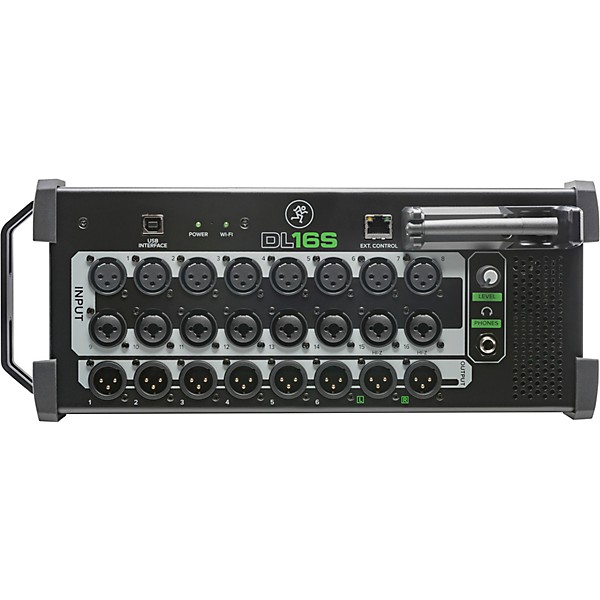
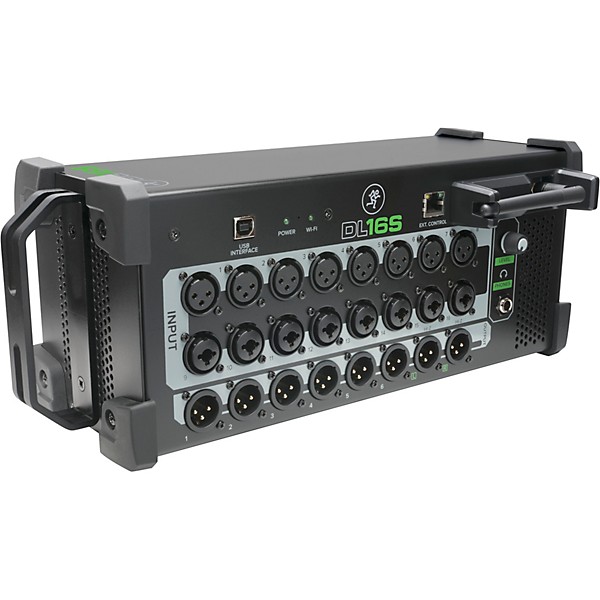
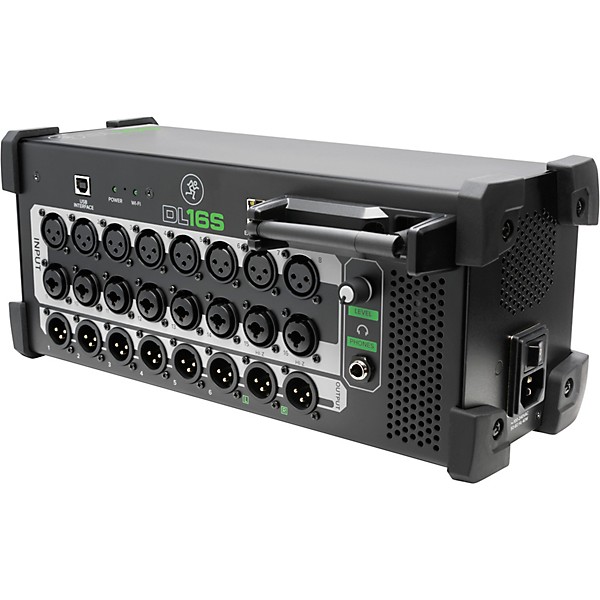
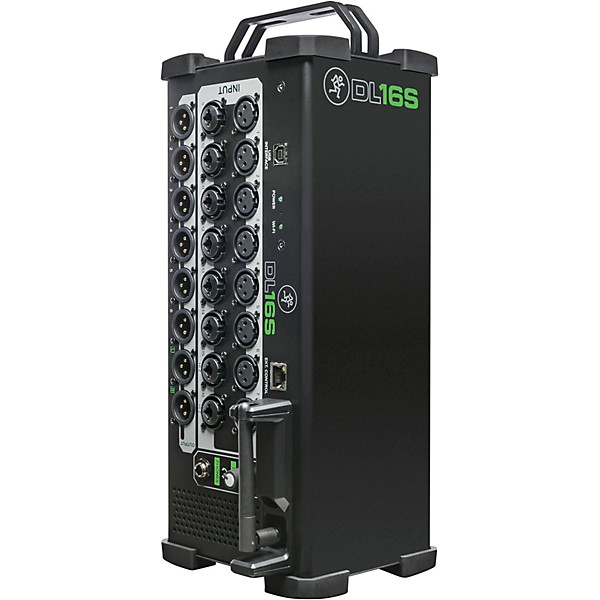
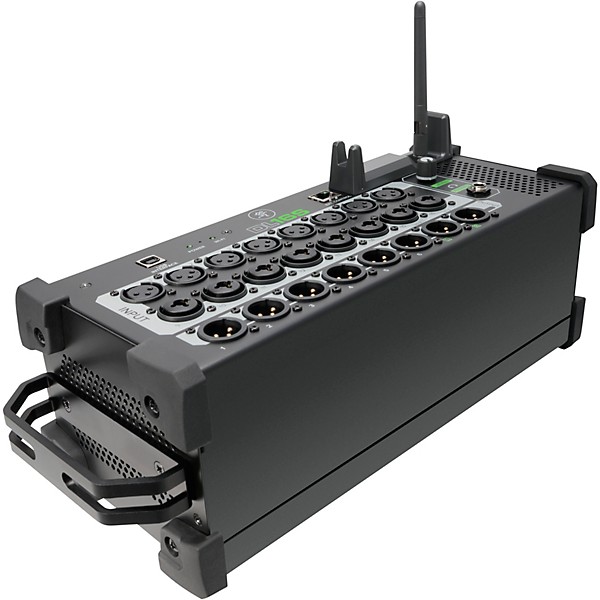
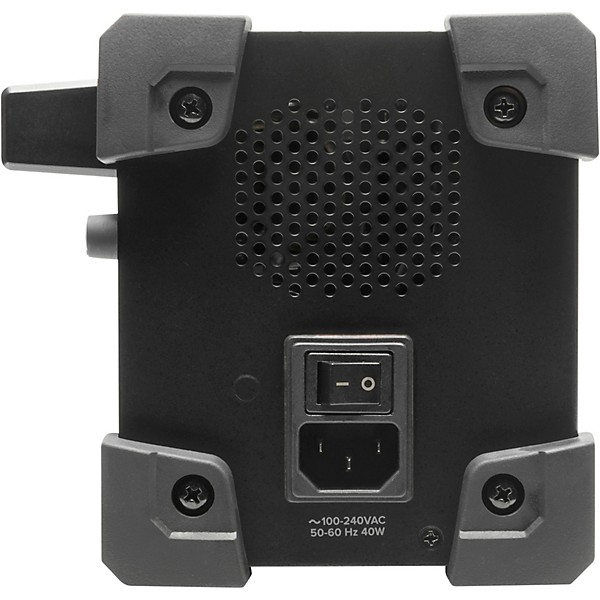
Open Box Mackie DL16S 16-Channel Wireless Digital Mixer with WiFi Level 1
Condition:Open Box - Like New
$791.99

Need Help?
Videos (1)
View All
DL16S

Description
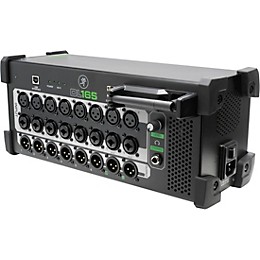
The 16-Channel Wireless Digital Live Sound Mixer delivers 16 channels of proven digital mixing power in a rugged, stage-friendly design. Get mixing quickly with built-in Wi-Fi networking and full support for the industry-leading, multi-platform Master Fader control app. Fully loaded with DSP on each of the 16 Onyx+ mic preamps and 13 busses, plus 4 FX processors, this mixer gives you the capability and flexibility you need for your best mix ever. The 16-Channel Wireless Digital Live Sound Mixer puts a large-format console in the palm of your hand.
Built-In Wi-Fi For Wireless Control
Leave that bulky snake at home because you can control this mixer with your iPad and place it anywhere. Even if it's onstage, you can walk around the venue to fine-tune your mix. It's a great way to ensure optimal sound quality for every member of your audience. And because it supports up to 20 iPads at once, multiple engineers can work from one mixer.
Create Stunning Multi-Track Recordings
Use this mixer as a 16-in/16-out USB interface to record straight to your DAW. Play intermission music, backing tracks and more. Play back your full multitrack recording for a virtual sound check. You can also use your DAW's audio plug-ins in a live environment.
Onboard DSP For Polished, Pro-Quality Mixes
Packed with DSP, this mixer gives you 16 input channels with 4-band parametric EQ, highpass filter, noise gate and compression, as well as 13 output busses with 4-band parametric EQ, highpass and lowpass filters, 31-band graphic EQ, compressor/limiter and alignment delay. On top of that, you also get onboard delay, reverb and modulation effects. With four stereo FX processors with dedicated sends and returns, full I/O routing with A/B sources per channel and modern and vintage options for each processor, churning out polished, pro-quality mixes is no problem.
Rugged, Roadworthy Design
This mixer supplies 16 channels of powerful digital mixing in a rugged stagebox chassis ready for the abuse of live sound. Mount it in a rack, set it on a desk or put it right on the stage. However you configure it, this mixer is built to withstand the rigors of the road.
Features
- 16-channel digital mixer
- Rugged chassis designed for professional use
- Built-in Wi-Fi networking
- DSP on each of the 16 mic preamps and 13 busses
- 16 x 16 USB I/O
Reviews
4.29
14 Reviews
92%
of respondents would recommend this to a friend
Most Liked Positive Review
5
Love it. Perfect for my needs.
I was nervously skeptical when I bought this shoe-box sized brick as a replacement for our RIP 16 channel monster. My main concern was reliable connectivity to the Wi-Fi in a world full of interference. That has never been a concern once I learned to wait a minute to connect. For us and probably for most bands, setting gains, FX, and channel monitor levels then saving them for the next gig is an instant sound quality improvement. Adjusting our own monitor mixes ourselves is super convenient, too. Master Fader is complicated so download the manual, brew a pot of coffee or the libation of your choice and read it cover to cover; you will want to know what to do during your sound check. The days of learning how to run the house PA at the Venue du Jour is over, too, since we can use the DL16S inputs as usual then aux out to the house snake or mixer to their speaker allowing us to focus on other matters. The FX, EQ, routing, muting control, customization, I could go on exceeded my expectations. A great piece of gear.
VS
Most Liked Negative Review
1
Misleading/disingenuous software availability claims.
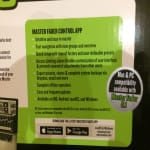
Couldn't try it out. Mackie makes it sound like their Master Fader 5.1 software for WIN is available, in some of their literature. But, it is not! (Ex: See pic/info on the DL16S box!) Plus, they were not clear about their iOS 11 for an Apple product. I had no idea my Apple iPad 4 would not even update to Apple's iOS 11.x, until I tried to download their app. Maybe if they'd mentioned that any Apple iPad/etc. with the A7 chip would work, that'd been helpful. PLUS, when Mackie encouraged me to become a BETA tester for their Master Fader 5.1 software, I did. Unfortunately, they failed to mention, it isn't even ready yet for distribution. Who knows when their release dates will really happen? Since all avenues for even trying this product out don't exist, I'm forced to return it. However, if they release usable software, I would try this product out, again, in the future.
Filters
Best Uses
- Performances10
- Outdoor Events / Games9
- Professional Recording6
- Soundtracks4
- Music Videos3
Cons
- Difficult To Use3
Describe Yourself
- Experienced6
- Professional Musician5
Pros
- Compact10
- Excellent Sound9
- Simple Controls9
- Versatile9
- Easy To Use8
Reviewed by 14 customers
Unsure. Have not used it fully yet.
Verified Buyer
submitted2 years ago
byGreg
fromPHOENIX
Submitted as part of a sweepstakes
Using for small live venue. Still trying to learn the MasterFader 5 App. So far, it looks like it will be fine.
Mackie Digital Mixer
Verified Buyer
submitted3 years ago
byEric
fromCypress
Submitted as part of a sweepstakes
Good product
I would definitely buy this again
Verified Buyer
submitted5 years ago
byJoel D
fromChicago , IL
Just got this a few days ago and am still setting it up for rehearsal mainly. Took a bit to figure out why I wasn't getting any output but eventually got it! Saving your mix and output settings was a little aggravating but eventually got that too! Am pleased with the overall functions and sound quality. The built in wifi is an other story . HAS to be direct line of sight or disconnects from my iPad . Very annoying! I'll either get a wifi extender and mount to the ceiling or hook up through my home wifi , that doesn't bode well for gigs unless it's open enough for direct line of sight . Not worth taking that chance though so most likely an extender. The app works great! Can't wait to really start to figure out all this can do . Almost a 400 page manual ! I suggest printing that out so you can reference it while the app is open. Overall really nice except of course the wifi!!
Love it!
submitted5 years ago
byAngelo
fromOhio
Very easy to use. Great sounding! The instructions through are offal . I had to learn to use from from online tutorials. Master fader 5 is easy to use once you figure out how to download it on to your computer.
Excellent digital mixer
submitted6 years ago
byBrother Ray
fromMissouri
I use this with a band with varying formats, ranging from a 3-piece with single vocals up to 5 piece with 5 vocals. It can handle anything well, and has more features than we will probably ever need. Accordingly, the learning curve is a bit longer than most, entirely because it has so many features. But, the time investment is worth it.
I am kind digging it so far.
submitted6 years ago
byMo Bass
fromCalifornia
So far so good, but the online info and "how to videos" from Mackie could be a lot better. The learning curve is pretty big with this product, but once you figure it out, this thing is awesome.
Q&A
Have a question about this product? Our expert Gear Advisers have the answers.
submitted3 years ago
asked byAlex
fromundisclosed
Is this mixer compatible with a Samsung tablet?
Yessubmitted4 years ago
asked byFerdinand
fromNashville, TN
Do you need a wifi network or the device have its own router built in? We are planning to use it in a small church (150 to 300 people max). What is the distance limit to control from iPad (we plan to use it at a distance of 100 ft.)?
We need a little more information to better answer your question. Please give us a call 877 687 5403submitted5 years ago
asked bydd
fromundisclosed
do i need internet?
The digital mixer would still work but you wouldn't be able to use the built in wifi capabilities without an internet connection.submitted6 years ago
asked byDj Monqui
fromNayarit, Mexico
can be controlled with an android cell phone?
Yes it will.submitted7 years ago
asked byAndré Luiz Lopes Costa
fromRio de Janeiro, Brasil
Hi! Do you have this mixer in Stock? I have a friend in Orlando coming tomorrow to Rio and he can buy it for me!
You would actually just need to contact the store directly to confirm availability.
Be the first to know about exclusive offers, tips and more.

866-498-7882 English
877-687-5402 Español