


TubeDigitalBoards


Pro Gear Advisers
•866-498-7882
Guitars
Guitars
Amps & Effects
Amps & Effects
Used & Vintage
Keyboards & MIDI
Keyboards & MIDI
Drums
Drums
DJ Equipment
DJ Equipment
Basses
Basses
Recording
Recording
Live Sound
Live Sound
Accessories
Accessories
Mics & Wireless
Mics & Wireless
Music Software
Music Software
Lighting
Lighting
- Popular Brands
Band & Orchestra
Band & Orchestra
Platinum Gear
Deals
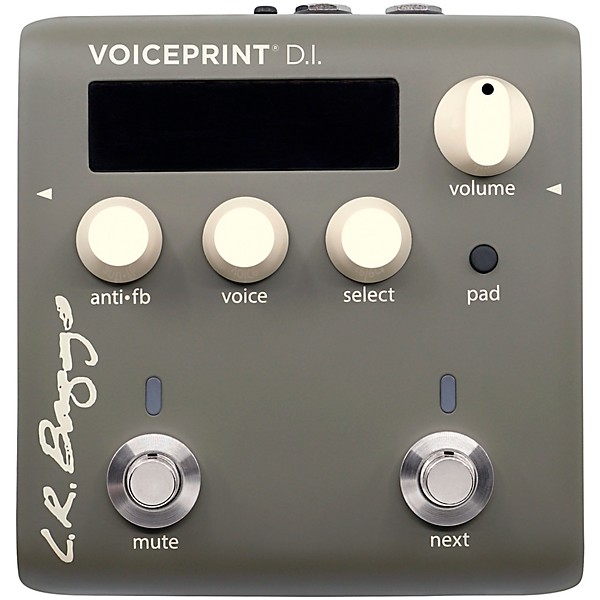
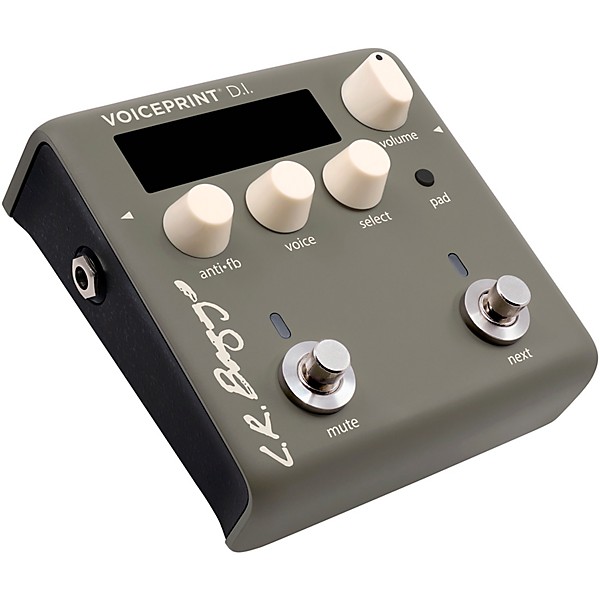
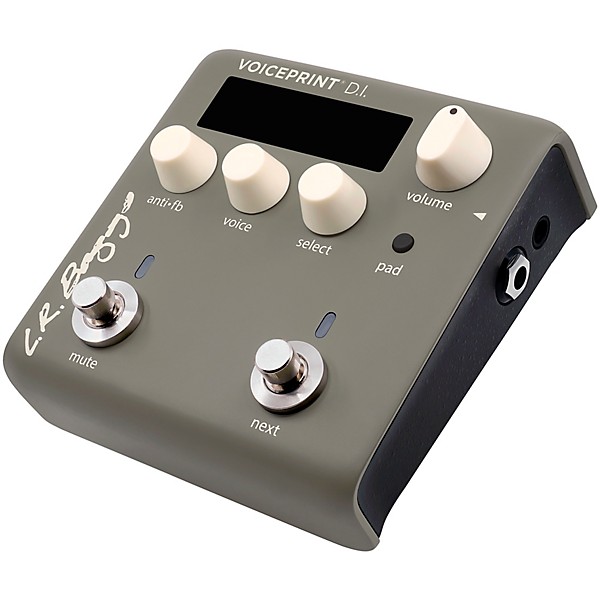
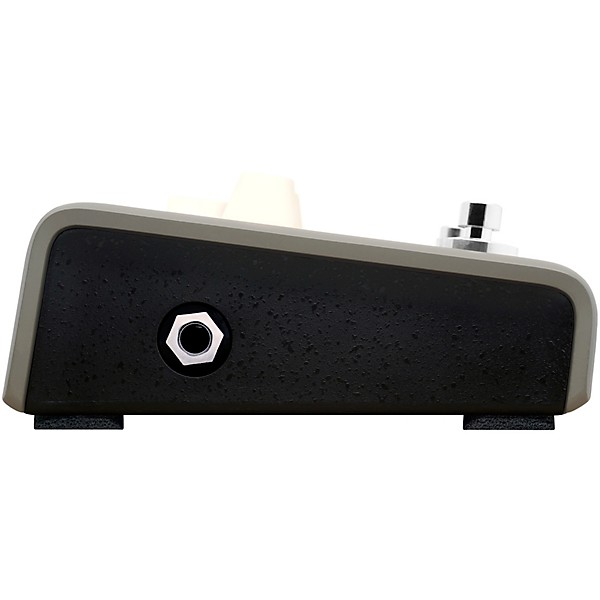
LR Baggs Voiceprint Acoustic DI With Voiceprint Technology EQ and Feedback Control Gray
$369.00$429.00Save: $60.00 (14%)
6-month special financing^ + $18 back in Rewards** Limited time Learn More
Lease-To-Own Purchase OptionsLearn more

Protect your gearLearn more
Cover drops, spills or cracks with Pro Coverage

Need Help?
Videos (4)
View All
Voiceprint DI & AcousticLive App | Introduction

Voiceprint DI | Quickstart Guide

LR Baggs Voiceprint DI Demo with Corey Congilio

LR Baggs Voiceprint DI Demo with Justin Weaver

Description
The product of nearly 3 years of intensive research and collaboration with a team of PhDs, the L.R. Baggs Voiceprint DI measures the acoustic response of your guitar by leveraging the processing power of your iPhone to accurately capture your guitar’s one-of-a-kind voice. A Voiceprint is created, transforming your pickup into the most authentic sound L.R. Baggs has engineered in their 40+ years.
Capture
Guided by the AcousticLive app and proprietary impulse response technology, you can now use your iPhone like a studio in your pocket to capture a Voiceprint of your acoustic guitar. Developed with Dr. Jonathan Abel, co-founder of Universal Audio, Voiceprint technology utilizes a sophisticated algorithm that intuitively measures your acoustic guitar by analyzing its actual timbre and playing response, then creates a customized preset for live play, as well as for direct recordings. Simply plug into the pedal and set your iPhone into position; tap on the bridge, strum a few chords, pick some strings and you’re done.
Enhance
Deploy Anti•FB feedback profiles and shape your tone with powerful EQ
As an added benefit, every Voiceprint that you create identifies your guitar’s specific resonances that are prone to feedback and creates an Anti•FB profile to easily manage feedback with one simple control on the pedal. The app also provides advanced features, such as a graphical full-parametric EQ for balancing each preset to your exact taste. These features can also be used for creating enhanced presets, even if you choose not to apply a Voiceprint.
Connect
Sync your iPhone to the Voiceprint DI and unlock all of these great features
The AcousticLive app provides the processing you need to create your presets, while the Voiceprint DI is your live performance engine. With advanced processing at 96kHz sampling, the robust playback algorithms provide studio quality performance designed for easy control during your live show. You can manage your presets in the app and store up to 99 instruments in your Voiceprint DI. The hardware is designed with a simple layout that includes the key features you will need for a successful show, but you can connect with the app during your live performance for additional functionality and control.
Apple Watch integration
In yet another first, L.R. Baggs is thrilled to introduce Apple Watch integration with the Voiceprint DI for comprehensive and unprecedented stage control of your guitar right on your wrist. With the introduction of Apple Watch control, it is no longer necessary to cut a prized guitar or suffer with inadequate control to be the master of your stage.
Capture
Guided by the AcousticLive app and proprietary impulse response technology, you can now use your iPhone like a studio in your pocket to capture a Voiceprint of your acoustic guitar. Developed with Dr. Jonathan Abel, co-founder of Universal Audio, Voiceprint technology utilizes a sophisticated algorithm that intuitively measures your acoustic guitar by analyzing its actual timbre and playing response, then creates a customized preset for live play, as well as for direct recordings. Simply plug into the pedal and set your iPhone into position; tap on the bridge, strum a few chords, pick some strings and you’re done.
Enhance
Deploy Anti•FB feedback profiles and shape your tone with powerful EQ
As an added benefit, every Voiceprint that you create identifies your guitar’s specific resonances that are prone to feedback and creates an Anti•FB profile to easily manage feedback with one simple control on the pedal. The app also provides advanced features, such as a graphical full-parametric EQ for balancing each preset to your exact taste. These features can also be used for creating enhanced presets, even if you choose not to apply a Voiceprint.
Connect
Sync your iPhone to the Voiceprint DI and unlock all of these great features
The AcousticLive app provides the processing you need to create your presets, while the Voiceprint DI is your live performance engine. With advanced processing at 96kHz sampling, the robust playback algorithms provide studio quality performance designed for easy control during your live show. You can manage your presets in the app and store up to 99 instruments in your Voiceprint DI. The hardware is designed with a simple layout that includes the key features you will need for a successful show, but you can connect with the app during your live performance for additional functionality and control.
Apple Watch integration
In yet another first, L.R. Baggs is thrilled to introduce Apple Watch integration with the Voiceprint DI for comprehensive and unprecedented stage control of your guitar right on your wrist. With the introduction of Apple Watch control, it is no longer necessary to cut a prized guitar or suffer with inadequate control to be the master of your stage.
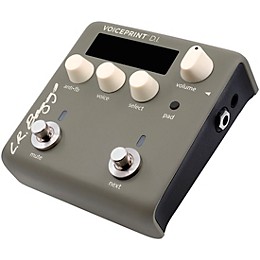
Features
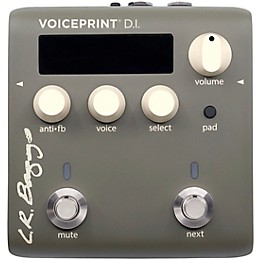
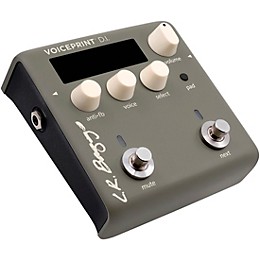
- Master Volume level control
- Voice blends your instrument’s custom Voiceprint with your pickup signal for enhanced accuracy
- Anti•fb applies your anti-feedback profile for effective feedback control. Short press for phase inversion
- Select scrolls through up to 99 instrument presets
- Pad attenuates input by 0dB, -3dB, -6dB, or -9dB to accommodate a wide-range of input levels
- Mute footswitch for ¼" and XLR outs. Long press for bypass
- Next footswitch selects the next instrument preset
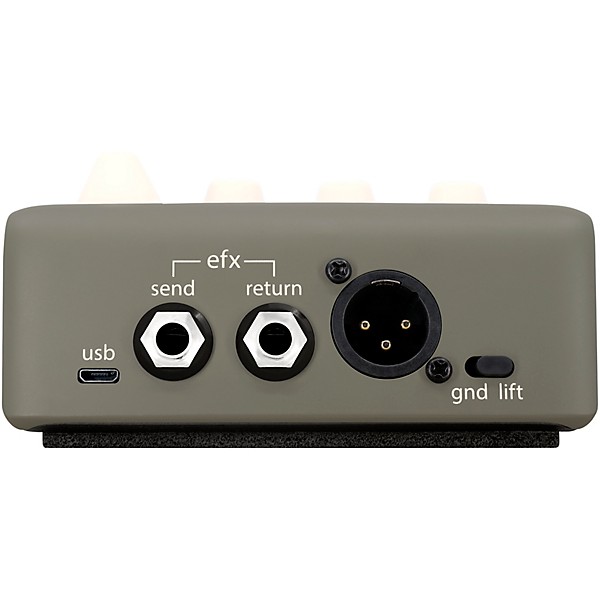
- Series FX loop (separate jacks for send and return)
- Ground lift switch effectively eliminates ground-loop noise
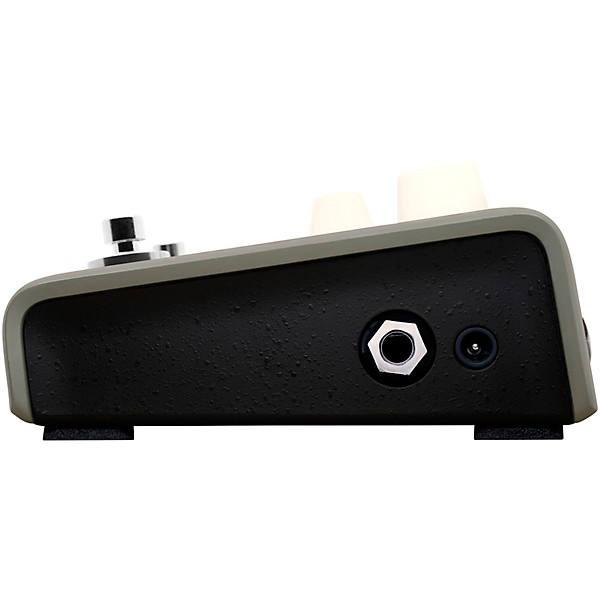
- 1/4" input
- XLR and 1/4" outputs
- 9V DC power
- iPhone Version: iPhone 6 and later
Warranty
One year parts and labor warranty. (Self-installation voids warranty.)
Reviews
5
2 Reviews
100%
of respondents would recommend this to a friend
Filters
Best Uses
- Home Studio2
- Performances2
- Amateur Recording1
- Outdoor Events / Games1
- Professional Recording1
Cons
- Dependent Upon 3rd Party Tech1
- Expensive1
Describe Yourself
- Experienced1
- Professional Musician1
Pros
- Easy To Use2
- Excellent Sound2
- Portable2
- Good Power Output1
- Warm / Comfy1
Reviewed by 2 customers
I would buy this product again
submitted4 years ago
byJan
fromChicago, Illinois
I have been looking for a pedal for an acoustic guitar for a long time. I watched a lot of youtube videos and my choice was Voiceprint DI. The ability to create the guitar sound I have and the ease of making voiceprint convinced me to try this device. It is technologically the most advanced pedal. I recommend it to every acoustic guitarist. I've been playing guitar for 50 years. I have over 150 different types of pedals and guitar effects. The hardest thing for me was to find a good acoustic guitar sound playing live. In the studio, I was good at using plugins. I recommend to everyone.
Excellent sound/ minimal effort. Excellent EQ/ EQ presets.
submitted4 years ago
byBrian H.
fromCharlotte, NC
I play a mahogany top Taylor 360E 12 string acoustic with the Expression System 2 at open mic events, and also jam sessions. After having to use compressors, DI boxes, and reverb effects to try to get a sound that closely approximated my guitar's natural sound, I was frustrated and wanted to simplify. My goal was to find one device alone that I could set up at open mic night in less than one minute and get a natural sound out of my 12 string. With the Voiceprint DI I was able to make my voiceprint, experiment with the excellent EQ, and dial in the sound that sounds exactly like my guitar, only louder, all in less than 30 minutes. I used a iPhone 11 Pro with IOS 14.6 to make my voiceprint. In the end I utilize one of the preset EQ profiles, and made a secondary minor adjustment with the EQ on my guitar. I had to set the appropriate blend between my pickup and the amount of voiceprint. For me it is around 70% voiceprint. I also had to set a feedback profile. Expect to have to set these parameters. The voiceprint alone will not get to to your sound. The result is that I cannot even tell I am coming though the speakers, if they are not up loud, or if I am not close to them. The processor is so fast that it really is indiscernible that I am not playing through a microphone. No feedback. It is really just pure, simple acoustic perfection. It sounds just like what is coming through the sound hole, just with more volume. All this on one pedal, alone. I just show up with my power plug, a guitar cord, and my voiceprint. No adjustments needed. The voiceprint profile has it all stored. While I like it and it is easy for me to use, it is too expensive. It is dependent upon 3rd party (Apple) technology, which is continually changing. If you have microphones already, and a deeper technical knowledge I would try the NUX Optima Air, first, at less than half the price.
- Previous
- 1
- Next
Q&A
Have a question about this product? Our expert Gear Advisers have the answers.
submitted4 years ago
asked byvoiceprint curious
fromMillington TN
Once a voiceprint has been created for a particular guitar, can that voiceprint be used to replicate that sound when playing a different guitar?
I’m sorry, I don’t know. Perhaps an inquiry to LR Baggs
Be the first to know about exclusive offers, tips and more.

866-498-7882 English
877-687-5402 Español