



DigitalPianistSynths


Pro Gear Advisers
•866-498-7882
Guitars
Guitars
Amps & Effects
Amps & Effects
Used & Vintage
Keyboards & MIDI
Keyboards & MIDI
Drums
Drums
DJ Equipment
DJ Equipment
Basses
Basses
Recording
Recording
Live Sound
Live Sound
Accessories
Accessories
Mics & Wireless
Mics & Wireless
Music Software
Music Software
Lighting
Lighting
- Popular Brands
Band & Orchestra
Band & Orchestra
Platinum Gear
Deals
Videos (9)
View All
Novation // Impulse MIDI Controller Keyboard Overview

Novation // Impulse MIDI Controller with Nick Hook

Novation // Impulse MIDI controller setup tutorial
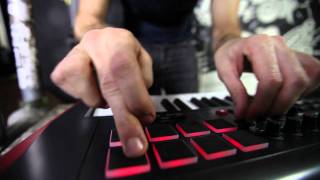
Novation // Impulse: MIDI Controller Keyboard Hot Mix

Description
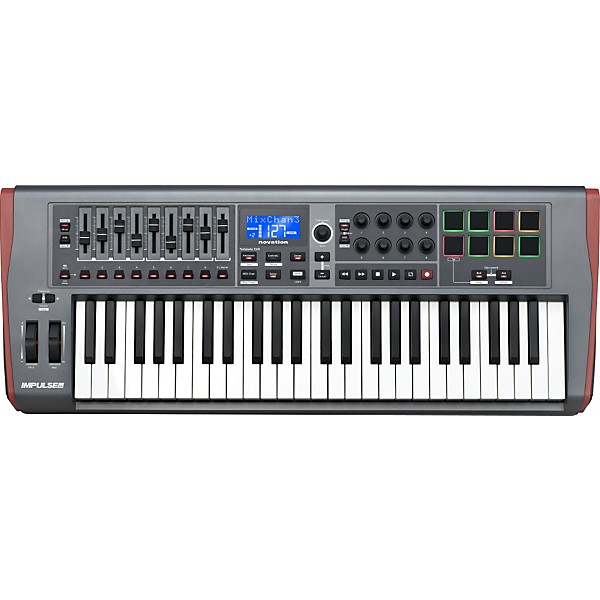
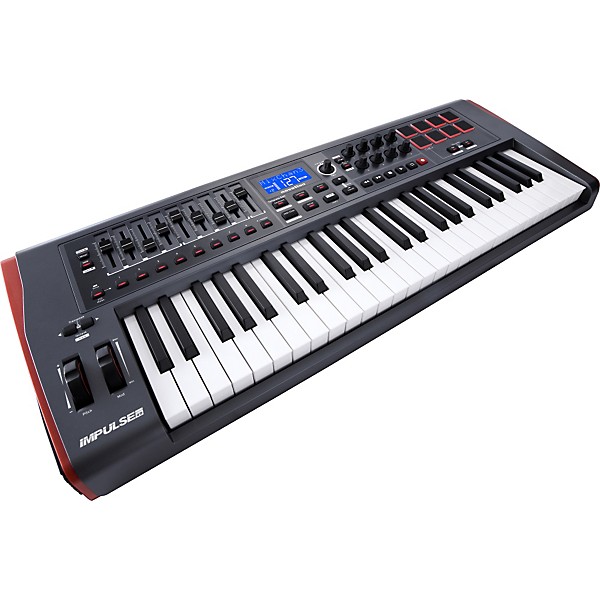
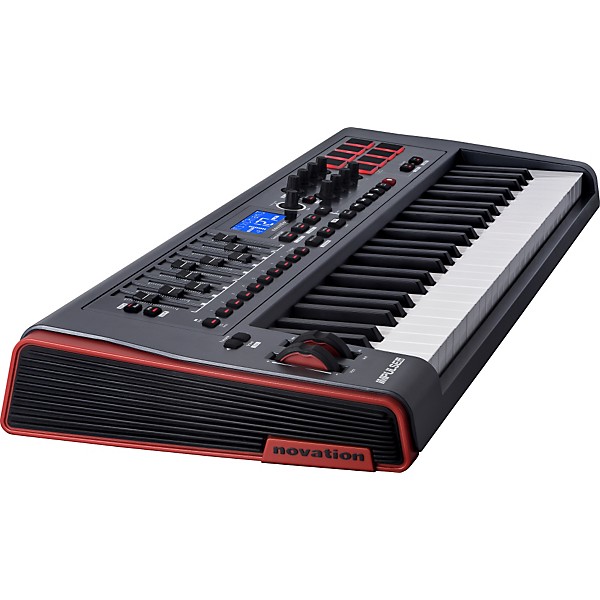
Novation's Impulse series are a range of professional USB/MIDI controllers. The Impulse 49 has a 49-key precision keyboard and full control surface powered by a brand new version of Novation's Automap control software - Automap 4 (which makes getting hands-on with your DAW/plug-ins fast and simple). Impulse also has 8 back-lit drum pads which can warp arpeggios, roll beats and launch clips in Ableton live. Comes with 4GB of Loopmaster samples and a VST from XLN Audio's Addictive Keys.
"Player's" keyboard
Impulse has a precision 'players' keyboard. It is semi-weighted with assignable aftertouch and has been designed to feel like an instrument rather than a computer peripheral. In addition to feeling good, it is incredibly accurate - this means it can translate musical expression (how you play the keyboard) extremely effectively. So your performance is reflected exactly by the synth or software instrument you are triggering.
Full control surface
The control surface allows you to get hands on control for your DAW and plug-ins. We have worked with all the major DAW and plug-in manufacturers to make sure that you get instant control of your mixer, transport controls and plug-in instruments and effects.
Many MIDI controllers have knobs, faders and buttons, but using them is difficult and time consuming. Impulse (as with all Novation controllers) comes with Automap control software. This gives you instant mapping to the things you need to control, meaning you can make full use of faders, knobs and buttons on Impulse to get hands-on with your music software.
Automap Control Software - instant mixer, transport and plug-in control
Automap is a piece of software that comes with all Novation controllers. It makes it fast and simple to control your music software with knobs, buttons and faders. It has been used by many top musician/producers since 2006.
Impulse gives you control over the mixer, transport and plug-ins of all major DAWs, as well as plug-in instruments and effects that don't come with your DAW, like Native Instruments, Waves or FXpansion. Automap enables you to see instantly which knobs, faders and buttons are controlling which part of your software. It also makes it easy to quickly change what the knobs are controlling.
See what you are controlling
Automap has a software edit page that looks just like the Impulse control surface. This labels what each knob, fader and button is controlling, because with so many things in your DAW and plug-ins, it is easy to lose track of what is assigned to what. You can hide this window once you are finished with it, so you can continue making music.
Get instant control
Impulse's controls can be used to control your plug-in instruments and effects. When you open a software instrument/effect, the 8 knobs will already be linked to things in it. If you want to control different things, just press the ˜Learn' button, click on the software thing, and wiggle the knob that you want to control it. This way you can get hands on control of exactly what you want almost instantly.
Back-lit drum pads, Ableton Clip Launch, Arpeggiator and Beat Roll:
Impulse has 8 drum pads which are velocity-sensitive - with aftertouch! These are back-lit with 3-colour LEDs which means they can do things other drum pads can't¦
Ableton Live Clip Launch
Impulse comes with Ableton Live Lite included - but if you are already an Ableton user, you will appreciate the power of this. The 8 drum pads can be used to launch clips in Live. The three colours indicate whether a clip is loaded (yellow), playing (green), or recording (red). This makes Impulse the best keyboard for Ableton Live users without exception.
Arpeggiator Warping
Impulse has a built in Arpeggiator which enables you to play a turn any chord into an arpeggio. The drum pads take this a step further by enabling you to warp arpeggios. By switching the 8 pads in or out you can change the rhythm of the arpeggio in real time (this works brilliantly with drums!)
You can also change the speed, shape, syncopation and gate time of the arpeggio.
Beat Roll
Drum pads are great for playing drums! With Beat Roll you can hold on to the pad and create a roll - because the pads are pressure sensitive you can change the volume of the drum as it is rolling, just by pushing down on the pad. This enables some really cool performance tricks!
Works with all major DAWs:
In addition to the major DAWs, Impulse & Automap 4 have been specially designed to give you full control of 3rd party plug-in instruments and effects, like Native Instruments, Waves or FXpansion.
Ableton (Ableton Live Lite comes included with Impulse)
- Mixer control (all channels)
- Transport control
- Clip launch (using Impulse's back-lit drum pads)
- Scene launch
- Plug-in/Device control (instant control of Ableton's own devices as well as 3rd party VST/AU plug-ins)
Cubase
- Mixer control (all channels)
- Transport control
- Plug-in instrument/effects control (instant control of whatever VST instrument or effect is in focus)
Logic
- Mixer control (all channels)
- Transport control
- Plug-in instrument/effects control (instant control of Logic's own plug-ins and 3rd party VST/AU plug-ins)
Pro Tools
- Mixer control (all channels)
- Transport control
- Plug-in instrument/effects control (instant control of Pro Tools' own plug-ins and 3rd party RTAS plug-ins)
Reason/Record
- Mixer control (all channels)
- Transport control
- Instant control of rack devices (Thor, Dr Octo Rex etc.)
Sonar (PC only)
- Mixer control (all channels)
- Transport control
- Plug-in VST instrument/effects control
Impulse will also work with other DAWs such as Studio One, Garage Band and FL Studio.
"Player's" keyboard
Impulse has a precision 'players' keyboard. It is semi-weighted with assignable aftertouch and has been designed to feel like an instrument rather than a computer peripheral. In addition to feeling good, it is incredibly accurate - this means it can translate musical expression (how you play the keyboard) extremely effectively. So your performance is reflected exactly by the synth or software instrument you are triggering.
Full control surface
The control surface allows you to get hands on control for your DAW and plug-ins. We have worked with all the major DAW and plug-in manufacturers to make sure that you get instant control of your mixer, transport controls and plug-in instruments and effects.
Many MIDI controllers have knobs, faders and buttons, but using them is difficult and time consuming. Impulse (as with all Novation controllers) comes with Automap control software. This gives you instant mapping to the things you need to control, meaning you can make full use of faders, knobs and buttons on Impulse to get hands-on with your music software.
Automap Control Software - instant mixer, transport and plug-in control
Automap is a piece of software that comes with all Novation controllers. It makes it fast and simple to control your music software with knobs, buttons and faders. It has been used by many top musician/producers since 2006.
Impulse gives you control over the mixer, transport and plug-ins of all major DAWs, as well as plug-in instruments and effects that don't come with your DAW, like Native Instruments, Waves or FXpansion. Automap enables you to see instantly which knobs, faders and buttons are controlling which part of your software. It also makes it easy to quickly change what the knobs are controlling.
See what you are controlling
Automap has a software edit page that looks just like the Impulse control surface. This labels what each knob, fader and button is controlling, because with so many things in your DAW and plug-ins, it is easy to lose track of what is assigned to what. You can hide this window once you are finished with it, so you can continue making music.
Get instant control
Impulse's controls can be used to control your plug-in instruments and effects. When you open a software instrument/effect, the 8 knobs will already be linked to things in it. If you want to control different things, just press the ˜Learn' button, click on the software thing, and wiggle the knob that you want to control it. This way you can get hands on control of exactly what you want almost instantly.
Back-lit drum pads, Ableton Clip Launch, Arpeggiator and Beat Roll:
Impulse has 8 drum pads which are velocity-sensitive - with aftertouch! These are back-lit with 3-colour LEDs which means they can do things other drum pads can't¦
Ableton Live Clip Launch
Impulse comes with Ableton Live Lite included - but if you are already an Ableton user, you will appreciate the power of this. The 8 drum pads can be used to launch clips in Live. The three colours indicate whether a clip is loaded (yellow), playing (green), or recording (red). This makes Impulse the best keyboard for Ableton Live users without exception.
Arpeggiator Warping
Impulse has a built in Arpeggiator which enables you to play a turn any chord into an arpeggio. The drum pads take this a step further by enabling you to warp arpeggios. By switching the 8 pads in or out you can change the rhythm of the arpeggio in real time (this works brilliantly with drums!)
You can also change the speed, shape, syncopation and gate time of the arpeggio.
Beat Roll
Drum pads are great for playing drums! With Beat Roll you can hold on to the pad and create a roll - because the pads are pressure sensitive you can change the volume of the drum as it is rolling, just by pushing down on the pad. This enables some really cool performance tricks!
Works with all major DAWs:
In addition to the major DAWs, Impulse & Automap 4 have been specially designed to give you full control of 3rd party plug-in instruments and effects, like Native Instruments, Waves or FXpansion.
Ableton (Ableton Live Lite comes included with Impulse)
- Mixer control (all channels)
- Transport control
- Clip launch (using Impulse's back-lit drum pads)
- Scene launch
- Plug-in/Device control (instant control of Ableton's own devices as well as 3rd party VST/AU plug-ins)
Cubase
- Mixer control (all channels)
- Transport control
- Plug-in instrument/effects control (instant control of whatever VST instrument or effect is in focus)
Logic
- Mixer control (all channels)
- Transport control
- Plug-in instrument/effects control (instant control of Logic's own plug-ins and 3rd party VST/AU plug-ins)
Pro Tools
- Mixer control (all channels)
- Transport control
- Plug-in instrument/effects control (instant control of Pro Tools' own plug-ins and 3rd party RTAS plug-ins)
Reason/Record
- Mixer control (all channels)
- Transport control
- Instant control of rack devices (Thor, Dr Octo Rex etc.)
Sonar (PC only)
- Mixer control (all channels)
- Transport control
- Plug-in VST instrument/effects control
Impulse will also work with other DAWs such as Studio One, Garage Band and FL Studio.
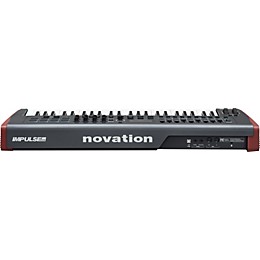
Features
- Ultra-responsive, 49-key semi-weighted keyboard with aftertouch
- DAW/plug-in control surface: 8 knobs, 9 faders and buttons (1 fader & button on Impulse 25) and a custom LCD screen
- Automap 4 control software enables instant hands-on access to your DAW and plug-ins
- Multi-function drum pads let you warp arpeggios, roll beats, and launch clips in Ableton Live
- Impulse also comes with a stack of free software and sounds:
- Ableton Live Lite - powerful loop based music-making software
- Novation Bass Station - legendary analogue bass synth as a software plug-in
- Loopmasters sample library - 4GB of royalty-free samples
- VST Instrument from Addictive Keys
- Mike The Drummer - 502MB of live drum loops and breaks
- Novation V-Station: a polyphonic soft-synth for Mac and PC
- Learn with Melodics: Free keys and pad drumming lessons with Melodics makes you get the most out of your controller straight out of the box.
Specs
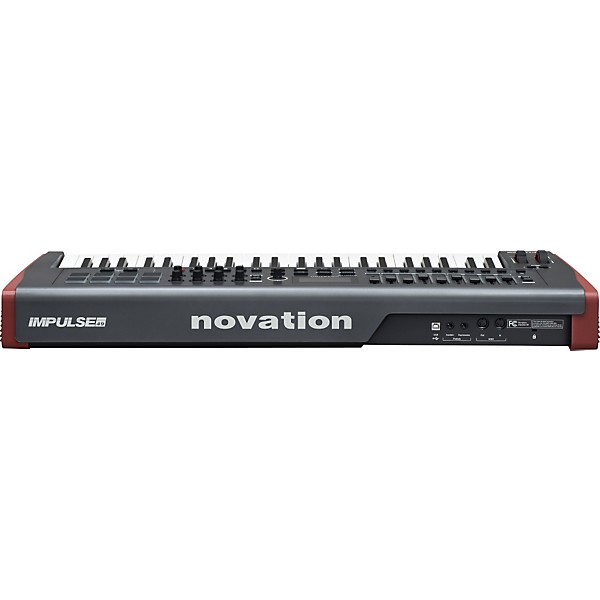
- Dims: 33-5/16"L x 13"W x 3-7/8"H
- Weight 7.71lb. (3.5kg)
Reviews
4
7 Reviews
75%
of respondents would recommend this to a friend


Filters
Best Uses
- Practicing2
- Back-Up1
- Concerts1
- Secondary Keyboard1
Cons
- "Drum" pads are linked to keyboard notes1
- Doesn't always link with computer right away1
- Knobs are too easy to turn1
- Only 8 Knobs1
- Rubber buttons don't register eaasily1
Describe Yourself
- Professional Musician2
- Experienced1
- Novice1
Pros
- Good Quality3
- Easy To Use2
- Functional2
- Improves Sound2
- Faders are perfect1
Reviewed by 7 customers
My favorite Controller
submitted4 years ago
byJohn
fromBaltimore, MD
I own two. The 61 key version and a 49 key version in white. Hands down my favorite controller.
The Bang for the Buck!
submitted4 years ago
byDerek
fromWinter haven, fl
I use this controller in the studio and it's by far one of the best controllers for the price!
yes
Verified Buyer
submitted9 years ago
byAndre
fromundisclosed
the best Thank you
Solid MIDI Controller With Minor Annoyances
submitted10 years ago
byJeremy
fromChattanooga, Tennessee
I have loved everything about this MIDI controller until I had to use it in a live set. While the key action, faders, and overall control are great; I didn't at all like the rubber buttons. Sometimes even pressed all the way down, they did not register. There seems to be a sweet spot for activation. I recommend something with buttons that click for playback, or track switching. To me this is a major con. Functions great otherwise. The keys could have a little more resistance, but that is my personal preference as I fat finger easily. Works exceptionally well with Ableton Live 9.
D.O.A.
submitted10 years ago
byJK
fromBirmingham
Purchased and started setting up but Automapping didn't seem to be recognizing my DAW as easily as it claims so I called for tech support. They were super nice. After trying several options they said I needed to update software on keyboard. They walked me thru it, and just as we started update the the keyboard went black. No lights. Nothing. Then he says it happens often and I'll just need to ship back for a 'free repair'. I asked for a new one and he said that wasn't an option. I was sent the paperwork to return and it was gonna cost me 100+ bucks and 2-4 weeks of time. Good money after bad in my opinion to pay to repair something new out of box so it's now decoration in my studio.
Novation for Reason 6.0
submitted14 years ago
byElijah Kay
fromSalem, OR
I bought this controller to do some recording in Reason 6.0. Automap software makes mapping a breeze. Reason users: if "Automap Impulse" does not work for your system as a control surface, do try "Automap Keyboard". The key bed is decent: does not feel cheep, but does not compare to full blown professional synthesizer/workstation (Yamaha and/or Korg, as examples) either. Drum pads work great! The "Roll" and "Arpegiator" work in Reason as well! Transport control is super handy. I think I'll be getting a 25-key version to allow me some mobile work. The included Ableton Live Intro will help you "scratch the surface," but you'll need something more significant (at least Live Intro) to give you enough to work with. EK.
Q&A
Have a question about this product? Our expert Gear Advisers have the answers.
submitted7 years ago
asked byLiam
fromFlorida
Will this auto map to be used in logic pro x?
You can use the Auto Map with your Logic Pro X.You can use the Auto Map with your Logic Pro X.
Be the first to know about exclusive offers, tips and more.

866-498-7882 English
877-687-5402 Español