


StudioMonitorsMixing


Pro Gear Advisers
•866-498-7882
Guitars
Guitars
Amps & Effects
Amps & Effects
Used & Vintage
Keyboards & MIDI
Keyboards & MIDI
Drums
Drums
DJ Equipment
DJ Equipment
Basses
Basses
Recording
Recording
Live Sound
Live Sound
Accessories
Accessories
Mics & Wireless
Mics & Wireless
Music Software
Music Software
Lighting
Lighting
- Popular Brands
Band & Orchestra
Band & Orchestra
Platinum Gear
Deals
Videos (6)
View All
FL STUDIO 21 | In a minute

FL STUDIO | Every Instrument Plugin

FL STUDIO 21 | What's New?

FL STUDIO | Getting Started Introductory Tutorial

Description
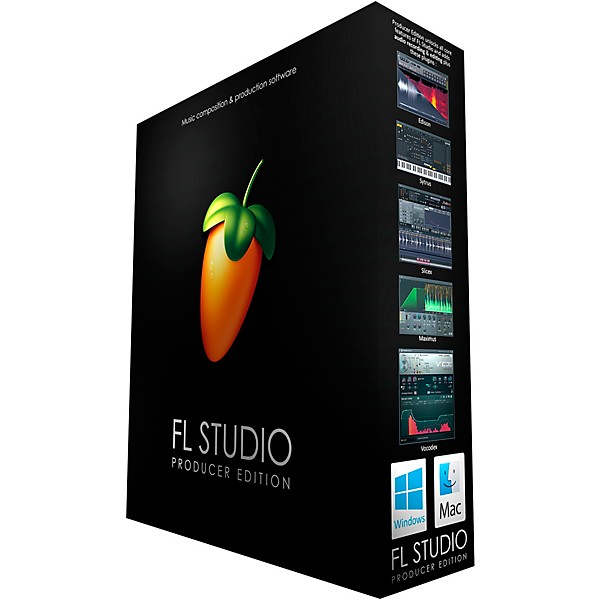
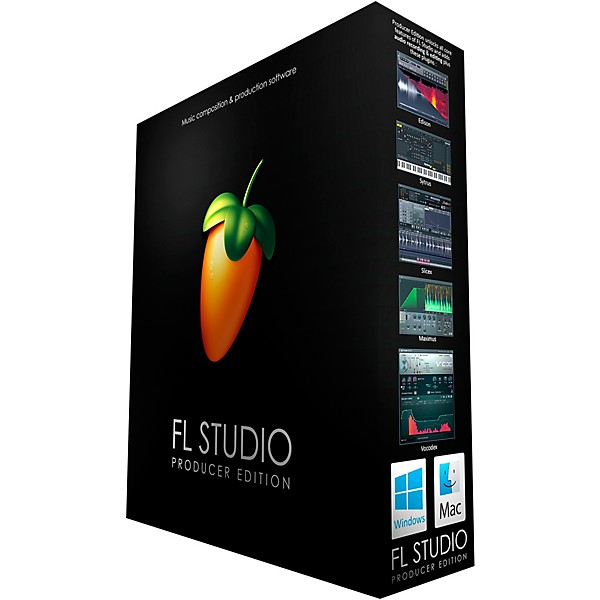
FL Studio 21 Producer Edition is a complete software music production environment. Representing more than 20 years of innovative development, it's the DAW that has everything you need in one package to compose, arrange, record, edit, mix and master professional-quality music. Mix and master music to the highest professional standards. It has all the features you need to create today's most complex productions, including, effects chains, audio sends, sidechain control, advanced automation, plug-in delay compensation and more.
FL Studio 21's piano roll has the well-deserved reputation as one of the best in the business. The piano roll is used to send note and automation data to plug-in instruments (sequencing). It includes a wide range of tools to aid complex score editing and manipulation. No other DAW matches the flexibility of FL Studio’s Playlist. Sequence all elements of the project to make the final song. Tracks can hold notes, audio and automation. Place any data type anywhere and even overlay them. Use the Browser to organize all the data in your project. FL Studio 21 Producer Edition includes over 80 instrument and effect plug-ins covering automation, sample playback/manipulation, synthesis, compression, delay, equalization filtering, flanging, phasing, chorus, reverb, distortion, bit-crushing and more. With FL Studio, you will be ready to create just about any style.
New in FL Studio 21
Mac version
FL Studio is now available for macOS 10.11 and higher. It's a native 64-bit application Including support for Mac VST and AU plug-ins. Projects made on Mac and Windows are interchangeable. Project interoperability extends to 3rd party plugins installed on both platforms. Existing, Lifetime Free Update, and new customers can unlock FL Studio for Mac and Windows at no extra cost.
Time Signatures
FL Studio now supports Time Signatures, including unlimited Time Signature changes, independently in both the Playlist and Patterns (piano rolls). FL Studio’s unique pattern system enables, simultaneous and multiple Time Signatures at any point in the Playlist.
In-situ rendering (‘freezing’)
Bounce selected Audio and Pattern Clips to audio. Options include; Consolidate Playlist Clip selections or complete tracks. Render Clips to Audio, Render Clips to audio and replace Playlist Pattern Clips. Use these features to compile audio-takes into a single Audio Clip, reduce CPU load by converting real-time synthesis and effects processing to audio or convert MIDI to audio for further processing and resynthesis.
Playlist Arrangements
The Playlist now supports multiple 'Arrangements' (Playlists). Each Arrangement is the complete layout of Audio, Automation and Pattern Clips. Users can now work with multiple versions of their project saving ideas, sound design and ‘arrangements’.
Plug-in Delay Compensation (PDC)
PDC and Automatic PDC have been rebuilt, from the ground up, to support today’s complex workflows. Manual and Auto-PDC can now co-exist. Updates include: Mixer send compensation, Wet/Dry mixer FX compensation, Audio input compensation, Metronome compensation, Plugin Wrapper custom values remembered per-plugin and improved PDC controls in the Mixer.
FL Studio 21's piano roll has the well-deserved reputation as one of the best in the business. The piano roll is used to send note and automation data to plug-in instruments (sequencing). It includes a wide range of tools to aid complex score editing and manipulation. No other DAW matches the flexibility of FL Studio’s Playlist. Sequence all elements of the project to make the final song. Tracks can hold notes, audio and automation. Place any data type anywhere and even overlay them. Use the Browser to organize all the data in your project. FL Studio 21 Producer Edition includes over 80 instrument and effect plug-ins covering automation, sample playback/manipulation, synthesis, compression, delay, equalization filtering, flanging, phasing, chorus, reverb, distortion, bit-crushing and more. With FL Studio, you will be ready to create just about any style.
New in FL Studio 21
Mac version
FL Studio is now available for macOS 10.11 and higher. It's a native 64-bit application Including support for Mac VST and AU plug-ins. Projects made on Mac and Windows are interchangeable. Project interoperability extends to 3rd party plugins installed on both platforms. Existing, Lifetime Free Update, and new customers can unlock FL Studio for Mac and Windows at no extra cost.
Time Signatures
FL Studio now supports Time Signatures, including unlimited Time Signature changes, independently in both the Playlist and Patterns (piano rolls). FL Studio’s unique pattern system enables, simultaneous and multiple Time Signatures at any point in the Playlist.
In-situ rendering (‘freezing’)
Bounce selected Audio and Pattern Clips to audio. Options include; Consolidate Playlist Clip selections or complete tracks. Render Clips to Audio, Render Clips to audio and replace Playlist Pattern Clips. Use these features to compile audio-takes into a single Audio Clip, reduce CPU load by converting real-time synthesis and effects processing to audio or convert MIDI to audio for further processing and resynthesis.
Playlist Arrangements
The Playlist now supports multiple 'Arrangements' (Playlists). Each Arrangement is the complete layout of Audio, Automation and Pattern Clips. Users can now work with multiple versions of their project saving ideas, sound design and ‘arrangements’.
Plug-in Delay Compensation (PDC)
PDC and Automatic PDC have been rebuilt, from the ground up, to support today’s complex workflows. Manual and Auto-PDC can now co-exist. Updates include: Mixer send compensation, Wet/Dry mixer FX compensation, Audio input compensation, Metronome compensation, Plugin Wrapper custom values remembered per-plugin and improved PDC controls in the Mixer.
Features
- DAW software for recording and full-song production
- Includes 26 instruments and 54 effects
- Mac and Windows compatible—only one license is required
- Lifetime free updates with license
Reviews
4
8 Reviews
67%
of respondents would recommend this to a friend
Filters
Best Uses
- Multimedia4
- Educational Purposes1
- Pro Audio / DJ / Mixing1
- Recording1
Computer Platform
- PC4
- Mac2
Cons
- Difficult to Navigate1
- Freezes or Crashes1
- NO CD OR THUMB DRIVE1
- Not Enough Audio Tools1
Primary use
- Personal5
- Business1
Pros
- Easy To Collaborate Across Programs4
- Easy to Navigate3
- Versatile3
- Easy to Customize2
Reviewed by 8 customers
Fantastic product
Verified Buyer
submitted5 years ago
byRockchisler
fromWayne Mi
I use this product to produce music. I have no issues whatsoever.
I wouldn't
submitted6 years ago
byDerek
frompueblo,co
This program has never game me issues u til now.I understand each price you'll has different things that are available but spending 200 and not having anything on there everything trial,and let alone alof other things font work,horrible!waste of dang money!How Are you gonna have everything trial even spending a few hundred dollars terrible!
Amazing
submitted6 years ago
byDJ ICKEE
fromRsm ca.
DJ and production
No install media included
submitted6 years ago
bynick name
fromKentucky
The only reason to buy a boxed version is to get install media: either a CD or a Thumb Drive. This large box contains only a small pamphlet with a sticker with a code and a link to their download page. Useless.
This isn't the Fruity Loops of yore. It's grown up.
submitted6 years ago
byCam
fromOregon
Many traditional (ie Non-electronic) musicians automatically turn their noses up at the mention of "FL Studio", because they remember it has "Fruity Loops", which was a drum loop sequencer and nothing more. It was a silly toy, that no one used for real music. Well, times I have changed. I first got into FL Studio with the release of Ver.9 almost ten years ago. Even then, it was a full fledged, and fully realized Digital Audio Workstation. As, a mostly solo recording artist, being able to build, create, and shape my music all within FL, and with VST effects and generators, I can fill out my "virtual band" with any sounds and instruments I want. This will go toe to toe with Ableton, Pro Tools, etc. Don't let old bias, get in the way of a truly excellent program, that only gets better with each (free!) update.
Great
submitted7 years ago
byJaxson
fromLos Angeles
Great
Q&A
Have a question about this product? Our expert Gear Advisers have the answers.
submitted3 years ago
asked byjerry
fromKeizer, OR
Since the product on the website says FL Studio 20 Production edition will it work with FL Studio 21? The updated version?
We need a little more information to better help you. Please give us a call at 855-770-3373submitted3 years ago
asked bySweet
fromArlington, Tx
Hello, I want to buy this as a Christmas present, but I'm not sure if I need to get anything else in order to work the product correctly. Do I need anything else besides the FL studio 20?
We need a little more information to better help you. Please give us a call at 855-770-3373submitted3 years ago
asked byRichard
fromWest Middlesex Pa
will this product import and export wave files? Richard
Yessubmitted3 years ago
asked byJorge
fromHouston, TX
Is this fully compatible with Arturia products/synths?
I’m very sorry, we don’t have that information available. Perhaps an inquiry to Image Linesubmitted3 years ago
asked bySitnotra
fromHernando MS.
Can I put this on both of my laptops?
I don't think so. Perhaps an inquiry to Image Linesubmitted4 years ago
asked byLinds
fromCalifornia
What type of storage and memory on a laptop works best for this software?
4gigs of disk space and 4gigs of ram is required.submitted4 years ago
asked bySandy
fromJacksonville, Fl
I want the box version in CD so if ever my computer crashes I can buy new computer and load to it right??
That is correct. Although you actually get something similar with the digital download where it has you create an account for Image Line's website and it stores the code to your account. So when you need to reinstall it you just log into your account and download it. So either one would be about the same level of difficulty.submitted4 years ago
asked byBo
fromHouston, Texas
What are the system requirements?
They don't specify. It will run on about anything. Perhaps an inquiry to Image Linesubmitted5 years ago
asked bychopper dave
frommexia, tx
do you offer training for this product, someone to demonstrate what can be done with the product?
A sales rep, in the store, could probably help.submitted5 years ago
asked byJoel
fromCalifornia
Does this DAW allow you to get high-quality music production along with having a preset Auto-Tune????
Yes it does.
Be the first to know about exclusive offers, tips and more.

866-498-7882 English
877-687-5402 Español