


Gear SpecialistBundlingMusician


Pro Gear Advisers
•866-498-7882
Guitars
Guitars
Amps & Effects
Amps & Effects
Used & Vintage
Keyboards & MIDI
Keyboards & MIDI
Drums
Drums
DJ Equipment
DJ Equipment
Basses
Basses
Recording
Recording
Live Sound
Live Sound
Accessories
Accessories
Mics & Wireless
Mics & Wireless
Music Software
Music Software
Lighting
Lighting
- Popular Brands
Band & Orchestra
Band & Orchestra
Platinum Gear
Deals
Demo Gear
Save 10% when you add to cart
Focusrite iTrack Solo Audio Interface With Lightning Connection
$149.99
6-month special financing^ + $7 back in Rewards** Limited time Learn More
Lease-To-Own Purchase OptionsLearn more

Protect your gearLearn more
Cover drops, spills or cracks with Pro Coverage

Save on orders $199+ and get expert advice from a Gear Adviser
Need Help?
Videos (1)
View All
Focusrite // Mic Pre Masters - Peter & Kerry with iTrack Solo

Description
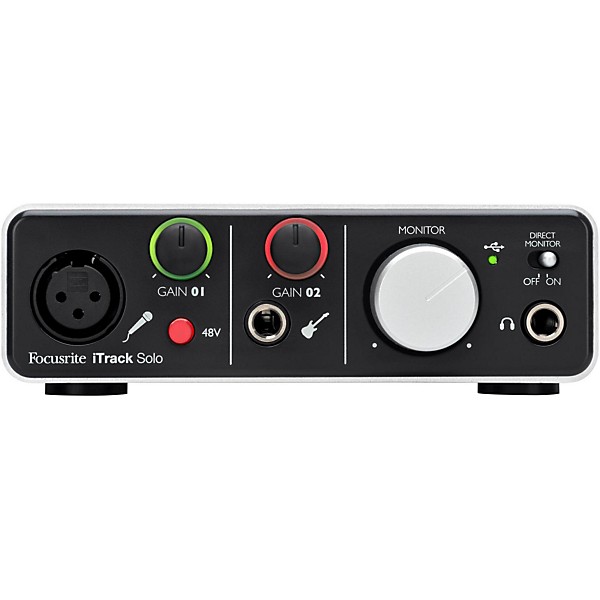
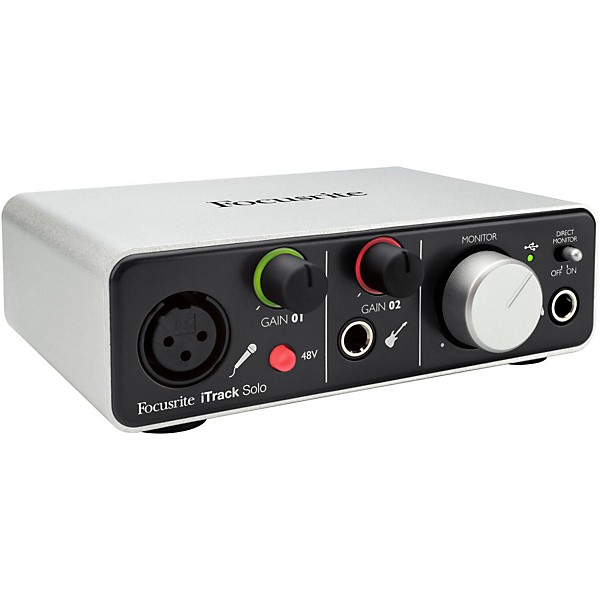
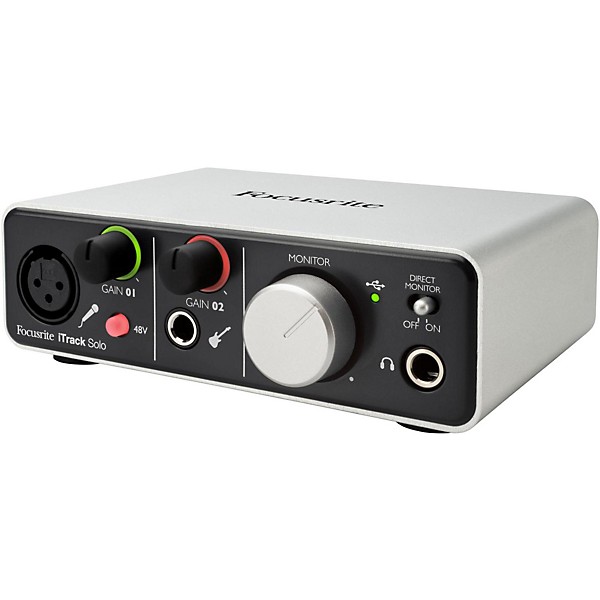
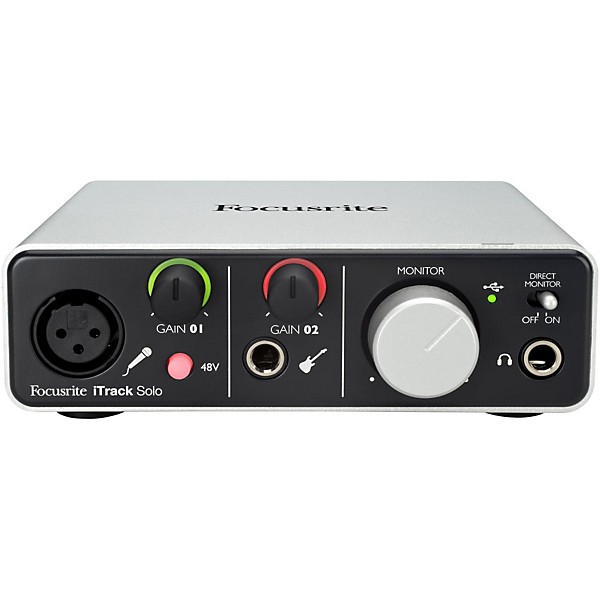
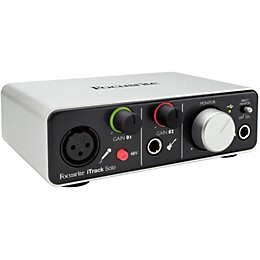
This latest generation of iTrack Solo is the easiest way to record instruments and vocals on your Lightning-compatible iPad. Simply plug into the legendary Focusrite preamp and dedicated instrument input to start capturing your sound in pristine quality, using the very best in digital audio technology. Compact, lightweight and housed in rugged aluminium case, iTrack Solo is the perfect companion for any singer-songwriter who wants to make exceptional demos on iPad, Mac or PC.
Since 1985, Focusrite has been a leading manufacturer in the professional audio field. Focusrite mic pres have played a key part in the recording of hundreds of hit records and they're a top choice of leading artists, recording studios and engineers around the world. This experience has been used to great effect when designing the input section of iTrack Solo, which features a clean, low-noise, low-distortion preamp. iTrack Solo also provides phantom power for professional condenser microphones.
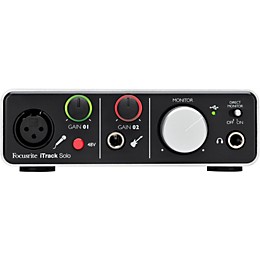
With a guitar input alongside the microphone input, you are free to record both vocals and your instrument simultaneously to separate tracks in your software*. You could even use both a microphone on your guitar and the guitar input at the same time to get a different sound.
Unique halo signal indicators, also found on Scarlett 2i2, let you know that you've got a good volume for recording. Red means that your signal is clipping, and that you should reduce the gain. The halo will momentarily turn amber as the signal returns to a healthy level, at which point the halo will turn green again.
A large monitor dial provides a tactile control for the volume of your speakers and headphones, whilst a high-quality headphone amp provides a clean yet loud signal to headphones connected to the front panel socket. The direct monitor switch routes audio directly from the inputs to both the headphone and speaker outputs. This allows you to hear the incoming signal with no latency, which can be distracting and affect your performance.
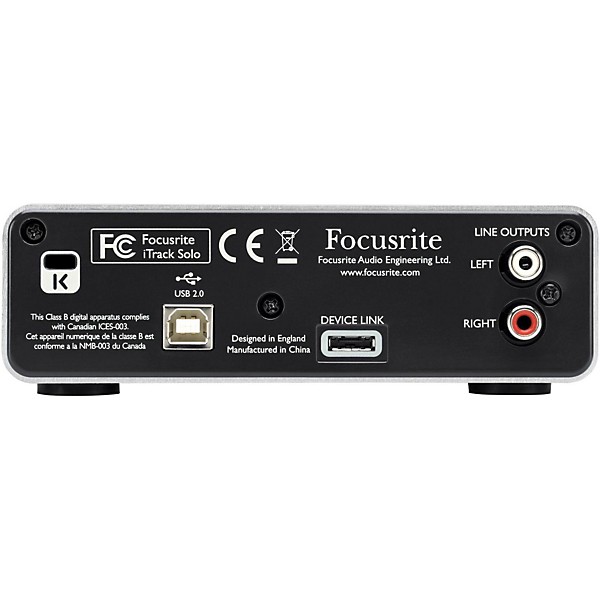
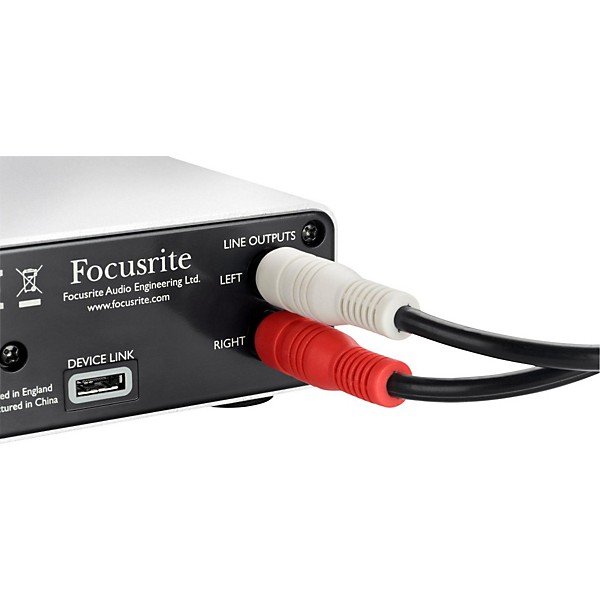
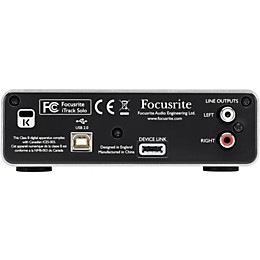
On the rear panel you will find phono outputs allowing you to connect iTrack Solo to a pair of powered speakers, or to your home Hi-Fi system. The speaker volume can then be controlled using the large dial on the front of iTrack Solo meaning everything you need is within reach.
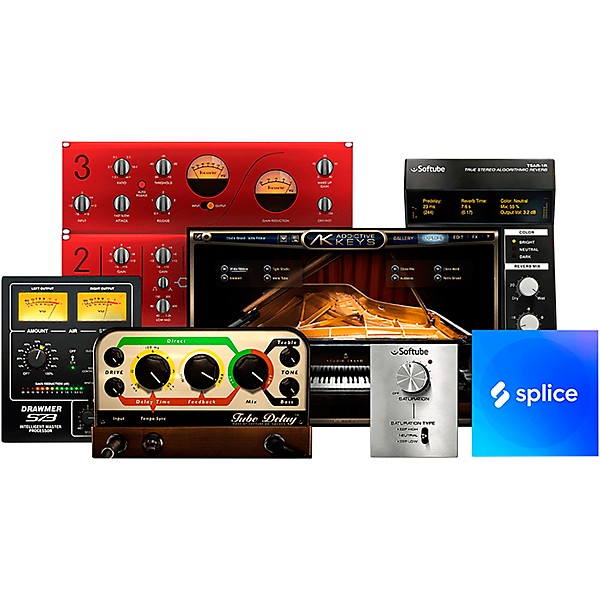
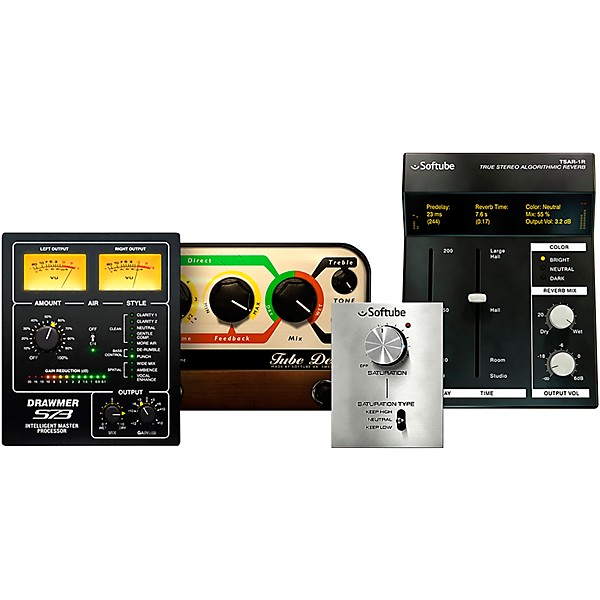
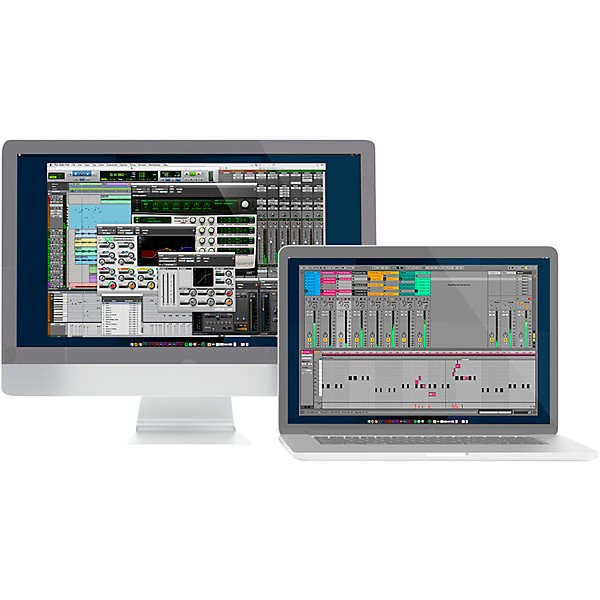
iTrack Solo will also work with Mac and PC allowing you to record with your desktop or laptop. There is an included version of Ableton Live Lite and Focusrite's Scarlett Plug-In Suite, which provides essential effects for recording - Reverb, Compression, Gate and EQ.
Since 1985, Focusrite has been a leading manufacturer in the professional audio field. Focusrite mic pres have played a key part in the recording of hundreds of hit records and they're a top choice of leading artists, recording studios and engineers around the world. This experience has been used to great effect when designing the input section of iTrack Solo, which features a clean, low-noise, low-distortion preamp. iTrack Solo also provides phantom power for professional condenser microphones.
With a guitar input alongside the microphone input, you are free to record both vocals and your instrument simultaneously to separate tracks in your software*. You could even use both a microphone on your guitar and the guitar input at the same time to get a different sound.
Unique halo signal indicators, also found on Scarlett 2i2, let you know that you've got a good volume for recording. Red means that your signal is clipping, and that you should reduce the gain. The halo will momentarily turn amber as the signal returns to a healthy level, at which point the halo will turn green again.
A large monitor dial provides a tactile control for the volume of your speakers and headphones, whilst a high-quality headphone amp provides a clean yet loud signal to headphones connected to the front panel socket. The direct monitor switch routes audio directly from the inputs to both the headphone and speaker outputs. This allows you to hear the incoming signal with no latency, which can be distracting and affect your performance.
On the rear panel you will find phono outputs allowing you to connect iTrack Solo to a pair of powered speakers, or to your home Hi-Fi system. The speaker volume can then be controlled using the large dial on the front of iTrack Solo meaning everything you need is within reach.
iTrack Solo will also work with Mac and PC allowing you to record with your desktop or laptop. There is an included version of Ableton Live Lite and Focusrite's Scarlett Plug-In Suite, which provides essential effects for recording - Reverb, Compression, Gate and EQ.
Features
- Lightning device compatibility
- Focusrite Control makes it simple to route your audio and cue mix, loopback and monitor mixes from your Mac, PC, iPad, iPhone or iPod touch
- High-quality award-winning Focusrite microphone input
- Compatible with iPad, Mac OS X and Windows
- Record your songs with many apps including GarageBand
- Directly connect your microphone or instrument
- Aluminum unibody case
- Signal halos for level and clip indication
- Outputs on the back panel allow you to connect directly to your speakers
- Front panel headphone output for easy monitoring
- Large speaker/headphone level dial and "Direct Monitor" function
- Switchable phantom power for condenser microphones
- Ableton Live Lite recording software to use with iTrack Solo and your PC or Mac
- Scarlett Plug-In Suite: professional plug-ins for PC and Mac
- Focusrite offers a 3-year manufacturer's warranty

WARNING: This product can expose you to chemicals including Lead, which is known to the State of California to cause cancer, and Lead, which is known to cause birth defects or other reproductive harm. For more information go to www.P65Warnings.ca.gov.
Specs
- 1 microphone input: XLR
- 1 Instrument input: 1/4" unbalanced
- 2 Gain knobs
- 2 Gain halo signal indicators
- 48V Phantom power switch
- Direct monitor switch
- Large monitor level dial (controls headphone and line level outputs)
- USB Connection LED indicator
- Headphone output: 1/4" TRS jack
- 2 unbalanced monitor outputs: RCA Phono
- DEVICE LINK port (to connect iTrack Solo to iPad)
- Lightning Port
- Kensington Lock slot
- Ableton Live Lite: professional music-making software to use your iTrack Solo with a Mac or PC.
- Focusrite Scarlett Plug-in Suite - collection of software plug-ins bringing effects to your music software (like Ableton Live for example)
- Novation Bass Station: Legendary Novation synthesizer modelled in software as a soft-synth plug-in instrument
- Loopmasters content: 2GB of royalty free samples
- Frequency Response: 20Hz–20kHz +/- 0.2dB
- THD+N < 0.002%: (minimum gain, -1dBFS input with 22Hz/22kHz bandpass filter)
- Equivalent Input Noise (EIN) < -120dB: measured at minimum gain with, -1 dBFS (20Hz/22kHz band-pass filter)
- Gain Range: +10dB to +55dB
- Max Input Level: -3dBu
- Frequency Response: 20Hz–20kHz +/- 0.2dB
- THD+N 0.003%: (measured with -1dBFS input and 22Hz/22kHz bandpass filter)
- Noise: -87dBu (22Hz/22kHz bandpass filter)
- Gain Range: -10dB to +55dB
- Max Input Level: -3dBu
- Nominal Output Level: 0dBFS = +9dBu, unbalanced
- Frequency Response: 20Hz–20kHz +/- 0.2dB
- Noise: -87dBu (22Hz/22kHz bandpass filter)
- Gain Range: +10dB to +55dB
- Max Input Level: -3dBu
- Nominal Output Level: 0dBFS = 10dBu, balanced
- Frequency Response: 20Hz–20kHz +/- 0.2dB
- THD+N < 0.001%: (measured with 0dBFS input 22Hz/22kHz bandpass filter, un-weighted)
- Clock sources: Internal clock only
- A-D Dynamic Range: 105dB 'A-weighted' (all inputs). Converter chipset A-D dynamic range: 114dB
- D-A Dynamic Range: 105dB 'A-weighted' (all outputs). Converter chipset D-A dynamic range: 114dB
- Supported sample rates: 44.1kHz, 48kHz, 88.2kHz, 96kHz (Mac/PC)
- 44.1kHz, 48kHz (iPad)
- Input to Input: Better than 90dB
- Output to Output: Better than 90dB
- Input to Output: Better than 85dB
- Ring LED lit Green: Signal present (-24 dBFS)
- Ring LED lit Red: Signal overload (0dBFS), peak held for approximately 1 second
- Height: 1-3/4"
- Width: 6"
- Depth: 4"
- Weight: 1lb.
Warranty
All Focusrite products are built to the highest standards, and are designed to provide many years of reliable performance. In the event of a Manufacturing Defect becoming evident during the warranty period, Focusrite will ensure that the product is repaired or replaced free of charge. The warranty for any product purchased on or after the 1st January 2018 is a period of 36 months from the date of original purchase. The warranty period for products purchased on or prior to the 31st December 2017 is 24 months from the date of original purchase.
A Manufacturing Defect is defined as a defect in the performance of the product as described and published by Focusrite. A Manufacturing Defect does not include damage caused by post-purchase transportation, storage or careless handling, nor damage caused by misuse.
While this warranty is provided by Focusrite, it is fulfilled by Focusrite’s distribution partner in the country in which you purchased the product. To contact Focusrite's local distribution partner regarding a warranty issue, click here; they will advise you of the appropriate procedure for resolving the warranty issue. Note that many of the products returned under warranty are found not to exhibit any hardware fault at all. In the case of operational interruption, it’s worth checking other factors such as cables, drivers, software settings and the like, prior to returning your hardware. Contact Focusrite support first, if you experience technical issues.
In every case you will need to provide a copy of the original invoice or store receipt to Focusrite’s local distribution partner. In the event that you are unable to provide proof of purchase, you should request a copy of your receipt from the reseller from whom you purchased the product. If you purchase a Focusrite product outside your normal country of residence, Focusrite’s distribution partner in your normal country of residence will not be able to honor this limited warranty, although you may request an out-of-warranty chargeable repair.
This limited warranty is offered solely to products purchased from an Authorised Focusrite Reseller. This Warranty is in addition to your statutory rights in the country of purchase.
A Manufacturing Defect is defined as a defect in the performance of the product as described and published by Focusrite. A Manufacturing Defect does not include damage caused by post-purchase transportation, storage or careless handling, nor damage caused by misuse.
While this warranty is provided by Focusrite, it is fulfilled by Focusrite’s distribution partner in the country in which you purchased the product. To contact Focusrite's local distribution partner regarding a warranty issue, click here; they will advise you of the appropriate procedure for resolving the warranty issue. Note that many of the products returned under warranty are found not to exhibit any hardware fault at all. In the case of operational interruption, it’s worth checking other factors such as cables, drivers, software settings and the like, prior to returning your hardware. Contact Focusrite support first, if you experience technical issues.
In every case you will need to provide a copy of the original invoice or store receipt to Focusrite’s local distribution partner. In the event that you are unable to provide proof of purchase, you should request a copy of your receipt from the reseller from whom you purchased the product. If you purchase a Focusrite product outside your normal country of residence, Focusrite’s distribution partner in your normal country of residence will not be able to honor this limited warranty, although you may request an out-of-warranty chargeable repair.
This limited warranty is offered solely to products purchased from an Authorised Focusrite Reseller. This Warranty is in addition to your statutory rights in the country of purchase.
Featured Articles
Reviews
4
15 Reviews
80%
of respondents would recommend this to a friend
Most Liked Positive Review
5
Focusrite iTrack
This is a great product for me! I use ths to record my Mic'd guitar amp to record into GB, Scorecloud or any other recrding software. The Gain enables you to hone in on volume control while recording to raise recording volume withought turning up the amp volume or to minimize fuzz sound from an idle amp not in standby coming through in the recording. You can moniter on headphonrs or split your instrument to a moniter control board, and includes speaker outputs to run your amps output in stereo through speakers. Sound quality is excellent! If you are seriously ameature and need a simple usb plug in for now, consuder searching online for a 1/4-usb patch instrument cable for your instrument or mic, or whateve combo you need, they make them all, for about 15-25 $ as a quick easy solution.
VS
Most Liked Negative Review
1
Is this reality ?
Never have had to write a poor review, but this was too classIc not to do so. Tried to order online wouldn't except friends and family coupon code- no big deal- called got proper help- 20% off worked. Ordered as an in store pick-up. Called the store the order wasn't on file, then it was on file along with the other item ordered, but was told the payment wasn't processed. (Payment was processed via my bank) called back girl told me she'd call me back as she was with a customer- no big deal. Never heard back- no big deal- figured the store was busy. Decided to head down- place was full of ghosts. Dead scene there. No big deal. Go to pro audio- guy was helpful but couldn't find the items the other associate I spoke to on the phone put somewhere- no big deal. Issue gets rectified and the item is an open box looks like it went through Vietnam, I'm charged full price for it/ no big deal, not going to split hairs. open the box the USB-A is missing, guy gets me a USB-A for the bubble. Get the unit home, plug it in, phantom power works-cool. Plug in the lighting connector to the i-pad pro- device doesn't list. Ok- try it in another DAW, nada. So all in- laughable, disappointing, don't know who to blame other than myself, will return the unit tomorrow. Bad experience to say the least. None of it bothered me, I couldn't care less, none of it was worth the enegery to let it bother me, but it was a waste of time.
Filters
Best Uses
- Amateur Recording6
- Home Studio6
- Performances2
- Pro Audio / DJ / Mixing2
- Mobile Studio1
Cons
- Limited Functions2
- Poor Sound Quality1
Describe Yourself
- Experienced6
- Novice3
- Professional Musician1
Pros
- Easy To Use7
- Compact6
- Lightweight6
- Good Audio5
- Versatile4
Reviewed by 15 customers
Best for iOS Product
submitted2 years ago
byChachee
fromLafayette, LA
The iTrack Solo is exactly what I would recommend to mobile iPhone or iPad. Artist that makes music through Apple Apps or Google Apps. It is my everyday interface for the chosen XLR microphone to my iPhone or iPad, overall, this works perfect for garage band or Rap Chat.
Using mic channel to record guitar amp is muffled
submitted4 years ago
byMike S
fromAlbuquerque
I properly placed a Shure SM57 mic in front of my guitar amp amd plugged it into the mic channel of the itrack solo. But in Garageband, it sounded muffled like it was in another room. Turning up the volume just made it loud...and muffled. Yes, you can record guitar directly on the right channel of the device but you can only use the annoying and bad-sounding virtual amps in Garageband. My real guitar amp sounds waaay better. I was doing better using a USB condenser mic and recording my amp into Garageband that way. Unless there's some secret trick here, the Focusrite itrack solo and the Shure mic and cable were a waste of money.
Great product!
submitted6 years ago
byKevnn4
fromSan Jose, Ca.
Pretty simple set up. Literally plug and play with Garageband. I needed to record a few tracks for a project. I was able to plug in to my Mac, plug in my bass and away we go. Set the levels and sound was SUPER clear/clean.
Perfect for laying down demo tracks
submitted6 years ago
byAZ in AZ
fromAZ
So easy to use. Plug and play with your iPad. Make sure you have some good headphones/monitors
Works as described, pretty easy to use
submitted6 years ago
byBill
fromGilroy, Ca
I picked this up to make my first recording into GarageBand. You'll need a usb cable for power only. My iPhone8 easily connected and was able to start recording into GarargeBand right away. My 7thGeniPad was finicky and eventually did connect hours later. Pretty simple to use and I am very happy with it. It was recommended by the staff over the iRig. I don't have a reference for sound quality comparison for the digital conversion but it seems pretty good for the price.
Outstanding Support Service
submitted6 years ago
byTOM
fromBuffalo
I lost a cable while moving my home. I had the unit for a few years but fortunately I had registered it with the company. I went to the website and chatted with a support representative. He had another cable sent to me within a few days. OUTSTANDING SERVICE OUTSTANDING PRODUCT.
Q&A
Have a question about this product? Our expert Gear Advisers have the answers.
submitted5 years ago
asked byTimmy
fromLayton, Utah.
Will this work with a iPhone 11 Pro?
Unfortunately, no.submitted6 years ago
asked byWM
fromundisclosed
Can this device also be used with other iOS devices such as iPhone?
No, it is for a Lightning-compatible iPad.No, it is for an iPad.submitted6 years ago
asked byJoe
fromBertram, Texas 78605
Hi Will it work with lightning input iPhones? Also, any estimate of approximate shipping time to Texas? Thanks Joe
No, it requires Lighting iPad.submitted6 years ago
asked byJoe
fromBertram Texas
Would it work with an iPhone? Thanks.
This would not work with an Iphone.submitted6 years ago
asked byHoward
fromLakemont, GA
Is the lightning connector cable included?
A USB cable is included but a USB / AC plug is not.submitted6 years ago
asked byKamila
fromMassachusetts
Can it work with the iPhone?
Yes it can.submitted6 years ago
asked byJonathan
fromGeorgia
If I shoot a video with the with the native iPhone camera/video app, can I use the output from the Focusrite iTrack Solo as the audio input?
Yes you can.submitted6 years ago
asked byTanom
fromBluffdale utah
Can this be used on other phones? Such as a lg model phone?
Compatible with iPad, Mac OS X and Windowssubmitted7 years ago
asked byApril
fromMassachusetts
Will I be able to use a USB to lightening adapter to plug it into my IPhone rather than my Mac? I want to be able to record audio (using my MXL condenser mic ) On my phone in videos. Thanks!
This interface would be compatible with an Iphone using a USB to lightning adapter.
Be the first to know about exclusive offers, tips and more.

866-498-7882 English
877-687-5402 Español