


Gear SpecialistBundlingMusician


Pro Gear Advisers
•866-498-7882
Guitars
Guitars
Amps & Effects
Amps & Effects
Used & Vintage
Keyboards & MIDI
Keyboards & MIDI
Drums
Drums
DJ Equipment
DJ Equipment
Basses
Basses
Recording
Recording
Live Sound
Live Sound
Accessories
Accessories
Mics & Wireless
Mics & Wireless
Music Software
Music Software
Lighting
Lighting
- Popular Brands
Band & Orchestra
Band & Orchestra
Platinum Gear
Deals
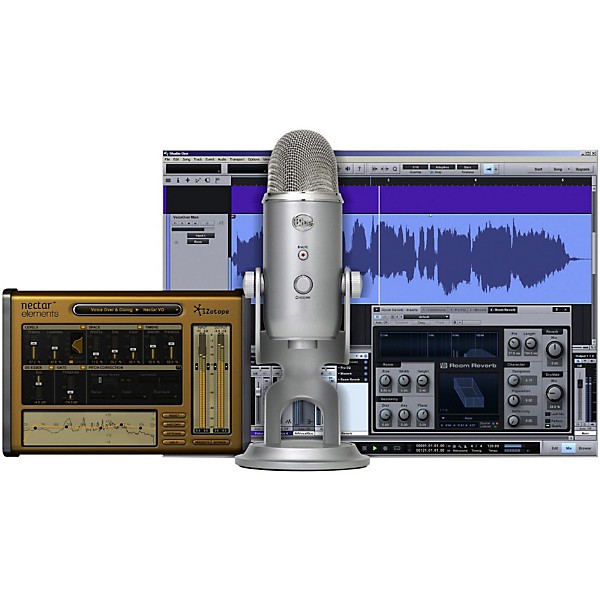
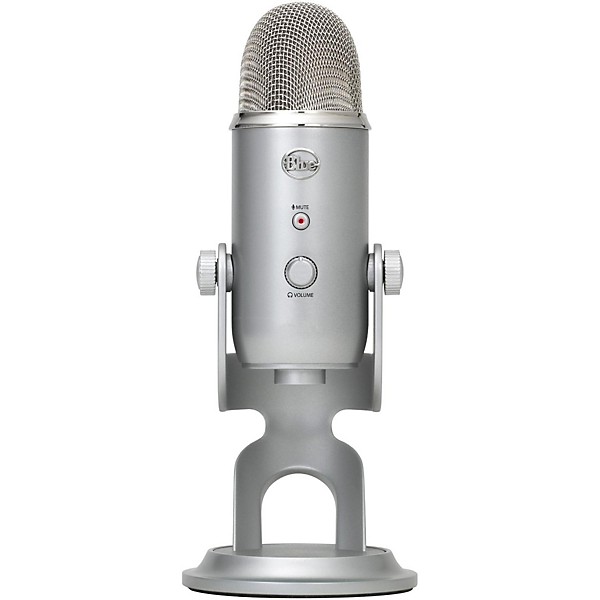
Blue Yeti Studio USB/iOS Microphone With $100 in Software
$149.99

Save on orders $199+ and get expert advice from a Gear Adviser
Need Help?

Description
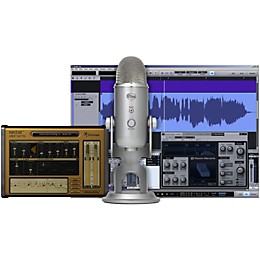
The Yeti Studio all-in-one professional vocal recording system gives you the tools to record with stunning quality and ease. Create like a pro using Yeti, the world's most popular USB mic, together with custom recording software from PreSonus and advanced studio vocal effects from iZotope. Start recording quickly with custom Yeti Studio templates for voice-overs, podcasts and music. Using Yeti Studio means more productivity, more creativity and more professional-level content.
Studio One Artist recording software
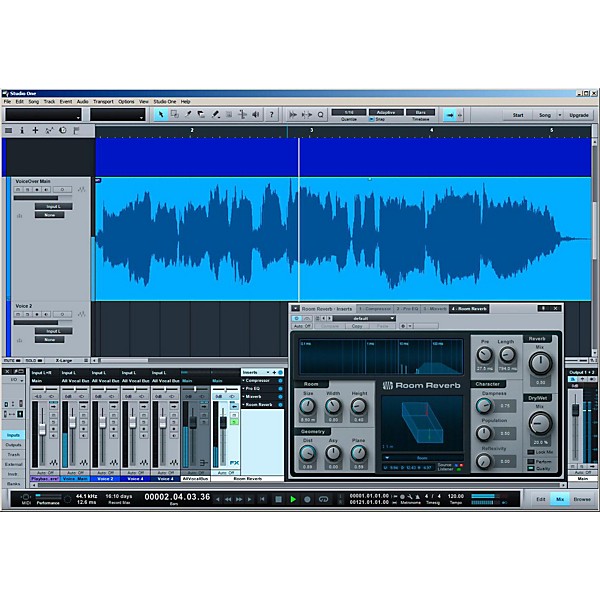
You don't need to be a famous producer to create studio-quality recordings. Yeti Studio includes PreSonus Studio One Artist Blue Microphones Edition recording software, which gives you professional tools and intuitive workflows to help you start recording fast-just hit record and go. Capture your voice for podcasts, voice-over projects or audio for YouTube videos. Stack up multiple tracks of vocals and instruments and create fully produced songs. Edit your tracks on screen with ease, and even piece together multiple takes to sculpt the perfect vocal performance. Thanks to a 32-bit audio engine with superior sound quality, you'll be able to produce professional recordings with amazing speed and precision.
Sweeten your voice with izotope nectar elements
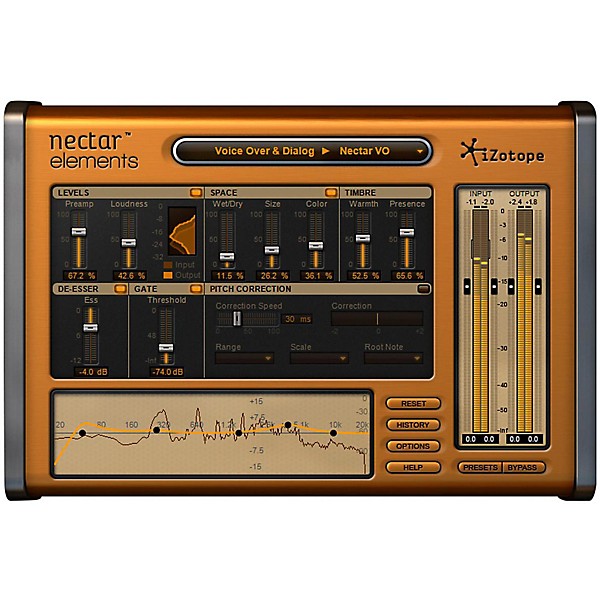
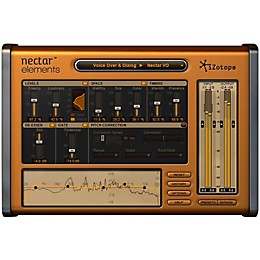
Featuring professionally designed vocal style presets tailored for a wide range of genres and applications, iZotope Nectar Elements makes it easier than ever to enhance your voice and create rich, studio-quality vocal tracks. With easy-to-use controls, Nectar features 10 sophisticated vocal processors designed to add body and depth, control volume levels, fix pitch problems, reduce "ess" sounds, minimize room noise and more.
Endless recording possibilities with Yeti
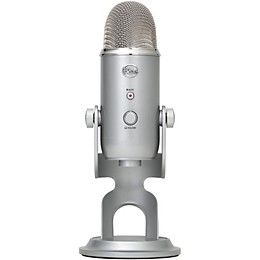
There's no recording situation that can scare away Yeti. Perfect for recording vocals, musical instruments, podcasts, voiceovers, interviews, field recordings and more, Yeti is the world's most popular USB microphone for professional recording. Yeti's unique three-capsule array lets you record with four different patterns—directional for vocals and voice-overs, bidirectional for interviews, omnidirectional for the whole band, and stereo for separate left and right audio. With Yeti, you have the flexibility you need to take on any recording scenario.
Custom templates for voice-overs, podcasts and music
Looking for the perfect vocal recording setup? You've found it. With custom templates for voice-overs, podcasts and music, Yeti Studio provides everything you need to hit the ground running with professional-quality recordings. Featuring automatic track setup and dialed-in sound processing for rich vocals and instruments, Yeti Studio makes it faster and easier than ever to record professional projects. You'll be able to record single-person speech, multi-person interviews, dialogue, instruments and more, with broadcast-quality results.
Studio One Artist recording software
You don't need to be a famous producer to create studio-quality recordings. Yeti Studio includes PreSonus Studio One Artist Blue Microphones Edition recording software, which gives you professional tools and intuitive workflows to help you start recording fast-just hit record and go. Capture your voice for podcasts, voice-over projects or audio for YouTube videos. Stack up multiple tracks of vocals and instruments and create fully produced songs. Edit your tracks on screen with ease, and even piece together multiple takes to sculpt the perfect vocal performance. Thanks to a 32-bit audio engine with superior sound quality, you'll be able to produce professional recordings with amazing speed and precision.
Sweeten your voice with izotope nectar elements
Featuring professionally designed vocal style presets tailored for a wide range of genres and applications, iZotope Nectar Elements makes it easier than ever to enhance your voice and create rich, studio-quality vocal tracks. With easy-to-use controls, Nectar features 10 sophisticated vocal processors designed to add body and depth, control volume levels, fix pitch problems, reduce "ess" sounds, minimize room noise and more.
Endless recording possibilities with Yeti
There's no recording situation that can scare away Yeti. Perfect for recording vocals, musical instruments, podcasts, voiceovers, interviews, field recordings and more, Yeti is the world's most popular USB microphone for professional recording. Yeti's unique three-capsule array lets you record with four different patterns—directional for vocals and voice-overs, bidirectional for interviews, omnidirectional for the whole band, and stereo for separate left and right audio. With Yeti, you have the flexibility you need to take on any recording scenario.
Custom templates for voice-overs, podcasts and music
Looking for the perfect vocal recording setup? You've found it. With custom templates for voice-overs, podcasts and music, Yeti Studio provides everything you need to hit the ground running with professional-quality recordings. Featuring automatic track setup and dialed-in sound processing for rich vocals and instruments, Yeti Studio makes it faster and easier than ever to record professional projects. You'll be able to record single-person speech, multi-person interviews, dialogue, instruments and more, with broadcast-quality results.
Features
- All-in-one professional recording system for vocals
- Yeti multi-pattern USB microphone
- PreSonus Studio One Artist custom-edition recording software
- iZotope Nectar Elements vocal production software
- Custom Yeti Studio templates for voice-overs, podcasts, music and more
Specs
Audio
Frequency response: 20Hz–20kHz Max SPL: Not specified Connectivity: USB
Frequency response: 20Hz–20kHz Max SPL: Not specified Connectivity: USB
- Pattern and Type
- Size and Weight
- Included Accessories
Reviews
3.18
17 Reviews
50%
of respondents would recommend this to a friend

Most Liked Positive Review
5
Love At First Sight!
When I was ready to start my own Internet Radio Station I needed a microphone so I went into my nearby Guitar Center in Country Club Hills, Illinois. As I walked in in the corner of my eye to the left as if it called me my sight focused on something that I had never seen before. It was a round brushed aluminum Blue Snowball USB Microphone - and it was love at first sight. I had to have it so I made the deal that launched my Internet Radio Broadcasting Career and one of the best moves ever - that is until I upgraded to my Yeti! Now with 4 active popular Internet radio stations one of which simulcasts on AM Radio in Chicago Blue Microphones are the standard for nearly all of my on air personalities as we broadcast Live 12+ hours a day 7 days a week, and I still use my Blue Snowball on live remote broadcasts and wouldn't think of anything else!
VS
Most Liked Negative Review
3
Peaks out easily! 16 bit only!
I use this for voiceover stuff. At a normal distance, speaking in a strong male voice, this thing peaks out. How far away do I need to be? So far that the noise-floor rises sharply, due to it peaking out every time I voice a word with an "aa" in it like apple. Thumbs down.
Filters
Best Uses
- Amateur Recording6
- Home Studio6
- Professional Recording3
- Outdoor Events / Games1
- Performances1
Cons
- Limited Functions3
- Not Durable3
- Bulky/Heavy2
- Pricey / Poor Value2
- Poor Sound Quality1
Describe Yourself
- Experienced7
- Professional Musician4
- Novice2
Pros
- Easy To Use6
- Good Audio5
- Versatile3
- Compact2
- Durable2
Reviewed by 17 customers
Extremely good USB mic
submitted7 years ago
byJumpman productions
fromNashua, NH
This is an Excellent USB MIC. The sound is very clear, has low self-noise, and gives a rich full sound. The poor reviews I read are nothing to go by... The issues are clearly due to lack of experience and knowledge. If you hear your pick from across the room, the gain on the mic is way too high and the master gain on whatever DAW or analog mixer is also set too high. They probably are using the wrong polarity setting as well. Either way, the gain is definitely too high. I own this Mic and it sounds just fine.
I would definitely get this product again
Verified Buyer
submitted8 years ago
byJabralon
fromundisclosed
I really love this product
Good for the Purpose
Verified Buyer
submitted8 years ago
byGlenn
fromundisclosed
I use the Yeti for Vocal recordings, primarily Singing. I followed the advise of one of the reviewers about input settings to minimize how hot the microphone was, and have been pleased with the results. I have not used the software that came with the microphone, as Garageband seems suffice for my current purposes, so I cannot speak to the usability from that aspect. I do note that at times, the microphone overrides the Headphone jack on the computer, so you have to use the headphone jack on the microphone in order to monitor the sound, but that is a little detail, though if you aren't aware of it, I can see that being an issue. Other than that little quirk, it has worked out well for me.
Blue yeti pro usb microphone
Verified Buyer
submitted8 years ago
byROCKSTAR JON
fromSpring, Texas
Love it
Broke within 2 minutes
submitted8 years ago
byTJV
fromCharlotte, NC
Purchased the mic in-store. Went home, plugged it into my MacBook Pro, and installed the software that it came with. The red light came on, and it was recognized by my computer. Testing it out, I recorded just my vocals for about 30 seconds. All of a sudden I get a horrible screeching sound. The microphone turns off, and will not turn back on. A lot of users blame this on the bad-quality USB cable it comes with. So I go get a new USB cable, and it still doesn't work. All in all this has been a terrible experience. This microphone uses USB 2.0 technology with 5-pins, which is SUPER fragile, especially compared to commonly available USB C and 3.0 tech. I'm super disappointed in my purchase, and think this product should be replaced with newer tech asap. Please note that this microphone is from ~2014, so you're talking 4 years outdated compared to other tech. I'm returning this immediately.
USB Placement - Poor Design
submitted8 years ago
byDanE
fromGrand Rapids, MI
The USB is very fragile due to its placement and positioning (rotating) the microphone. Over time, the USB connection will fail. It happened to me, and many others per "how to replace/repair USB connection on-line.
Q&A
Have a question about this product? Our expert Gear Advisers have the answers.
submitted6 years ago
asked byNize
fromHolland Michigan
Why doesn't the yeti blackout come with nectur elements I wanted the izotope nectur elements for mastering instead I received izotope ozone which it says I have to pay for with the blue yet silver does one have to pay for that as well?
Features All-in-one professional recording system for vocals Yeti multi-pattern USB microphone PreSonus Studio One Artist custom-edition recording software iZotope Nectar Elements vocal production software Custom Yeti Studio templates for voice-overs, podcasts, music and moresubmitted6 years ago
asked byNize
fromHolland Michigan
What's the difference between the blue yeti studio and the black blackout version?
Basically the housing. the blackout version is a limited run color.submitted6 years ago
asked byNic
fromSalem or
I want to use this for interview podcasting. Does the program allow for a second usb mic to be added and mixed together with the first.
As long as you have the right amount of inputs for it, you can run them.submitted6 years ago
asked byMia
fromFLORIDA
Can it be used on an Ipad? Does ir come wirh everything pictured?
Yes it can, you would need the adapter to connect them together. And yes it does come with everything pictured.submitted6 years ago
asked byStephanie
fromSherman, TX
My laptop with the installed software has crashed. How do I get the software to install on a new computer? Thank you.
Please contact a Customer Service Agent for trouble shooting inquiriessubmitted6 years ago
asked bySilent Knight
fromFlorence, South Carolina
What all is included in this package and would I need any additional equipment to go along with it?
It's everything you would need to record using the mic. If you're wanting to record instruments directly then you would need an interface.submitted7 years ago
asked byOmar
fromCA
Is the software and mic compatible with a Mac book pro and does the Mic have good reprising quality?
Yes, it will be compatible. Blue mics are very good qualitysubmitted7 years ago
asked byDaniel
fromRI
What are the requirements for a computer to run the software?
Mac: G4 1.25GHz or Intel Core Solo 1.5GHz processor, 1GB RAM, OS 10.4.11, 10.5.2 or higher. Windows: Intel Pentium 4 1.6GHz or AMD Athlon 64 (Turion) processor, 1GB RAM, Windows XP, Vista or 7.
Be the first to know about exclusive offers, tips and more.

866-498-7882 English
877-687-5402 Español