

StudioMonitorsMixing


Pro Gear Advisers
•866-498-7882
Guitars
Guitars
Amps & Effects
Amps & Effects
Used & Vintage
Keyboards & MIDI
Keyboards & MIDI
Drums
Drums
DJ Equipment
DJ Equipment
Basses
Basses
Recording
Recording
Live Sound
Live Sound
Accessories
Accessories
Mics & Wireless
Mics & Wireless
Music Software
Music Software
Lighting
Lighting
- Popular Brands
Band & Orchestra
Band & Orchestra
Platinum Gear
Deals
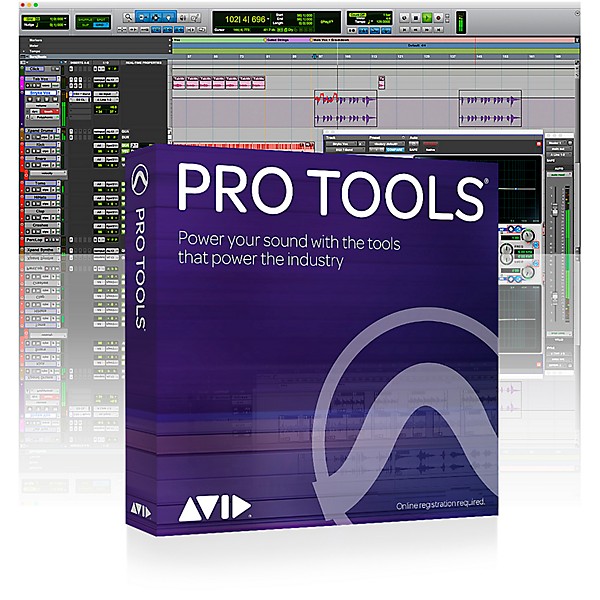
Avid Pro Tools Perpetual + 1 Year of Updates & Support (Download)
$599.00

Need Help?

Description
Power your sound with the tools that power the industry. Create music or sound for film/TV and connect with a premier network of artists, producers and mixers around the world.
Get More From the Cloud
With the latest release, you can now work with up to 10 collaborators in the cloud on a single project, including Pro Tools | First users. You can also choose to save projects locally or in the cloud using Selective Project Sync, giving you easy access to all of your cloud-based work from any Pro Tools-equipped computer—from anywhere you log into your account. And if you need more storage, you can now expand your cloud space for a low monthly fee.
Find the Right Sounds Fast
Need to find that perfect beat, groove, style or sound for your project? Soundbase makes it a snap to browse, search, audition, explore and experiment with loops, samples and sound effects from nearly any sound library. This new Workspace pane provides customizable tag filtering, so you can find what you need quickly. Search your libraries by instrument, genre, tempo, key, time signature and your own tags. And hear how content sounds in sync with your tracks.
Inspire and Accelerate Music Creation
Get access to the latest loops created by the industry’s leading producers and sound designers. Pro Tools now comes with a 2GB high-quality loop library from Loopmasters to wake up your mix and give projects that sonic edge. Whether you need a rhythm section, a cool riff, instrumental accompaniment or just something to help you get started, you’ve got hundreds of mini musical works, waiting to be discovered. And it’s easy to find and audition loops with Soundbase.
Experiment and Share New Ideas
Wish you could try out something creatively, but easily go back to a previous version of your project if you change your mind? Now you can. With Project Revisions, you can explore new versions of a song or soundtrack, make notes, share ideas with others, and quickly jump back to any previous state from anywhere—without having to worry about breaking anything. That’s because Pro Tools keeps all version history, audio files, notes and other data organized for you.
Edit Playlists More Easily
It’s now easier than ever to access and manage Pro Tools’ powerful playlists. Quickly switch between playlists with new key commands. Know if you have multiple playlists on a given track with new visual indicators. And automatically send overlapped clips to new or existing playlists.
Edit Layers of Audio More Easily
If you work in post, positioning countless audio clips to picture, you probably have multiple clips that overlap on a track. With new enhancements to the way Pro Tools handles such clips, editing audio is easier than ever. Clear only overlaps. Heal clips when removing one that overlaps two. Trim the starts and ends of two overlapping clips. Modify behaviors. And more. In addition, Pro Tools supports Clip Effects playback (editing requires Pro Tools | HD).
Adjust Fades More Easily
You can now quickly adjust a fade in, fade out, or crossfade's shape directly in the Edit window using the Smart Tool. Simply position your cursor over any clip’s fade area until it changes to the corresponding fade or crossfade cursor. Then click and drag left or right to change the fade's shape and slope.
Collaborate in the Cloud
Imagine being able to work on a session with friends, colleagues, or your favorite artist or producer with ease—no matter where they are in the world. You can with Avid Cloud Collaboration for Pro Tools. Record, edit, and mix projects with others as if you’re all working together in the same studio. And find new collaborators through the online Avid Artist Community.
Get Track Freeze, Commit and Bounce
Processor-hungry virtual instruments can impact system performance. And sharing sessions used to require that everyone have the same plug-ins. No more. With Track Freeze, you can quickly freeze or unfreeze all plug-ins on a track—or just up to a certain insert—to free up processing power. Track Commit is similar except it renders the track (or an edit selection) permanently. And with Track Bounce, you can render out stems for fast-and-easy file delivery.
Access Upgrades, Bonus Plug-ins and More
Get access to all new Pro Tools releases, expert help and a bonus collection of plug-ins with a Pro Tools subscription. With a new perpetual license purchase, you get access to all new releases and bonus plug-ins included for one year. Then renew your Annual Upgrade Plan to stay current, and maintain your plug-in access with the Plug-in and Support Plan. You can also upgrade an older version of Pro Tools by purchasing an Upgrade Reinstatement Plan.
Get More From the Cloud
With the latest release, you can now work with up to 10 collaborators in the cloud on a single project, including Pro Tools | First users. You can also choose to save projects locally or in the cloud using Selective Project Sync, giving you easy access to all of your cloud-based work from any Pro Tools-equipped computer—from anywhere you log into your account. And if you need more storage, you can now expand your cloud space for a low monthly fee.
Find the Right Sounds Fast
Need to find that perfect beat, groove, style or sound for your project? Soundbase makes it a snap to browse, search, audition, explore and experiment with loops, samples and sound effects from nearly any sound library. This new Workspace pane provides customizable tag filtering, so you can find what you need quickly. Search your libraries by instrument, genre, tempo, key, time signature and your own tags. And hear how content sounds in sync with your tracks.
Inspire and Accelerate Music Creation
Get access to the latest loops created by the industry’s leading producers and sound designers. Pro Tools now comes with a 2GB high-quality loop library from Loopmasters to wake up your mix and give projects that sonic edge. Whether you need a rhythm section, a cool riff, instrumental accompaniment or just something to help you get started, you’ve got hundreds of mini musical works, waiting to be discovered. And it’s easy to find and audition loops with Soundbase.
Experiment and Share New Ideas
Wish you could try out something creatively, but easily go back to a previous version of your project if you change your mind? Now you can. With Project Revisions, you can explore new versions of a song or soundtrack, make notes, share ideas with others, and quickly jump back to any previous state from anywhere—without having to worry about breaking anything. That’s because Pro Tools keeps all version history, audio files, notes and other data organized for you.
Edit Playlists More Easily
It’s now easier than ever to access and manage Pro Tools’ powerful playlists. Quickly switch between playlists with new key commands. Know if you have multiple playlists on a given track with new visual indicators. And automatically send overlapped clips to new or existing playlists.
Edit Layers of Audio More Easily
If you work in post, positioning countless audio clips to picture, you probably have multiple clips that overlap on a track. With new enhancements to the way Pro Tools handles such clips, editing audio is easier than ever. Clear only overlaps. Heal clips when removing one that overlaps two. Trim the starts and ends of two overlapping clips. Modify behaviors. And more. In addition, Pro Tools supports Clip Effects playback (editing requires Pro Tools | HD).
Adjust Fades More Easily
You can now quickly adjust a fade in, fade out, or crossfade's shape directly in the Edit window using the Smart Tool. Simply position your cursor over any clip’s fade area until it changes to the corresponding fade or crossfade cursor. Then click and drag left or right to change the fade's shape and slope.
Collaborate in the Cloud
Imagine being able to work on a session with friends, colleagues, or your favorite artist or producer with ease—no matter where they are in the world. You can with Avid Cloud Collaboration for Pro Tools. Record, edit, and mix projects with others as if you’re all working together in the same studio. And find new collaborators through the online Avid Artist Community.
Get Track Freeze, Commit and Bounce
Processor-hungry virtual instruments can impact system performance. And sharing sessions used to require that everyone have the same plug-ins. No more. With Track Freeze, you can quickly freeze or unfreeze all plug-ins on a track—or just up to a certain insert—to free up processing power. Track Commit is similar except it renders the track (or an edit selection) permanently. And with Track Bounce, you can render out stems for fast-and-easy file delivery.
Access Upgrades, Bonus Plug-ins and More
Get access to all new Pro Tools releases, expert help and a bonus collection of plug-ins with a Pro Tools subscription. With a new perpetual license purchase, you get access to all new releases and bonus plug-ins included for one year. Then renew your Annual Upgrade Plan to stay current, and maintain your plug-in access with the Plug-in and Support Plan. You can also upgrade an older version of Pro Tools by purchasing an Upgrade Reinstatement Plan.
Features
- Up to 10 cloud collaborators on a single project
- Explore new song ideas with Track Revisions
- Soundbase loop and sample browser with project tempo playback
- Track freeze, commit and bounce
- 2GB high-quality loop library from Loopmasters
Reviews
4.67
3 Reviews
100%
of respondents would recommend this to a friend
Filters
Best Uses
- Multimedia1
Computer Platform
- Mac2
Cons
- Difficult to Navigate2
Primary use
- Business2
Pros
- Easy To Collaborate Across Programs1
- Versatile1
Reviewed by 3 customers
PT 2021.6
submitted4 years ago
byJon P.
fromLas Vegas
I have Logic Pro X, Nuendo (since 2006), recently LUNA, and more recently Pro Tools 2021. The reason Pro Tools is the industry standard in not because of it's 'ease of use', it is because of the routing capabilities which now include 'delay compensation' for SC/Sends in Native Standard. Setting up a template for a 24 track session is much more involved than Nuendo, all the functions and tools have different names/locations while the tools all have different pictures to describe their function, so after you figure it out, save a list of blank templates for specific tasks so yo don't have to go through the whole ordeal every time. So far it is solid on my backward compatible 20 core UAD system with a 12 core Mac (Late 2013), as long as you stop it while adding plugins. With the UAD console in front, no recording latency, which is huge for native.
I couldn't get it to authorize, then these steps worked
submitted4 years ago
byVader, Darth P. Diddy Jones the III
fromAnn Arbor, MI
Hopefully this helps someone out there who might have the same trouble as me. I bought the download here from GC. Waited hours for the code...turns out it ended up in my Promotions tab in Gmail, instead of Updates or my Inbox where it usually goes. Check your spam too. Once I found that code, it seemed there were no instructions on how or where to use it. Downloaded the iLok License Manager, downloaded and installed Pro Tools Perpetual, all the above, still nothing. Through a random guess really, I found out you have to log into AVID's site and then redeem the code there. From that point you can go in there and register the product and only then was I able to get Pro Tools Perpetual to actually boot up and load.
Great product minor issues
submitted5 years ago
byJP
fromCT
Avid pro tools has been a great product to use but configuration is difficult. At first my Pro Tools was not working until I finally got it resolved
- Previous
- 1
- Next
Q&A
Have a question about this product? Our expert Gear Advisers have the answers.
submitted4 years ago
asked byJohn
fromNew England
How much does the renewal cost?
Please give us a call if you would like some help 855-770-3373. Please contact Avid.submitted4 years ago
asked byDennis
fromSt. Louis Mo
If I have a laptop and a desktop, will I be able to use this one purchase to download on both?
Yes you cansubmitted5 years ago
asked byDoug
fromLouisville
Will I lose songs created with pro tools 8 saved on computer after upgrade?
No. They will convert over.submitted6 years ago
asked byJosh
fromBelton, Mo
Does pro tools work with iPad?
No.submitted6 years ago
asked byThunda
fromDuluth GA
Is it pc compatible and what are the min specs if it is?
Intel PC running Windows 8.1 64-bit or higher. Note: Windows 7 is not tested or supported with Pro Tools 2018. Intel Core i5 processor (Pro Tools Standard); Intel Xeon processor (Pro Tools Ultimate) 16GB of RAM; 32GB or more is recommended Internet connection for installation At least 15GB of hard drive space for installation USB port for iLok license authorization (iLok 2 or iLok 3 dongle required) USB-port, FireWire-port for ASIO-supported audio interface or PCIe slot for HDX or HD Native card (including one power connection on motherboard). 64-bit AAX plug-in supportsubmitted6 years ago
asked byOlschoolmike
fromRomulus Mi.
Is this version in a HD format
This version is in an HD format.submitted7 years ago
asked byDelliyo
fromSt.louis,Mo
can files recorded in pro tools 8 be opened with the newer version of pro tools ?
Yes they can.submitted7 years ago
asked byA G
fromatlanta GA
I want to buy a mac computer to support my ProTools, what are the minimum specs for optimum performance?
Pro Tools 8.0 software requires Mac OS X 10.5.5 or higher, and is not compatible with earlier versions of Leopard, Mac OS X 10.4 (Tiger) or earlier versions of Mac OS X.
Be the first to know about exclusive offers, tips and more.

866-498-7882 English
877-687-5402 Español