
Gear SpecialistBundlingMusician


Pro Gear Advisers
•866-498-7882
Guitars
Guitars
Amps & Effects
Amps & Effects
Used & Vintage
Keyboards & MIDI
Keyboards & MIDI
Drums
Drums
DJ Equipment
DJ Equipment
Basses
Basses
Recording
Recording
Live Sound
Live Sound
Accessories
Accessories
Mics & Wireless
Mics & Wireless
Music Software
Music Software
Lighting
Lighting
- Popular Brands
Band & Orchestra
Band & Orchestra
Platinum Gear
Deals
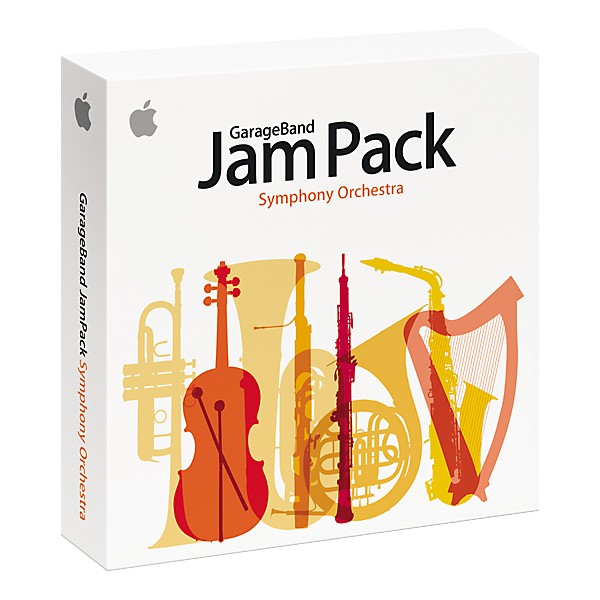
Apple Jam Pack Symphony Orchestra
$99.00

Save on orders $199+ and get expert advice from a Gear Adviser
Need Help?

Description
The Apple Jam Pack Symphony Orchestra puts the instruments of the symphony at your command! Build orchestral themes using over 2000 prerecorded loops in different styles and tempos, including symphonic, chamber, and solo performances. You can also use the loops and samples in this sound collection individually to enhance songs in any genre.
Strings
Conduct a virtual orchestral string section with first and second violins, violas, cellos, and double basses. Control the dynamics and expression of each instrument, as well as articulations such as staccato, tremolo, and trills.
Brass and Woodwinds
Arrange woodwind and brass sections with flutes, oboes, French horns, trumpets, trombones, tubas, and more. Play solo instruments or entire sections for a fuller sound. You can even control the playing style of individual instruments.
Keyboards and Percussion
Includes full church organs, a Steinway piano, and harpsichord. Or enhance your song using a wide selection of pitched and unpitched percussion instruments including timpani, bells, gongs, celesta, xylophone, marimba, and more.
Strings
Conduct a virtual orchestral string section with first and second violins, violas, cellos, and double basses. Control the dynamics and expression of each instrument, as well as articulations such as staccato, tremolo, and trills.
Brass and Woodwinds
Arrange woodwind and brass sections with flutes, oboes, French horns, trumpets, trombones, tubas, and more. Play solo instruments or entire sections for a fuller sound. You can even control the playing style of individual instruments.
Keyboards and Percussion
Includes full church organs, a Steinway piano, and harpsichord. Or enhance your song using a wide selection of pitched and unpitched percussion instruments including timpani, bells, gongs, celesta, xylophone, marimba, and more.
Specs
- System Requirements:
- A Macintosh computer with a PowerPC G4 or greater processor
- At least 512 megabytes (MB) of RAM; 1 gigabyte (GB) recommended
- Mac OS X version 10.3
- QuickTime 6.5.2 or higher
- DVD drive for installation
- 12 GB of available disk space available to install the Symphony Orchestra media
- GarageBand 2, Logic Express 7, or Logic Pro software; GarageBand Jam Pack: Symphony Orchestra is not fully supported if using GarageBand 1.
Reviews
Be the first to review the Product
Q&A
Have a question about this product? Our expert Gear Advisers have the answers.
No results but…
You can be the first to ask a new question.
It may be Answered within 48 hours.
Be the first to know about exclusive offers, tips and more.

866-498-7882 English
877-687-5402 Español