


DigitalPianistSynths


Pro Gear Advisers
•866-498-7882
Guitars
Guitars
Amps & Effects
Amps & Effects
Used & Vintage
Keyboards & MIDI
Keyboards & MIDI
Drums
Drums
DJ Equipment
DJ Equipment
Basses
Basses
Recording
Recording
Live Sound
Live Sound
Accessories
Accessories
Mics & Wireless
Mics & Wireless
Music Software
Music Software
Lighting
Lighting
- Popular Brands
Band & Orchestra
Band & Orchestra
Platinum Gear
Deals
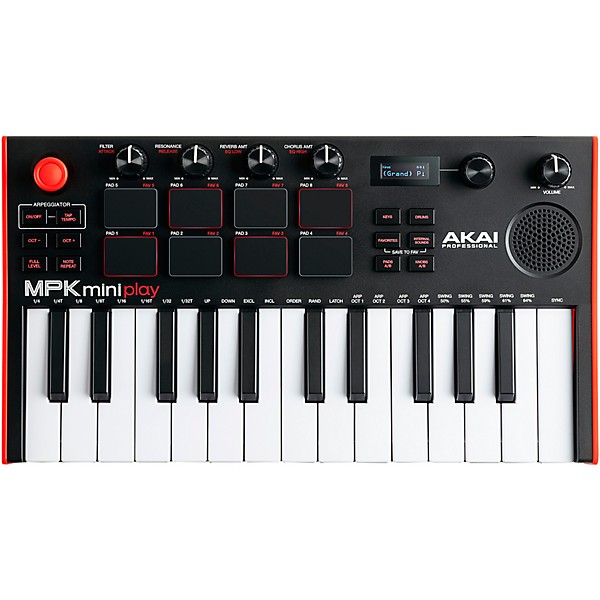
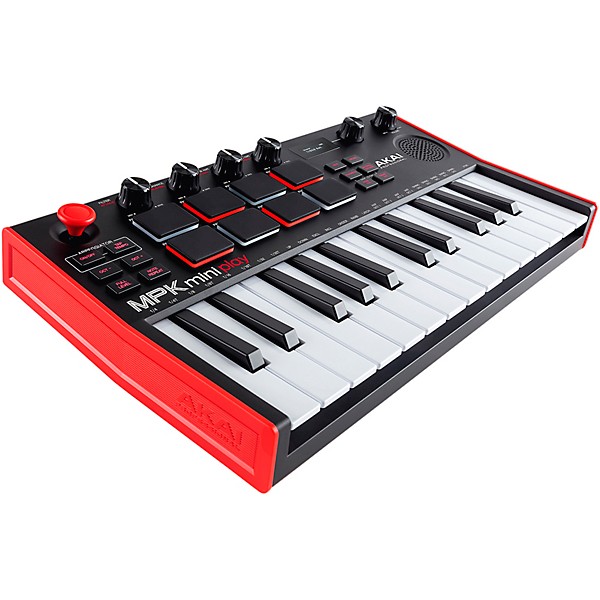
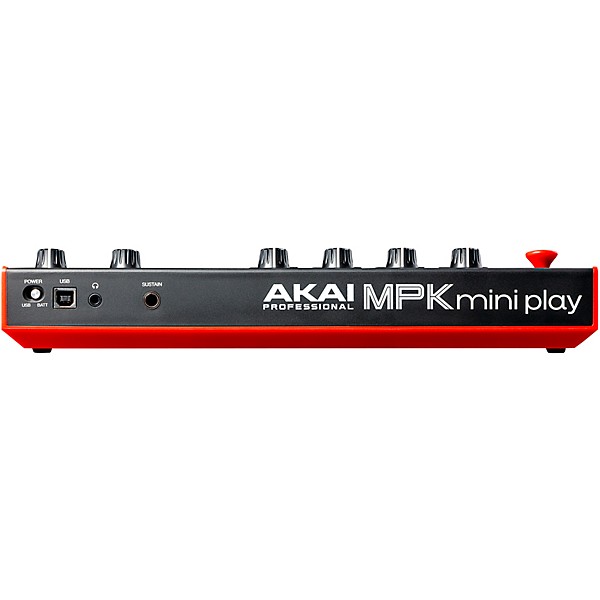
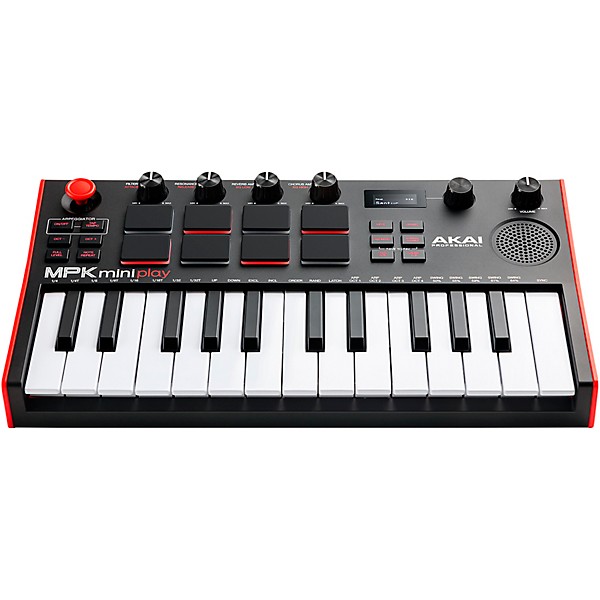
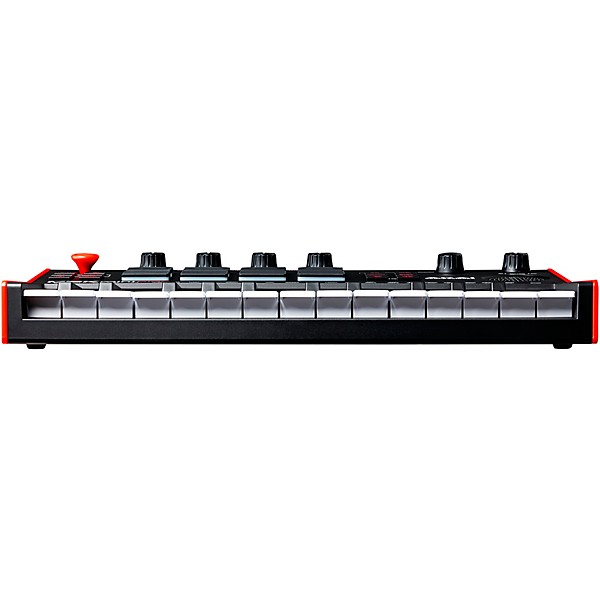
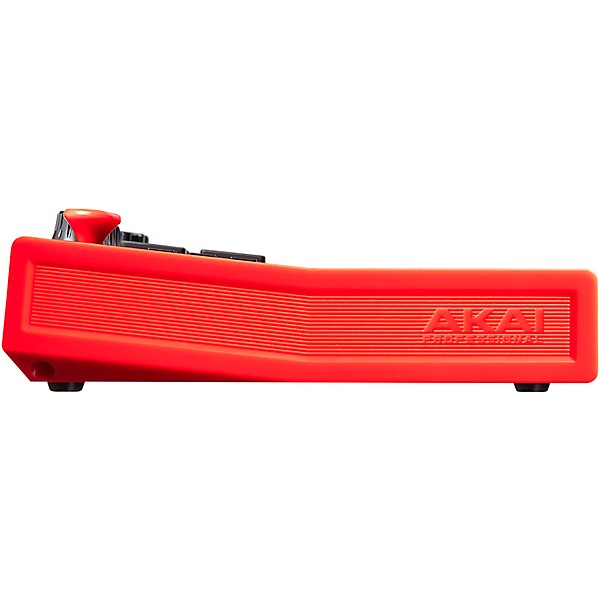
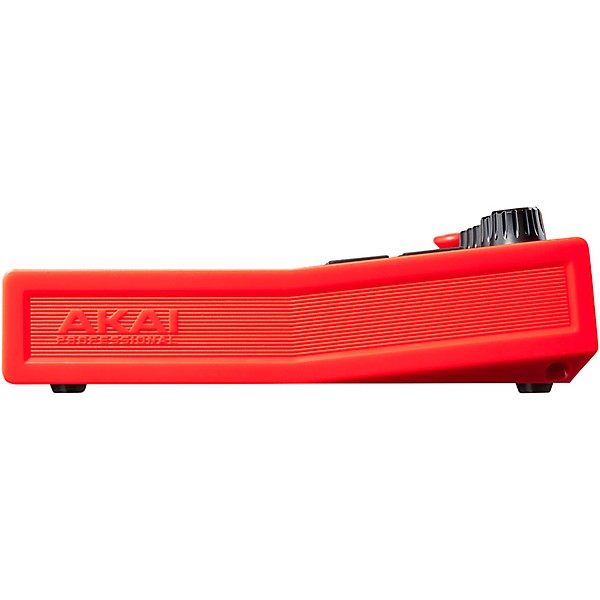
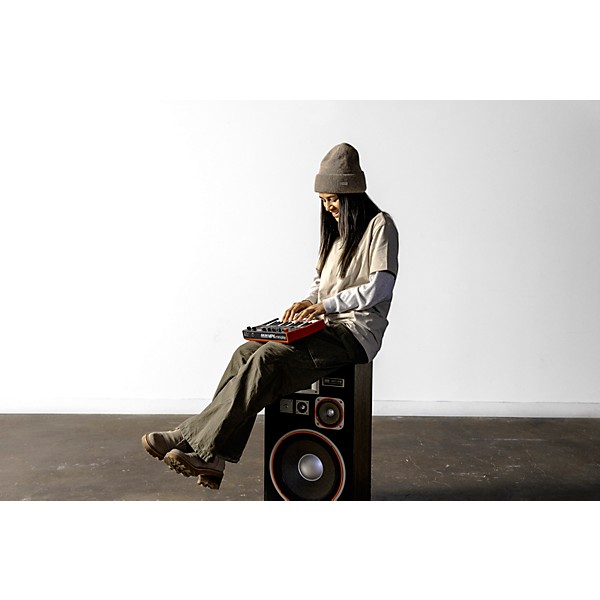
Akai Professional MPK mini play mk3 Mini Controller Keyboard With Built-in Speaker
$113.52$129.00Save: $15.48 (12%)
6-month special financing^ + $5 back in Rewards** Limited time Learn More

Protect your gearLearn more
Cover drops, spills or cracks with Pro Coverage

Need Help?
Videos (4)
View All
Akai Pro & Native Instruments | Seamlessly Integrated

MPK mini play mk3 | Play Music Anywhere
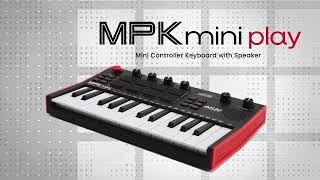
MPK mini play Keyboard & MIDI Controller

How To Setup Your MPK mini play

Description
The MPK mini play mk3 by Akai Professional is the ideal portable companion to capture melodies and harmonies anywhere that inspiration strikes. With battery-operated performance lasting over 14 hours, the MPK mini play eases the worry of power adapters, chargers or cables when it’s time to create. The upgraded built-in speaker delivers increased output and an added low-end response. With an improved listening experience, users can dive into the 128+ onboard instruments and drum kits, including acoustic and electric pianos, synth leads and pads and more. The 1/8" headphone output jack allows for quiet practicing or songwriting.
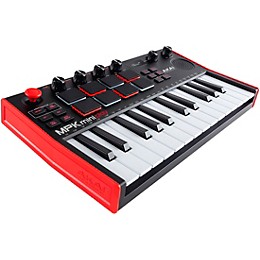
At the heart of the MPK mini play is the new Gen 2 keybed. This new keybed delivers dynamic performances and accurate velocity response with a feel that players will certainly appreciate. While it maintains its sleek, compact footprint, MPK mini play is more playable and comfortable than ever and ready for hours of playing. The 8 pads have been upgraded to real, velocity-sensitive MPC drum pads, offering optimal feel and response for even the most percussive drum parts. With Class Compliant, plug-and-play capability, MPK mini Play doubles as a powerful MIDI controller and instantly connects to your favorite DAW for immediate music production duties. Four assignable rotary encoder knobs offer versatile control of MIDI parameters like pan or automation for super-precise editing. With its sturdy construction and build, MPK mini play is ready to travel securely alongside any favorite music production items in backpacks or bags.
The MPK mini play comes bundled with MPC Beats, the powerful music-making and recording desktop software DAW for Mac and PC, based on the iconic MPC hardware. This DAW features a full array of musical instrument plug-ins, effect plug-ins and audio and drum samples ready for your next hit production. In addition to MPC Beats, MPK mini play also includes multiple world-class plug-in instruments from award-winning sound design company AIR Music Technology. Available in both AU and VST are Hybrid 3—a powerful polyphonic analog synth, Mini Grand—an acoustic piano instrument, and Velvet—a vintage electric piano instrument.
MPK mini play comes with a Melodics educational package. Available as both a desktop and iPad app, Melodics features instruction for MIDI keyboards, pad controllers and e-drums, offering tailored cross-genre lessons and real-time feedback designed to help refine necessary music creation skills. The free Melodics download includes 60 lessons to get started and with plug-and-play support, no extensive set-up is required. Sign up for Melodics with your new MPK mini play and discover fun, engaging music performance training and education.
Choose Your Exclusive NI bundle
Akai Professional and Native Instruments have partnered together to bring NKS integration to the MPK Controller series, including the world’s most popular MPK mini MK3, mini play, mini plus and MPK249. Experience the seamless connection between your MPK controller and NI’s legendary sounds with NKS for yourself with your free Komplete 15 Select Bundle of synths, sampled instruments and studio effects—all ready to Kontrol with your MPK.
At the heart of the MPK mini play is the new Gen 2 keybed. This new keybed delivers dynamic performances and accurate velocity response with a feel that players will certainly appreciate. While it maintains its sleek, compact footprint, MPK mini play is more playable and comfortable than ever and ready for hours of playing. The 8 pads have been upgraded to real, velocity-sensitive MPC drum pads, offering optimal feel and response for even the most percussive drum parts. With Class Compliant, plug-and-play capability, MPK mini Play doubles as a powerful MIDI controller and instantly connects to your favorite DAW for immediate music production duties. Four assignable rotary encoder knobs offer versatile control of MIDI parameters like pan or automation for super-precise editing. With its sturdy construction and build, MPK mini play is ready to travel securely alongside any favorite music production items in backpacks or bags.
The MPK mini play comes bundled with MPC Beats, the powerful music-making and recording desktop software DAW for Mac and PC, based on the iconic MPC hardware. This DAW features a full array of musical instrument plug-ins, effect plug-ins and audio and drum samples ready for your next hit production. In addition to MPC Beats, MPK mini play also includes multiple world-class plug-in instruments from award-winning sound design company AIR Music Technology. Available in both AU and VST are Hybrid 3—a powerful polyphonic analog synth, Mini Grand—an acoustic piano instrument, and Velvet—a vintage electric piano instrument.
MPK mini play comes with a Melodics educational package. Available as both a desktop and iPad app, Melodics features instruction for MIDI keyboards, pad controllers and e-drums, offering tailored cross-genre lessons and real-time feedback designed to help refine necessary music creation skills. The free Melodics download includes 60 lessons to get started and with plug-and-play support, no extensive set-up is required. Sign up for Melodics with your new MPK mini play and discover fun, engaging music performance training and education.
Choose Your Exclusive NI bundle
Akai Professional and Native Instruments have partnered together to bring NKS integration to the MPK Controller series, including the world’s most popular MPK mini MK3, mini play, mini plus and MPK249. Experience the seamless connection between your MPK controller and NI’s legendary sounds with NKS for yourself with your free Komplete 15 Select Bundle of synths, sampled instruments and studio effects—all ready to Kontrol with your MPK.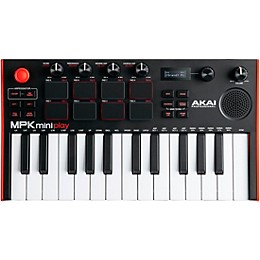
Features
- Battery powered with premium 25-key Gen 2 dynamic keybed
- Larger speaker with increased volume and low-end response
- Assignable joystick
- OLED display for visual feedback
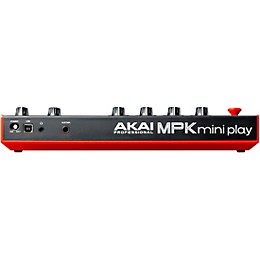
- 1/8" headphone output jack
- USB port for plug-and-play class-compliant MIDI controller functionality

WARNING: This product can expose you to chemicals including Diisononyl phthalate (DINP), which is known to the State of California to cause cancer. For more information go to www.P65Warnings.ca.gov
Specs
General
- Type: MIDI controller
- Keys: 25
- MPC drum pads: 8
- MIDI control knobs: 4
- Drum and instrument modes: 100+
- Headphone output: 1/8"
- Built-in speakers: Yes
- Power: Battery or USB
- Battery life: 14+
Featured Articles
Reviews
5
9 Reviews
100%
of respondents would recommend this to a friend

Filters
Best Uses
- Practicing6
- I create beats to incorporate with my DJ Gigs.1
- Writing music1
- Table hooter1
Cons
- Difficult To Use1
- The speaker bites1
Describe Yourself
- Novice4
- Experienced3
- Child1
- Professional Musician1
Pros
- Easy To Use8
- Functional7
- Good Quality6
- Improves Sound1
- Red and Black1
Reviewed by 9 customers
Great controller
Verified Buyer
submitteda year ago
byPJ
fromRichmond va
Submitted as part of a sweepstakes
I was on the fence between the Akai mini play or the arturia keystep in the same price range. I really like that you don't have to be connected to a computer to use the Akai mini play. The headphone jack and onboard sounds are a huge plus for me. I'm primarily a guitar player so this controller is just to add some arrangement ideas to recorded tracks. This is a great choice for that purpose. The only draw back is that you can't loop the arpeggiator but you can do that in a DAW if needed.
Works perfectly for a church choir
Verified Buyer
submitteda year ago
byBob
fromCleveland, OH
Submitted as part of a sweepstakes
I primarily use this to give leading notes in a church choir. The compact size allows it to fit on my music stand along with my music, and the volume controls are perfect to enable others to hear without being picked up on the mics. Moreover, we have some microtonal voicings in our music, and the ability to hit those using the control stick is a game-changer. The pads are responsive and sturdy. The octave changer works well and quickly enables great range. There's so much that can be done with this tiny thing, and I can't wait to play with it more!
I highly recommend this product.
Verified Buyer
submitteda year ago
byDean
fromRohnert Park, CA
Submitted as part of a sweepstakes
Fun and really cool product. I created my first beat and had fun with this instrument.
Easy to learn controls, good software package.
Verified Buyer
submitteda year ago
byChris
fromSalt Lake City Ut
Submitted as part of a sweepstakes
Bought it for my 10 year old and he loves it.
I would buy again
Verified Buyer
submitteda year ago
byKodi
fromPalm desert
Submitted as part of a sweepstakes
It's fun, I'm not very tech savvy so I'm sure I'm not getting the most out of the machine
Good for creating
Verified Buyer
submitted2 years ago
byAnatol
fromPhiladelphia, Pa
Submitted as part of a sweepstakes
Easy to use. Just don't understand for what there is speaker, as the sound is very low
Q&A
Have a question about this product? Our expert Gear Advisers have the answers.
submitted10 months ago
asked byReddz
fromWaldorf Md
How many tracks can I record
Two tracks.submitteda year ago
asked byJim
fromSacramento, Ca.
Does it record and store what you play on it? In other words does it store what you create with it?
No, it doesn't.submitteda year ago
asked byJen
fromArlington, TX
Can you record your piano music and drum beats at the same time? What about vocals?
No, it won't record accompaniment.submitted2 years ago
asked byJoe
fromTexas
Are you able to add/download additional keyboard sounds?
No not on this.submitted2 years ago
asked byEric
fromSavannah, GA
Do you need an external item to create a loop, or does it have that feature built in?
Yes you do. I will have a product specialist contact you with options.submitted2 years ago
asked byKel
fromHanover, PA
Do you need a midi interface to use this or is it ready right out the box to connect to pc?
No, ready to go out of the box.submitted3 years ago
asked byfkntecknologyhater
fromca
Why does it have a speaker if it has no audio output capability
I apologize for the confusion. It has audiosubmitted3 years ago
asked byKim
fromColorado
Is there an AC power cord?
Unfortunately, no. Please give us a call to help you find something – 855-770-3373submitted3 years ago
asked bymordy
frombrooklyn ny
can i use this without connecting it to a computer
No. Please give us a call to better help you out – 855-770-3373submitted3 years ago
asked byCristina
fromNew York
Does this come with sustain pedal? Do you price match?
Yes, we price match. Pedal not included
Be the first to know about exclusive offers, tips and more.

866-498-7882 English
877-687-5402 Español