


DigitalPianistSynths


Pro Gear Advisers
•866-498-7882
Guitars
Guitars
Amps & Effects
Amps & Effects
Used & Vintage
Keyboards & MIDI
Keyboards & MIDI
Drums
Drums
DJ Equipment
DJ Equipment
Basses
Basses
Recording
Recording
Live Sound
Live Sound
Accessories
Accessories
Mics & Wireless
Mics & Wireless
Music Software
Music Software
Lighting
Lighting
- Popular Brands
Band & Orchestra
Band & Orchestra
Platinum Gear
Deals
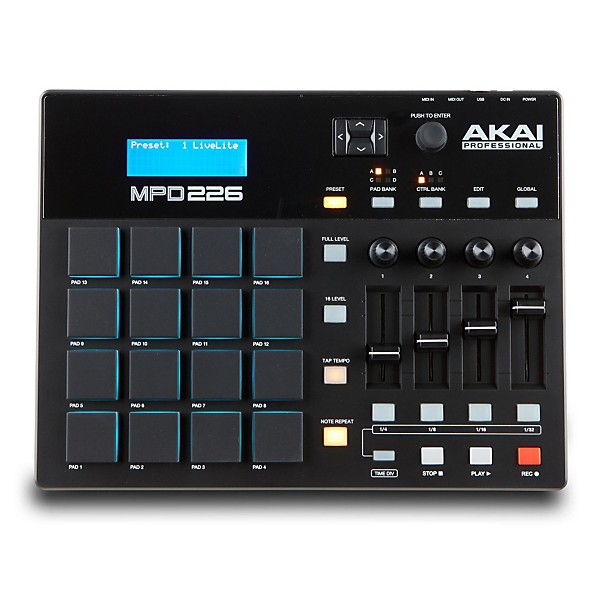
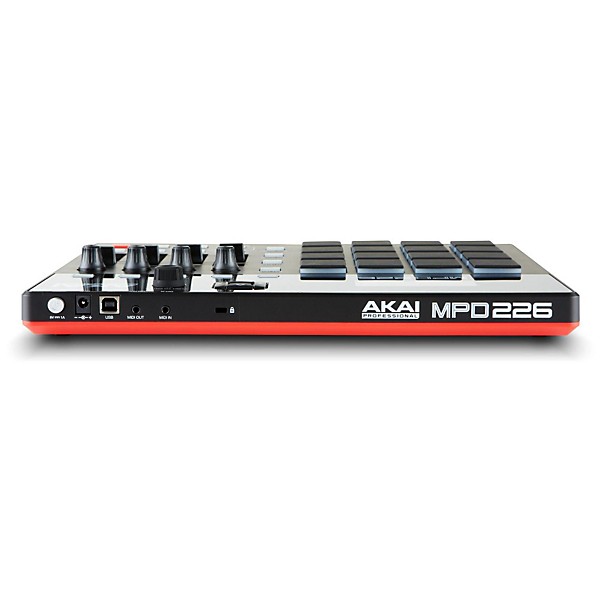
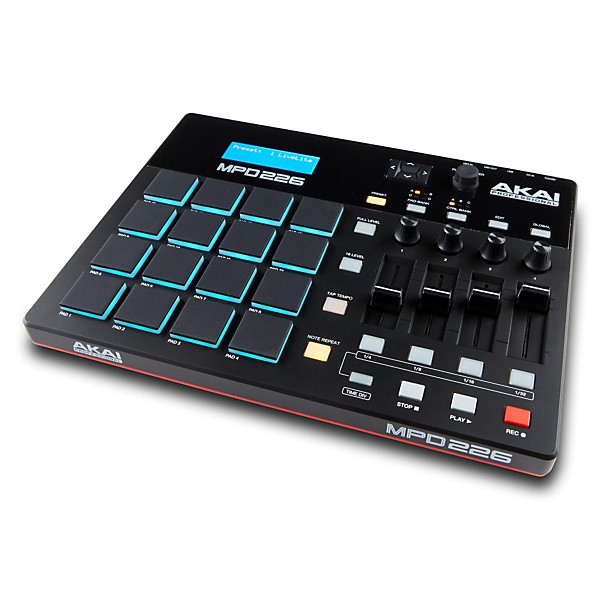
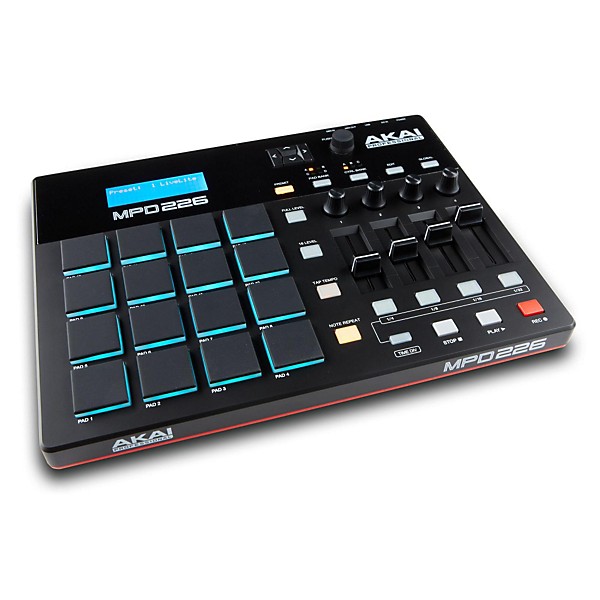
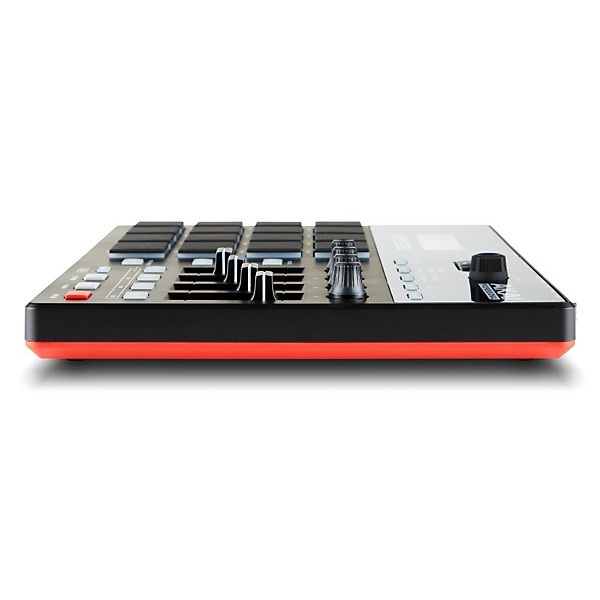
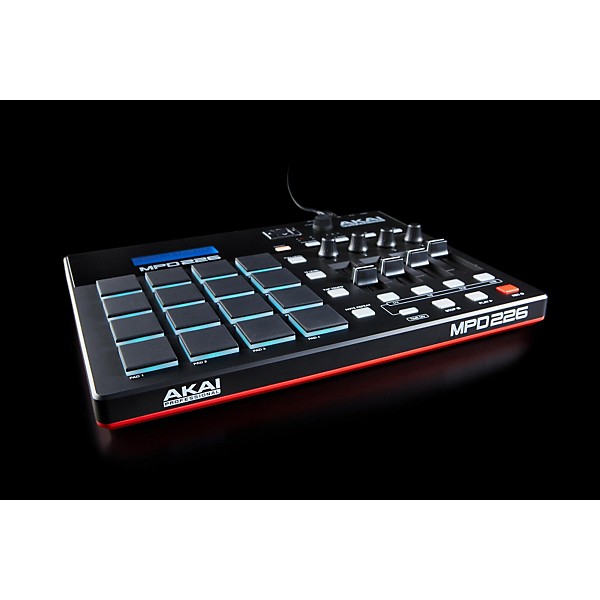
Akai Professional MPD226 Pad Controller
$229.00

Need Help?
Videos (1)
View All
Introducing the Akai MPD2 Drum Pad Controllers

Description
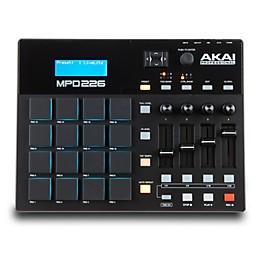
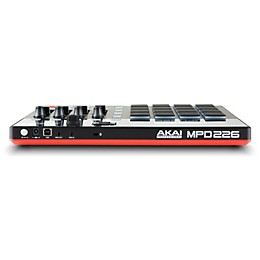
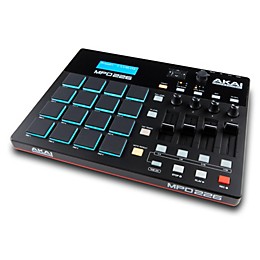
The Akai Professional MPD226 pad controller is the ultimate tool for producers, programmers, musicians and DJs to compose and perform electronic music. Part pad controller, part control surface, the MPD226 is ready to empower your creativity. It features 16 sensitive Thick Fat MPC pads, renowned for their responsiveness, letting you input rhythms and trigger samples with accuracy. The MPD226 comes with powerful included software to get you started.
Thick Fat MPC Pads Provide an Unparalleled Playing Experience
The MPD226 is built around 16 Thick Fat MPC pads, Akai Professional's latest pad design that gives an unprecedented level of sensitivity and control. With RGB backlighting, you can color code the four pad banks to keep your setup organized. The pads have a perfect amount of resistance and trigger consistently, allowing you to input rhythms and play samples with pinpoint precision.
Expanded Set of Controls Gives You Complete Command
Unlike the MPD26, the MPD226 provides an expanded set of controls to maximize your sound design possibilities. It features four knobs, four faders, and four buttons, each arranged in three banks for a total of 36 controls. Map the knobs, faders, and buttons to adjust track levels, control effect parameters, tweak synthesizer settings, and more. With this level of control at your fingertips, you'll be able to shape your sounds in innovative new ways.
Plug-and-Play USB Connectivity Works With Your Favorite DAW
The MPD226 connects via USB to your Mac or Windows PC, with no drivers required. It is a class-compliant MIDI device, so it works instantly with all major digital audio workstations and MIDI sequencer applications like Ableton Live, Logic, GarageBand, FL Studio, Reason, and Pro Tools. The included software bundle from Akai Pro, Sonivox, and Ableton gives you everything you need to start producing right out of the box.
iOS Compatibility and Editor Software Expand Your Options
For even more creative possibilities, the MPD226 is iOS compatible using the Camera Connection Kit (sold separately). It also comes with the MPD2 Series Software Editor, allowing you to customize pad sensitivity, MIDI channel assignments, pad color, and more. With the MPD226, Akai Professional has designed a pad controller that gives you the features and connectivity to create in the way that suits you best.
Features
- 16 RGB illuminated velocity and pressure sensitive MPC pads
- 64 assignable pads accessible via 4 banks
- 4 assignable faders, 4 assignable Q-Link knobs, 4 assignable Q-Link buttons
- 36 assignable controls accessible via 3 banks
- Classic MPC Note Repeat, MPC Swing, 16 Level, Full Level and Tap Tempo
- 30 presets total, with configurations for most popular DAWs
- iOS compatible using the Camera Connection Kit (sold separately)
- MIDI In and Out jacks for controlling external gear
- Dedicated Transport controls
- Includes Ableton Live Lite, Akai Pro MPC Essentials, Sonivox Big Bang Cinematic Percussion and Big Bang Universal Drums
Specs
System requirementsMacintosh
- : 1.25 GHz G4/G5 or faster (Intel Mac recommended), 1 GB RAM (2 GB recommended), Mac OS X 10.4.11 (10.5 or later recommended)
- : 1.5 GHz Pentium 4 Celeron-compatible CPU or faster (multicore CPU recommended); 1 GB RAM (2GB recommended); Windows 8, Windows 7, Windows Vista, or Windows XP; Windows-compatible sound card (ASIO driver support recommended); QuickTime recommended
Reviews
4.4
5 Reviews
80%
of respondents would recommend this to a friend

Filters
Best Uses
- Practicing1
- Used for note input and programing beats.1
- Live performance1
- Making music1
- Finger Drumming, Beat Making1
Cons
- Difficult To Use1
Describe Yourself
- Experienced5
Pros
- Good Quality4
- Easy To Use3
- Functional3
- Improves Sound3
Reviewed by 5 customers
Good quality; easy to setup with gear
Verified Buyer
submitted2 years ago
bySean
fromPleasant Hill. CA
Submitted as part of a sweepstakes
The MPD226 is very easy to program and create presets for external gear and software instruments. Even though the unit is made of plastic, the pads a hardware feel good and solid.
If you have a problem with this, it's your own fault.
submitted6 years ago
byDustin
fromAlabama
People who have a problem with this usually just haven't put in the time to learn this controller. And if there's a technical issue it's more than likely a faulty product and just needs to be replaced. A prime MPD226 is a great tool to have in any home studio or just for fun. I've even seen Twenty One Pilots' Tyler Joseph use this exact midi controller. I can't argue with the best. I can't wait to be a master at this particular midi controller.
I would by this product again and others like it!
submitted6 years ago
byT
fromVirginia Beach,Va
I use the product as a drum controller for my DAW
DONT BUY THIS
submitted9 years ago
byMC SHINE
fromVirginia
I've been producing for 5 years and came from a MPC Ren and wanted to get back in the groove of things. Bought this with the intentions of getting back into the groove of production but your so limited with the controller you might as well just not have one. You're using the computer more than the MIDI controller so whats the purpose of the controller. Returning and upgrading because this isn't worth it at all
Great Buy
Verified Buyer
submitted10 years ago
byILLusive
fromLexington, KY
Knobs feel great, pads are amazing, sliders are okay, and a button is a button. It all functions perfectly except the slider quality isn't the best. There's one other thing. I can't get it to recognize a flam type of hit. This may be due to a setting I have overlooked or something, but I've gone through settings on the Mpd itself and the settings in Ableton live and haven't found the problem, yet. Otherwise the level of connectivity with Ableton is AMAZING and is simple to set up. Direct midi control! Programs inside the unit allow me to quickly go between different types of setups. Drum pads are already mapped out. You can change the color on the pads which I used to notate sharps and flats for when I was using it like a keyboard. There's a lot more cool little things but I can just tell you this thing is great!
- Previous
- 1
- Next
Q&A
Have a question about this product? Our expert Gear Advisers have the answers.
submitted2 years ago
asked byGeo
fromundisclosed
I too am wondering about the phonk. Is anything else required?
A computer is required.submitted4 years ago
asked bySpencer
fromOverland Park Kansas
Where is the closest location I can pick one of these up at?
I'm sorry, it is not available locally. Please give us a call if you would like some help 855-770-3373submitted4 years ago
asked byJavi
fromLas vegas nv
How compatable is this with fl studio? Is setting it up like the mpk mini? Will all the controls work on the mpd to fl studios?
I’m sorry, we don’t have that information available. Perhaps an inquiry to Akaisubmitted4 years ago
asked byAngel
fromFullerton, ca
Does this come with mpc2 software activation code? What software does it come with?
Yessubmitted4 years ago
asked byDylan
fromNew braunfels, texas
Is this all you need to make phonk?
I’m sorry. Your question is not clear. Please call us at 877 687 5403submitted5 years ago
asked byDennis Drew
fromJamestown
Is this just a controller or does it have sounds etc.
This is loaded with sounds, and can have more loaded or the presets customized via DAW
Be the first to know about exclusive offers, tips and more.

866-498-7882 English
877-687-5402 Español