


TouringControllerHeadphones
.jpeg)

Pro Gear Advisers
•866-498-7882
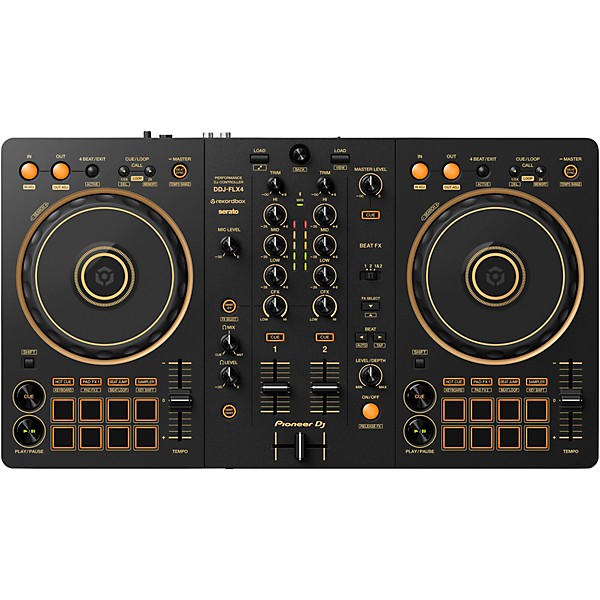
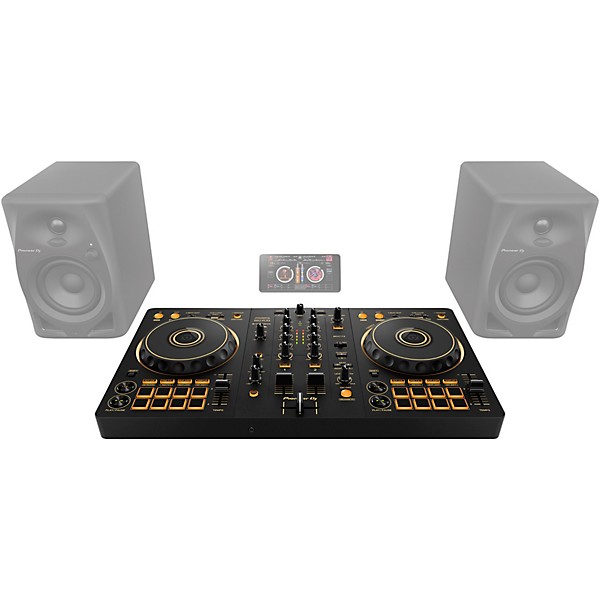
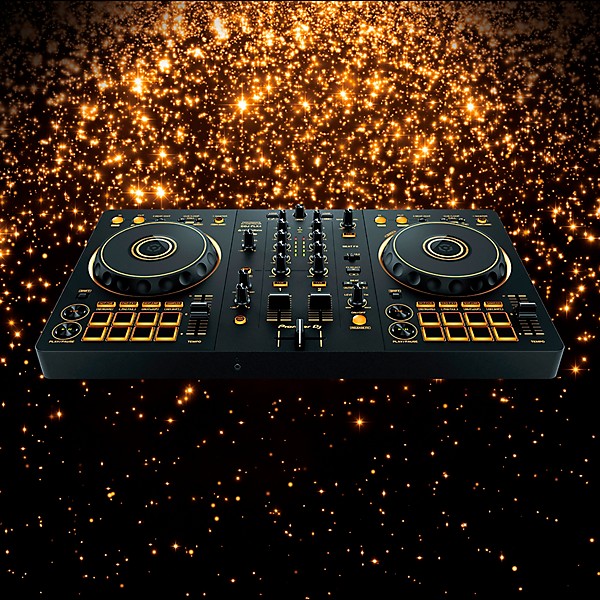
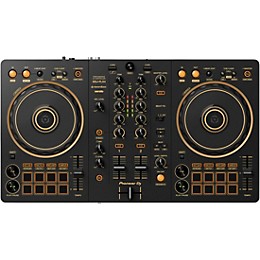
Pioneer DJ DDJ-FLX4-N 2-Channel DJ Controller - Gold
2-channel DJ controller with Bluetooth/USB connectivity, Smart Fader/CFX, streaming integration and built-in audio interface
$299.00$339.00Save: $40.00 (12%)
6-month special financing^ + $14 back in Rewards** Limited time Learn More
Lease-To-Own Purchase OptionsLearn more

Protect your gearLearn more
Cover drops, spills or cracks with Pro Coverage

Need Help?
Also available in these bundles

Description
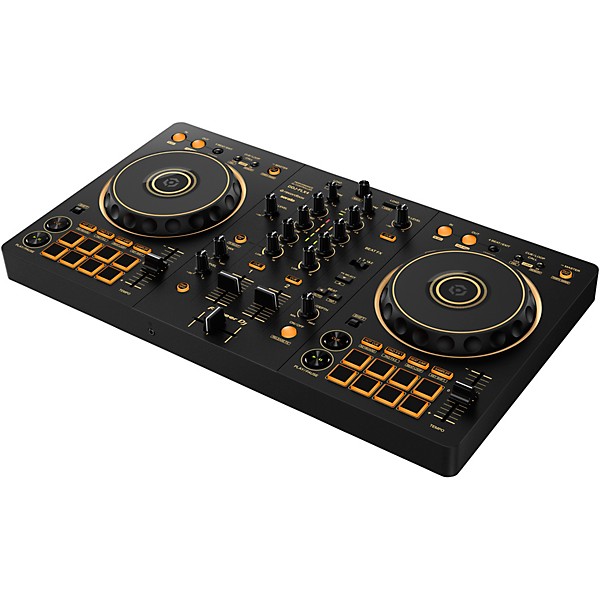
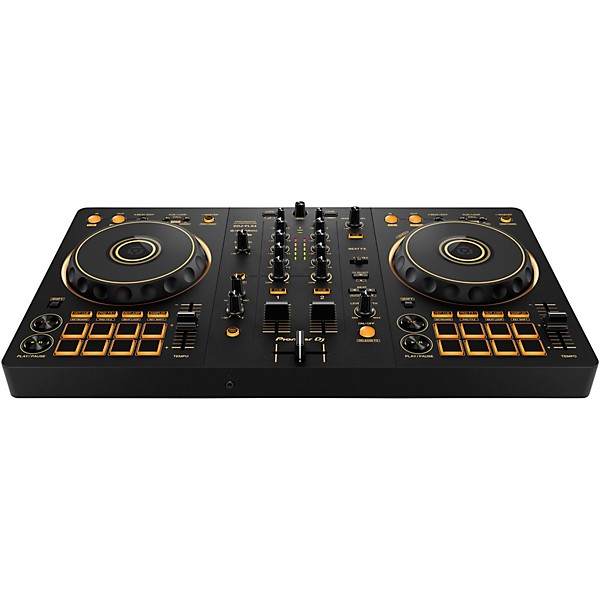
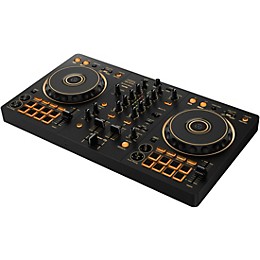
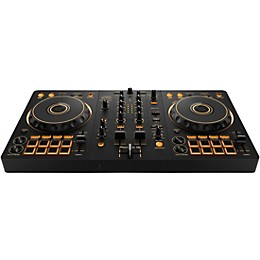
It starts with a simple idea: blending two tracks, shaping the energy of a room and finding your own rhythm behind the decks. The Pioneer DJ DDJ-FLX4-N 2-channel DJ controller is designed to make that first mix feel intuitive, engaging and approachable. Finished in a striking Guitar Center Exclusive Gold colorway, this special-edition controller pairs standout visual style with the same approachable workflow and portable design that have made the FLX4 a favorite among new and developing DJs. Built around a clean, professional layout inherited from Pioneer DJ’s club-standard gear, this controller offers intuitive control over essential functions while remaining compact and portable. Multi-device compatibility allows you to connect to a PC, Mac, iPhone, iPad or Android device via USB or Bluetooth when using rekordbox, giving you flexibility to practice or perform anywhere. Smart Mixing features like Smart Fader and Smart CFX simplify transitions and effects, while a built-in audio interface and USB bus power keep your setup efficient and uncluttered. Whether you're learning the fundamentals or refining your technique, the DDJ-FLX4-N provides a versatile platform to develop your skills.
Professional Layout Designed for Easy Learning
The FLX4-N features a control layout modeled after Pioneer DJ’s club-standard gear, giving you a familiar foundation as you build your mixing skills. Jog wheels, channel faders, EQ controls and performance sections are clearly organized, allowing new users to quickly understand signal flow and core DJ functions. This thoughtful design reduces the learning curve while still preparing you for more advanced setups. Its compact footprint also makes it easy to transport, whether you're practicing at home, heading to a party or setting up a small performance rig.
Flexible Multi-Device Compatibility
Designed for modern workflows, the FLX4-N supports a wide range of devices, including laptops, tablets and smartphones. You can connect via USB to a PC or Mac, or pair with mobile devices using rekordbox for iOS or Android through USB or Bluetooth connectivity. This flexibility allows you to build a setup that fits your environment, whether you're working at a desk or mixing on the go. Class-compliant operation eliminates the need for driver installation, so you can plug in and start DJing without additional setup steps.
Smart Mixing Tools for Seamless Transitions
Smart Fader and Smart CFX features make it easier to achieve polished mixes, even if you're new to DJing. Smart Fader automatically adjusts volume levels, bass balance and BPM alignment, helping create smooth transitions between tracks with minimal manual intervention. Meanwhile, Smart CFX allows you to apply layered effects with a single knob, adding movement and energy to your sets without complex parameter adjustments. These tools provide a supportive learning environment while still offering creative control as your skills grow.
Streaming Integration and Performance Control
With compatibility across rekordbox and select DJ platforms, the DDJ-FLX4-N gives you access to a wide range of music sources, including streaming services like Apple Music, Beatport Streaming, SoundCloud Go+, Tidal and Spotify (subscriptions required). This opens up millions of tracks for mixing without the need for a large local library. Eight backlit Performance Pads per deck allow you to trigger Hot Cues, Pad FX, Beat Jump and sampler functions, giving you hands-on control over remixing and live performance elements.
Integrated Audio and Portable Design for Real-World Use
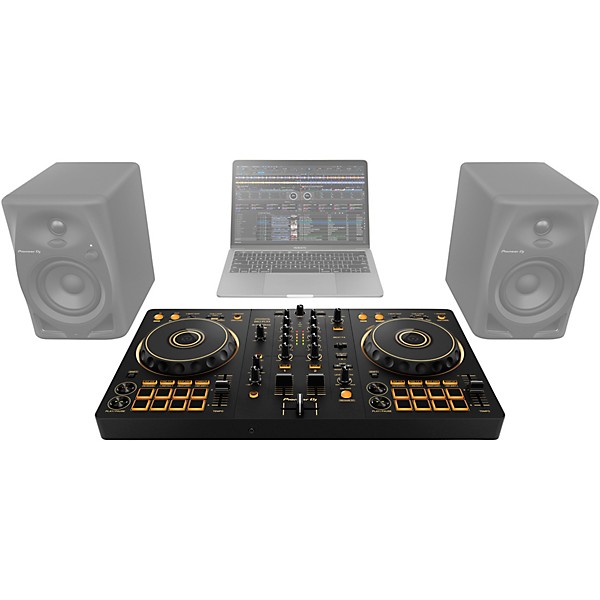
A built-in sound card allows the FLX4-N to connect directly to speakers or an amplifier via RCA outputs, simplifying your signal chain. The controller also mixes microphone audio internally, enabling you to add vocals or commentary without external gear—helpful for livestreaming setups where both music and mic audio are routed through a single connection. USB bus power further reduces setup complexity, while the lightweight, compact design makes it easy to transport between sessions and performances. Combining flexible connectivity, intuitive controls and modern performance features, the Pioneer DJ DDJ-FLX4-N 2-channel DJ controller offers an accessible yet capable solution for DJs at any stage.
Pioneer DJ DDJ-FLX4-N 2-Channel DJ Controller: FAQ
Does the DDJ-FLX4-N include rekordbox?
The DDJ-FLX4-N unlocks rekordbox Performance mode when connected, allowing you to use core DJ features without purchasing a separate license. It also supports Serato DJ Lite compatibility.
How do you connect the DDJ-FLX4-N to speakers?
Use the RCA master outputs on the back of the controller to connect powered speakers or an amplifier. Depending on your speaker inputs, you may need RCA-to-RCA or RCA-to-1/4" cables.
How do you update the DDJ-FLX4-N?
Download the latest firmware updater from the Pioneer DJ or AlphaTheta support website and connect the controller to your computer via USB. Run the updater and follow the on-screen instructions to complete the process.
How do you connect headphones to the DDJ-FLX4-N?
Headphones connect directly to the headphone output on the front panel of the controller. You can monitor cue channels separately from the master output using the dedicated headphone level and cue mix controls.
How do you use effects on the DDJ-FLX4-N?
Effects are controlled through rekordbox or Serato using the onboard FX controls. Smart FX and Smart CFX features allow you to trigger combinations of effects and transitions with simplified one-knob operation.
Features
Portable 2-channel DJ controller
- supports mixing streaming and mobile performance workflows
- adds distinctive style to a compact DJ setup
- connects to computers tablets and smartphones via USB or Bluetooth
- delivers intuitive operation inspired by Pioneer DJ gear
- supports mixing from Apple Music Beatport TIDAL and more
- automatically blends volume bass and BPM for smooth transitions
- applies layered effects with a single knob for creative mixing
- simplifies recording streaming and speaker connection
- combines voice and music without external mixers or interfaces
- trigger hot cues effects samples and beat jumps during mixes
Specs
General
- Product type: DJ controller
- Model: DDJ-FLX4-N
- Channels: 4-channel
- Pads: 8 performance pads per deck
- Functions: Hot Cue, Pad FX, Beat Jump, Sampler
- Smart features: Smart Fader, Smart CFX
- Guitar Center Exclusive: Yes
- Sampling rate: 44.1kHz/48kHz
- Bit depth: 16-bit/24-bit
- Frequency response: 20Hz–20kHz
- S/N ratio: 103dB
- THD: 0.005%
- USB: USB-C (bus powered and device connection)
- Bluetooth: Yes (mobile use with rekordbox iOS/Android)
- Outputs: RCA master out
- Headphones: 1/8" or 1/4" (≤10 ohm output impedance)
- Mic input: 1 × 1/4" TS
- Mic input impedance: ≥3 kohm
- Master output impedance: ≤1 kohm
- USB bus power: 5V, 500mA
- Adapter power: 9V, 3A
- Supported software: rekordbox, djay, Serato DJ Lite, Traktor Play
- Streaming: Apple Music, Beatport, SoundCloud Go+, TIDAL, Spotify (subscriptions required)
- Operating temperature: 41°F–95°F
- Operating humidity: 5–85% (non-condensing)
- Dimensions: 18.98" × 10.74" × 2.33"
- Weight: 4.6 lb.
- Gold finish
- Built-in audio interface
- USB audio output with mic mix for streaming
- Class-compliant (no driver required)
- Multi-device support (PC, Mac, iOS, Android)
Featured Articles
Reviews
Be the first to review the Product
Q&A
Have a question about this product? Our expert Gear Advisers have the answers.
submitteda year ago
asked bySelo
fromNyc
Do this controller comes with trial soft or full serato??
The Pioneer DJ DDJ-FLX4-N 2-Channel DJ Controller (Gold edition) includes a free license for Serato DJ Lite, which is the entry-level version of Serato's DJ software.submitteda year ago
asked byTaybeez
fromStockton CA
What will I need when connecting this mixer with a Mac book? Cords needed?
Cables & Connections Needed USB Cable (for Power + Audio/MIDI) Included: The DDJ-FLX4-N typically comes with a USB-C to USB-C cable. If your MacBook only has Thunderbolt/USB-C ports, this cable should connect directly. If your MacBook is older and only has USB-A ports, you'll need: A USB-C to USB-A cable (or adapter) Cables for External Speakers (Optional for Gig Use) Use the master RCA outputs on the back of the DDJ-FLX4-N. You’ll need: RCA to RCA cables (for most powered speakers) RCA to 1/4" TRS cables or RCA to XLR, depending on your speakers' inputs.submitteda year ago
asked byMike
fromPomona
Can you hook up speakers to it
Yes, you can hook up speakers to the Pioneer DJ DDJ-FLX4-N DJ controller. The controller has master output options, so you can connect it to speakers through one of the following ways: Using the RCA outputs (Master Out): The DDJ-FLX4-N has an RCA Master output. You can connect the RCA cables to the controller and then to powered speakers (or an external amplifier if the speakers are passive). Many powered speakers will have RCA inputs, making this a straightforward option. Using the 1/4" TRS outputs (Master Out): If your speakers have a 1/4" input, you can use 1/4" TRS cables to connect the controller’s Master output to your speakers.submitteda year ago
asked bySteve
fromBakersfield, CA
Will it connect to Mackie srt Bluetooth speakers
No, the Pioneer DJ DDJ-FLX4-N (the gold-colored version of the DDJ-FLX4) does not have built-in Bluetooth for audio streaming or control.submitteda year ago
asked byFred
fromNola
What's the difference between the ddj-flx-4 and the ddj rev1
Overall Design & Target Use DDJ-FLX4 Designed for Rekordbox & Serato (also supports streaming platforms like TIDAL, Beatport, etc.) Modern, club-style layout, similar to CDJ/DJM setups Great for aspiring DJs who want to transition into club setups later USB-C powered, compatible with iOS/Android, so works great with mobile devices DDJ-REV1 Designed for Serato DJ Lite Battle-style layout, inspired by turntablism and scratch DJs Great for hip-hop, open format DJs who want to scratch and use performance pads a lot Mimics the layout of Pioneer’s professional DJM-S + PLX turntable setups. Jog Wheels FLX4: Smaller, more traditional jog wheels REV1: Larger jog wheels (bigger than FLX4) placed at the top of the controller — better for scratching 🎛️ Mixer Section FLX4: Standard layout — EQs above line faders, FX on top corners REV1: Battle-style — EQs are horizontal, and performance pads are placed above the faders, like on pro battle mixers 🎚️ Pitch Faders FLX4: Short pitch faders (standard for compact controllers) REV1: Longer pitch faders — preferred for precise tempo matching (again, good for scratch/open-format DJs) Headphone Cueing / Output FLX4: Dual USB-C, supports mobile DJing REV1: Standard USB-B, more laptop focused Both have mic inputs and headphone outs, but FLX4 has a slight edge in flexibility for streaming and mobile use. Software Compatibility FLX4: Rekordbox (free version) Serato DJ Lite (upgradeable to Pro). Works with mobile devices (rekordbox app & others). REV1: Serato DJ Lite (free) Upgradeable to Serato DJ Pro.submitteda year ago
asked byKevin
fromSt Stephen South Carolina
Is there a difference between the flx4 black and the Gold edition
No, there isn't.submitteda year ago
asked byEvi
fromMichigan
Can I connect this to my macbook
Yes, you can connect the Pioneer DJ DDJ-FLX4-N 2-Channel DJ Controller (Gold edition) to your MacBook — it's fully compatible. Here's how to do it: What You Need: USB-C to USB-A cable (comes with the controller) or USB-C to USB-C cable if your MacBook only has USB-C ports. DJ Software – The DDJ-FLX4 is compatible with: Rekordbox (Free) – Native support on macOS. Serato DJ Lite (Free) – Also compatible, and you can upgrade to Serato DJ Pro if desired. Setup Steps: Download and install Rekordbox or Serato DJ Lite: Rekordbox for Mac Serato DJ Lite Connect your DDJ-FLX4-N to your MacBook via USB. If your Mac only has USB-C, use a USB-C hub or get a USB-C to USB-B cable (Type B is the square-ish port on the controller).submitteda year ago
asked byQuincy
fromAz
Warranty?
Pioneer warranty is product dependent. They do not have a stated warranty.submitteda year ago
asked bymo
fromla
What output cables connect to speakers?
What speakers? This has RCA outputs.submitteda year ago
asked byJust asking
fromWoodbridge, Va
Is this controller compatible with Bluetooth headphones
No, it isn't.
Be the first to know about exclusive offers, tips and more.

866-498-7882 English
877-687-5402 Español