
Gear SpecialistBundlingMusician


Pro Gear Advisers
•866-498-7882
Guitars
Guitars
Amps & Effects
Amps & Effects
Used & Vintage
Keyboards & MIDI
Keyboards & MIDI
Drums
Drums
DJ Equipment
DJ Equipment
Basses
Basses
Recording
Recording
Live Sound
Live Sound
Accessories
Accessories
Mics & Wireless
Mics & Wireless
Music Software
Music Software
Lighting
Lighting
- Popular Brands
Band & Orchestra
Band & Orchestra
Platinum Gear
Deals
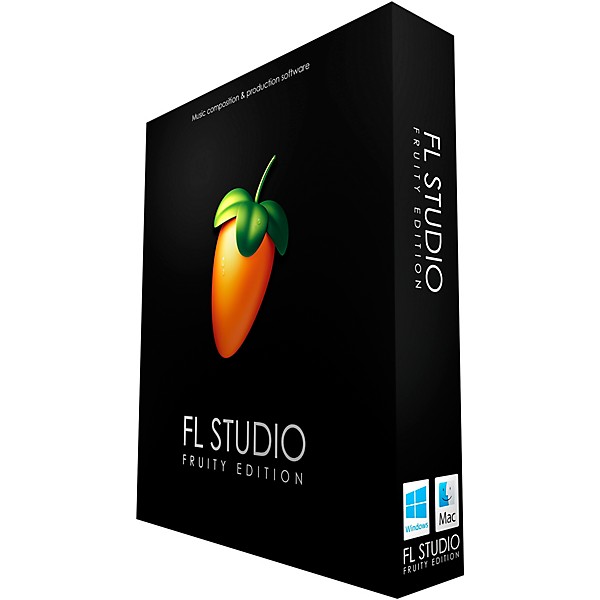
Image Line FL Studio 21 Fruity Edition (Boxed)
$99.00

Save on orders $199+ and get expert advice from a Gear Adviser
Need Help?
Videos (6)
View All
FL STUDIO 21 | In a minute

FL STUDIO | Every Instrument Plugin

FL STUDIO | Making Music With Fruity Edition

FL STUDIO | Getting Started Introductory Tutorial

Description
FL Studio 21 is a complete software music production environment. Representing more than 20 years of innovative development, it's the DAW that has everything you need in one package to compose, arrange, record, edit, mix and master professional quality music. Mix and master music to the highest professional standards. It has all the features you need to create today's most complex productions, including effects chains, audio sends, sidechain control, advanced automation, plug-in delay compensation and more.
FL Studio's Piano roll has the well-deserved reputation as one of the best in the business. The Piano roll is used to send note and automation data to plug-in instruments (sequencing). It includes a wide range of tools to aid complex score editing and manipulation. No other DAW matches the flexibility of FL Studio’s Playlist. Sequence all elements of the project to make the final song. Tracks can hold notes, audio and automation. Place any data type anywhere and even overlay them. Use the Browser to organize all the data in your project. FL Studio Fruity Edition includes over 80 instrument and effect plug-ins covering automation, sample playback/manipulation, synthesis, compression, delay, equalization filtering, flanging, phasing, chorus, reverb, distortion, bit-crushing and more. With FL Studio you will be ready to create just about any style.
New in FL Studio 20
Mac version – FL Studio is now available for macOS 10.11 and higher. It's a native 64-bit application, including support for Mac VST and AU plug-ins. Projects made on Mac and Windows are interchangeable. Project interoperability extends to 3rd-party plug-ins installed on both platforms. Existing, Lifetime Free Update and new customers can unlock FL Studio for Mac and Windows at no extra cost. One license to rule them all.
Time Signatures
FL Studio now supports Time Signatures, including unlimited Time Signature changes, independently in both the Playlist and Patterns (Piano rolls). FL Studio 21’s unique pattern system enables, simultaneous and multiple Time Signatures at any point in the Playlist.
In-situ rendering ("freezing")
Bounce selected Audio and Pattern Clips to audio. Options include; Consolidate Playlist Clip selections or complete tracks. Render Clips to Audio, Render Clips to audio and replace Playlist Pattern Clips. Use these features to compile audio takes into a single Audio Clip, reduce CPU load by converting real-time synthesis and effects processing to audio or convert MIDI to audio for further processing and resynthesis.
Playlist Arrangements
The Playlist now supports multiple "Arrangements" (Playlists). Each Arrangement is the complete layout of Audio, Automation and Pattern Clips. Users can now work with multiple versions of their project saving ideas, sound design and "arrangements."
Plug-in Delay Compensation (PDC)
PDC and Automatic PDC have been rebuilt, from the ground up, to support today’s complex workflows. Manual and Auto-PDC can now coexist. Updates include: Mixer send compensation, Wet/Dry mixer FX compensation, Audio input compensation, Metronome compensation, Plugin Wrapper custom values remembered per-plug-in and improved PDC controls in the Mixer.
FL Studio's Piano roll has the well-deserved reputation as one of the best in the business. The Piano roll is used to send note and automation data to plug-in instruments (sequencing). It includes a wide range of tools to aid complex score editing and manipulation. No other DAW matches the flexibility of FL Studio’s Playlist. Sequence all elements of the project to make the final song. Tracks can hold notes, audio and automation. Place any data type anywhere and even overlay them. Use the Browser to organize all the data in your project. FL Studio Fruity Edition includes over 80 instrument and effect plug-ins covering automation, sample playback/manipulation, synthesis, compression, delay, equalization filtering, flanging, phasing, chorus, reverb, distortion, bit-crushing and more. With FL Studio you will be ready to create just about any style.
New in FL Studio 20
Mac version – FL Studio is now available for macOS 10.11 and higher. It's a native 64-bit application, including support for Mac VST and AU plug-ins. Projects made on Mac and Windows are interchangeable. Project interoperability extends to 3rd-party plug-ins installed on both platforms. Existing, Lifetime Free Update and new customers can unlock FL Studio for Mac and Windows at no extra cost. One license to rule them all.
Time Signatures
FL Studio now supports Time Signatures, including unlimited Time Signature changes, independently in both the Playlist and Patterns (Piano rolls). FL Studio 21’s unique pattern system enables, simultaneous and multiple Time Signatures at any point in the Playlist.
In-situ rendering ("freezing")
Bounce selected Audio and Pattern Clips to audio. Options include; Consolidate Playlist Clip selections or complete tracks. Render Clips to Audio, Render Clips to audio and replace Playlist Pattern Clips. Use these features to compile audio takes into a single Audio Clip, reduce CPU load by converting real-time synthesis and effects processing to audio or convert MIDI to audio for further processing and resynthesis.
Playlist Arrangements
The Playlist now supports multiple "Arrangements" (Playlists). Each Arrangement is the complete layout of Audio, Automation and Pattern Clips. Users can now work with multiple versions of their project saving ideas, sound design and "arrangements."
Plug-in Delay Compensation (PDC)
PDC and Automatic PDC have been rebuilt, from the ground up, to support today’s complex workflows. Manual and Auto-PDC can now coexist. Updates include: Mixer send compensation, Wet/Dry mixer FX compensation, Audio input compensation, Metronome compensation, Plugin Wrapper custom values remembered per-plug-in and improved PDC controls in the Mixer.
Features
- The ideal version for basic melody and loops creation
- Includes 19 instruments and 48 effects
- Mac and Windows compatible, only one license is required
- Lifetime free updates with license
Reviews
4
1 Reviews
0%
of respondents would recommend this to a friend
Reviewed by 1 customers
pretty cool
submitted7 years ago
bybrandon
fromUndisclosed
if your serious about production then you need the more expensive package
- Previous
- 1
- Next
Q&A
Have a question about this product? Our expert Gear Advisers have the answers.
submitted4 years ago
asked byRebecca
fromMedina, Ohio
Hello - Can this software download a song composed & recorded on a Yahama 370 keyboard putting the music into an actual score? In other words, we have composed a piece on the keyboard and want to turn it into a score that musicians can then play. Is this program capable of doing this?
Yes you can.submitted4 years ago
asked byChristopher
fromRiverdale Illinois
Can it be used for Jersey club
Yes it will.submitted5 years ago
asked byTri VA
fromUSA
Good Evening, I am looking for a recording software that can import the audio tracks from the notation software, Sibelius, and from there I can edit, then add more audio tracks to record live, etc.. Finally from there, I can export my music. Can FL Studio do that? Thank you. Tri Ngo
It cannot import from Notation software.submitted5 years ago
asked byDave2x
fromCleveland
Is it compatible on Mac?
Yes, it issubmitted5 years ago
asked byDave
fromCanton Ohio
Does this come with a cd
Yes it does.This will include a download codesubmitted6 years ago
asked byJim Tice
fromBirmingham, AL
Does the Fruity Edition work with Catalina?
Available for macOS 10.11 and higher.submitted7 years ago
asked byJesse
fromMaine
How much memory do you need to run this software
WINDOWS: 7, 8, 10 or later macOS: 10.11 or later 4GB free disk space 4GB of RAM or higher recommended The more powerful your CPU, the more instruments and FX you can run.
Be the first to know about exclusive offers, tips and more.

866-498-7882 English
877-687-5402 Español