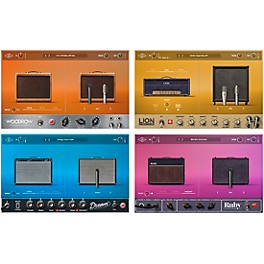


AmpKit is the ultimate guitar amps, effects and recording app
A powerful guitar tablature and music notation viewer
Transform your iPhone into a music production studio
Make music anywhere you go
One of the most powerful music creation studio app
Sunrizer synth is a virtual analog synthesizer
Play, practice and record anytime, anywhere
Create/save complete multi-track music projects
Created by Jordan Rudess and Kevin Chartier
Coveted by dance musicians for ten years running
iMS-20 is an analog synth studio
OMGuitar comes from the makers of Seline HD & Touch DJ!
Pianist, the ORIGINAL iPhone piano
First professional polyphonic synthesizer for the iPad
FILTATRON is much more than your average sound app
A beat sketch pad perfect for developing song ideas anytime
A fully-featured, multi-touch control surface
Professional Virtual Analogue Synthesizer
Propellerhead Software AB~~ReBirth is back!
A wireless/wired control surface utilizing CoreMIDI
Performable. Recordable. Polychord 2
StudioTrack is a multi-track recorder and songwriting tool
Access the most important transport and clip functions
SynthX is great fun and candy for your ears and eyes
Put a theremin in your pocket!
Want to shred like Megadeth? Never thought you could? Guess again. This is the app for that. The Dave Mustaine: Guitar Prodigy interactive App
With David Ellefson, bass player of Megadeth, the Rock Shop turns your iPad, iPhone, and iPod touch into a mobile practice studio for guitar and bass players.
Jam with the 40th Anniversary of Grateful Dead's Europe 72 Tour! An official app of the Grateful Dead! With official Grateful Dead music!
PocketAmp with iRiffPort is the best guitar amp effects system for practicing with your iTunes music, supporting Pitch Shift and Slow Downer for learning!
PocketGK with iRiffPort is the best bass guitar amp system for practicing with your iTunes music, supporting Pitch Shift and Slow Downer for learning!
Rock Prodigy is like having a personal trainer for guitar. You'll be amazed at how fast you'll learn guitar and start jamming.
The Offspring App is like learning tunes straight from Noodles and Dexter! You'll jam Offspring tunes on your guitar just like you're playing a game!
Cloud Audio Recorder allows you to record the sound of musical instruments to your iOS devices via the built-in microphone.
Yamaha Faders & XY Pad" is a CoreMIDI application that controls external MIDI devices from the iPad.
Keyboard Arp & Drum Pad is a Core MIDI application that transmits notes to external MIDI instruments and includes a keyboard, arpeggiator and assignable drum pads.
Multi Editor Essential is a CoreMIDI application which gives you all the tools you need to mix Songs and Patterns from your Yamaha synthesizer on iPad.
Performance Editor Essential is a Core MIDI application that enables you to edit the performances of a Yamaha synthesizer from an iPad.
Set List Organizer can be used to edit and display the set list for a live performance. It's a must-have application for any musician.
Synth Arp & Drum Pad is an iPad app with arpeggiator and drum pad that allows you to easily play the internal synthesizer or any connected MIDI device and produce music with phrases having an abundant variety of musical styles.
Voice Editor Essential is a simple CoreMIDI iPad editor application for editing the effects in Yamaha Synthesizers.
AmpKit is the ultimate guitar amps, effects and recording app for iPad, iPhone, and iPod touch*, now with next-generation tone and simulation improvements that deliver by far the best-sounding, most realistic guitar tone on iOS.
To enjoy the best possible tone with AmpKit, use Peavey AmpKit LiNK to connect your guitar or bass to your iPad, iPhone, or iPod touch*.
AmpKit continues to offer: - the largest gear selection of any amp simp app: 35 amp channels, 22 effects, 20 cabinets, and 8 mics. - a massive collection of presets: 100 in total! - Cost-saving bundles including the new Summer '11 Pack with 6 brand-new amps, 6 cabs, and 4 new effect pedals. - Powerful features including recording session mix down, Audio Copy & Paste, background audio support, and much more. *****
Premier Guitar: "AmpKit is the most impressive amp modeling software that I've encountered for the iPhone."
Ars Technica: "Agile Partners' better hardware, beautiful graphics, abundance of effects, and the ability to use more than three effects simultaneously makes that application a winner in our book."
CrunchGear: "AmpKit's guitar tones are great! From crushing distortion to kooky tremolo, there are many tones to choose from and it is easy to navigate through the options with speed and efficiency."
This AmpKit+ version includes everything in the free version PLUS a huge set of additional gear at less than half their individual prices.
All the gear from the free version: Peavey ValveKing amp (clean and lead channels), 4x12 and 1x12 cabinets, noise gate, overdrive pedal, two mics.
PLUS: - Peavey 3120 amp with clean, rhythm, and lead channels and 4x12 cabinet.
- Colonel Vintage amp with 4x10 and 1x12 cabinets.
- Vintage Brit amp with matching 2x12 cabinet.
- Additional pedals include distortion, fuzz, compressor, chorus, phaser, flanger, reverb, and 10-band EQ!
An amazing array of additional gear is available for purchase through AmpKit's in-app Gear Store, for a total of:
- 19 amps with 35 separate amp channels, each modeled after the actual circuitry of amplifiers from leading manufacturers.
- 22 effects pedals, including tremolo, distortion, fuzz, reverb, delay, 10-band EQ, octaver, flanger, phaser, vibrato, chorus, boost, compressor, overdrive, and an all-in-one envelope filter + auto-wah + manual wah with accelerometer tilt support.
- 20 cabinets
- 8 mics
- More gear on the way!
FEATURES - Support for true high-gain operation.
- Run a dozen or more effects at once.
- Hear the difference that dual-stage amp simulation makes
- Amazing flexibility and tone control: place pedals virtually anywhere in the effects chain including after the cabinet and before and after the amp.
- Effects Only Mode allows you to use AmpKit as an effects processor connected into an actual amp.
- Mic positioning control.
- 100 predefined amp / pedal presets.
- Create and save an unlimited number of your own custom setups with Favorites and Locking.
- Share your favorite setups with friends via email.
- QuickJump: jump from one favorite setup or preset to another.
- Advanced recording: AmpKit creates both "dry" and "wet" recordings.
- Ability to "re-amp": re-record a previous session, applying a new amp and pedals setup.
- Recording session mix down: mix down a wet guitar recording with the backing track it was played with.
- Audio Copy & Paste: copy AmpKit recordings and paste them in other iOS apps.
- Paste audio from other apps into AmpKit, a great solution for multi-track recording.
- Instant access to your complete iPod music library so you can jam along.
- Download AmpKit recordings to your computer, email recordings, or share using SoundCloud.
- Multitasking Support / Background Audio: AmpKit can now operate and produce audio when running in the background.
Follow AmpKit on Twitter: @AmpKit
Be an AmpKit fan on Facebook: Facebook.com/AmpKit
*Except first generation iPod touch
TabToolkit for iPad is an Apple Design Awards 2010 winner! TabToolkit is an incredibly powerful guitar tablature and music notation viewer, now with multi-track playback! An essential tool for learning and practicing music, TabToolkit includes an audio synthesis engine so you can listen to and control the audio for all tracks individually.
TabToolkit also provides playback tempo control, a metronome, and a tab upload and download manager. The app is a perfect fit for guitarists and musicians of all skill levels. Take your tabs and sheet music with you wherever you go!.
FEATURES - Supports the following tab formats: Guitar Pro, Power Tab, PDF and text.*.
- Audio synthesizer with multi-track playback. Listen to all instruments simultaneously and re-assign the midi instrument for any track.
- View both standard music notation and tablature notation.
- Automatically scroll through music with tempo control.
- Turn on a metronome with a wide range of sounds.
- Display a fretboard (guitar or bass) or keyboard that shows finger positions.
- Upload tab files directly from your Mac or PC.
- Download tabs from the Internet using a built-in web browser.
- Portrait and landscape screen orientations with an option to lock the orientation.
- Built in help, news and feedback support feature.
- Lefties welcome! Lefty-mode inverts the fretboard to display correct finger positions.
- *Multi-track playback, instrument audio, metronome and music notation are only available for GuitarPro and PowerTab files.
IMPORTANT NOTE: At this time the SynthStation app is not compatible with iOS 5. Thanks for your patience as we investigate the issue.
Low $1.99 price extended! - Transform your iPhone into a music production studio. SynthStation transforms your iPhone, iPod touch or iPad into a portable music production studio for mobile music creation. SynthStation gives you three powerful synthesizers for creating and modifying sonic textures used for melodies, chords, and bass lines. Built around Akai Professional's history in synthesis and drawing on the newest MINIAK synth, SynthStation sounds great and offers wide-ranging sonic flexibility with its virtual analog synthesis.
From the moment you start SynthStation, you'll know your way around. It is jam-packed with tools to help you create music with the convenience of your touch screen and each section works the way you work. With SynthStation, you can create and save sequences and complete songs. The app contains three different three-oscillator synths and a range of drum kits you can sequence and mix right in the SynthStation. For creating melodic and accompaniment parts, the SynthStation contains an arpeggiator with preset patterns, built-in effects and filters, and an XY touch control interface for expressive control of key parameters.
PERFORM
Play with keys, XY and arpeggiator controls. This is perfect place to make magic happen because it gives you access to all the common controls you'll need in a performance or creation setting.
SYNTH
Complete synthesis controls from oscillators to LFOs, envelopes, and more. You can control a wide range of filters to dial in exactly the sound you need. Choose from Sine, Triangle, Square or Sawtooth on your VCO and start creating your own signature sounds from scratch. Filter Cutoff and Resonance are just two taps away.
DRUMS
In addition to SynthStation's three synthesizers, we've included drum kits and a visual representation of the most iconic beat making tool in the world - MPC pads. Just pick your kit and start tapping beats anywhere, anytime.
Includes:
Drum Kit – select the drum kit and play it with onscreen pads.
Drum Edit – tune, mix, and customize your drums.
SEQUENCER
Keyboard grid – see your keyboard sequencing and edit notes easily.
Drum grid – build and modify drum tracks with a visible sequencer grid.
SONG/SEQUENCE
Select and save your Song/Sequence projects. You can recall your Songs and work on them later, and even export them for further editing in your desktop audio applications.
CONTROL
XY – two axes of control for hands-on, real-time control. Just like a joystick, the XY controller can snap back to the zero point.
Tempo – control tempo and even tap in the tempo you want.
MIXER
The Mixer in SynthStation includes touch-controlled faders for each of the three synthesizers and the drum section as well as FX send for each.
Mixer – mix all the levels of the parts and effects. Just like a hardware mixer, there are faders, mutes, and effect routing.
Effects – select and control FX type and parameters.
SynthStation Studio enables you to create and produce music anywhere on your iPhone, iPod touch or iPad.
GarageBand turns your iPad into a collection of Touch Instruments and a full-featured recording studio - so you can make music anywhere you go. Use Multi-Touch gestures to play pianos, organs, guitars, drums, and basses on your iPad. They sound and play like their counterparts, but let you do things you could never do on a real instrument. Enjoy a full range of Smart Instruments that make you sound like a pro - even if you've never played a note before. Plug an electric guitar into your iPad and play through classic amps and stompbox effects. Use the built-in microphone or a guitar to record, or capture any performance. Then mix up to eight tracks to create a song you can share.
Play your iPad like a musical instrument.
- Perform on dozens of musical instruments on the innovative Multi-Touch keyboard.
- Tap out beats from the seat of acoustic and electronic drum kits.
- Recreate legendary guitar rigs on your iPad with 9 amps and 10 stompbox effects.
- Record your voice using the built-in microphone, and apply fun sound effects.
- Use the Sampler to create an instrument from sounds you record, then play them on a keyboard.
Sound like a virtuoso with Smart Instruments.
- Tap chords to instantly create keyboard grooves with the Smart Keyboard.
- Strum chords on acoustic and electric Smart Guitars, or trigger fingerpicking patterns for popular chords.
- Groove with an onscreen electric or upright Smart Bass by tapping on chords.
- Drag drum instruments onto a grid to create your own beats with the Smart Drums.
Create a song anywhere you go.
- Arrange and mix your song with up to eight tracks using Touch Instruments, audio recordings, and loops.
- Trim and place musical regions exactly where you want them to play.
- Use the Mixer to fine-tune each track's volume – solo or mute any track, or adjust pan, reverb, and echo.
- Use over 250 professionally prerecorded loops as a backing band to your song.
Share your songs.
- Email songs right from your iPad (AAC).
- Export your song and add it to the iTunes library on your Mac or PC.
- Send a project to your Mac and open it in GarageBand to continue refining your song.
iSequence is one of the most powerful music creation studio designed exclusively for iPad.
Thanks to intuitive 8-track sequencer, tons of instruments, flexible mixer with DSP effects you can easily program and record profesional loops, beats and melodies. Now you control every aspect of your music project.
MUSIC IN MOTION
The workflow is extremely fluid, you can now record tracks and control movement in real-time, edit them using step sequencer and automation editor, switch between instruments, tracks and views without stopping playback. You can compose, jam and mix at the same time!
INSTRUMENTS
- Use one of 160 built-in instruments: a collection of acoustic instruments, drum kits, pads, leads, sweeps and ambient atmospheres recorded with top classic and modern hardware synthesizers.
- Buy additional banks in the BankShop
- Play using adjustable piano keyboard or large drum pads
- Create custom instruments using built-in sampler.
- Support for CoreMidi and Midi instruments
REAL-TIME RECORDING AND PARAMETERS AUTOMATION
- Record as you play the notes. Change instruments and tracks without stopping playback
- Use metronome and "slow down" mode if you are not a piano virtuoso
- Record parameter changes as you move controls
STEP SEQUENCER
- 8 tracks and FX curves editor. Instruments are not bound to tracks, so you can play chords or use multiple instruments on a single track
- Edit music events using piano keyboard, drum pads and other controls
- Set note duration, panning, velocity and gliss
- Copy/paste, move and transpose selected area or patterns
- Arrange pattern sequences to create a complete song
MIXER AND EFFECTS
- Adjust tempo, master volume and beat shuffle
- Set level / mute or solo mode for each of the 8 tracks
- Route tracks to one of 5 configurable effect channels. Available effects: Filter, Reverb, Flanger, Delay, Ring Modulator, Equalizer, LO-FI crusher, live looper, Distortion.
SAMPLER
- Upload, record or paste samples to create custom instruments.
- Use sample editor to set a looping area, ADSR envelope, sample-mapping
- Powerful loop slicer and automatic tempo synchronization
SHARING FILES OVER WI-FI NETWORK
- Export your work as HSQ, MIDI or WAV
- Import samples and create custom presets
- Copy your tracks to the audio clipboard
- Import HSQ songs
Visit www.beepstreet.com for video tutorials, use guide and forums.
Sunrizer synth is a virtual analog synthesizer that takes the definition of iOs synthesizer to the next level.
Thanks to carefully designed architecture and heavy usage of coprocessor it blurs the boundaries between iOs and hardware synthesizers.
Sunrizer was built to perform and works perfectly with any MIDI keyboard or sequencer. A lot of research has been done in order to achieve unheard warmth and clarity.
HIGHLIGHTS
- True SuperSaw sound emulation, first found in the legendary Roland JP-8000 synthesizer. SuperSaw is a layered waveform consisting of multiple saw waves which are detuned to create an extremely full and epic sound. It's possible to use 2 supersaw oscillators per voice * 7 polyphony = 98 saw oscillators playing the same time!
- Two independent filters per voice with configurable routing. You can select between various filter types including classic resonant LP,HP,BP,Notch and less common like Comb and Formant.
- The Morph Group function lets you continuously morph of up to 30 parameters in a sound (including effects), using only the modulation wheel.
- Full support for CoreMidi and MidiMobilizer, MIDI mapping
OSCILLATORS
- 2 warm-sounding analog modelled oscillators per voice + 2 sub-oscillators (except SuperSaw). Available waveforms: Saw, PWM pulse,Triangle, SuperSaw, FM (frequency of phase modulation).
- Oscillator 2 hard-sync and configurable routing
- Osc-mix, ring modulator
- White noise oscillator
FLEXIBLE MULTI FILTERS
- Two independent filters per voice with configurable routing. You can select between various filter types including: resonant LP,HP,BP,Notch, Comb and Formant.
- Configurable routing: serial or parallel with bypass option.
- ADSR envelope, keyboard tracking and full LFO control
MODULATION
- Two LFOs per voice. It's possible to assign each LFO to almost any parameter. 3 LFO running modes: trigger, 1 shot, global. 6 waveforms, phase and fade-in knobs
- The Morph Group function lets you continuously morph of up to 30 parameters in a sound (including effects), using only the modulation wheel.
- Two Modulation ADSR Envelopes for amplitude and filters cutoff
- Pitch and modulation wheels
EFFECTS
- A number of effects are built in: distortion, chorus, equalizer, stereo delay. All parameters can be modulated using mod-wheel.
ARPEGGIATOR
- Sunrizer incorporates very powerful programmable arpeggiator. You should think of it more like a small step sequencer.
OTHER FEATURES
- Over 200 presets, 2 additional banks available for FREE in web library (more coming soon)
- 7 voices polyphony
- Playback modes: poly, solo, arp
- Built-in recorder supporting AudioCopy and iTunes file sharing.
- Supports CoreMidi and MidiMobilizer. MIDI key velocity can affect up to 3 parameters.
- Configurable piano keyboard size
- Hold button allows you to to keep notes sustaining until you play new notes.
- With Chord Memory function you can play the chord by only pressing single keys.
- Tube soft saturation on output
Visit www.beepstreet.com for user manual and audio demos.
iPhone version coming soon!
"Sunrizer is the first truly mature polyphonic synth for the iPad, a real, smooth and powerful sounding option for all sorts of stage and studio performances. Sunrizer offers a huge range of analog-style and complex digital-sounding textures with sound quality which is absolutely uncompromised".
Mark Jenkins, author "Analog Synthesizers"
"This virtual synthesizer is the highest quality digital instrument I have yet to discover for the iPad" AppAdvice.com
"Close your eyes for a minute and just listen. This thing sounds EXPENSIVE. " minijackmusic.com
"I predict that the one app that leads the charge of the high-end synth apps will start with an S." touchproducer.com
NOW INCLUDES 5 VOCALIVE MODELS VIA IN-APP PURCHASE PLUS NEW ENHANCED PRESET SYSTEM!
Turn your iPad into the ultimate mobile guitar and bass multi-effect processor and mobile recording studio! Use the AmpliTube iRig interface adapter (www.amplitube.com/irig) to connect your guitar to your iPhone/iPod/iPad and you are ready to rock!
Play, practice and record anytime, anywhere with world-class guitar and bass ultra-realistic tones and effects, including the official Fender™ tone, plus full multitrack recording capabilities in a convenient mobile app, all from the leader in analog gear modeling software for professional recording studios.
With AmpliTube for iPad, you have an entire guitar and bass rig at your fingertips. You get 4 stompbox effects running into an amplifier head with effects, plus cabinet and a microphone. Choose from 11 built-in stompbox effects (delay, fuzz, overdrive, wah, envelope filter, chorus, flanger, phaser, octave, noise filter + distortion once registered), 5 amps (clean, crunch, lead, metal, bass) with full controls, 5 speaker cabinets and 2 microphones (dynamic and condenser). Plus you can expand your rig à la carte with 5 additional effects - compressor, reverb, parametric EQ, graphic EQ and limiter – suitable for other instruments and vocals - as well as add the entire suite of 5 amps and 5 effects of AmpliTube Fender™ plus 5 effects from VocaLive (Choir, Morph, Pitch Fix, Doubler and De-Esser) available via in-app purchase. AmpliTube has an enhanced preset system for easily and efficiently managing your sounds.
Capture your ideas quickly by recording your performances with the built-in recorder featuring re-amping capabilities, then share your track by exporting high quality audio files or M4As. Re-amping is the ability to change thesound and tone of your original recording by applying a different set of effects settings. You can record your track, then go back and completely change the sound without having to re-play it. You can expand the included recorder to a full-fledged professional multitrack studio by adding the 8 tracks recorder plus master effects section (available as in-app purchase), to record your band or produce full songs directly in AmpliTube.
Play along with songs or backing tracks by importing them directly from your iPod library in your device or from your computer. AmpliTube also features our popular SpeedTrainer learning/practice feature which allows you to slow down or speed up the tempo of audio material without affecting pitch. A digital chromatic tuner and metronome are also included.
AmpliTube for iPad features:
- Real time guitar and bass mobile multiFX + recording app
- Full rig with 4 simultaneous stompboxes + amp with effects + cabinet + mic
- 11 Stomps, 5 Amps, 5 Cabinets, 2 Mics
- Expandable with 5 Stomps suitable for other instruments and vocals available via in-app purchase (compressor, reverb, parametric EQ, graphic EQ and limiter)
- Further expandable with 5 official Fender™ Amps and 5 Stomp models ('65 Deluxe Reverb™, Super-Sonic™,'65 Twin Reverb™,'59 Bassman™ LTD, Pro Junior™, Fender™ Tape Echo, the Fender™ Blender™, Fender™ Phaser, Overdrive, and Compressor) and 5 more effects from VocaLive (Choir, Morph, Pitch Fix, Doubler and De-Esser) via in-app purchase
- Single track recorder, with re-amping, expandable to full 8 tracks recording studio with master effects section via in-app purchase
- Import and play songs for use as backing tracks directly from your iPod library or computer
- Slow down or speed up the tempo of imported songs without affecting pitch (-50% to +200%)
- NO VOICE feature removes the lead vocal or guitar solo from songs
- Powerful preset system for managing presets and favorites
- Tuner/metronome
- Low-latency for real time playing
- FREE version also available
For more information:
www.amplitube.com/iphone
www.amplitube.com/irig
www.amplitube.com/fenderiphone
www.ikmultimedia.com/vocalive
FL Studio Mobile HD allows you to create and save complete multi-track music projects on your iPad. You can even load the FL Studio Mobile projects into the 'FL Studio Desktop PC' version* and take them to the next level.
If it's a beat on the step sequencer, a melody on the piano roll or a full song on the playlist, FL Studio Mobile has you covered. Never lose that idea again. Get it down and happening wherever you are.
Be sure to check out the iPhone version if you have an iPhone/iPod Touch!
FEATURES
- 133 high quality instruments, drum kits & sliced-loop beats
- All instruments have FL Studio desktop counterparts for FL Studio desktop import and extension
- Stepsequencer for fast percussion programming and sliced-loop reworking
- Configurable virtual piano-keyboard
- Configurable key labels (off, Cs only, all keys or all keys colored)
- Drum pads
- Browser with preview button and logical sorting into Instruments, Synths, Drum kits & Loops
- Pan, volume, release and attack time configurable per instrument
- Pitch bend via accelerometer
- Low-latency, iOS-optimized, high quality, battery-friendly audio engine
- Drum loops and sliced loops ready to start your project with a cool beat
- Effects include Limiter, Reverb, Delay, EQ, Amp simulator & Filter to enhance your mix.
- 99 track sequencer and intuitive editing options
- Per-track mute, solo, effect bus, pan and volume adjustment
- Edit at the level of tracks, bars or down to individual notes
- Piano roll editor for manual entry of note & chord sequence data or detailed editing of recorded performances
- Unlimited undo and redo for all editable screens
- Metronome with tempo & time-signature settings
- Intuitive positioning of screens with the slide gesture and resize with the pinch gesture
- Save and load your songs, export to wave
- MIDI file import/export
- Sonoma AudioCopy
- Custom instruments can be created from user samples (from zipped wav files and .instr files)
- In-app user manual
- Compatible with CoreMIDI and the Line 6 MIDI Mobilizer (MIDI in and out)
Visit www.flstudiomobile.com for video tutorials, demos and access to the FL Studio Mobile community. For sales support email flstudiomobile@image-line.com.
* "FL Studio" desktop PC version (sold separately) is installed, on average, over 30,000 times each DAY making it one of the world's most popular and exciting music production systems. Everything you need in one package to compose, arrange, record, edit, mix and master professional quality music, the perfect studio partner for FL Studio Mobile. You can download the demo version of the FL Studio Desktop PC version and enhance your FL Studio Mobile projects for free then save to .mp3, .wav, .ogg or .mid format.
Winner of Electronic Musician's 2011 iPhone/iPod touch/iPad App Editors' Choice Award!
Winner of Billboard Music App Awards 2010 Best Music Creation App!
Winner of Best App Ever 2010 Award for Best Musical iPad App!
MorphWiz from Wizdom Music, created by Jordan Rudess and Kevin Chartier. http://www.morphwiz.com
"MorphWiz, by design, affords incredible expressive subtlety for anyone who explores its endless possibilities. Rock on!!!" Ge Wang, Co-Founder, CTO, and Chief Creative Officer of Smule (creators of Magic Piano)
"Jordan's very capable use of his unique invention- MorphWiz must be a Godsend to his road crew. It's important to note that no Moog synthesizers were harmed in its production." Keith Emerson.
"It's completely awesome and inspiring to play!
Absolutely loving it!"
Eric Persing-Spectrasonics
MorphWiz is the second app to bear the Jordan Rudess name. MorphWiz is partly inspired by the Haken Continuum Fingerboard, a radically innovative and revolutionary MIDI instrument that Jordan uses on stage and in the studio with Dream Theater.
Like the Continuum, Jordan Rudess' MorphWiz is a vertical grid based musical instrument that allows a whole new level of expressive control!
If you're a beginner, you'll love experimenting with all of the presets, but if you're a professional musician, you will soon be blown away by one of the coolest methods of controlling sound that you've ever laid hands on.
Jordan states, "Our goal was to create an instrument that would allow the seamless morphing of the audio and visual domain while delivering a seamless musical experience. I believe the iPhone/iPad multitouch platform opens up a whole new world of creation of electronic musical instruments and we're proud MorphWiz is our first major offering. My experience and involvement with the Haken Continuum and extraordinary Bebot app brought to life an advanced pitch control system that is still uncharted territory for many in today's music instrument world. This is the heart of MorphWiz."
MorphWiz video tutorials: http://www.morphwiz.com/tutorial.html Over 80 Jordan Rudess-created patches FEATURES: •Assign audio waveforms as visual shapes to the grid and morph between them with your fingers on the grid or the accelerometer •Advanced pitch control allows the player to round the pitch of the initial attack of any note. It also recognizes when your finger stops after a slide, and rounds your notes to the nearest diatonic pitch •Rounding pitch on initial attack and/or after a slide •Independent control for up to 10 simultaneous notes •Finger Vibrato Effect (FVE) where you can achieve vibrato even when lock pitch is selected and the pitch is snapping to the grid! •Velocity Controlled Animation (VCA) in sync with your musical performance •Trippy full-color, animated particles, fire, and ring effects visually radiate under your fingertips and contain real time pitch information •Choose from a wide variety of scales and chords to assign to the playing surface with easy customization •Choose to display names of notes or intervals to help guide you •Performance controls include octave shift, pitch lock on/off, record to delay buffer on/off, infinity delay setting on/off, and multi-function slider •Unison detuning effect with separate pan control for that classic analog thickness •FM (Frequency Modulation) synthesis can be assigned to the vertical grid or accelerometer •Wave Sync Synthesis (WSS) can also be assigned to the vertical grid or accelerometer •Adjustable note attack and release time •Infinite-Track Loop (ITL) recorder features user-selectable measures and beats. •Reverse play •FX include digital delay, stereo chorus, and tremolo
Korg's ELECTRIBE·R has been coveted by dance musicians for ten years running. Today, this indispensable instrument has been reborn as a dedicated iPad app – the KORG iELECTRIBE virtual analog beatbox!
With the iELECTRIBE, sound creation is easy, fun and intuitive – just as on a vintage analog synthesizer. Simply choose a part (or sound) and touch the 16-step sequencer to quickly build a groove. This easy-to-use interface combines forces with the iPad's 9.7" multi touch display to offer an intuitive "hardware" feel, sure to inspire and captivate the imagination of any user.
The iELECTRIBE faithfully recreates the historic ELECTRIBE·R's entire sound engine and sequencer capabilities. In addition, it provides advanced Motion Sequencing, eight supercharged effect types, plus 64 new preset patterns that instantly allow the user to create music in a wide variety of dance and electronic music styles. Get started today!
Specifications
Sound Engine:
- Analog Synthesizer Modeling; PCM Samples; Virtual Valve Force Tube Modeling
Instrument Voices (Parts):
- 8 Total : 4 percussion synthesizer parts; 4 PCM synthesizer parts
Effect Section:
- Master Effect : Assignable per step/per part
- 8 Effect Types : Short Delay, BPM Sync Delay, Grain Shifter, Reverb, Chorus/Flanger, Filter, Talking Modulator, Decimator
Sequencer Section:
- Patterns : 64 steps maximum per part, Motion Sequencing can memorize all knob motions in a pattern
- Tempo : 20 - 300 BPM (with Tap tempo and Swing function)
- Pattern-set function (iELECTRIBE has no Song function)
Pattern Memory:
- 160 Total : 32 preset patterns x 2 banks; 32 basic patterns x 1 bank; 32 blank patterns x 2 banks
Other:
- Audio export function (Bouncing a pattern, and Real-time recording a performance: 16-bit/44.1 kHz stereo WAV format)
- Publish and share an exported audio file online with the SoundCloud audio platform*
* You will need to register for a SoundCloud account in order to publish data on SoundCloud. A variety of choices are available, ranging from a free account that allows up to two hours of data to be uploaded to a paid account that allows unlimited time. For details, refer to the SoundCloud website: http://soundcloud.com
* When using SoundCloud, you must observe SoundCloud Ltd.'s terms of use, such as the prohibition on uploading songs whose copyright is the property of a third party.
iELECTRIBE is a dedicated iPad app and cannot be used with iPhone and iPod touch.
iMS-20 is an analog synth studio; a complete recreation of the Korg MS-20 synth, an analog sequencer, a drum machine, and even Korg's Kaoss Pad technology. Plus, you can share your songs online via the SoundCloud!
iMS-20 is a complete music production app for iPad. It consists of a complete recreation of the legendary Korg MS-20 analog synth with the patching capability, plus a 16-step analog sequencer based on the Korg SQ-10, a six-part drum machine which can create drum parts by simply tapping the buttons, and a seven-channel mixer with 14 types of effects.
iMS-20 is a complete music production app for iPad, consisting of a complete recreation of the legendary Korg MS-20 analog synth with patching capability, a 16-step analog sequencer based on Korg's SQ-10, a six-part drum machine with dedicated pads, and a seven-channel mixer with 14 types of effects.
In addition, iMS-20 offers dual Kaoss Pads allowing you to generate music by simply stroking the pad and moving your fingers over it. Experiment to come up with wild musical phrase! And with access to the SoundCloud audio platform*, you can publish your songs, or collaborate on ideas with people anywhere in the world from within the app!
Specifications
Components:
- MS-20 monophonic synthesizer : 1 unit
- Analog sequencer : 1 unit
- 6-part drum machine : 1 unit
- Mixer : 1 unit
- Song/Pattern composer : 1 unit
MS-20 monophonic synthesizer:
- Analog modeling synthesizer (MS-20 modeled by "CMT" Component Modeling Technology)
- 2VCO / 2VCF / 1VCA / 2EG / Patch Panel
- Additional functions : Modulation Key/Tempo Sync
- Insert effect (selectable from 14 effect types as below)
Analog sequencer:
- 16-step analog sequencer
- Control notes, volume, pan, parameters, and voltages via knobs
- Configurable steps (1-16) and sequence mode (6 types)
- Trigger out per channel or step position
6-part drum machine:
- 6-part/16-step drum machine
- Create sounds by sampling a single note from a built-in MS-20
- Controllable notes, volume and pan by knobs
- Configurable steps (1-16) and sequence mode (6 types) per a part
Mixer:
- 7-channel mixer
- Double needle meter indicates VU level
- Master effect (selectable from 14 effect types as below)
Song/Pattern composer:
- Compose a song or select a pattern, built-in mixer
- 16 patterns and 256 bars per a song
- Tempo setting (20-300 BPM) and Swing function
Effect type:
- 14 types : Short Delay, BPM Sync Delay, Reverb 1, Reverb 2, Chorus/Flanger, Equalizer, Compressor, Tube Simulator (Valve Force), Low-Pass Filter, High-Pass Filter, Band-Pass Filter, Talking Modulator, Decimator, Grain Shifter
Controllers:
- Keyboard : Recording function, Variable width (22, 26, or 29 keys)
- Kaoss Pad : 2 units, Recording function
- Performance pad : Key/Scale (31 types) settings
- Parameter control pad : X-Y axis parameter settings
Other:
- Audio export function (Bouncing a song or pattern, and Real-time recording a performance: 16-bit/44.1 kHz stereo WAV format)
- Publish and share songs online with the SoundCloud audio platform*
- Various template patterns by music genre are included
- Various template sounds by sound category are included
* You will need to register for a SoundCloud account in order to publish data on SoundCloud. A variety of choices are available, ranging from a free account that allows up to two hours of data to be uploaded to a paid account that allows unlimited time. For details, refer to the SoundCloud website: http://soundcloud.com
When using SoundCloud, you must observe SoundCloud Ltd.'s terms of use, such as the prohibition on uploading songs whose copyright is the property of a third party.
iMS-20 is a dedicated iPad app and cannot be used with iPhone and iPod touch.
OMGuitar comes from the makers of Seline HD & Touch DJ! It is a synthesizer with unique interface and new-generation sound hybrid engine that allows anyone to produce realistic guitar sounds.
OMGuitar is very playable and truly expressive. It responds to the speed of your strumming, catching the emotion of your melody. The quality of the sound is so high that it can easily be used in studio work as a quick method to produce realistic rhythm and arpeggio guitar tracks.
True guitar simulation on the touch-screen device is now possible thanks to the advanced artificial intelligence algorhythm that analyzes your style of playing and alters the sound accordingly.
OMGuitar features a truly mindblowing ergonomic interface. It is supposed to be played with iPad being held in a special way, placed between the laps. This comfortable position lets both hands operate freely, choosing chords and strumming strings. For newbies and keyboardists, it might be easier to define chords with the right hand and strum with the left hand, but it might be the other way for the guitarists.
There is a dedicated string-picking/arpeggio interface, represented as a column of 6 buttons, which can easily be played together with the string strumming interface. Note bend effect is achieved by swiping the button area.
The strings themselves respond to the speed of strumming and the distance between themselves and the initial screen tap. The player is supposed to strum with one finger and place the second finger on the guitar at any time for muting all the strings. With such approach, many common guitar playing techniques can be easily accomplished.
OMGuitar employs an absolutely new way of choosing chords called CH#RD. More than 300 chords are basically at the fingertips. Only one finger is needed to play all the common chords, such as Minor, 7th, Major 7th, power chords, 6th chords, diminished or suspended. For more special chords, one more finger is needed. In total, there is access to 23 chord variations per every root note, which is more than enough for any song.
OMGuitar can remember some of the chords in the 7 assignable "quick-chord" containers at the very top of the chord screen.
Some of the world's best and most expensive guitar models have been sampled with great precision and act as the source for the synthesis engine. There are 6 completely different playable guitars, 3 acoustic and 3 electric. The tone can be further shaped with the 3-band equalizer.
OMGuitar has 10 built-in effects with over 50 presets: 2 types of Distortion, Reverb, Delay, Chorus, Flanger, Phaser, Wah-wah, Vowel filter, Compressor, Tremolo.
+ The best mobile guitar emulation ever!
+ Expressive playing is now possible
+ Amazing sonic quality, the sound is very impressive
+ Record to .WAV, export to iTunes
+ 6 guitars (3 acoustic, 3 electric)
+ 10 On-board FX with 50 presets
+ Instant access to 300 chords with CH#RD interface
+ 7 assignable containters for "quick chords"
Coming in updates:
+ More FX presets
+ More guitars
+ MIDI record/output
As featured in the recent Apple 'iPad is Musical' TV Ad, recommended by The New York Times, The Independent, The Daily Telegraph, Rolling Stone Magazine, and played live by legendary band Squeeze on the Jimmy Fallon show (NBC).
Pianist, the ORIGINAL iPhone piano, turns Professional for the iPad with photo-realistic graphics and an unbelievable sound. Pianist Pro was the number one music app for the iPad at release and has remained high in the charts ever since.
MAIN FEATURES
- Full recording and overdub facility.
- Live MIDI control of external synths via CoreMidi USB, MIDI Mobilizer interface, Network MIDI, OSC or DSMI.
- Standard MIDI File import and export.
- Audio (WAV) file export.
- 16 professionally recorded instruments (pianos, organs, guitars, synths).
- Built-in effects, arpeggiator and drum machine.
- Soft and Sustain pedals, and velocity based on key strike position.
- A full 88 key Single or dual keyboard layout with configurable key size.
- Onscreen pitch bend, modulation and swell pedal controls.
- Vibrato and Low-Pass Filter.
Pianist Pro is a virtual piano designed specifically for the iPad, with the same great interface and style that has made Pianist the best known piano on the iPhone, and a whole host of new features too.
It features full MIDI import and export capability, allowing you to record song ideas while on the road and export them via MIDI to your Digital Audio Workstation back at the studio. You can also use Pianist Pro as a great master MIDI keyboard, either with USB, the Line 6 MIDI Mobilizer interface, or via Wi-Fi. Drive your soft or hard synths wirelessly from the sofa, or from another room. Pianist Pro can even be used as a MIDI sound source, driven by an external hardware keyboard.
A built-in arpeggiator allows the user to create perfectly timed runs just by holding down a few keys, and complex patterns of notes and chords can be programmed into the arpeggiator and played back live. Pianist Pro makes it easy to play shuffle-beat blues piano, complete with walking bassline and overlayed jazz chords - all by simply holding down a single chord. Changing the chord changes the melody but maintains the tight rhythm provided by the arpeggiator. A drum machine offers an elegantly simple interface for adding rhythm, with a choice of drum kits to suit a range of musical styles. While a delay effect can be used to bring energy and interest to a synth bassline, or guitar or piano riff.
The 'Scale Piano' interface allows the user to select a musical scale from a large choice of presets (eg. Natural Minor or Pentatonic Blues) or define their own scales from scratch. Notes and runs on that scale can then be played back in any key, simply by sliding a finger up and down a virtual touch-pad on-screen.
Musicians at all levels have raved about Pianist Pro. Visit our website (moocowmusic.com) for demonstration videos, a full description of functionality including the user manual, and more screenshots.
If you require assistance, please click on the support link. We aim to answer all emails within 24 hours.
Animoog, powered by Moog's new Anisotropic Synth Engine (ASE), is the first professional polyphonic synthesizer designed exclusively for the iPad. ASE allows you to move dynamically through an X/Y space of unique timbres to create a constantly evolving and expressive soundscape.
Animoog captures the vast sonic vocabulary of Moog synthesizers and applies it to the modern touch surface paradigm, enabling you to quickly sculpt incredibly fluid and dynamic sounds that live, breathe, and evolve as you play them.
Visually captivating and sonically immersive, Animoog brings iPad based music production to the next level. Whether you are new to synthesis or a professional, Animoog's unique user interface gives you the power to easily create a visually vibrant and sonically rich universe. It is the ultimate tool for total creative expression!
Animoog's diverse library of timbres is derived from analog waveforms captured from classic Moog oscillators, both vintage and modern, and run through a boutique's worth of high-end outboard and analog signal processors. These include modular synth panels, Moogerfooger pedals and more.
Animoog is the newest innovation in creative tools from Moog Music, the legendary electronic musical instrument company founded by Bob Moog in Asheville, NC.
We want as many people as possible to experience Animoog. We have decided to make Animoog available for thirty days at the introductory price of $.99. Regular price $29.99.
Key Features:
- Anisotropic Synth Engine (ASE) - An exciting new Moog technology that allows the user to move dynamically through an X/Y space of unique timbres to create an expressive and constantly evolving soundscape.
- Timbre page – Assemble unique sounds in the X/Y space from timbres of a wide variety of vintage and modern Moog synthesizers and pedals. Note: this is NOT simple sample playback.
- Polyphonic Modulation - Simply slide your fingers to control multiple modulation parameters in Animoog right from the keys.
- Polyphonic Pitch Shifting - Easily manipulate the exact pitch of each note in a chord by rotating or sliding your fingers.
- Delay Module - A classic analog style ping pong delay.
- Thick Module - From bit crushing to unison voice detuning and drive, this module adds depth, edge and character to Animoog's already massive sound palette.
- Moog Filter - The classic four-pole Moog ladder filter with High Pass, Low Pass and Band Pass modes.
- Record Module - Record your performance and overdub new layers, or play along live. Transfer recordings between Animoog and any other apps which support AudioCopy/AudioPaste
- Path Module - Direct ASE through Animoog's X/Y space to create new expressive and shifting sounds that will blow your mind!
- Orbit Module - Control the rate of orbit in the X/Y space around the path you created for subtle to insane voice manipulation.
- Flexible Modulation Matrix - Amp, Filter and Mod Envelopes, LFO with infinitely variable wave shapes and sync, and four super flexible and assignable modulation slots.
- MIDI in/out - Use your Little Phatty or any other MIDI controller to control Animoog.
FILTATRON is much more than your average sound app. It's a phenomenal real-time audio effects suite and powerful studio tool for your iPhone or iPod Touch.
It's not a toy, but go ahead and play with it.
The Moog Filtatron is a realtime audio filter and effects engine. Use sound from any of three sources:
- Line/microphone input,
- Sampler, or
- Built-in oscillator
NEW: Import any song on your iDevice into the Sampler.
Run the sound through a virtual version of the famous Moog filter with a little (or a lot) of filter modulation, delay, and overdrive to create your own musical statement.
Multi-touch X-Y pads provide highly tweakable performance control for live use.
NEW: Switch Pad to "Pitch Lock" mode to play chromatic scales.
With the release of Animoog, we are making Filtatron available for the next thirty (30) days for $.99, then it will revert back to $7.99. Enjoy!
KEY FEATURES:
OSCILLATOR – A high-resolution, alias-free DSP oscillator with sawtooth and square waveforms, adjustable frequency from 0.3 Hz to 2kHz.
FX MODULES – Amp provides warm, smooth overdrive with feedback control. Delay can be modulated by its own LFO (with rate and depth controls) and delay time is smoothly interpolated for analog-style delay time tweaks.
LFO – Five waveforms: sine, ramp, sawtooth, square, sample & hold, with crossfade and morph between adjacent LFO shapes.
ENVELOPE FOLLOWER – Uses the volume envelope of sound inputs to sweep the filter, with controls for amount and speed.
PRESETS - Filtatron comes loaded with edgy presets to kick-start your sound.
RECORD AND PLAYBACK – All audio processed in stereo, 16bit, 44.1kHz resolution. Filtatron will record samples up to 10MB.
FILE SHARING – Easily move audio files back and forth between the Filtatron and your computer. Built-in email function allows sharing presets with your Filtatron bandmates.
Life's a rough mix, filter it!
About Moog Music:
Moog Music and its customers carry on the legacy of Bob Moog, the inventor of the Moog synthesizer. Moog designs and manufactures electronic musical instruments, including our two newest synths the Slim Phatty and the Minimoog® Voyager® XL. We also make the revolutionary new Moog Guitar, the Little Phatty®, Moogerfooger® analog effects modules, Etherwave® Theremins, and the incredible Taurus Bass Pedals. Founded by Bob Moog, Moog Music designs and manufactures its products in Asheville, N.C.
www.moogmusic.com
THE GROOVE SKETCH PAD
iMASCHINE is an intuitive beat sketch pad perfect for developing song ideas anytime, anywhere.
Play and record drums on the 16 pads, jam a melody on the keyboard, sing on top of your loops via the built-in audio recorder, or create your own unique sample banks from any source - With iMASCHINE the focus is always on the music. And when you're done, you can finalize your track in the full version of MASCHINE or MASCHINE MIKRO, or directly upload the loop to SoundCloud and share with your friends.
iMASCHINE is a professional instrument designed for beat producers of all levels - you don't need to have experience with MASCHINE to create spontaneous beats. With its intuitive threshold-based pad sampling, note repeat, auto-loop length feature, on-board mixer with six handy effects and the unique audio recording function, iMASCHINE makes it easy to instantly create grooves whenever the mood hits.
Use the included drum kits and melodic sounds, all in professional WAV-format, or expand your library with the iMASCHINE EXPANSIONS - available directly from your device via the in-app store.
KEY FEATURES OF iMASCHINE
- 16 pads for playing the included drums and one-shot samples
- Library includes 10 projects, 25 kits and over 400 individual samples (100 MB of WAV sounds)
- Pad sampling mode: record your own one-shot sample through your iOS device's built-in microphone
- Keyboard mode with two manuals for playing chords, bass and melodies
- Note repeat function with 4th, 8th, 16th, 16th triplets, 32th for keyboard and drum pad mode
- Audio recorder mode lets you record an audio (e.g. vocal) track through your iOS device's built-in microphone
- Assign any of the 4 groups to pad, keyboard or audio recorder mode (e.g. use it as pocket 4-track recorder)
- Mixer page includes two send effects with Delay, Flanger, Chorus, LoFi, HP, BP and LP filters
- The live-mode sequencer automatically detects the recorded loop length
- Finished loop can be exported with one touch as an audio file or uploaded to SoundCloud
- Project (including samples) can be exported to MASCHINE for finalizing in your studio environment
- Import your own 44.1 kHz 16-bit WAV samples
- Additional drum kits and instrument sounds can be easily purchased through the in-app store
*Important note for Verizon customers with iPhone® 4 - iMASCHINE will be supported with iOS 5
****
ABOUT MASCHINE – GROOVE PRODUCTION STUDIO
Create tight rhythms, harmonies and melodies in moments with MASCHINE - the groundbreaking instrument that combines a pattern-based sequencer, professional sampler, multi-effect unit and VST/AU plug-in host with tactile control. Experience a fully creative workflow with the integrated hardware/software system, combining the flexibility of computer-based music production with straightforward, two-handed control for composing, performing, browsing, sampling, slicing, sound-shaping and tweaking effects.
ABOUT MASCHINE MIKRO – GROOVE PRODUCTION STUDIO
MASCHINE MIKRO is the perfect entry into the world of MASCHINE, giving you tactile, hands-on control for beat production, sampling and performance. This latest addition to the family has the same powerful software and 6 GB+ sample library as its big brother, as well as the same responsive pads on a more compact and portable controller. MASCHINE MIKRO makes a perfect addition for any production setup - get hands-on with your rhythms and grooves both in the studio and on the stage.
V-Control Pro provides a fully-featured, multi-touch control surface for Pro Tools, Logic 9, and Cubase/Nuendo. V-Control Pro uses WiFi to control transport, editing, and mixing functions. V-Control Pro provides advanced control of sends, automation, groups, auditioning, plug-ins, jog/scrub/shuttle, I/O assignment, and other controls within an easy-to-use interface. V-Control can be used simultaneous with ethernet controllers used by Pro Tools.
Features (See users guide for Pro Tools, Log, and Cubase details):
Large, touch-sensitive moving faders
Solo, mute, record, and pan controls
Flip mode send editing
Dual surround pan controllers
Metering
Jog / scrub / shuttle control
Automation mode controls and display
Automation and group suspend buttons
Automation and group status display
Automation write enable controls
Plug-in editing
Input monitoring switch
Big counter display
Save and Undo buttons
Pre-roll / Post-roll buttons
I/O assignment
Zoom presets
Window display controls
Keypad popover provides access to many Pro Tools features
NOTE - Disable Bluetooth on the iPad for fast WiFi performance.
NOTE - Pro Tools 002/003 control surface systems are not compatible. 002/003 Rack are compatible.
NOTE - Command 8 must be disabled while using V-Control.
NOTE - Ney-Fi 1.2 required. Free download at neyrinck.com
NOTE - Pro Tools and Cubase/Nuendo features limited by HUI protocol
Pro Tools System Requirements:
Pro Tools 7,8,9
Mac OS X 10.4,10.5,10.6, PPC/Intel
Windows XP/Vista/7
Logic 9 System Requirements:
Logic Pro 9.1.4, Logic Express 9.1.4
Mac OS X 10.5,10.6, Intel
Cubase/Nuendo System Requirements:
Cubase, Cubase Artist, Nuendo 5.5 or later
Mac OS X 10.5,10.6, Intel
Windows XP/Vista/7
Professional Virtual Analogue Synthesizer supporting Core MIDI, WIST and interfaces from Akai, Alesis, Line6, IK Multimedia & others
::: Demo videos on YouTube channel nlogmusic ::: Check Mac & Audio Unit version in Mac App Store :::
Most versatile iOS synth with professional grade virtual analogue low latency sound engine:
- Play it from on-screen keyboard
- Use MIDI keyboards & controllers via MIDI interfaces
- Connect to your digital audio workstation via MIDI interfaces
- Play NLogSynth from other iOS apps like SoundPrism, polychord or Genome Sequencer via virtual Core MIDI
- Synchronize via Korg's WIST to other iOS devices running iElectribe, iMS20 or other WIST compatible apps
- Synchronize NLog to beat-oriented apps like MoDrum, Molten or Funkbox running on same device via virtual Core MIDI
- Share patches with NLog Audio Unit Mac version
- Make audio or MIDI recordings on the run and share your files
- Export patches & recordings to iTunes, SoundCloud, Email, WiFi, Beatmaker & Sonoma AudioCopy pasteboards
Supports external MIDI input and output via Line6' Midi Mobilizer 1&2 interfaces, Akai's SynthStation25, Alesis' iO Dock, IK Multimedia's iRig MIDI, iKingdom's iConnectMIDI and Core MIDI USB with Camera Connection Kit & any class compliant USB MIDI interface.
Full MIDI implementation for note on/off including velocity control, pitch bend, sustain pedal, modulation wheel, program & bank change and assignable midi controller & MIDI Sync receiving mode.
::: Follow @nlogmusic at Twitter! :::
::: Featured in How to Make a Noise: iPad Synthesizers Edition (http://noisesculpture.com/ipad) the most widely read synthesizer book :::
::: Comprehensive manuals & tutorial videos at www.temporubato.com :::
Virtual Core MIDI features require recent hardware like iPad2 or later for full access, although 1st gen iPads also work under restrictions.
The N E X T L E V E L of IOS musical instruments:
- 224 IMPRESSIVE FACTORY SOUNDS
- including fresh new sound set by the producer 7 Skies
- ENDLESS options for SOUND EDITING
- Over 150 parameters
- 3 user banks with 96 slots
- STUDIO QUALITY sounds
- Professional 44.1 kHz Stereo CD quality
- 32bit floating point engine
- Highly efficient algorithms
- STAGE safe KEYBOARD implementation
- SLIDING & LOCK option
- Double manual option
- POLY, MONO & LEGATO modes
- Velocity control
- Different key sizes
- Fully customizable EXPRESSION CONTROL
- Realistic PITCH BEND and MOD WHEEL implementation
- X/Y dimensional controller
- 4 customizable PERFORMANCE knobs
- Keyboard with VERTICAL modulation control
- Incredible FAT & RICH:
- New filter implementation for SMOOTH and JUICY control with 7 FILTER types
- UNISONO mode for up to 4 parallel sounds with detune, delay and panning control
=== SOUND editing features ===
- 4 Oscillators with 20 waveforms:
- classic analogue SIN, SAWTOOTH, TRIANGLE and SQUARE
- 16 additional carefully designed wavetables
- True PWM pulse-width modulation
- Frequency mod
- Ring mod
- Noise generator
- 2 Filter with 7 filter types
- Low, High & Band Passes
- Finest sweeps & smoothest cutoff tuning
- Carefully resonating
- 12 & 24dB option for steepness
- 4 ADSR Envelope generators
- Velocity controlled attack time
- Slope control
- 4 Modulation LFOs
- Sample & hold
- Fade in delay
- Modulation Matrix
- 4 Modulation slots each modulating 3 destinations
- Multi-effect section
- Stereo delay with x-feed & filter
- chorus
- flanger
- phaser
- distortion
- reverb
- parametric EQ
Support for Akai Pro's SynthStation25 keyboard controller is included.
For more information on SynthStation25, visit http://www.synthstationapp.com
WIST is a trademark and software of KORG INC.
All other trademarks are property of their respective owners.
Propellerhead Software AB~~ReBirth is back!
Propellerhead Software's legendary Techno Micro Composer has been resurrected and made available for the iPhone. ReBirth faithfully emulates dance music's three backbone devices: The Roland TB-303 Bass synth and the Roland TR-808 and 909 drum machines. Combine these with FX units, fully featured pattern sequencers and a quick-acting, scalable iPhone interface and you'll soon be making techno on the train, trance on the tram or beats on the bus.
Features
- 2 x TB-303 Bassline Synthesizer with pattern sequencer
- The original Acid House and Techno bass synth.
- Unrivaled power, unmistakable sound.
- TR-808 Drum machineRoland's sub-heavy 1984 beat computer. Instant hip-hop.
- TR-909 Drum machineThe go-to beatbox for everything House and Techno. Press play and you're dancing.
- Tempo-synced digital delayBouncy and hypnotic, always in time with your music.
- Compressor with threshold and ratio
- A streamlined compression unit for added beefiness.
- Distortion unit with amount and shapeRaw and rugged distortion for that extra edge. Works wonders with any 303 bassline.
- PCF effectPattern controlled Low-pass / Band-pass filter - a tweaker's delight.
- MixerDevice specific mixer sections with pan, delay sends and FX switchesMod support
- Includes 5 original user mods with alternative soundsets and graphics.
The AC7-Core is a wireless/wired control surface utilizing CoreMIDI for simple setup and reliable operation. There are dedicated modes for controlling:
Apple's Logic
Pro Tools
MOTU's Digital Performer (v6.02 upwards)
Cubase/Nuendo
Cakewalk Sonar
Reaper
Ableton Live
Propellerhead Reason/Record
Sony Vegas/Acid Pro
FruityLoops Studio
Presonus Studio One
Adobe Audition
Mackie Tracktion
Final Cut Pro
Other software which supports the Mackie Control protocol will work with the "Generic Mode"
Works without additional server software on OS X "Tiger" and above.
Also works on Windows XP, Vista, And 7 with free rtpMIDI driver.
Performable. Recordable. Polychord 2. A musical instrument for experts and beginners alike. Write songs, play music, record and share.
Hit any of the chord circles to play a chord. Slide your fingers over the strum keys and play the notes. Go from Major to Minor. Switch Keys. Play a scale. Turn on auto accompany and play along to drums, bass, and an arpeggiator that has a whole range of time-signatures to choose from.
Turn on MIDI for any of the instruments in polychord, and use it as a powerful controller for your favorite audio programs.
Like chiptunes and 8-bit music? Polychord has bitshift effects, including detailed controls for the drums. Decimate and distort your sounds with full control over bits and bitrate.
Good Reviews:
"I'm having great fun making pretty music with Polychord. " -Wire to the Ear
"It has to be one of the most straightforward to use apps I've seen." -The Palm Sounds
"Much easier to understand than most of the musical Apps currently available" -iSmashPhone
StudioTrack is a multi-track recorder and songwriting tool for musicians who want to capture musical ideas and record songs on their iPad. StudioTrack works with the iPad built-in microphone and headphones and most iPad audio interfaces (GuitarJack Model 2 recommended). WiFi sync allows StudioTrack recordings to be downloaded to any desktop computer with a browser. Tracks can then be loaded into any recording software (DAW) to continue working on songs.
StudioTrack Features:
- Multitrack Recording: 8 tracks plus bounce
- Re-arrangable tracks with FX Bypass, Reverb Send, Pan, Gain, Mute, Solo, Record Arm and Track Icon
- TrackFX:Tempo-synced Delay, Compressor, Parametric EQ and Reverb Send on every track
- Calibrated Meters: accurately monitor record and playback levels
- Calibrated Faders: accurately adjust playback level of each track
- MasterFX: sweeten the sound of your recordings with a compressor-limiter and a 4-band parametric EQ
- Output Compressor-Limiter: automatically fattens sound of the output mix
- Master Channel with Reverb Return and Stereo Output meters
- Metronome: select tempo by number or tapping. Includes pro drum recordings.
- Bounce: mix song to track 1 and 2 of a new song to record as many tracks as you want
- Mix: Save the mix as a stereo file
- AudioPaste: allows pasting audio from over 70 AudioCopy compatible apps like InstantDrummer
- WiFi sync mix or individual tracks to a computer and import into any software that imports WAV files
- Slide-to-Record: prevents over-writing your tracks
- Latency Compensation: accurate to within 1ms
- Recording Quality: 16 bit, 44.1 kHz
- Supports both portrait and landscape iPad views
New features in StudioTrack 1.3:
- AudioCopy: Copy a track or a mix in StudioTrack. Name a copy to easily identify it in the AudioCopy history list of up to 12 items which includes audio previews. Paste to another track in StudioTrack, to another song in StudioTrack, to any AudioPaste enabled app, and to apps that support Apple's general pasteboard.
- File Import/Export: Import audio into StudioTrack by opening an audio email attachment or by dragging audio files into StudioTrack's File Sharing area under Apps in iTunes. Supports wav, mp3 and aiff formats. StudioTrack's Sessions folder can now be dragged out of iTunes to the desktop. These features require iOS 4.0 and iTunes 9.2 or above.
- Input Monitoring: Use StudioTrack's settings tool to enable/disable input monitoring. Input monitoring is enabled when a track is armed and in either Pause or Record mode. Playback of existing tracks overrides input monitoring. When input monitoring is on, sliders on armed tracks are enabled and control the monitor mix.
New features in StudioTrack 1.4:
- Bass Response Correction: When set to AUTO, this will boost the bass response of the recorded signal when using the built-in microphone and headset jack, but not affect devices connected via the dock connector.
- Monitoring through FX: Monitor with FX allows you to track your vocals and instruments with reverb, delay, eq, and compression non-destructively.
Coming Soon:
- GuitarTone amps & effects will be added to StudioTrack as a Song Tool soon, allowing you to capture great sounding guitar tone in critically acclaimed multitrack recording Apps. Amp and effect packs purchased in the GuitarTone App will then be activated in FourTrack (iPhone) and StudioTrack (iPad).
- GuitarJack Control Panel - Adjust the input settings of the GuitarJack audio accessory. Select from 1/4", stereo 1/8" or both inputs simultaneously, and adjust input levels with 60 dB of analog gain control.
StudioTrack is developed by Sonoma Wire Works, makers of the FourTrack iPhone app and RiffWorks guitar recording software, and by Retronyms, makers of the top selling Recorder iOS app.
touchAble - control Ableton Live from your iPad
Navigate around your live set with the touch of a finger, tweak Lives mixer, instruments and fx with full automapping and unlimited tracks & parameters. touchAble allows live users to walk away from their computer and perform live from anywhere within Wi-Fi range while keeping latency at a minimum. Play your favorite synths with the unique double keyboard or record your rhythms with the 16 drum pads, including 5 velocity steps & octave selectors. Extend your creativity with the multi dots XY Pad and record, play and morph your mouvements.
Access the most important transport and clip functions without losing focus on your set and tweak the same set with two iPads with the unique Dual-User-Mode.
Do you need to adjust volume, launch a new clip and play a device? Don't worry - a smart and intuitive screen menu empowers the user to arrange and switch modules on the fly.
touchAble does not require any midi-mappings as it uses LiveOSC to communicate directly with the LiveAPI.
Requirements:
Ableton Live 8 with latest update running on a computer on the same WiFi network
Windows XP, Vista, 7 with MIDI-YOKE or similar MIDI-utility installed
Mac OS X 10.5 or newer
touchAbleServer-software from our website www.touch-able.com
Installation could not be any simpler:
- Download touchAbleServer from our website http://www.touch-able.com and install it on your Mac or PC
- Enter your Hosts Ip-Address on your iPad
- Press connect.
- Within a few seconds your set will be ready.
FEATURES:
- Scrollable representation of your Session View in Live
- Clips, tracks & scenes with full color, name and status feedback
- Scalable Clipgrid from 4x2 to 15x8
- Access to arm, solo, mute & stop functions
- Access to Volumes, returns A-D, panning, monitors, resets, master & return volumes of up to 16 tracks at once
- Scared of clipping? Output-meters provide feedback of each tracks/masters/returns output-levels
- Choose between relative / absolute faders
- Access your vsts, audiounits and native live plugins or toggle them on & off from a scrollable overview
- Navigate and control unlimited parameters with bank switches
- Native Templates
- Snap Mode
- Toggle, Multitoggle, Fader & centered Fader available for live and max4live devices
- Never lose a parameter in the heat of a set: parameter name & value feedback directly inside the faders.
- Control 2 devices at the same time
- 128 note velocity sensitive Keyboard
- Perform with 2 keyboards in full screen mode
- 8/16 velocity sensitive Drum Pads with Access to all 128 Sample slots within Live
- 4 dots XY PAD controlling Mixer and Devices parameters including record and playback automations, bouncing ball fx, snapshots, morphing, save function
- Change parameters of clips : pitch, detune, loop, length, position
- Easy access to transport functions: play/stop, record, tempo, midi overdub, cue level, metronome, nudge up/down, midi record and launch quantization
For detailed setup-instructions & feedback please visit http://www.touch-able.com
We have been getting great customer feedback regarding SynthX so far. Let us know what you think!
Beginner or pro, SynthX is great fun and candy for your ears and eyes.
You can chose to play using the intuitive XY mode that automatically makes every touch tuned to the selected scale, grid mode where you explore harmonies in a fun new way, and the keys mode that provides a standard piano keyboard.
Built using Way Out Ware's award winning virtual analog technology and heavily optimized for the iOS operating system, SynthX delivers a great looking and sounding analog experience to the iPad.
A mathematically modeled synthesizer, SynthX contains no samples. As a result, it is very small in size, yet it has an extremely large and professionally design sound library.
An effects chain including distortion, flanger, delay and limiter are included. Additionally, a separate identical effects chain is provided to process an external signal connected to the iPad's audio input.
SynthX has been designed from the beginning for the iPad and multi-touch. It has a comprehensive MIDI implementation using CoreMIDI including MIDI Note send and receive and MIDI Beat Clock LFO sync.
You can also record your performances within SynthX and use Sonoma Wireworks AudioCopy to share your performance with other iPad apps. It also supports iTunes file sharing which allows you to drag your performances in full quality into your favorite digital audio workstation.
Warning: SynthX can be habit forming. Please be sure to reserve time for it's use.
P.S. No natural sounds were harmed during the creation of this app.
Put a theremin in your pocket! Modeled after he infamous instrument that lent spooky sounds to countless classic sci-fi and horror films, Theremin-ator allows you to evoke the theremin magic by using the touch or accelerometer interface on your iPhone. Simply move your finger horizontally to change pitch, and vertically to control the volume. If you want a really "airy" feel, hit "options" and hit "accel": now you can control pitch and volume by simply moving your iDevice around, touch-free.
With its one-button grid overlay (you can choose to see musical tones or frequencies) and accel-or-touch following crosshairs, Thereminator also makes one of the most notoriously challenging musical instrument slightly more manageable. With a frequency range of 20 - 2020 Hz and a cool, retro-looking digital readout, dedicated zoom buttons, and a range scroller, you'll get hooked in no time.
Specs follow,
-- Six-and-a-half octave range (20Hz - 2020Hz)
-- Rich 44100 Hz, 16-bit CD-quality audio output
-- Four separate waveforms, giving different sounds
-- Manipulate sounds via touch screen or accelerometer
-- Accelerometer stabilizer button
-- Optional tone/frequency/volume grid overlay
-- Echo and tremolo effects
-- Portamento algorithm built-in for simulating quick "hand jerks" (no discrete "slides")
-- Increase or decrease pitch resolution
-- User-controlled pitch range
-- Live frequency and volume indicators
You can navigate using the "+" / "-" buttons and the scroller bar. Zooming in will fit a smaller interval of frequencies onscreen, allowing for a finer pitch control. Scrolling will change the beginning and ending frequencies.
Access such options as FX, accelerometer control and grid overlay thru the "Options" button. There, you can choose among the three different delay types; turn the grid overlay on or off (and choose whether you'd like to see frequencies or notes); switch accel on/off (also, switch the accel stabilizer...on by default); or switch the tremolo effect on.
Martian invaders not included!
"As seen in: Rolling Stone | Wired | AOL | Dean TV
Ranked No. 1 by Joel McIver in "The 100 Greatest Metal Guitarists," Dave Mustaine godfathered fast-heavy-metal guitar generations, first as the original lead guitarist for Metallica, and then as the founder of legendary Megadeth.
""...this isn't a toy… Want to raise the next guitar prodigy? Lock your kid in a room with a guitar, an iPad and this app, and wait a few months."" - WIRED.com
Want to shred like Megadeth? Never thought you could? Guess again. This is the app for that. The Dave Mustaine: Guitar Prodigy interactive App gets you -- whether beginner or expert -- playing the right notes at the right times within minutes -- on your guitar.
You can do it: On the Easy level, you'll play the right notes at the right time, but just not all of them.
Trust: the note-for-note transcriptions are from Dave himself.
""...no more bunk transcriptions and bad tabs; it's just like having a private guitar lesson from me. Also with my app, you can actually slow the parts down to make sure they are perfect!!
Better than a private lesson, and more fun than any guitar game, my app, 'Dave Mustaine: Guitar Prodigy,' actually teaches you how to play guitar, and with the leader boards you shred while you kick your friends *sses!"" -- Dave Mustaine
What you NEED:
- Any real guitar, even acoustic
- iPhone 3GS or later, iPad, or iPod touch 4G or later
- Recommended (but not required): guitar adapter like IK Multimedia iRig or Apogee Jam
What you DO:
- You see and hear what to play
- You play your guitar
- Dave's App scores you and gives you immediate feedback
You get a TON of FEATURES that make this the funnest way to learn Megadeth, ever:
- Slow-down speed without changing pitch
- Looping – Automatically repeat a portion of a song or lesson for practice
- Line-in can be enabled so you can hear your own guitar in the mix
- Essential guitar FX
- Chromatic Tuner with Alternative Tunings
- Touch-screen time bar
- Fast-forward and Rewind – Just swipe your finger
- Auto-pause – Automatically pauses play until the correct note is detected
- Auto-play – Automatically hits every note so you always hear the guitar track
- Adjustable Guitar and Backing Track Volume
- Advanced Polyphonic Pitch Detection – get scored on single notes and chords – this is the technology behind the scenes that lets you use ANY guitar
- Authentic Megadeth Master Recordings - original master recordings so you know exactly how you are supposed to sound. Be inspired!
- Immediate Performance Feedback – Just play and Dave's App listens to the notes and chords you play and tells you immediately how well you're doing.
- 4 Levels of Difficulty For Each Song – makes each song like a series of lessons in and of themselves
- Game Center integration
- Track your progress in the app
You get HOURS of songs and lessons:
1) Lesson 1: How To Use Dave's App
2) Lesson 2: Play Your First Tune
3) Public Enemy No. 1: Rhythm Lesson
4) Public Enemy No. 1: Lead Lesson 1 (Dave)
5) Public Enemy No. 1: Lead Lesson 2 (Chris)
6) Public Enemy No. 1: Song (Dave)
7) Public Enemy No. 1: Song (Chris)*
8) Tornado Of Souls: Rhythm Lesson 1*
9) Tornado Of Souls: Rhythm Lesson 2*
10) Tornado Of Souls: Lead Lesson*
11) Tornado Of Souls: Gtr 1*
12) Tornado Of Souls: Gtr 2*
13) Holy Wars... Rhythm Lesson 1*
14) Holy Wars... Rhythm Lesson 2*
15) Holy Wars... Lead Lesson 1*
16) HolyWars... Lead Lesson 2*
17) Holy Wars... Gtr 1*
18) Holy Wars... Gtr 2*
* Download for no-extra charge from within the app.
This is designed to be the ultimate tool to learn Dave Mustaine and Megadeth tunes. Get your guitar, get this app, and get started.
Questions or comments and want a direct response?
Contact the developer at www.musicprodigy.com.
Thank you for playing guitar."
"With David Ellefson, bass player of Megadeth, the Rock Shop turns your iPad, iPhone, and iPod touch into a mobile practice studio for guitar and bass players.
* Hi-fi digital audio guitar/bass amps and cabs with effects
* Follow David on tour with integrated YouTube player
* Built-in iPod music player with instant access to ALL YOUR iTUNES MUSIC
* Slow Downer and tuning pitch controls for your iTunes music
* Automatic pitch adjustment of Megadeth's "Peace Sells..." album to standard tuning
* Universal full screen support
INSTRUMENT ADAPTER IS REQUIRED. iRiffPort or other.
iRiffPort on sale world-wide!
Guitar World REVIEW
""This app takes a matter of minutes to master; that means users get to play music and sound great in just a few minutes. For the price, this is a great app for someone who wants a no-nonsense practice tool.""
ProMusic Apps REVIEW
""Every aspect of this app has David Ellefson stamped all over it, from the look and feel, and his all-important signature sound, through to the way you can reach out to him via social media. The thing that stood out about the overall selection of amps on offer here is how full bodied they sound, from super clean, warm bass tones through to dark, heavily distorted power chords.""
Tech Crunch REVIEW:
""The tones, are quite excellent and resonant. The settings are based off Ellefson's amp,... full of attack.""
notreble REVIEW:
""The App offers a great sounding, straight-forward amp and practice tool that's sure to satisfy.""
AppleTell REVIEW:
""a pint sized amp modeling app that provides huge sound"".
Apps for iDevices rated ""Killer App""!
FEATURES:
* iTunes music play along with Pitch Shift and Slow Downer
* Guitar/Bass amps and cabs voiced with David's tone
* Reverb, Slapback, Chorus, Flanger
* Chromatic Guitar and Bass Tuner
* Adjustable Noise Gate
* Background Audio mode
* Unlimited named presets
System Requirements for best performance:
1) iOS 4.3 or later
2) iPad 1/2/3, iPhone 4/4S, or iPod touch 4th generation
3) Guitar Interface (iRiffPort or other)"
"Jam with the 40th Anniversary of Grateful Dead's Europe 72 Tour!
An official app of the Grateful Dead! With official Grateful Dead music!
The Europe '72 App is like learning tunes straight from the Grateful Dead!
You'll jam Grateful Dead tunes on your guitar just like you're playing a game!
You'll be playing along to the master tracks within minutes: On the Easy level, you'll play the right notes at the right time, but just not all of them.
What you NEED:
- Any real guitar, even acoustic
- iPhone 3GS or later, iPad, or iPod touch 4G or later
- Recommended (but not required): guitar adapter like iRig, Jam, iRiffport or Guitar Jack
What you DO:
- You see and hear what to play
- You play your guitar
- The Grateful Dead App scores you and gives you immediate feedback
You get a TON of FEATURES that make this the most fun way to learn Grateful Dead tunes, ever:
- Slow-down speed without changing pitch
- Looping – Automatically repeat a portion of a song or lesson for practice
- Line-in can be enabled so you can hear your own guitar in the mix
- Essential guitar FX
- Chromatic Tuner with Alternative Tunings
- Touch-screen time bar
- Fast-forward and Rewind – Just swipe your finger
- Auto-pause – Automatically pauses play until the correct note is detected
- Auto-play – Automatically hits every note so you always hear the guitar track
- Adjustable Guitar and Backing Track Volume
- Advanced Polyphonic Pitch Detection – get scored on single notes and chords – this is the technology behind the scenes that lets you use ANY guitar
- Authentic Grateful Dead Master Recordings - original master recordings so you know exactly how you are supposed to sound. Be inspired!
- Immediate Performance Feedback – Just play and the Grateful Dead App listens to the notes and chords you play and tells you immediately how well you're doing.
- 4 Levels of Difficulty For Each Song – makes each song like a series of lessons in and of themselves
- Game Center integration
- Track your progress in the app
You get access to songs played in 1972:
1) Lesson 1: How To Use the Grateful Dead App
2) Lesson 2: Play Your First Tune
3) Paris, France 5/4/72: Jack Straw
4) London, england 5/26/72: Ramble on Rose
5) Paris, France 5/4/72: Sugar Magnolia
This is designed to be the ultimate tool to learn Grateful Dead tunes on guitar. Get your guitar, get the Grateful Dead App, and get started.
Questions or comments and want a direct response?
Contact the developer at www.musicprodigy.com.
Thank you for playing guitar."
"PocketAmp with iRiffPort is the best guitar amp effects system for practicing
with your iTunes music, supporting Pitch Shift and Slow Downer for learning!
* High Fidelity Digital Audio I/O
* 4 amps, 4 cabs, and 7 great effects
* Built-in iPod music player with instant access to ALL YOUR iTUNES MUSIC
* Time Stretch and Pitch Shift your iTunes music
* universal full screen support
* true stereo modulation effects
* plug and play with no configuration
* low latency DSP processing, with very short delay
REVIEWS:
Gear Diary, ""Dial in just about any electric guitar sound with precision and with no latency issues. The ability to play along with my music is a feature that keeps me coming back over and over to practice.""
Bass Musician Magazine, ""PocketAmp REALLY got this one right. PocketAmp gives you access to your ENTIRE iPod library and offers the ability to fast forward, rewind and pause.""
ProMusicApps, ""Given the wide app support for the iRiffPort Digital Audio Guitar Connection, and the high quality sound it produces, this is a must for guitarists working in the app world.""
Blog du mac, ""A Marvel to be used without moderation"".
INSTRUMENT ADAPTER IS REQUIRED.
iRiffPort on sale now world-wide!
FEATURES:
* Clean, Blues, Rock, Metal Amps
* Silverface, Tweed, Classic, and Metal Cabs
* Gain, Volume, Noise Gate
* Treble, Middle, Bass
* Reverb, Echo, Tremolo
* Stereo Chorus, Flanger, and Rotary
* Chromatic Guitar Tuner
* Background Audio mode
* Three quick presets, unlimited named presets
* iTunes music play along with Pitch Shift and Slow Down
System Requirements for best performance:
1) iOS 4.3 or later
2) iPad 1/2/3, iPhone 4/4S, or iPod touch 4th generation
3) Guitar Interface (iRiffPort or other)"
"PocketGK with iRiffPort is the best bass guitar amp system for practicing with your iTunes music, supporting Pitch Shift and Slow Downer for learning!
* High Fidelity Digital Audio I/O
* Built-in iPod music player with instant access to ALL YOUR iTUNES MUSIC
* Time Stretch and Pitch Shift your iTunes music
* universal full screen support
* plug and play with no configuration
* low latency DSP processing, with very short delay
PocketGK is designed in partnership with Gallien-Krueger Corporation using GK's renowned voicing filters and intuitive four band active EQ for great, easy to dial in, punchy tone.
REVIEWS:
notreble, ""I've had three or four different amp modeler practice amps for my iPad, and this one is the easiest to use and sounds the best. I own a GK Mobile Bass amp, and must say that the sound is pretty true to the GK tone.""
The Bass Geek, ""What wins me over in this contest is the better sound for the PocketGK (which models the Gallien-Krueger amp line faithfully).""
ProMusicApps, ""Given the wide app support for the iRiffPort Digital Audio Guitar Connection, and the high quality sound it produces, this is a must for guitarists working in the app world.""
Blog du mac, ""A Marvel to be used without moderation"".
INSTRUMENT ADAPTER IS REQUIRED.
iRiffPort on sale now world-wide!
FEATURES:
* Normal and Boost G.I.V.E. settings
* Contour, Boost, Horn, and Master Amp Controls
* Treble, Hi-Mid, Lo-Mid, and Bass EQ
* Chromatic Bass Guitar Tuner
* Adjustable Noise Gate
* Background Audio mode
* unlimited named presets
* iTunes music play along with Pitch Shift and Slow Down
System Requirements for best performance:
1) iOS 4.3 or later
2) iPad 1/2/3, iPhone 4/4S, or iPod touch 4th generation
3) Guitar Interface (iRiffPort or other)"
"This definitive, interactive, fun beginner guitar course is a clear 21-day plan of over 70 lessons and exercises of need-to-know guitar skills that will last you a lifetime.
- You play it like a video game and use any guitar.
- Your progress is automatically synced to the cloud.
We created Rock Prodigy for people who find...
- Books difficult to follow
- Videos unstructured and not interactive
- Sitting with a private instructor for 21 days too cost prohibitive
Rock Prodigy is like having a private instructor sit next to you every day.
You'll be amazed at how fast you'll learn guitar and start jamming.
If you want to save time and money, and, most importantly, see progress and hear results, use Rock Prodigy's multi-award winning technology – co-invented by the Ph. D. Head of Computer Music at Carnegie Mellon University.
If you are a beginner who is interested in more than just tips and tricks, and want to see how your playing is improving, Rock Prodigy is the only way to accomplish your goals for a fraction of the cost (and time!) of taking lessons, boring books/DVD/CD-Roms, confusing and unorganized videos…
Rock Prodigy: Guitar is the ONLY method that:
- Teaches you foundational and practical music concepts and language
- Tells you what to practice
- Lets you hear what you are supposed to sound like
- Listens to every note
- Tracks your progress
- Is mobile
Even if you've never picked up a guitar, Rock Prodigy will walk you, step-by-step, to becoming a real musician.
Here are just some of the features: Real-time polyphonic pitch detection, real master recordings, slow-down tempo, loop, auto-pause and more.
Rock Prodigy's guitar instructors that have taught internationally and studied at Berklee, UCLA, Musicians Institute, UCSB, and Conservatory of Music of Salamanca in Spain. We have over 60 years of experience, and have performed live for 100's of thousands.
From picking up a guitar for the first time to speaking the language and grasping fundamental music theory concepts, this straight-forward and fun music course will have you learning at an accelerated pace.
Complete the Level I course and you will:
- Be able to play riffs from some of the most popular songs of all time.
- Master basic chords, rhythms, and scales.
- Feel comfortable with your guitar and have the confidence to play it.
- Gain the music skills that will last you a lifetime.
Topics include Techniques like picking and fretting, Scales like Chromatic, Major, Minor, Music Theory like intervals, accidentals, Chords like open position and power chords, and Rhythm.
Then put your skills to the test by strumming along with songs available as in-app purchases in our in-app store: Bob Dylan, Metallica's ""Nothing Else Matters,"" Lynyrd Skynyrd's ""Sweet Home Alabama,"" Modest Mouse, Lady Antebellum, Avenged Sevenfold, Fall Out Boy and more. These artists are available as DLC in our in-app store!
The Rock Prodigy app, built for iPhone, iPad, and iPod Touch 4G, reflects our belief that learning guitar should be simple and fun. Rock Prodigy plays like a game, scoring and listening to you as you hit each note, but teaches you real guitar skills as you proceed through.
For more information on the method, lesson plan, and to watch some demo videos please visit:
http://www.rockprodigy.com/
Think Guitar Hero®, but with real guitars, lessons, and skills.
What you NEED:
- Any real guitar, even acoustic
- iPhone 3GS or later, iPad, or iPod Touch 4G or later
- Recommended (but not required): guitar adapter like iRig, Jam, iRiffport or Guitar Jack
What you DO:
- You see and hear what to play
- You play your guitar
- The App scores you and gives you immediate feedback
Like us on Facebook: http://www.facebook.com/RockProdigy
Follow us on Twitter: https://twitter.com/#!/RockProdigyLive
Watch us on YouTube: http://www.youtube.com/RockProdigy11
Like and post to our Facebook page to receive free guitar training advice!"
"The Offspring App is like learning tunes straight from Noodles and Dexter!
You'll jam Offspring tunes on your guitar just like you're playing a game!
You'll be playing along to the master tracks within minutes: On the Easy level, you'll play the right notes at the right time, but just not all of them.
What you NEED:
- Any real guitar, even acoustic
- iPhone 3GS or later, iPad, or iPod touch 4G or later
- Recommended (but not required): guitar adapter like IK Multimedia iRig or Apogee Jam
What you DO:
- You see and hear what to play
- You play your guitar
- The Offspring App scores you and gives you immediate feedback
You get a TON of FEATURES that make this the funnest way to learn Offspring tunes, ever:
- Slow-down speed without changing pitch
- Looping – Automatically repeat a portion of a song or lesson for practice
- Line-in can be enabled so you can hear your own guitar in the mix
- Essential guitar FX
- Chromatic Tuner with Alternative Tunings
- Touch-screen time bar
- Fast-forward and Rewind – Just swipe your finger
- Auto-pause – Automatically pauses play until the correct note is detected
- Auto-play – Automatically hits every note so you always hear the guitar track
- Adjustable Guitar and Backing Track Volume
- Advanced Polyphonic Pitch Detection – get scored on single notes and chords – this is the technology behind the scenes that lets you use ANY guitar
- Authentic Offspring Master Recordings - original master recordings so you know exactly how you are supposed to sound. Be inspired!
- Immediate Performance Feedback – Just play and The Offspring App listens to the notes and chords you play and tells you immediately how well you're doing.
- 4 Levels of Difficulty For Each Song – makes each song like a series of lessons in and of themselves
- Game Center integration
- Track your progress in the app
You get over an hour of songs and lessons:
1) Lesson 1: How To Use The Offspring App
2) Lesson 2: Play Your First Tune
3) Come Out and Play: Lead Riffs
4) Come Out and Play: Verses
5) Come Out and Play: Pre-Chorus/Chorus
6) Come Out And Play: Dexter
7) Come Out And Play: Noodles
8) The Kids Aren't Alright: Intro/Hook*
9) The Kids Aren't Alright: Verse/Chorus*
10) The Kids Aren't Alright: Solo*
11) The Kids Aren't Alright: Dexter*
12) The Kids Aren't Alright: Noodles*
13) You're Gonna Go Far, Kid: Verse/Pre-Chorus*
14) You're Gonna Go Far, Kid: Chorus/Bridge*
15) You're Gonna Go Far, Kid: Lead Guitar Hooks*
16) You're Gonna Go Far, Kid: Solo*
17) You're Gonna Go Far Kid: Dexter*
18) You're Gonna Go Far, Kid: Noodles*
* Download for no-extra charge from within the app.
This is designed to be the ultimate tool to learn Offspring tunes on guitar. Get your guitar, get The Offspring App, and get started.
Questions or comments and want a direct response?
Contact the developer at www.musicprodigy.com.
Thank you for playing guitar."
"Cloud Audio Recorder for MOTIF XF allows you to record MOTIF XF sound via Wi-Fi.
And you can share your MOTIF sound on SoundCloud.
Also you can copy & paste your sound to another iOS apps.
-Functions-
Recording & Share
Digital recording of MOTIF XF (44.1KHz, 16bit) via Wi-Fi.
Each recording max is 30 minutes.
Share it on SoundCloud.
Copy&Paste audio files between iOS apps (AudioCopy)
Wave Edit
Easy wave editing function (trimming, normalizing)
NOTE
You need MOTIF XF v1.30 or later.
Please see MOTIF XF v1.20 manual to connect via Wi-Fi
To register SoundCloud, please see the URL.
http://soundcloud.com/"
"Yamaha ""Faders & XY Pad"" is a CoreMIDI application that controls external
MIDI devices by sending MIDI Control Change messages from the iPad.
8 sliders each with up to 3 control change parameters can be assigned for each of 50 templates. A unique XY-Pad mode lets you control multiple faders by flicking a ball that bounces off the sides of the XY grid for vector synthesis style control. Faders & XY Pad offers truly unique new ways for tweaking and controlling any MIDI compatible product.
Use your Yamaha Motif XF along with the Faders & XY Pad app for WiFi connectivity and control.* Using the Yamaha i-MX1 MIDI Interface, you can connect and control any
MIDI instrument.
Features:
Faders
-Universal Controller with 8 faders
-Each Fader has three assignable controls with "control change no.", "parameter range" and "Channel Number"
-Minimum and Maximum value are assignable for each Control Change
-Learn mode will receive the MIDI signal from an external MIDI device and automatically assign the parameter
XY Pad
-A unique XY Pad that can control multiple sliders at once
-Each fader can be patched freely into the XY zone
-Touch with 3 fingers to move the ball circularly, 2 fingers to move it iteratively
-Control the speed of the ball
Customizable skins (PM1D, MOTIF XF, M7CL, DJ and Old Style) available
Choose your own look for the faders, panel, scribble-strip and scale"
"Keyboard Arp & Drum Pad is a Core MIDI application that transmits notes to external MIDI instruments and includes a keyboard, arpeggiator and assignable drum pads. You can play the built-in keyboard, trigger arps and play various patterns of instruments like drum, keyboard, or guitar. Also the drum pads let you play drum phrases or assign the multiple notes on one pad and play chords. You can set the Keyboard Arp and Drum Pad to different channels so you can play drum beats and pad chords along with the sequence phrases run by the arpeggiator.
*Yamaha MOTIF XF offers you WiFi connectivity which enables wireless control.
*If you use the Yamaha i-MX1 iPhone/iPad MIDI Interface, you can connect to any MIDI instrument.
Features
Keyboard Arpeggiator
- You can choose from 342 arps including many different instrument categories.
- Each arp phrase can be modified in real time for swing, beat stretch, octave range and variation
Drum Pad
- Each of the 16 Drum Pads can have up to 5 notes with assignable velocities, so you can play chords or layered percussion with one pad.
- You can even split the pads in half and assign different notes or velocities to the left side and right sides of the pad.
- A learn mode makes it easy to program the pads directly from the MOTIF XF.
- 64 user templates
Tap Tempo
- A Tap Tempo feature allows you to quickly set the Tempo of the arps
Ribbon Controller
- A Ribbon Controller let's you control Velocity, Pitch and 2 Assignable Parameters "
"Multi Editor Essential is a CoreMIDI application which gives you all the tools you need to mix Songs and Patterns from your Yamaha synthesizer on iPad.
You can control volume, pan, chorus send and reverb send for each part as well as detailed editing of the Mix Effects and the Master EQ. Sequencer transport controls are also accessible via the Multi Editor Essential - US app.
*Yamaha MOTIF XF offers you WiFi connectivity which enables wireless control.
Features
Mixer Mode
- You can control all 16 parts in a MOTIF XF Mix on the iPad's multi touch surface by switching between Parts 1-8 and 9-16
- You can quickly switch the 8 virtual faders from Volume, to Chorus Send or to Reverb Send while the 8 virtual knobs control Pan.
Effect Mode
- In effect mode you can edit the Mix's System Effects (Chorus and Reverb) including the detailed effect parameters and select which Parts in the Mix have their insert effects enabled.
MEQ Mode
- You can edit the overall master EQ for the MIX
- There are 5 bands in master equalizer and you can control them by touching and pinching the iPad's graphic display.
*(1) In order to establish a WiFi connection, download the OS updater for MOTIF XF from http://4wrd.it/YAMAHASYNTH and purchase a compatible WiFi USB adapter."
"Performance Editor Essential is a Core MIDI application that enables you to edit the performances of a Yamaha synthesizer from an iPad. You can configure the MEQ and effects, which are used often in editing, in addition to arpeggiator settings, voice combinations, and each voice's key range. Performance Editor Essential also has an XY pad for controlling parameters in real time. You can also control the tap tempo and volume.
*Yamaha MOTIF XF offers you the WiFi connection which enables wireless control.
*If you use the Yamaha i-MX1 iPhone/iPad MIDI Interface, you can connect to other MIDI instrument.
*Compatible models : MOTIF XF, MOX, S90XS, S70XS, MOTIF XS
Features
Voice Select Mode
- You can configure layer, split, and other settings by selecting the voice for each part and setting the value for Note Limit.
- You can smoothly select voices from categories.
MEQ Mode
- In MEQ mode, you can graphically manipulate a 5-band equalizer by touching a graph with your finger.
- You can also manipulate the Q by pinching and spreading your fingers.
Effect Mode
- In Effect mode, you can control the parameters of each block: Insertion Switch, Chorus, Reverb, and Master Effect. You can also control sending, returning, and panning.
ARP Mode
- In a single display, you can configure the arpeggiator settings (type, on/off, hold, etc.) for each part.
- You can smoothly select types from categories.
XY Pad mode
- You can assign up to five parameters to the X and Y axes and control the parameters at the same time.
- A MIDI Control Change message is sent to control the parameters in the actual device.
AEG Attack, AEG Decay, AEG Sustain, AEG Release, FEG Attack,
FEG Decay, FEG Sustain, FEG Depth, Cutoff, Resonance, Volume, Pan,
Assign 1,2, Reverb Send, Chorus Send, Foot Controller 1,2,
Foot Switch, A,Function1,2, Breath Controller
- You can use Ball Motion Time to control the speed at which the ball moves.
You can press Reset to move the ball back to the center.
*For the detailed information please refer to the following URL.
http://4wrd.it/YAMAHASYNTH
*In order to establish a WiFi connection, please use the OS updater for MOTIF XF from http://4wrd.it/YAMAHASYNTH and purchase a compatible WiFi USB adapter."
"Set List Organizer can be used to edit and display the set list for a live performance. It's a must-have application for any musician. Set List Organizer is a Core MIDI application that can send MIDI Program Change messages for each song in a live performance from an iPad to a synthesizer or other device. You can use Set List Organizer to write detailed notes for each song.
*If you use the Yamaha i-MX1 iPhone/iPad MIDI Interface, you can connect to any MIDI instrument.
Features
Set List Mode
- From this display, you can send program changes while looking at a list of songs.
- You can set the MIDI channel, select the bank, set the program number, set the volume, set program link and set tempo for each song.
- You can use the Learn feature to send these settings from a MIDI device and configure all the settings at once.
- You can also easily change the selected song order with a single finger. This makes it easy to respond instantly to sudden changes in the set list.
Memo List Mode
- This mode is focused on displaying the notes for each song in the list.
- For example, you can easily write that the introduction to the first song will be played on the MOTIF XF, what the MC will say, the lyrics, chords, etc.
- You can also personalize your set lists by customizing the wallpaper, font and graphics for each song and song list.
*For the detailed information please refer to the following url.
http://4wrd.it/YAMAHASYNTH"
"Use Synth Arp & Drum Pad to easily create fabulous phrases and enjoy a performance freely!
Synth Arp & Drum Pad is an iPad app with arpeggiator and drum pad that allows you to easily play the internal synthesizer or any connected MIDI device and produce music with phrases having an abundant variety of musical styles.
(The arpeggiator automatically plays the individual notes of a chord in a selected pattern.)
There are 342 arppegiator patterns that can play phrases from all kinds of music genres like dance music, hip-hop, rock, pops, with one finger.
* This application is Core MIDI compatible. Wi-Fi communication possible with Yamaha MOTIF XF (body version 1.2 or above) Alternatively, use the MIDI Interface i-MX1 to communicate with all MIDI devices.
* A USB Wi-Fi adaptor, sold separately, is necessary for Wi-Fi communications.
Functions
Software Synthesizer
- Choose from 61 high-quality voices from a variety of instruments including 7 drum kits.
- Cutoff, resonance, attack, release, and portamento can be adjusted with the knob control. Setting tonal qualities is easy.
- Reverb, chorus, and variation effects can also be applied individually.
Keyboard Arpeggiator & Scale
- Choose from 342 arpeggio patterns from a variety of instruments.
- Control the swing, note length, octave range, and other characteristics for each arpeggio phrase in real time.
- Select and change the scale being played. That allows you to use Touch Control Function and you can modify the sound by sliding your finger vertically or vibrating your finger horizontally on the Keyboard.
- The velocity can be changed depending by adjusting the strength of the tap on the iPad screen, or use the ribbon controller displayed on the left-hand side of the screen.
Drum Pad
- For each of the 16 drum pads, you can assign 5 notes at a specific velocity which allows you to play chords with one finger as well as multiple percussion instruments.
- Separate notes can be assigned to the left and right sides of a pad along with their velocities for more intricate performances. The velocity can be controlled by the strength of the tap on the iPad screen.
- You can also use the built-in step sequencer of each pad, to easily create a rhythm track.
- The Learn function can be used to easily assign a chord to a pad using the keyboard displayed at the bottom of the screen or using the keyboard of an external MIDI device.
- There are 64 user templates that can be customized and saved.
MIDI Loop Sequencer/Recorder
- Overdubbing enables the blending of various layers of sound in one recording.
- In addition to standard recording, you can also record loops of varying lengths.
- Quantizing and recording speed can be adjusted, and a pre-count can also be set.
- It can be stored up to five songs.
Ribbon Controller
- Use the ribbon controller to change velocity, pitch, and assignable parameters."
"Voice Editor Essential is a simple CoreMIDI iPad editor application for editing the effects in Yamaha Synthesizers.
The editor focuses on detailed editing of Insert Effects, System Effects and EQ that are frequently modified and can take advantage of the iPad's large graphic display.
Some essential global parameters including tap tempo and volume control are also included.
*Yamaha MOTIF XF offers you WiFi connectivity which enables wireless control.
Compatible model : MOTIF XF
Features
Effect Mode
- In effect mode you can select and edit Insert effects, the System effects and the routing and sends and returns for all the effects in a Voice.
EQ Mode
- You can edit the MOTIF XF's Voice EQ and store different EQ setting for each of 50 Templates.
- you can adjust the Mid Bang EQ setting by pinching the band
*(1) In order to establish a WiFi connection, use the OS updater for MOTIF XF via http://4wrd.it/YAMAHASYNTH and purchase a compatible WiFi USB adapter."