


Gear SpecialistBundlingMusician


Pro Gear Advisers
•866-498-7882
Guitars
Guitars
Amps & Effects
Amps & Effects
Used & Vintage
Keyboards & MIDI
Keyboards & MIDI
Drums
Drums
DJ Equipment
DJ Equipment
Basses
Basses
Recording
Recording
Live Sound
Live Sound
Accessories
Accessories
Mics & Wireless
Mics & Wireless
Music Software
Music Software
Lighting
Lighting
- Popular Brands
Band & Orchestra
Band & Orchestra
Platinum Gear
Deals
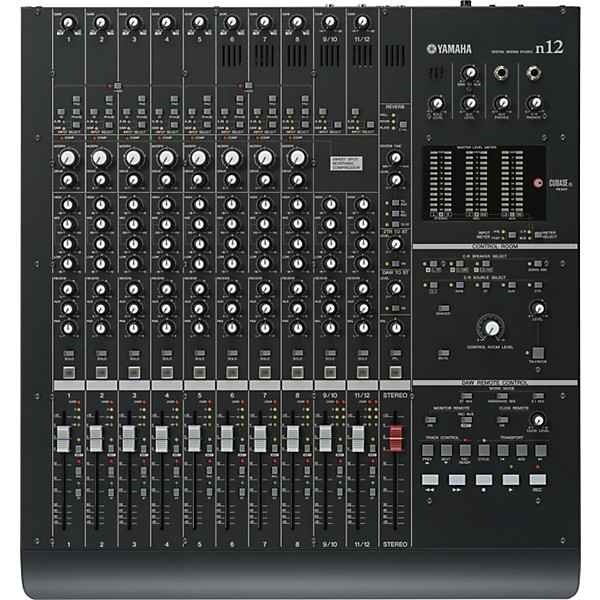
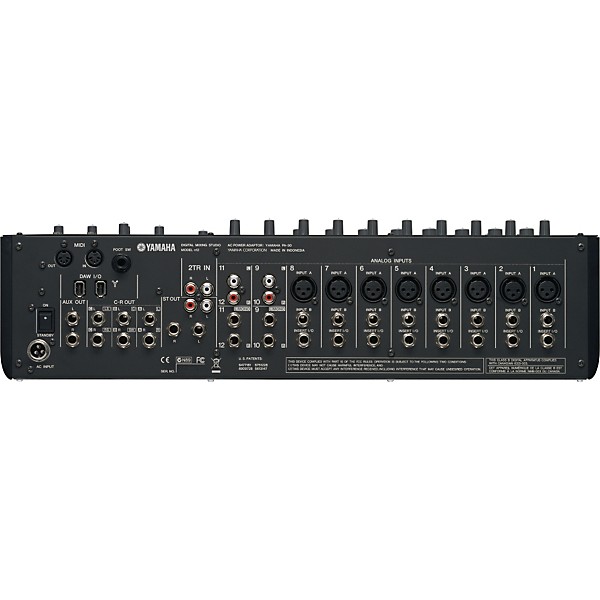
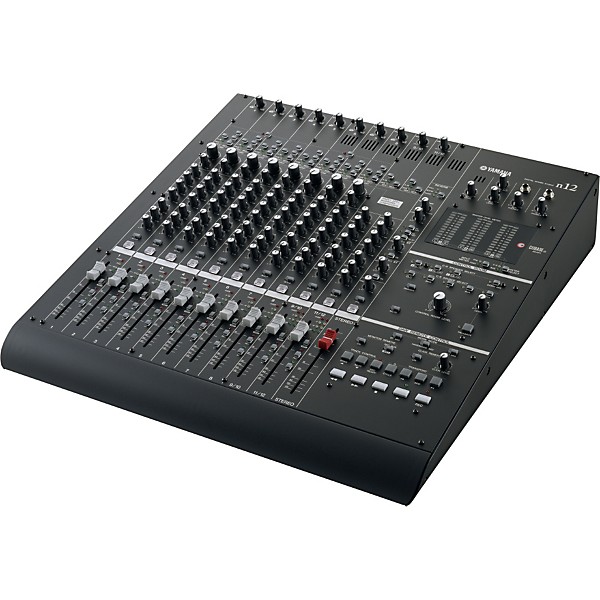
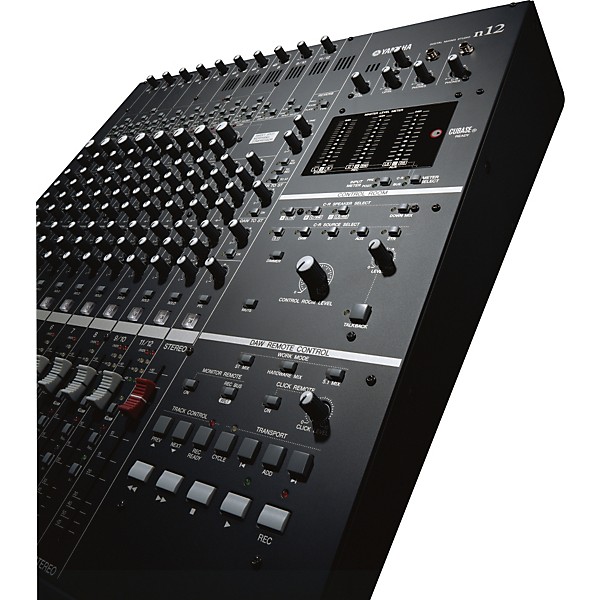
Yamaha n12 Firewire Digital Mixing Studio
$1,199.99

Save on orders $199+ and get expert advice from a Gear Adviser
Need Help?

Description
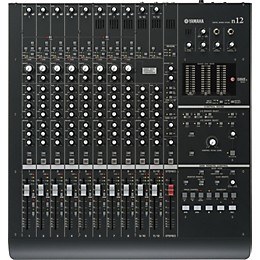
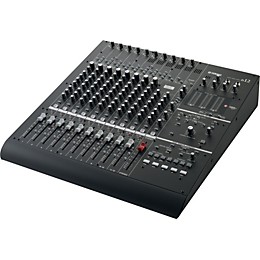
The Yamaha n12 Digital Mixing Studio is a mixing console with an analog-like mixing interface that boasts ease of operation for professional-quality recording and mixdown. Connecting a computer to the mixer's IEEE 1394 port enables you to configure an ideal recording environment with seamless integration into Cubase 4.
The mixer can handle up to 12 analog channel inputs, mixing them to stereo outputs and the 16 in/out FireWire connection to record them in a digital audio workstation (DAW). Each monaural input jack features an XLR jack with a phantom power supply and a newly developed compressor that adopts Sweet Spot Morphing technology with various compressor presets. One input supports Hi-Z input for direct connection of an electric guitar or bass. All input channels feature a full 3-band (high/mid/low) equalizer and share a built-in digital reverb.
For monitoring purposes you can connect three monitoring speakers (each stereo) to the mixer. If a computer is connected to the n12, you can monitor the sound from Cubase or another DAW in a 5.1 surround-sound environment.
With Cubase AI 4 a special version of Cubase 4 is included in the package so that you are ready to plug in and record.
Ease of operation
Analog-like mixing interface enables you to bring your sonic imagery into reality. The mixer can handle up to 16 channel inputs mixing them to stereo outputs. Each monaural input jack features an phone and XLR jack with a phantom power supply, which enables you to connect a wide range of instruments and devices, from condenser microphones to synthesizers and other line-level instruments. Input channel 8 supports Hi-Z input for direct connection of an electric guitar or bass.
Computer connection via a single IEEE 1394 cable
A single cable can do the trick. Connect a computer with an IEEE 1394 port to the n12 using an IEEE 1394 cable to transfer audio and MIDI signals between the mixer and Cubase or other DAW.
Link with Cubase
Install Cubase 4 (Cubase 4, Cubase Studio 4, or Cubase AI 4) on the computer, and the n12 will link to Cubase and operate together seamlessly. For example, you can record the n12 input signals to Cubase as is, or mix Cubase audio tracks on the n12. You can also turn on and off the monitor for the VST effects or control the transport section and tracks remotely from the n12.
High-end sound
Based on the examination of existing head amp circuits, a new head amp circuit has been developed that provides higher quality and superior musical characteristics. The Pad switch turns each channel pad on and off. When it is turned on, the input signal is attenuated by 26 dB. Use the high pass filter to cut off frequencies below 80 Hz. With the Phase switch you can invert the phase of the channel's signal.
The Input Select switch determines whether the analogue input signal or the DAW signal (the output from Cubase or another DAW) will be routed to the channel. By this you can either mix the analogue signals coming from the physical inputs or the digital signals coming from the computer.
Newly developed compressor
The n12 includes a newly developed compressor that adopts Sweet Spot Morphing technology. The mixer provides various compressor presets that represent the condensation of extensive professional engineering experience. Your sound can be at pro level instantly with an easy operation. Use the Morph control to select from the different compressor settings (or morphed settings between them) and the Drive control to determine the amount of compression.
Three-band EQ on each channel
Each input channel features a full 3-band (high/mid/low) equalizer, providing easy sound-shaping to suit your preferences. The Mid band is semi-parametric to offer you a more detailed control over the sound.
Digital reverb at your service
A built-in digital reverb can be shared by all input channels. If a computer is connected to the mixer, you can also apply digital reverberation to output from Cubase or another DAW, as well as to microphone and other instrumental sounds.
Use Aux Send 1 to route the channel's signal to the Aux bus. Use this control when you are sending a mix monitoring signal to the musicians, or connecting an external device, such as an effects processor.
The Pan control determines the stereo position of the monaural input channel. Stereo Input channels feature a Balance control which determines the volume balance between the left and right stereo channels. Odd channel signals are fed to the left bus, and even channel signals are fed to the right bus. For example, rotate the Balance control all the way to right to output only the even (right) channel signals.
Soloing and muting
The Solo switch turns the Solo function on and off. Turn this switch on, if you want to listen to certain channels without changing the mix contents or signal path.
Use the On switch to turn each channel on and off (muting). When the switch is turned off, the channel signal will be sent only to the AUX bus.
Fader controls
Each input channel features a 100mm fader volume control, each equipped with an input meter consisting of four LEDs.
Use the REC and the ST switches to route the channels signal either to the recording bus and/or the stereo bus.
With the Wet Switch you can determine if you want to hear the dry input signal from the analog input of the channel or the wet signal coming back from the computer, processed by VST effects or such.
Control Room monitoring function
The n12 features a monitoring function dedicated to the control room (Control Room Monitor function). You can connect three monitoring speakers (A, B, or C, each stereo) to the mixer and select, which source you want to monitor. If a computer is connected to the n12, you can monitor the sound from Cubase or another DAW in a surround-sound environment. (In order to monitor in a surround environment, you'll need a surround-capable application such as Cubase 4. The included Cubase AI 4 does not support surround.)
Use the Dimmer switch to temporarily lower the monitoring volume without readjusting the control room volume level--for instance if you want to have a conversation in the control room. The Mute switch mutes the control room monitors.
The Talkback switch activates the built-in microphone so that you can talk to the recording artist listening to the monitor signal in the recording room.
DAW remote control function
This section features switches to remotely control the basic functions of the DAW software connected to the n12. Transport controls, track select controls, controls to engage the recording status, and others.
The n12 supports three different modes of the way it works together with the connected DAW: In the Stereo Mix mode the n12 will monitor the Stereo Output from the DAW. The Hardware Mix mode enables you to mix the audio tracks from the DAW through the hardware of the n12. In the 5.1 Mix mode you are able to do a surround mix with Cubase 4.
The mixer can handle up to 12 analog channel inputs, mixing them to stereo outputs and the 16 in/out FireWire connection to record them in a digital audio workstation (DAW). Each monaural input jack features an XLR jack with a phantom power supply and a newly developed compressor that adopts Sweet Spot Morphing technology with various compressor presets. One input supports Hi-Z input for direct connection of an electric guitar or bass. All input channels feature a full 3-band (high/mid/low) equalizer and share a built-in digital reverb.
For monitoring purposes you can connect three monitoring speakers (each stereo) to the mixer. If a computer is connected to the n12, you can monitor the sound from Cubase or another DAW in a 5.1 surround-sound environment.
With Cubase AI 4 a special version of Cubase 4 is included in the package so that you are ready to plug in and record.
Ease of operation
Analog-like mixing interface enables you to bring your sonic imagery into reality. The mixer can handle up to 16 channel inputs mixing them to stereo outputs. Each monaural input jack features an phone and XLR jack with a phantom power supply, which enables you to connect a wide range of instruments and devices, from condenser microphones to synthesizers and other line-level instruments. Input channel 8 supports Hi-Z input for direct connection of an electric guitar or bass.
Computer connection via a single IEEE 1394 cable
A single cable can do the trick. Connect a computer with an IEEE 1394 port to the n12 using an IEEE 1394 cable to transfer audio and MIDI signals between the mixer and Cubase or other DAW.
Link with Cubase
Install Cubase 4 (Cubase 4, Cubase Studio 4, or Cubase AI 4) on the computer, and the n12 will link to Cubase and operate together seamlessly. For example, you can record the n12 input signals to Cubase as is, or mix Cubase audio tracks on the n12. You can also turn on and off the monitor for the VST effects or control the transport section and tracks remotely from the n12.
High-end sound
Based on the examination of existing head amp circuits, a new head amp circuit has been developed that provides higher quality and superior musical characteristics. The Pad switch turns each channel pad on and off. When it is turned on, the input signal is attenuated by 26 dB. Use the high pass filter to cut off frequencies below 80 Hz. With the Phase switch you can invert the phase of the channel's signal.
The Input Select switch determines whether the analogue input signal or the DAW signal (the output from Cubase or another DAW) will be routed to the channel. By this you can either mix the analogue signals coming from the physical inputs or the digital signals coming from the computer.
Newly developed compressor
The n12 includes a newly developed compressor that adopts Sweet Spot Morphing technology. The mixer provides various compressor presets that represent the condensation of extensive professional engineering experience. Your sound can be at pro level instantly with an easy operation. Use the Morph control to select from the different compressor settings (or morphed settings between them) and the Drive control to determine the amount of compression.
Three-band EQ on each channel
Each input channel features a full 3-band (high/mid/low) equalizer, providing easy sound-shaping to suit your preferences. The Mid band is semi-parametric to offer you a more detailed control over the sound.
Digital reverb at your service
A built-in digital reverb can be shared by all input channels. If a computer is connected to the mixer, you can also apply digital reverberation to output from Cubase or another DAW, as well as to microphone and other instrumental sounds.
Use Aux Send 1 to route the channel's signal to the Aux bus. Use this control when you are sending a mix monitoring signal to the musicians, or connecting an external device, such as an effects processor.
The Pan control determines the stereo position of the monaural input channel. Stereo Input channels feature a Balance control which determines the volume balance between the left and right stereo channels. Odd channel signals are fed to the left bus, and even channel signals are fed to the right bus. For example, rotate the Balance control all the way to right to output only the even (right) channel signals.
Soloing and muting
The Solo switch turns the Solo function on and off. Turn this switch on, if you want to listen to certain channels without changing the mix contents or signal path.
Use the On switch to turn each channel on and off (muting). When the switch is turned off, the channel signal will be sent only to the AUX bus.
Fader controls
Each input channel features a 100mm fader volume control, each equipped with an input meter consisting of four LEDs.
Use the REC and the ST switches to route the channels signal either to the recording bus and/or the stereo bus.
With the Wet Switch you can determine if you want to hear the dry input signal from the analog input of the channel or the wet signal coming back from the computer, processed by VST effects or such.
Control Room monitoring function
The n12 features a monitoring function dedicated to the control room (Control Room Monitor function). You can connect three monitoring speakers (A, B, or C, each stereo) to the mixer and select, which source you want to monitor. If a computer is connected to the n12, you can monitor the sound from Cubase or another DAW in a surround-sound environment. (In order to monitor in a surround environment, you'll need a surround-capable application such as Cubase 4. The included Cubase AI 4 does not support surround.)
Use the Dimmer switch to temporarily lower the monitoring volume without readjusting the control room volume level--for instance if you want to have a conversation in the control room. The Mute switch mutes the control room monitors.
The Talkback switch activates the built-in microphone so that you can talk to the recording artist listening to the monitor signal in the recording room.
DAW remote control function
This section features switches to remotely control the basic functions of the DAW software connected to the n12. Transport controls, track select controls, controls to engage the recording status, and others.
The n12 supports three different modes of the way it works together with the connected DAW: In the Stereo Mix mode the n12 will monitor the Stereo Output from the DAW. The Hardware Mix mode enables you to mix the audio tracks from the DAW through the hardware of the n12. In the 5.1 Mix mode you are able to do a surround mix with Cubase 4.
Features
- Easy operation
- Computer connection via a single IEEE 1394 cable
- Link with Cubase
- High-end sound
- Newly developed compressor
- Three-band EQ on each channel
- Digital reverb at your service
- Soloing and muting
- Control Room monitoring function
- DAW remote control function
Specs
Inputs
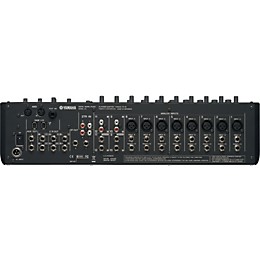
- Monaural inputs, channels 1-8: XLR/TRS jacks with Inserts and +48V Phantom Power; Channel 8 supports Hi-Z input (switchable)
- Stereo inputs: Channels 9 ” 12: Unbalanced Phone jacks /RCA jacks
- 2 Track In: RCA jacks
- Stereo out: TRS/RCA jacks L/R
- Control Room out A/B/C: TRS jacks L/R
- Aux out 1/2: TRS jacks
- DAW I/O: 2x IEEE1394 (FireWire)
- MIDI: IN, OUT
- Footswitch: 1x
- AC In: 1x
- Accessories: Power adaptor, owner's manual, CD-ROM (includes Cubase AI4 DAW software)
Reviews
5
1 Reviews
0%
of respondents would recommend this to a friend
Reviewed by 1 customers
Yamaha n12 is a great mixer but could use some extras!
submitted15 years ago
byBob Gallagher
fromBloomington, IL 61704
I own the n12, have had it for 2 years and have had no problems whatsoever. It is a great mixer for me in my personal home studio as it has that "console" kind of feel in a smaller format. Having 3-band EQ, built in REV-X Yamaha Reverbs, and the upgradeable Morphing Compression built into the mixer certainly adds to that feeling. Having 12 channels works for me currently but if I needed more than 12 channels, I could buy another n12 and cascade it via Firewire (although an optional 8 XLR/TRS channel sidecar would be great and I am sure would sell well based on how many of these units have been sold world-wide). I use Cubase 4.5 and the transport controls on the mixer work seamlessly hand in and with Cubase. The A/D converters are nice especially at this price point and with the Firewire connectivity, any latency there might be is essentially non-existent to me. One of the features I really like is having the option of having 3 separate monitor connections. If I could change one thing about the mixer? On channels 1-8 there are XLR AND TRS inputs, however, when you plug something into the TRS input it automatically shuts off the XLR input. I'd like to see Yamaha add a switch on each of those channels that would allow you to connect equipment to both the XLR and TRS inputs and then use the switch to choose either XLR or TRS.
- Previous
- 1
- Next
Q&A
Have a question about this product? Our expert Gear Advisers have the answers.
No results but…
You can be the first to ask a new question.
It may be Answered within 48 hours.
Be the first to know about exclusive offers, tips and more.

866-498-7882 English
877-687-5402 Español