



StudioMonitorsMixing


Pro Gear Advisers
•866-498-7882
Guitars
Guitars
Amps & Effects
Amps & Effects
Used & Vintage
Keyboards & MIDI
Keyboards & MIDI
Drums
Drums
DJ Equipment
DJ Equipment
Basses
Basses
Recording
Recording
Live Sound
Live Sound
Accessories
Accessories
Mics & Wireless
Mics & Wireless
Music Software
Music Software
Lighting
Lighting
- Popular Brands
Band & Orchestra
Band & Orchestra
Platinum Gear
Deals

Description
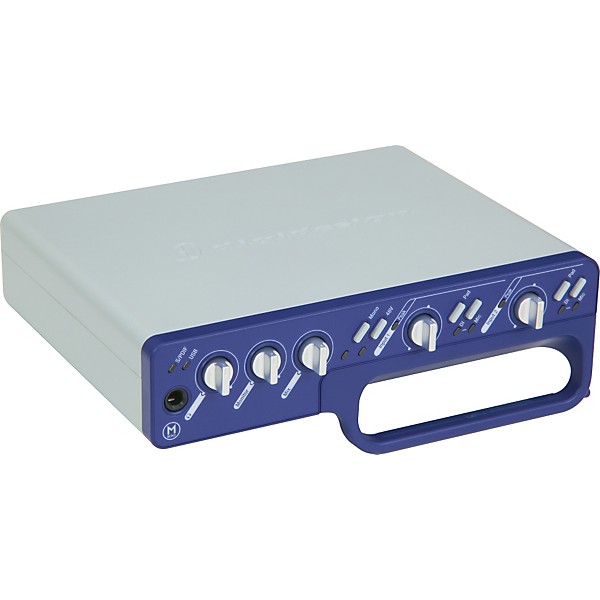
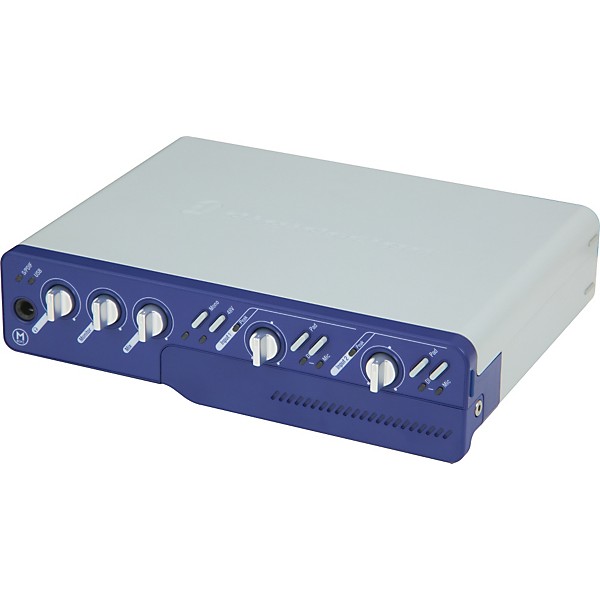
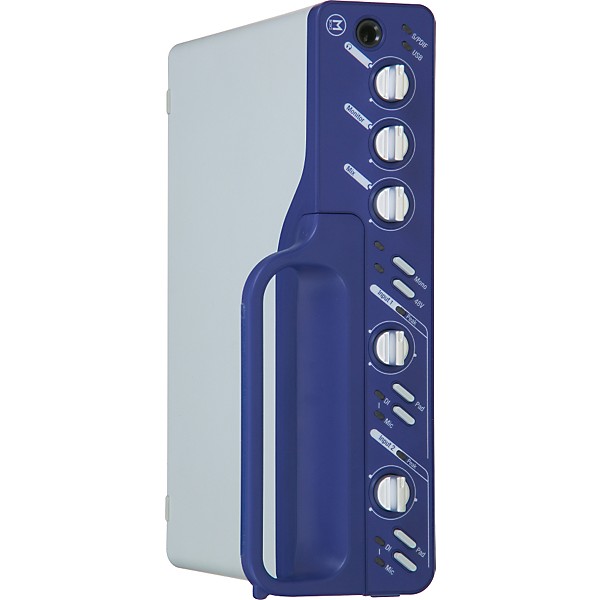
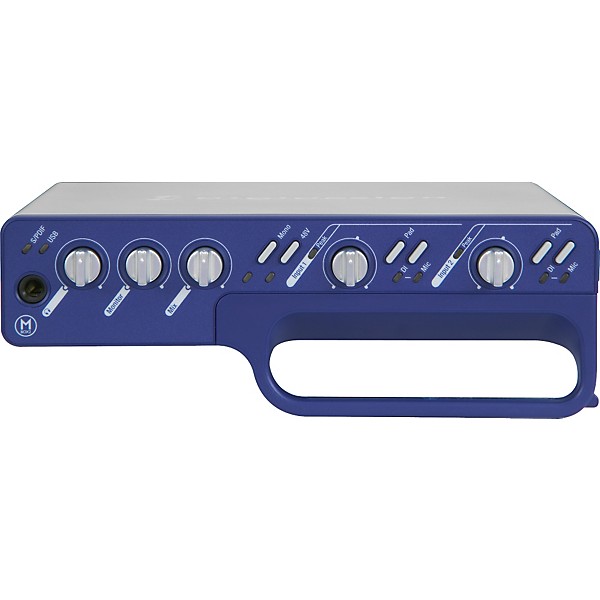
Mbox 2 is a next-generation USB-powered audio/MIDI production system that builds on the performance and simplicity of the original Mbox”Digidesign's most popular personal studio system ever. Featuring a wide range of connection options, including analog, digital, and MIDI I/O, Mbox 2 delivers professional performance in an incredibly compact package. Mbox 2 also includes award-winning, easy-to-use Pro Tools LE software, which offers many of the same features that top studios rely on to produce Grammy-winning albums and Academy Award”winning film sound. Projects created with Mbox 2 and Pro Tools LE software also open on Pro Tools|HD and Pro Tools M-Powered systems”providing instant compatibility with countless Pro Tools”equipped project and professional studio around the globe.
The Mbox 2 Factory also includes over $1,000 worth of additional professional plug-ins, plus an iLok USB Smart Key to handle your plug-in authorizations.
¢Maxim” must-have, world-class peak limiting and sound level maximizing plug-in that optimizes the overall level of audio input while preserving the integrity of the original sound
¢moogerfooger Analog Delay” A warm delay meticulously based on Bob Moog's classic analog design
¢Joemeek SC2 Compressor”a compressor with a unique edge, modeled after hardware units used by top producers around the globe
¢Joemeek VC5 Meequalizer”An equalizer that recreates a custom Joe Meek box that featured a treble and bass circuit with a sweepable mid control
¢Cosmonaut Voice”An "out-of-this-world" plug-in that offers a telephone voice, interplanetary effects, distortion, squelch, and even an authentic tone culled from recently declassified Russian space footage, all through a funky-looking interface
Hardware
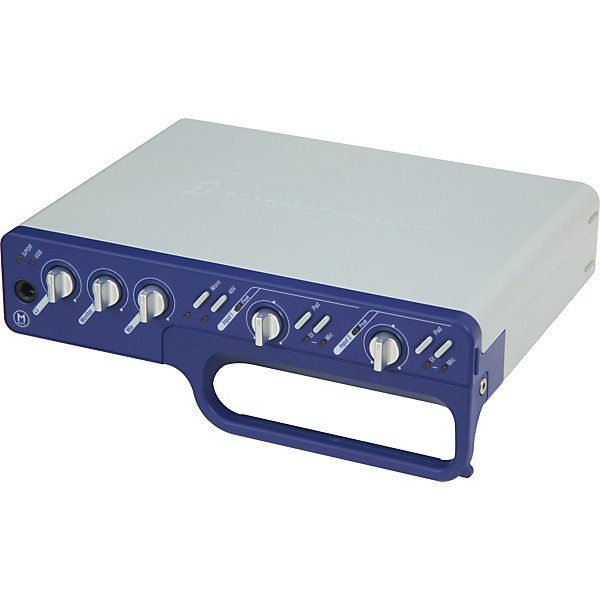
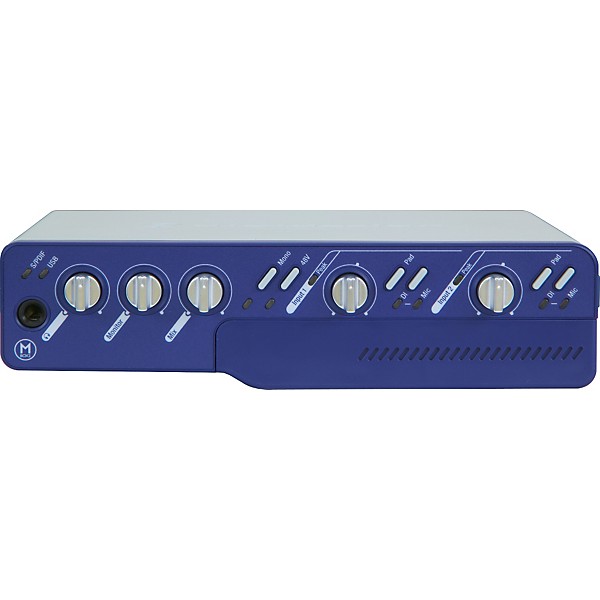
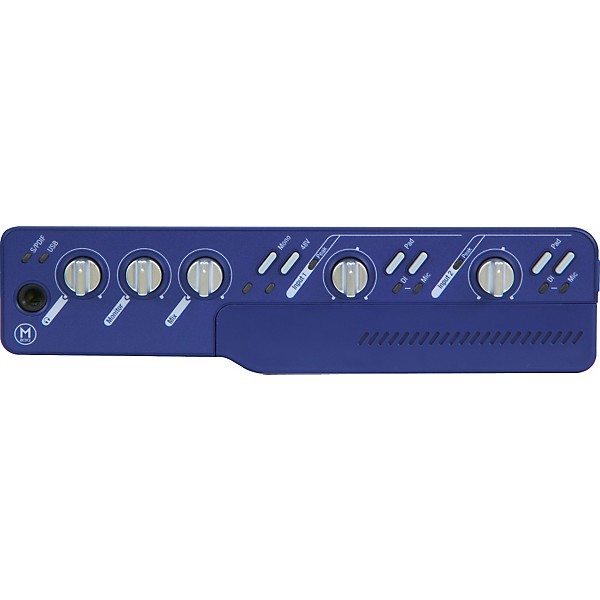
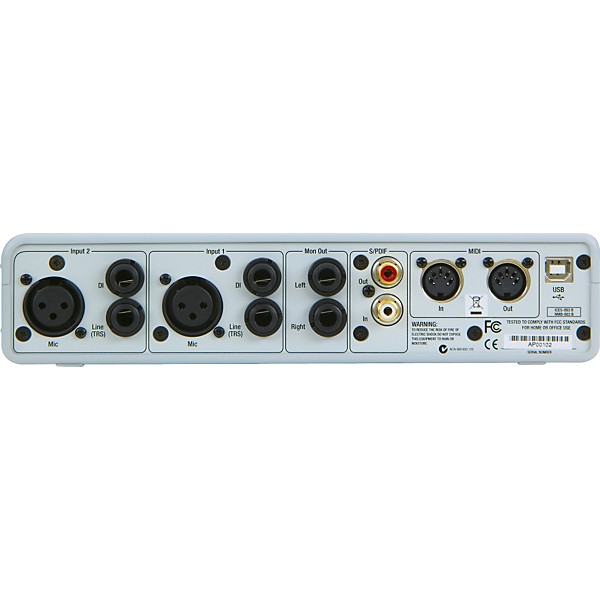
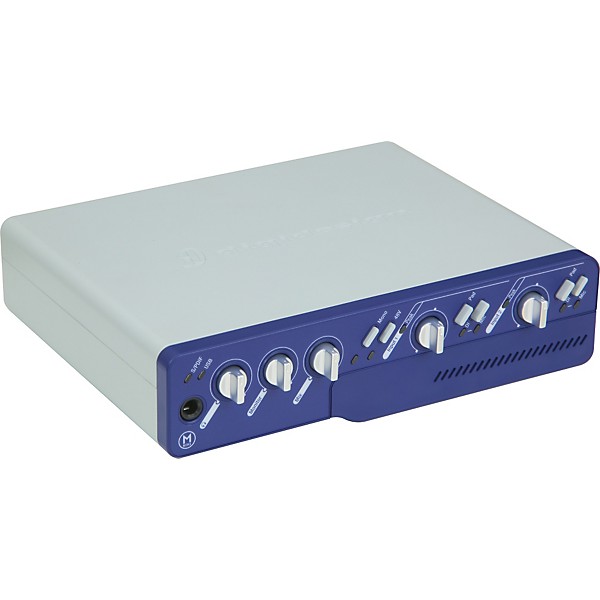
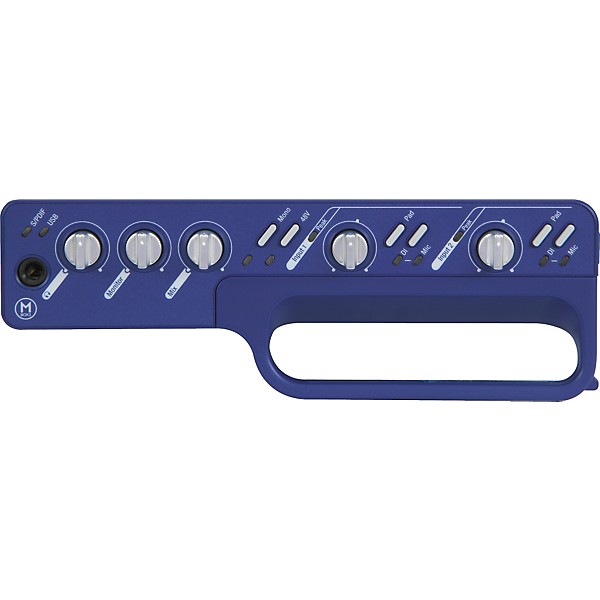
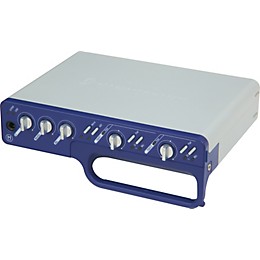
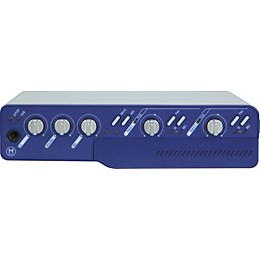
The Mbox 2 hardware interface is both powerful and easy to use, featuring a distinctive industrial design, impressive sound quality, and extensive input and output options.
Software
Pro Tools software is used in countless professional studios around the world, and includes all the tools you need to easily compose, record, edit, mix, and master your projects with pro results”every time.
The Mbox 2 Factory also includes over $1,000 worth of additional professional plug-ins, plus an iLok USB Smart Key to handle your plug-in authorizations.
¢Maxim” must-have, world-class peak limiting and sound level maximizing plug-in that optimizes the overall level of audio input while preserving the integrity of the original sound
¢moogerfooger Analog Delay” A warm delay meticulously based on Bob Moog's classic analog design
¢Joemeek SC2 Compressor”a compressor with a unique edge, modeled after hardware units used by top producers around the globe
¢Joemeek VC5 Meequalizer”An equalizer that recreates a custom Joe Meek box that featured a treble and bass circuit with a sweepable mid control
¢Cosmonaut Voice”An "out-of-this-world" plug-in that offers a telephone voice, interplanetary effects, distortion, squelch, and even an authentic tone culled from recently declassified Russian space footage, all through a funky-looking interface
Hardware
The Mbox 2 hardware interface is both powerful and easy to use, featuring a distinctive industrial design, impressive sound quality, and extensive input and output options.
Software
Pro Tools software is used in countless professional studios around the world, and includes all the tools you need to easily compose, record, edit, mix, and master your projects with pro results”every time.
Features
Hardware
- 100% USB powered for maximum portability
- 2 analog inputs, 2 analog outputs
- 2 channels of S/PDIF digital I/O
- 1 MIDI input and 1 MIDI output (16 channels in/16 channels out)
- Zero-latency monitoring
- Superior sonic performance
- 48V phantom power for condenser microphones
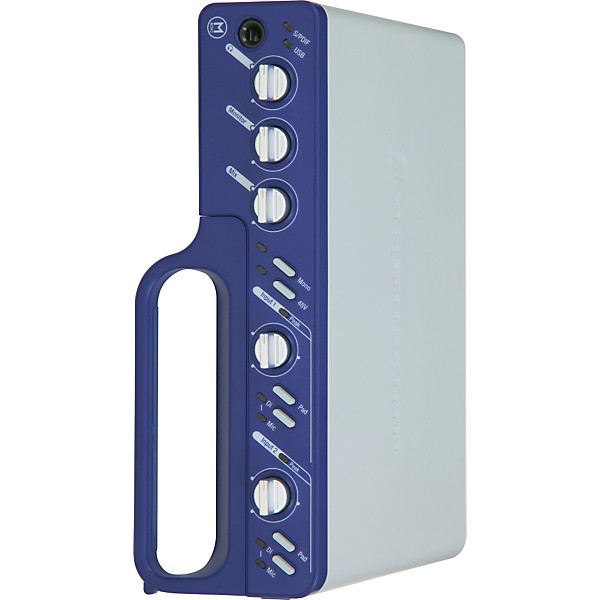
- Separate source selection and gain control per channel
- Headphone output with dedicated volume control
- Dedicated studio monitor volume control
- Award-winning Pro Tools recording, editing, and mixing
- 48 simultaneous stereo audio tracks (expandable with Toolkit options)
- Includes dozens of pro effects processing plug-ins and virtual instruments
- Professional MIDI sequencing with dedicated MIDI Editor window
- Integrated Score Editor based on award-winning Sibelius notation software
- Full Elastic Time and Elastic Pitch to easily adjust timing and pitch on your tracks
- Unique Beat Detective LE automatic groove analysis and correction tool
- ReWire support for streaming you favorite applications right into Pro Tools
- Support for the Digidesign C|24 and Command|8 control surfaces
- Huge selection of compatible third-party plug-ins and software options
- Works on Windows and Mac computers
- Cosmonaut Voice
- JOEMEEK SC2 Photo Optical Compressor
- JOEMEEK VC5 Meequalizer
- Moogerfooger 12-Stage Phaser
- Moogerfooger Analog Delay
- Moogerfooger Lowpass Filter
- Moogerfooger Ring Modulator
- Boom drum machine and sequencer
- DB-33 tonewheel organ emulator with rotating speaker simulation
- Mini Grand acoustic grand piano
- Vacuum monophonic vacuum tube synthesizer
- Xpand!2 multitimbral synth and sample workstation
- Structure Free sample player
- FXpansion BFD Lite acoustic drum module
- 1-Band EQ III
- 4-Band EQ III
- 7-Band EQ III
- AIR Chorus
- AIR Distortion
- AIR Dynamic Delay
- AIR Enhancer
- AIR Ensemble
- AIR Filter Gate
- AIR Flanger
- AIR Frequency Shifter
- AIR FuzzWah
- AIR KillEQ
- AIR Lo-Fi
- AIR MultiChorus
- AIR Multi-Delay
- AIR Nonlinear Reverb
- AIR Phaser
- AIR Reverb
- AIR Spring Reverb
- AIR StereoWidth
- AIR Talkbox
- AIR Vintage Filter
- BF76 Compressor
- BF Essential Clip Remover
- BF Essential Correlation Meter
- BF Essential Meter Bridge
- BF Essential Noise Meter
- Celemony Melodyne Essential
- Chorus
- Click
- Compressor/Limiter
- D-Verb
- DC Offset Removal
- De-Esser
- Delay
- DigiReWire
- Dither
- Duplicate
- Eleven Free
- Expander/Gate
- Extra Long Delay II
- Flanger
- Gain
- Invert
- Lo-Fi
- Long Delay II
- Maxim
- Medium Delay II
- Multi-Tap Delay
- Normalize
- Ping-Pong Delay
- Pitch
- Pitch Shift
- POWr Dither
- Recti-Fi
- Reverse
- SansAmp
- Sci-Fi
- Signal Generator
- Short Delay II
- Slap Delay II
- Time Compression Expansion
- Time Shift
- TL AutoPan
- TL InTune
- TL MasterMeter
- TL Metro
- Trim
- Vari-Fi
Specs
System Requirements
- Digidesign-qualified Windows Vista- (32-bit Business or Ultimate), Windows XP- or Mac OS X 10.5-based computer
- Minimum 1 GB of RAM
- DVD-ROM or equivalent optical drive for software installation
- Available USB port for for Mbox 2 system (USB hubs not supported)
- Available USB port for iLok USB Smart Key
- Separate source selection and gain control per channel
- Mic: XLR with 48V phantom power
- Mic preamp: >120 db EIN @ > 50 dB gain
- Line: ¼"
- DI: ¼"
- Maximum Input: 8.7 V RMS (balanced), or +21 dBu
- 24-bit clean to/from the computer
- USB type B socket (v. 1.1); cable included (does not support passive USB hubs)
- Maximum Output: +4 dBV into 1 kohm
- Unbalanced output connectors
- Height, box: 4.9cm; with handle: 7.7cm; with handle cover: 5.6cm
- Width: 22.4cm
- Depth: 18.4cm (includes knobs)
- Weight: 1.23 kg.
- Separate volume control;
- ¼" output
- > 6 mW into 50 ohm
- Sample Rate: 44.1, 48 kHz
- Dynamic Range: 106 dB (A-weighted), 103 dB (unweighted)1,2
- THD+N (line input): 0.00079% (-102 dB) @ 1 kHz1,3
- THD+N @ 40 dB gain (mic input): 0.006% (-84 dB) @ 1 kHz1
- Mic EIN (unweighted): -120 dB @ 40 dB gain, 150 ohm source
- Frequency Response: +0/-0.5 dB, 20 Hz ” 20 kHz3
- Maximum Input: +21 dBu
- Input Impedance (pad off): Mic=3.5 kOhm; Line=10 kOhm; DI= >1 MOhm
- S/PDIF I/O (24-bit)
- RCA jacks
- Sample Rate: 44.1, 48 kHz
- Dynamic Range: 106 dB (A-weighted), 103 dB (unweighted)1,4
- THD+N: 0.003% (-90.4 dB); -1 dBFS @ 1 kHz1,3
- Frequency Response: +/-0.5 dB, 20 Hz ” 20 kHz3
- 1 Measurement made using balanced connectors
- 2 ADC measured -60 dBFS method with minimum gain setting
- 3 Measured relative to level at 1 kHz
- 4 Measured with digital input at -60 dBFS @ 1 kHz
Reviews
4.5
8 Reviews
0%
of respondents would recommend this to a friend
Reviewed by 8 customers
The Perfect Package
submitted16 years ago
byJustin W.
fromChesapeake, VA
I highly recommend the mbox2 to anyone interested in studio quality recordings. Pair Pro Tools with an iMac and you will be on cloud nine. The few bad reviews i've seen on this product no doubt come from PC users. Poor misguided fools get a Mac. For the rest of you sensible people step on up to the standard of the industry and get your hands on Pro Tools!!! Easy setup, Straight forward controls with editing and recording as well as crystal clear reproduction of tones. I will never use another program.
great software and hardware for pc or mac users
submitted18 years ago
byHmOobRaPsTaR
fromdetroit
i rad about the mbox2 from web site to web site trying to see if the mbox2 is really the way to go cuss when your paying $600 you'll try to find out all the information you can about it...i was recording with a samson co1u USB condenser mic and adobe audition..so i just decide to buy one last week and at frist it was hard to work with but with the method 1 dvd that came with it and a few days later i was recording like a pro and everythings is up and runing ..the more you play around with the mbox2 the more you will come to love it and do not buy cheap wires for you mic or monitors it really dose effect the sounding when monitoring or recording ....go buy one today!!!!if your a starter in recording you'll love this..
Get Something Else
submitted19 years ago
byGLMTRM
fromMaplewood, MN
It is extremely difficult to set up. I had to purchase additional equipment in order to get it to work to my satisfaction. Technical suppport is almost non-existent. I have several other products that do a more efficient job and cost less. It IS a good quality product but better results may be obtained by other (and cheaper) programs.
Get a MAC!
submitted19 years ago
byNashEngineeer
fromNashville, TN
Hmmmmm... the only problems people have had is PC ownders with various driver issues and getting their particular computer happy with the software... All the Mac users LOVE it! This is amazing bang for the buck. The new Mbox is a big step up in quality from the old and the bundle is da shizzle!
Recording power in a little box
submitted19 years ago
byMike Scavio
fromApple Valley,MN
I bought this to beable to get to know protools before I actually got started takeing classes for it. At first I was very frusterated because I couldnt get anything to work but I soon found out that all I needed were the Updates for each program that came with the factory bundle, including the protools program, itself. When I finnally got it to work the problem now was to learn the capabilities of protools and the other programs it came with. My friend showed me the basics and the DvD that it came with helped me out as well. Now every time I turn on my computer and run pro tools Im not nearly as confused.
For the price?
submitted19 years ago
byDeken 87
fromSan Antonio TX
Well first off, I had tons of problems with this thing. Just installing it was a hassle. I had so many driver issues and I started to get the blue screen of death. I couldnt use it without getting what looked like low end sounds coming out on the sequencer, yet there was no inputs. A lot of inputs and outputs which is always good, but whats the point if you can't get it to work? I mean for the price the software bundle is great. And for some reason I couldn't fully uninstall Pro Tools LE, in fact on my Add/Remove programs it still has it there taking up over 2,000 MB of space. I just went in and removed the program folder because it wouldn't let me install it from there. I don't know, but I would go with Sonar 6 and a high quality audio interface if I were you. Or save up for the good Pro Tools HD.
Q&A
Have a question about this product? Our expert Gear Advisers have the answers.
No results but…
You can be the first to ask a new question.
It may be Answered within 48 hours.
Be the first to know about exclusive offers, tips and more.

866-498-7882 English
877-687-5402 Español