


DigitalPianistSynths


Pro Gear Advisers
•866-498-7882
Guitars
Guitars
Amps & Effects
Amps & Effects
Used & Vintage
Keyboards & MIDI
Keyboards & MIDI
Drums
Drums
DJ Equipment
DJ Equipment
Basses
Basses
Recording
Recording
Live Sound
Live Sound
Accessories
Accessories
Mics & Wireless
Mics & Wireless
Music Software
Music Software
Lighting
Lighting
- Popular Brands
Band & Orchestra
Band & Orchestra
Platinum Gear
Deals
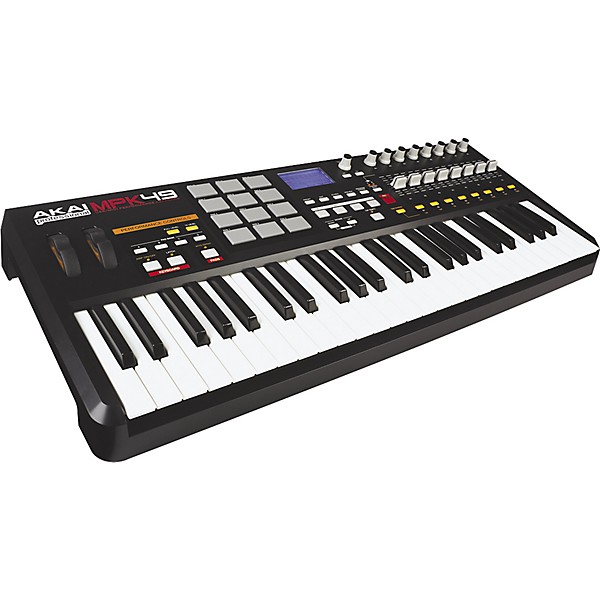
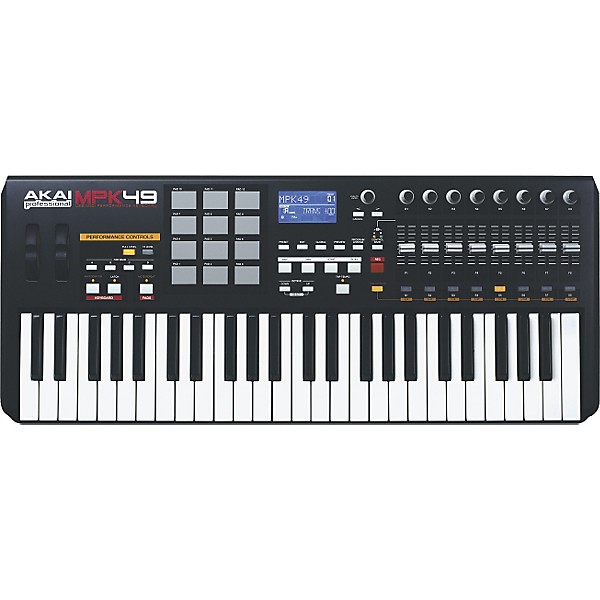
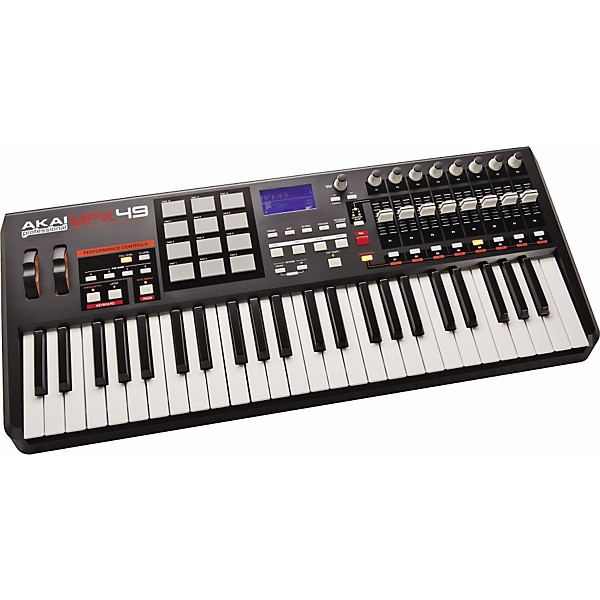
Akai Professional MPK49 Keyboard USB MIDI Controller
$349.00

Need Help?
Videos (2)
View All
View Video

AKAI MPK49 Overview

Description
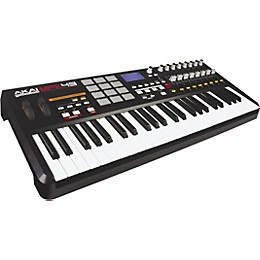
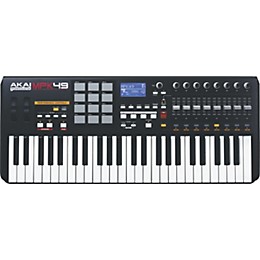
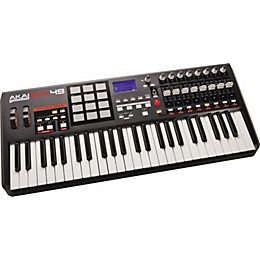
Beat creation, MIDI sequencing, and live performance control are all possible with Akai's MPK49 USB/MIDI controller. Featuring a sleek black design, this 49-key, semi-weighted keyboard with aftertouch comes with 12 MPC-style drum pads with 4 pad banks each for a total of 48 total pads.
The pads have swing parameters that can be applied to the MPC Note Repeat function and the MPK49 keyboard's own arpeggiator for instant creation of ear-catching riff effects. They also feature the MPC-style Full Level and 12 Level velocity functions.
Included in the array of assignable controls are 8 full-sized, 360-degree rotation pots, 8 full-sized sliders, and 8 backlit switches. All of them come with 3 banks, giving you a total of 24 pots, 24 sliders, and 24 switches to play with. Amongst the other assignable inputs are an expression pedal, footswitch, pitch bend, and modulation wheel. The MPK49 MIDI keyboard controller also has Tap Tempo and time-division buttons allow for realtime control of Note Repeat and Arpeggio clock speeds.
The large, custom LCD display makes it easy to see what you're working with, whether in the dark atmosphere of a nightclub or in the comfy confines of the studio.
The pads have swing parameters that can be applied to the MPC Note Repeat function and the MPK49 keyboard's own arpeggiator for instant creation of ear-catching riff effects. They also feature the MPC-style Full Level and 12 Level velocity functions.
Included in the array of assignable controls are 8 full-sized, 360-degree rotation pots, 8 full-sized sliders, and 8 backlit switches. All of them come with 3 banks, giving you a total of 24 pots, 24 sliders, and 24 switches to play with. Amongst the other assignable inputs are an expression pedal, footswitch, pitch bend, and modulation wheel. The MPK49 MIDI keyboard controller also has Tap Tempo and time-division buttons allow for realtime control of Note Repeat and Arpeggio clock speeds.
The large, custom LCD display makes it easy to see what you're working with, whether in the dark atmosphere of a nightclub or in the comfy confines of the studio.
Features
- 8 full-sized, 360 degree rotation pots, each with 3 banks for 24 pots total
- MPC-style note repeat and all new arpeggiator
- 8 full-sized sliders with 3 controller banks each for 24 sliders total
- 8 assignable backlit switches with 3 controller banks each for 24 switches total
- MMC/MIDI Start-Stop transport buttons
- Large, easy-to-read custom LCD display
Specs
- Dimensions: 29"L x 12"W x 4"H
- Weight: 13lb.
Reviews
4.26
19 Reviews
100%
of respondents would recommend this to a friend
Most Liked Positive Review
5
Overall stisfaction!!
The Akai MPK49 USB/MIDI controller is an absolute beast. Whether it be for making hip-hop beats and melodies, to starting your own solo project with drums etc. this is the controller for you. I believe that Reason is the best program to use with this. Because, i have been able to writer full songs using only this controller, and then exporting them to Ableton to record vocals. So if you have a project you are gettng off the ground and seriously writing for, this is the controller for you!! Whether it be hip-hop, rap, electronica, or any other type of alternative genre, this controller will satisfy all needs.
VS
Most Liked Negative Review
3
Not Very Compatible with Sonar
The quality of the hardware is great. I really like look and feel of the knobs and sliders. I prefer the mod wheel being separate from the pitch bend wheel. I did not get a chance to really try out the pads which I hear are not as sensitive as they could be. I opened the box. Hooked it up to my computer. And then the troubles began. This was my first attempt at a MIDI controller with all the assignable knobs, sliders and foot pedals. My hope was that either the MPK or my Sonar 8.5 Producer would have some kind of compatible software that would allow them to communicate easily. That thinking was absolutely flawed! Unfortunately, the MPK and Sonar do not work well together. After doing some backwards research and checking the Sonar discussion boards it was pretty clear this was a poor choice on my part. If you are using Sonar it looks as if they are taking the Apple style of electronics philosophy. If it's third party we they are not going to go out of their way to incorporate it into their programming. So it is not completely Akai's fault on this one. Needless to say I unfortunately had to return this product - Thanks Guitar Center for the good customer service. Bottom line if you are using Cakewalk Sonar you are better off buying products that are created by Roland, Edirol, or Cakewalk themselves to achieve the best level of compatibility and user friendliness.
Filters
Best Uses
- Practicing1
Cons
- Difficult To Use1
Describe Yourself
- Professional Musician1
Pros
- Functional1
- Good Quality1
Reviewed by 19 customers
Really Solid MIDI
Verified Buyer
submitted10 years ago
by34boor
fromBoise
This keyboard is amazing and easy to use. I've been running it with logic for about 6 months. The keyboard action is superb and with the manual, it is easy to figure out. One thing I wasn't too happy about: It took me a little bit to find a damper pedal for it. Some pedals that work with keyboards don't transfer.
My First and Best
submitted11 years ago
byElizabeth
fromMagna, UT
I've been playing piano for about 6 years now and I've just barley gotten into the recording scene and so I literally know nothing. It took me a second to get everything set up ( I probably should have read the manual) but it's so fun. The software it comes with is nice and basic and it works with my digital piano as well. The MPK25, MPK49, MPK61 are must haves.
Would be Amazing if the pads were more sensitive.
submitted13 years ago
byAntonio Jimenez
fromLos Angeles
Amazing Product, bought it for my son(15) who was using an older Key-station. The key station was good but as his skills grew I thought this was a great upgrade for him. He uses the MPK49 almost on a daily basis. He seems to enjoy using it and still uses the pads. We did change sensitivity and threshold, and maybe some thing else, now it is much better than out the box. Just expected more from the pads, since it is from Akai. Youtube has fixes if you are out of warranty or you pads don't break in after time. would give 5 Stars but have to remove one for the pads. Unit is solid and feels professional grade. Set up fine on a older, Dell Latitude D830 core2 2ghz 2gbRam Windows 7, and have also used it with Windows 8 on same laptop with no issues. Used it with Studio one and Abelton Live. Has about 30 Presets 15 have been set for existing DAW's but can be changed if you want or if you fill modify the extra 15 presets. Overall great.
Awesome with Reason
submitted13 years ago
byAdam Adamus
fromChicago, IL
The keys feel amazing, heavy for semi weighted almost like a piano. Works great with reason, no issues with windows 7. Came with trial ableton lite akai version.. Good enough to mess with a few instruments. Auto detect worked so easy with no issue in both reason and ableton. Drum pads are bad! Theres a upgrade you can do which seems semi easy for anyone thats messed with these things before. Even with the drum pads the price was right. Plus the pads are somewhat usable so i consider it as a complete bonus. Sliders and knobs very solid and comfortable to use. Overall midi is heavy, solid build quality, seems like you can beat on it. Treat it like your guitar, bass, whatever when your playing hard and it will last. Its a instrument (kind of) so that respect is needed. I dont recommend throwing it against the wall, your probably mess up the drywall. Appegiator is a fun feature most DAWs have it as a effect but nice to have it onboard with latch. Got it on sale and its worth every penny.
Not for the true piano player
submitted14 years ago
byRay Bacon
fromKnoxville
I bought this keyboard for the purpose of using this in LIVE situations as a MIDI controller for the Alesis Nanobass module. I also planed to pair this controller with with the Moog Minitaur in the near future. I play in a 3-piece band and I am heavily influenced by the keyboard player Neal Evans (Soulive). I run bass lines with one keyboard and I play upper melodies with another. In this review I am strictly going to review the KEYBOARD FEEL ONLY. I have had piano training since elementary school and I continued playing and practicing this instrument all through college. I have played a variety of keyed instruments in various types of key weight and dis-repair. Usually, I am able to adapt to a situation, understand the nuances of an instrument, and play accordingly. Unfortunately, with this keyboard after hours of trying to play it, I could only achieve 3 midi velocities 0, 64, 127 (on average). Essentially, the keys have an "on-off" feel and hardly anything in between. I had great difficulty being expressive as I usually am with my left hand while playing bass lines. Also, playing with my right hand, it felt forced and required more focus than normal to control my touch. Even just playing chords with the usual weight it takes to play a true piano did not yield the right results. The stiff keys and short travel make for a bad combination overall. This can really hamper any sound that has velocity switching. It made most bass lines I play sound like I was always pounding the keys :( HOWEVER! this product has excellent build quality all around. The sliders, pitch bed wheels and every other control surface feels like it will last for years. (that is originally why I decided to purchase it). However, this "tough as nails" feel should not have been translated to the key bed. I decided to return it and exchanged for a Novation Impulse. - Ray
Great piece of hardware if you're proficient with all it's features.
submitted14 years ago
byMichael
fromLexington KY
I've owned this midi keyboard for about two months now with absolutely no regrets, I use it primarily with Ableton Live Suite 8 and the sheer compatibility between the software and the hardware is mind boggling. The pitch bend and modulation wheel are awesome, great tension and in most cases they were automatically synced with my VSTis. The keys are probably the best part of the controller, the pressure sensitivity on them is great and they definitely have a nice 'push' to them. At first I thought having forty nine keys was going to be a bit of an overkill for my purposes but I wouldn't have it any other way now. All of the midi controls are awesome, limited but awesome, if you're using something that is easily accessible they are ideal for syncing with a digital mixer the sliders are great with volume control and I typically set the knobs for my pans or sends. While this keyboard has a plethora of positive aspects it also comes with it's setbacks as well and unfortunately it's main setback is what I was most excited about. I had never used drum pads before but I was looking forward to using them because I was hoping to get a more realistic sound to my drum loops, I used the keyboard in an actual guitar center store and found that the pads were either overly responsive or not nearly responsive enough. At the time I figured it was just because it was a floor instrument and people had been whaling on it for a while but that is not the case, just as I had found they indeed are either too much or not enough. While I have not fixed this yet, to my understanding it is an easy fix and really not that expensive either and is something I will be pursuing eventually, for the time being the keys are more than enough for use with a drum machine and thanks to the dynamic sensitivity I still get the much desired realism. Overall I will say that it is an awesome keyboard and while I would recommend it to any producer of any genre this particular midi controller would be flawless for hip hop production, also it is USB bus powered so assuming your computer has enough power there's no need for a messy wall plug unless you absolutely want one as well as the fact that Akai stands behind their products so you can expect great customer support.
Q&A
Have a question about this product? Our expert Gear Advisers have the answers.
No results but…
You can be the first to ask a new question.
It may be Answered within 48 hours.
Be the first to know about exclusive offers, tips and more.

866-498-7882 English
877-687-5402 Español