


DigitalPianistSynths


Pro Gear Advisers
•866-498-7882
Guitars
Guitars
Amps & Effects
Amps & Effects
Used & Vintage
Keyboards & MIDI
Keyboards & MIDI
Drums
Drums
DJ Equipment
DJ Equipment
Basses
Basses
Recording
Recording
Live Sound
Live Sound
Accessories
Accessories
Mics & Wireless
Mics & Wireless
Music Software
Music Software
Lighting
Lighting
- Popular Brands
Band & Orchestra
Band & Orchestra
Platinum Gear
Deals
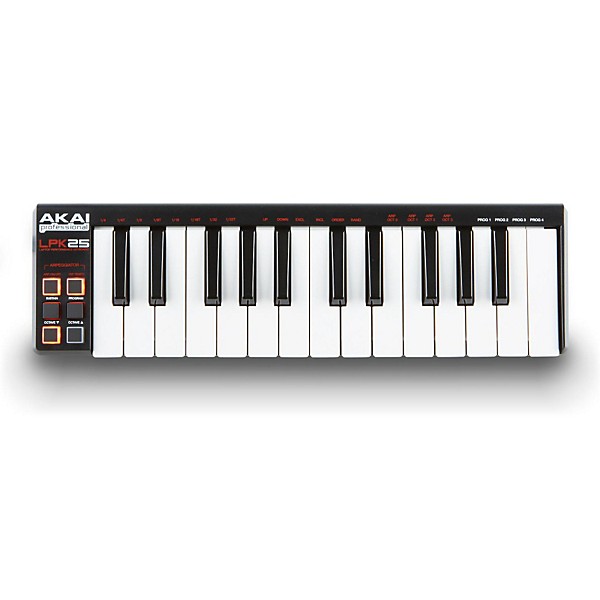
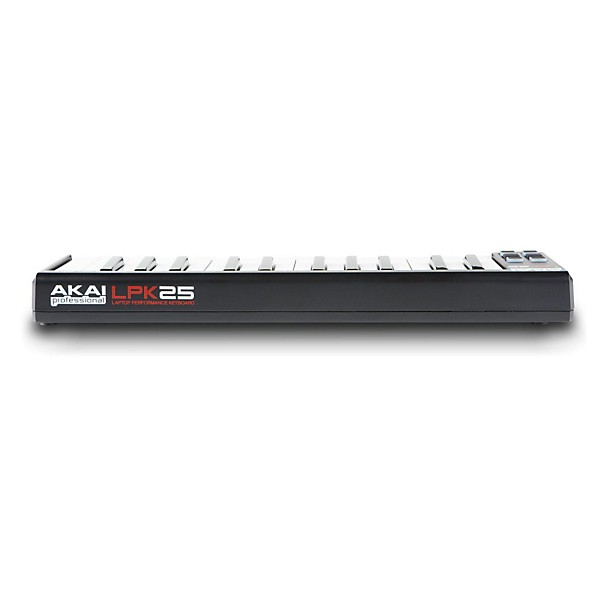
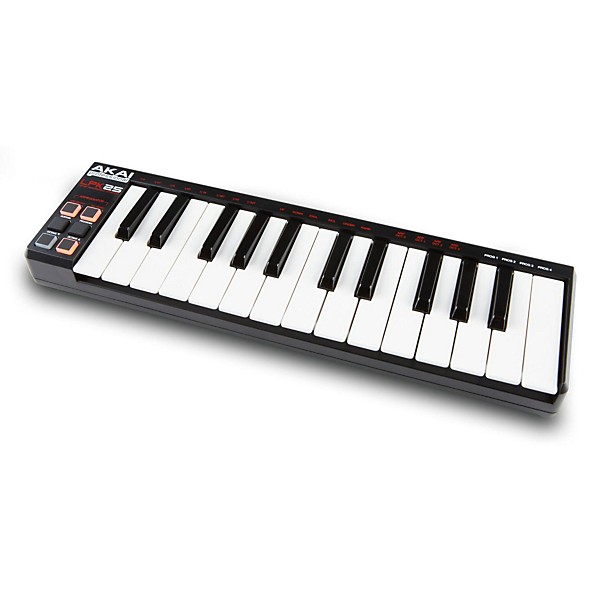
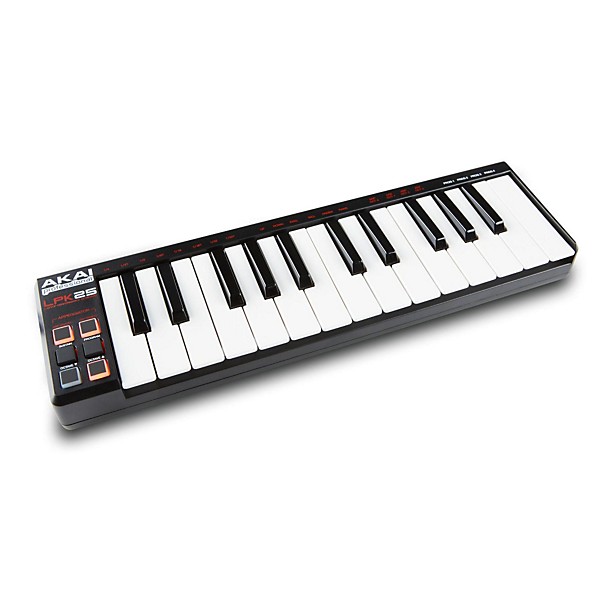
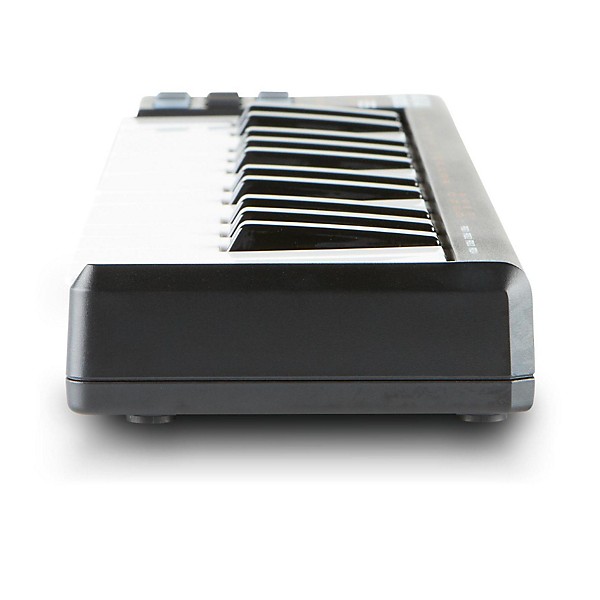
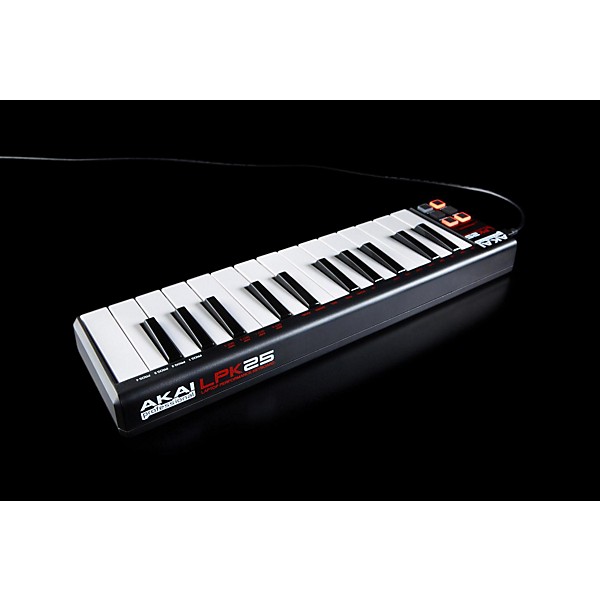
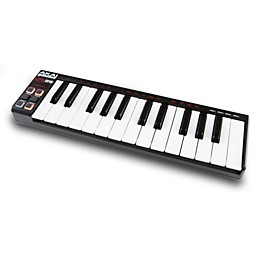
Akai Professional LPK25 25-Key USB-MIDI Keyboard Controller
$49.00

Need Help?
Videos (1)
View All
Akai Pro LPK25: Overview

Description
The Akai LPK25 Laptop Performance Keyboard is a USB-MIDI controller for musicians, producers, DJs and other music creators. The keyboard measures less than 13" across and weighs less than a pound, so it fits easily into your laptop case, backpack, or messenger bag for extreme portability.
Keyboard players who want to work with software on their computer will find that the Akai LPK25 gives their laptop the keys they need to express themselves anywhere. The LPK25 is a scaled-down relative to the Akai MPK series of keyboard performance controllers. The diminutive keyboard is made up of 25 miniature, velocity-sensitive keyboard keys with synth action.
The Akai LPK25 Performance Keyboard contains an arpeggiator, which steps through chords automatically, assisting musicians with creating quick melodic ideas. Sustain, octave up and down, and tap tempo controls round out the Akai LPK25 keyboard controller's easy-to-learn layout.
The Akai LPDK25 offers plug-and-play with Mac and PC computers and requires no software driver installation or wall power for operation. The LPK25 Laptop Performance Keyboard has 4 memory banks for programming and recalling settings appropriate to the software programs you use.
Keyboard players who want to work with software on their computer will find that the Akai LPK25 gives their laptop the keys they need to express themselves anywhere. The LPK25 is a scaled-down relative to the Akai MPK series of keyboard performance controllers. The diminutive keyboard is made up of 25 miniature, velocity-sensitive keyboard keys with synth action.
The Akai LPK25 Performance Keyboard contains an arpeggiator, which steps through chords automatically, assisting musicians with creating quick melodic ideas. Sustain, octave up and down, and tap tempo controls round out the Akai LPK25 keyboard controller's easy-to-learn layout.
The Akai LPDK25 offers plug-and-play with Mac and PC computers and requires no software driver installation or wall power for operation. The LPK25 Laptop Performance Keyboard has 4 memory banks for programming and recalling settings appropriate to the software programs you use.
Features
- USB-MIDI controller works with virtually all audio software
- 25 velocity-sensitive mini-keyboard keys
- Arpeggiator, sustain button, octave up and down, and tap tempo controls
- Plug-and-play USB connection for Mac and PC requires no driver installation
- Small enough to fit in a backpack or laptop bag
- Four programmable memory banks
- Send note information or program changes from keys
- Comes with editor software for Mac and PC
- USB bus powered—no additional power cable needed
Specs
- Weight: 1 lb.
- Dimensions (HxWxD): 1.1" x 13.4" x 3.8"
Reviews
4.1
21 Reviews
43%
of respondents would recommend this to a friend
Most Liked Positive Review
5
Light... Portable... Konvenient
Keyboardists with tight workspaces, laptop musicians about town, your search is over. I felt compelled to write a comparison review because I have owned both the KORG nanokey, and AKAI LPK25. I bought the nano right when it came out, excited to have such a backpack friendly controller. For the price, I felt like I got my money's worth. It was inexpensive, tiny, easy to configure, and not without its dinky charm. It was, however, impossible to play like a keyboard. If you don't understand what I mean, imagine your laptop spacebar turned 90 degrees. Now tap it with any finger. This is the EXACT feel of the nanokey "buttons". They are in fact velocity sensitive, but the finger motion required to play them is more like tapping than anything else. Enter the LPK25, a few bucks more, a thousand times better. Sorry for the lengthy intro. You can't truly appreciate this product without understanding what AKAI's higher price gets you that KORG fails to deliver: a professional grade instrument. The keys are miniature without feeling "nano" tiny, and the action is indescribable. The keys do not wiggle; they do not click. They're springy yet spongy, and infinitely more playable than those of my former on-the-go controller. Regarding playability (the P does stand for performance after all), one of the sturdy rubber buttons is a sustain "pedal"! What a neat feature! Above that, AKAI has equipped a built in arpeggiator which is extremely powerful and easy to use on the fly. Octave shifting is a breeze. If this thing had one more octave or so of keys, I would use it as my exclusive keyboard controller and use the Axiom 49 for mixing and drum pads only - the keys on the LPK are just that good. Nevertheless, I do have a short wishlist. A modwheel and pitch bend or button (as on the nano) would have been nice. The ONLY other nanokey feature that I'll miss is the variable intensity on the octave shift LEDs. The down glows brighter the further down you shift, and vice versa, reminding you where you are in the full 88. If you know you want something LIKE this, stop shopping and know you have found it.
VS
Most Liked Negative Review
3
It's an alright product and cheap, but there are better.
Overall the controller does what it's supposed to. It's a pretty simple, limited-functionality MIDI keyboard with a couple buttons to adjust the octave, sustain, etc. It's also got a built-in arpeggiator or repeat button to continuously fire MIDI signals into your DAW, which allows it additional rapid-fire capability. The keys are also velocity-sensitive, which is a thoughtful addition. But... The primary issues I have with this controller are usability-related: - The springs under the keys are unusually stiff, bouncier and harder to press than I would have expected. As mentioned, the keyboard has velocity detection, but the hard springs make it hard to get the velocity just right. I don't expect piano-like accuracy, but at the same time, this doesn't feel quite right either. - The arpeggiator function seems nice in theory, but there's only the single button to manually tap the tempo. So this would really only be useful for a live performance where you set the tempo on-the-go: trying to record or produce music and set the arpeggiator tempo exactly to what the DAW is set to is not practical. - The buttons to change the octave seem like an incomplete feature. By default, both up octave and down octave buttons are unlit, signaling that you're around the C1-C2 range. When you up the down the octave, that respective button lights up. The issue with this however is that although it tells you whether you're up or down from the default range, it doesn't tell you how many octaves you are up or down. So the up button is lit up, but am I two octaves up? 5? You don't know until you tap a key and find out for yourself, making it a semi-risky functionality to use when gigging and you can't immediately tell which octave you're in. Overall, it's not a bad product, but it seems like you can get much better for not that much more money. Subsequently I can't really say I recommend it.
Filters
Best Uses
- Practicing5
- Back-Up2
- Concerts1
- Composition1
- Gigs1
Cons
- Poor Quality3
- Difficult To Use1
- Limited Functionality1
- Weird Keys1
Describe Yourself
- Experienced4
- Novice2
- Professional Musician1
Pros
- Easy To Use6
- Functional5
- Good Quality4
- Improves Sound1
- Lightweight1
Reviewed by 21 customers
I would buy this product again and again
Verified Buyer
submitted4 years ago
byErik
fromJacksonville FL
The product is amazing
It's an alright product and cheap, but there are better.
submitted6 years ago
byMichael
fromDenver, CO
Overall the controller does what it's supposed to. It's a pretty simple, limited-functionality MIDI keyboard with a couple buttons to adjust the octave, sustain, etc. It's also got a built-in arpeggiator or repeat button to continuously fire MIDI signals into your DAW, which allows it additional rapid-fire capability. The keys are also velocity-sensitive, which is a thoughtful addition. But... The primary issues I have with this controller are usability-related: - The springs under the keys are unusually stiff, bouncier and harder to press than I would have expected. As mentioned, the keyboard has velocity detection, but the hard springs make it hard to get the velocity just right. I don't expect piano-like accuracy, but at the same time, this doesn't feel quite right either. - The arpeggiator function seems nice in theory, but there's only the single button to manually tap the tempo. So this would really only be useful for a live performance where you set the tempo on-the-go: trying to record or produce music and set the arpeggiator tempo exactly to what the DAW is set to is not practical. - The buttons to change the octave seem like an incomplete feature. By default, both up octave and down octave buttons are unlit, signaling that you're around the C1-C2 range. When you up the down the octave, that respective button lights up. The issue with this however is that although it tells you whether you're up or down from the default range, it doesn't tell you how many octaves you are up or down. So the up button is lit up, but am I two octaves up? 5? You don't know until you tap a key and find out for yourself, making it a semi-risky functionality to use when gigging and you can't immediately tell which octave you're in. Overall, it's not a bad product, but it seems like you can get much better for not that much more money. Subsequently I can't really say I recommend it.
Great travel keyboard.
Verified Buyer
submitted7 years ago
byCynthia
fromUndisclosed
I use this with my Mac mini and and travel gear, so that I can compose anywhere. The smaller keys are just right for my fingers. They spring right back for a good rapid repeat note. I only use it to compose so all of the preset features I have not used but it comes with an easy to understand user guide on a CD. It is plug and play. No lengthly process to hear your work. Love It.
Not good for learning to play keyboard
submitted7 years ago
byRick
fromHouston, TX
I am adult male that wants to learn to play keyboard. I travel a lot for business so I wanted to buy a keyboard I can travel with and practice in my hotel room. This unit was small and fits in my suitcase which is why I purchased it. I am just a beginner. The problem with this unit is that the keys are hard to press and nearly half the time they don't make a sound. It is not well made for someone trying to play it like a real keyboard. I am definitely going to return this unit.
Good value.
submitted8 years ago
byCraig B
fromNew York
This keyboard is priced right for what you get. It filled a need I had for a limited use keyboard to get song ideas down when traveling. Compact and extremely light.
Very useful and tactical in music production at home!
Verified Buyer
submitted8 years ago
byJohn
fromundisclosed
Good for use on my software and my Maschine MK3!
Q&A
Have a question about this product? Our expert Gear Advisers have the answers.
submitted4 years ago
asked byFernando
fromTampa
Does it work with FL Studio
I’m sorry, we don’t have that information available. Perhaps an inquiry to Akaisubmitted4 years ago
asked byJavier
fromSan Antonio texas
Does this midi controller work with Ableton Live, Logic, Cubase.
Yessubmitted5 years ago
asked byLeonora
fromWilmington, DE
I have to know if this midi keyboard will connect to my nord electro 5d synthesizer.. if so what would I need to connect it .. as far as components.. and also more importantly, I'm only seeking a midi keyboard because I am trying to get an authentic BASS guitar sound .. that I have not been able to achieve with the nord electro 5D alone. so would this work and would it also provide me with a bass sound ?
I don't know how you would 'connect' to a Nord. As far as authentic bass guitar, I don't think you would be off with the Akai. Without a specialized sample, bass guitar is difficult.submitted5 years ago
asked byA Guy With Q Question
fromundisclosed
Does this have midi in
It does not.It does not.submitted6 years ago
asked bycampfiresonglover
fromportland, Or
I am looking for something to use for vocal exercises, basically just to practice singing simple songs and matching pitch. Would this work, or do you have any advice about a better product for my needs? I don't want to get all complicated with fancy vocal practice software or apps.
This keyboard would be a good tool for practicing correct pitch and singing along with. It contains an arpeggiator, which steps through chords automatically, assisting musicians with creating quick melodic ideas.submitted7 years ago
asked byAuRe
fromundisclosed
I notice the device in the pictures is missing the Bluetooth button. The specifications also seem to be missing the bluetooth connectivity, is this the older LPK25 or the newer one?
This LPK25 does not have Bluetooth capabilities.
Be the first to know about exclusive offers, tips and more.

866-498-7882 English
877-687-5402 Español